

On this page · 8 sections
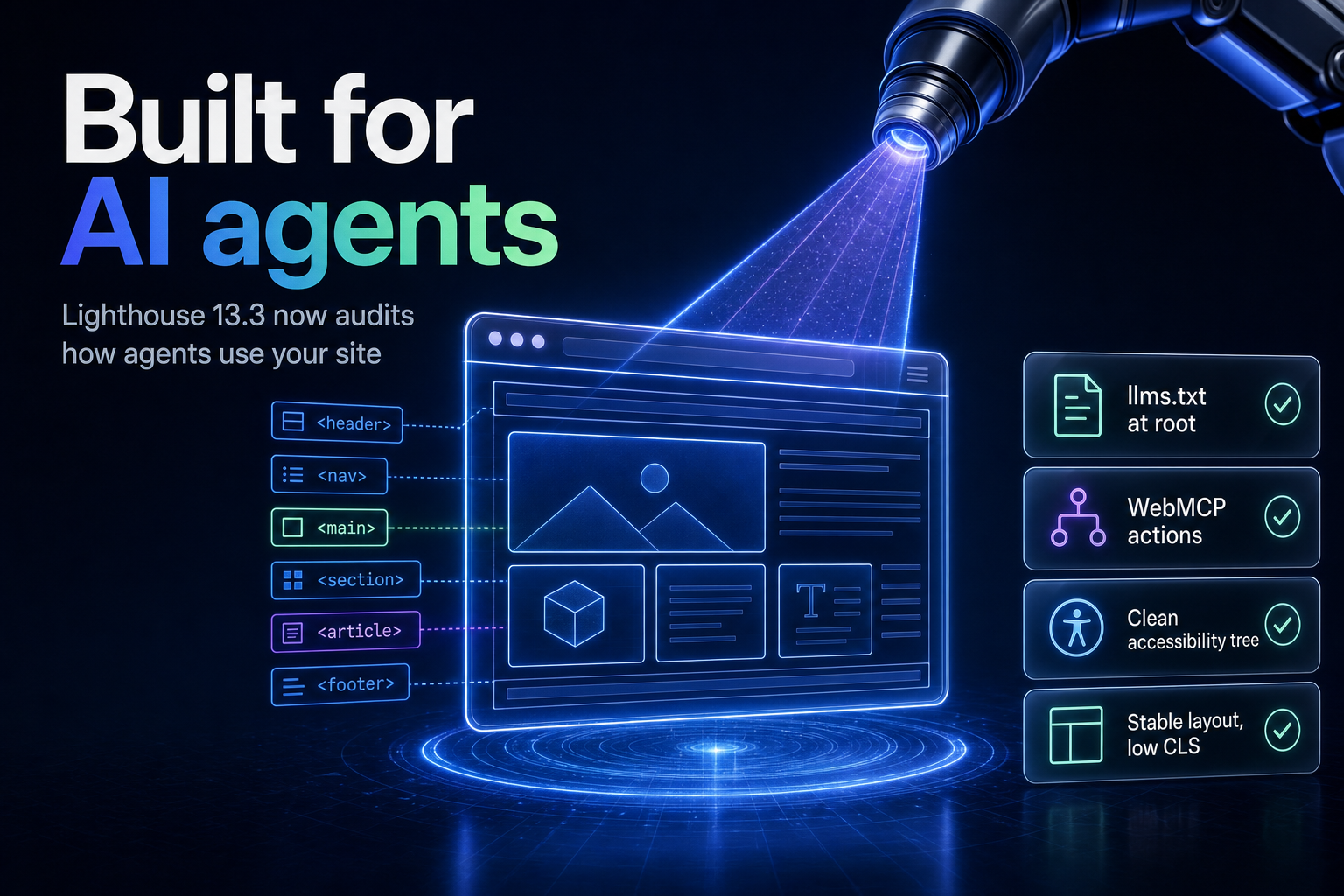
Summary. Google's Lighthouse 13.3, released May 7, 2026, added an agentic browsing category that audits how well your site works when an AI agent, not a person, loads it. It runs four deterministic checks: an llms.txt file, the WebMCP protocol, your accessibility tree, and cumulative layout shift. There is no 0 to 100 score yet, because the standards are still forming, and the category is marked under development. The stakes are commercial: AI platforms are set to drive 1.5% of US retail ecommerce in 2026, about $20.57 billion, and the agentic commerce market is projected to grow from $7.7 billion in 2026 to $65.5 billion by 2033. Here are seven fixes that move the audit signals in the right direction.
Agentic browsing means an agent such as ChatGPT, Claude, Perplexity or Gemini loads your page and tries to use it on a person's behalf. That visitor does not scroll, squint or guess. It reads structure. If your site hides its content behind JavaScript, ships a broken accessibility tree, or shifts layout while loading, the agent fails quietly and moves on. This guide explains what the new category checks, then walks through seven concrete fixes and where each one shows up in the audit.
What the agentic browsing category checks
The category evaluates how well a site is built for machine interaction through deterministic audits, per Google's Chrome for Developers documentation. Unlike traditional Lighthouse categories, it does not produce a weighted average from 0 to 100. Because the agentic web standards are still emerging, the current focus is to gather data and give actionable signals rather than a ranking, as DebugBear explains. Lighthouse 13.3 moved the category out of experimental flags and into the default configuration, and it remains marked under development, as Semrush reported.
The four areas it tests are an llms.txt file, the WebMCP protocol, the accessibility tree, and cumulative layout shift, per accessiBe's breakdown. Each maps to a way agents fail on real sites. The seven fixes below cover those four checks and the practical work around them.
| Fix | What to do | Audit signal it moves |
|---|---|---|
| Add llms.txt | Publish a Markdown map of key pages at the root | llms.txt check |
| Server-render content | Put key content in HTML, not behind JavaScript | Accessibility tree, content visibility |
| Clean accessibility tree | Use semantic HTML, labels and ARIA correctly | Accessibility tree check |
| Stabilise layout | Reserve space for images and embeds to cut CLS | Cumulative layout shift check |
| Add structured data | Organization, Product and FAQPage schema | Machine-readable meaning |
| Expose WebMCP actions | Describe site actions as tools an agent can call | WebMCP check |
| Signal freshness and speed | Visible dates, sitemap lastmod, fast first paint | Crawl efficiency |
The seven fixes
1. Add an llms.txt at your root
llms.txt is a plain Markdown file at yourdomain.com/llms.txt that lists your key pages with one-line descriptions, so an agent can understand your site without crawling everything, per apiserpent's guide. Think of it as a menu, with llms-full.txt as the full book for agents that can ingest more. Place it in the root and reference it in your XML sitemap so crawlers find it. We covered the ranking caveat separately in does llms.txt help SEO on Google; treat this as agent-readiness, not a ranking lever.
2. Serve your content in server-rendered HTML
Most AI crawlers do not execute JavaScript. Only a few, such as Google's Gemini and Apple's Applebot, currently run it, so content buried behind client-side scripts or inside collapsed dropdowns often goes unread, per Search Engine Land. Put the important information in the server-rendered HTML, high in the source, and use proper noscript fallbacks. A static or server-rendered site has a real advantage here.
| AI crawler | Executes JavaScript | Implication |
|---|---|---|
| Google Gemini | Yes | Can read client-rendered content |
| Apple Applebot | Yes | Can read client-rendered content |
| OpenAI GPTBot | No | Needs server-rendered HTML |
| Anthropic ClaudeBot | No | Needs server-rendered HTML |
| PerplexityBot | No | Needs server-rendered HTML |
3. Ship a clean accessibility tree
Agents navigate a page through its accessibility tree, the same structure a screen reader uses. Semantic HTML, correct heading order, labelled form controls and meaningful ARIA give an agent a map of what each element is and does. A page built from unlabelled divs is invisible to that map. Fixing accessibility for humans and fixing it for agents is the same work.
4. Stabilise your layout
Cumulative layout shift is in the audit because agents click by position. If a button moves while the page loads, an agent can click the wrong thing or fail the task. Reserve space for images, ads and embeds with explicit dimensions, and avoid injecting content above existing content after load. Low CLS helps human users and keeps agent actions accurate.
5. Add structured data
Structured data turns human-readable HTML into machine-understandable meaning. Start with Organization schema on the homepage to establish your entity, add Product schema with name, description, price and availability on product pages, and use FAQPage schema to mark question and answer pairs an agent can extract, per Search Engine Land. This is the difference between an agent guessing what a page is and knowing it.
6. Expose actions with WebMCP
The WebMCP protocol lets a site describe its actions, such as search, add to cart or book, as tools an agent can call directly, rather than forcing the agent to reverse-engineer your UI. Microsoft frames this as making your site usable as a tool for agents, in its guidance on optimising sites for agents. It is early and evolving, but the Lighthouse check signals that Google expects sites to move this way.
7. Signal freshness, speed and crawl control
Agents answering a query need to know your content is current, so use visible dates and a sitemap lastmod value. Keep first paint fast and put key content high in the source, since agents may not scroll far. Control access deliberately: allow the AI crawlers you want in robots.txt, and use meta directives such as noai or noLLM where you need to keep content out of generative use, per the AI-crawler guides.
What this does not do
Be clear about the goal. The agentic browsing category measures agent-readiness, not Google ranking. Google's own AI search guidance says llms.txt, content chunking and AI-specific rewriting are not needed for its generative features, and that optimising for AI search is still SEO, as Search Engine Journal reported. So the llms.txt and WebMCP work here is about the agentic web, where agents act on your site, not about lifting your position in AI Overviews. There is also no 0 to 100 score, so treat the output as a checklist, not a grade. For the ranking side, see our AI search optimization guide and the difference between AEO, GEO and SEO.
| Goal | Traditional SEO | Agentic browsing readiness |
|---|---|---|
| Primary audience | Google ranking systems | Agents acting for a user |
| Content delivery | Indexable HTML, keywords | Server-rendered, high in source |
| Structure signal | Headings and schema | Accessibility tree and schema |
| Action support | Not applicable | WebMCP tool descriptions |
| Success measure | Position and clicks | Task completion by an agent |
India-specific considerations
Two points matter for Indian teams. First, rendering: many Indian sites are heavy single-page apps, and since GPTBot, ClaudeBot and PerplexityBot do not run JavaScript, that content is invisible to most agents. Moving key pages to server-rendered or static output, on a stack like Astro or Next.js, is the highest-value fix. Second, data control: if an agent can trigger actions through WebMCP, treat those actions as an interface that touches user data, and apply the same consent and access rules the Digital Personal Data Protection Act, 2023, requires of any other channel. For the wider programme, our ultimate guide to SEO in 2026 sets the foundations these fixes build on.
The bottom line
The agentic browsing category is a signal about where the web is heading: agents, not just people, will use your site, and Google is now measuring how ready you are. The seven fixes are mostly good hygiene you should already do, with two new items, llms.txt and WebMCP, that are cheap to add. Do not treat the audit as a ranking score, because it is not one. Treat it as a readiness checklist for the agent traffic that a $20.57 billion AI-driven retail channel will send this year.
FAQ
How eCorpIT can help
eCorpIT is a Gurugram-based technology consultancy, founded in 2021 and CMMI Level 5 certified, with senior-led SEO, GEO and engineering teams. We audit sites against the new agentic browsing checks, move JavaScript-heavy pages to server-rendered or static output, add the right structured data and llms.txt, and design WebMCP actions with DPDP-aligned access controls. If you want your site ready for the agents that will shop and research on your users' behalf, talk to us.
References
_Last updated: July 11, 2026._


