On this page · 11 sections
- What Zendesk removed, and the exact dates
- What actually breaks in the rebuild
- The billing change that arrived with the migration
- What this costs, in seats and in add-ons
- Rebuild in Zendesk, or move the automation layer
- A migration plan that fits the remaining weeks
- India-specific considerations
- What to decide this month
- FAQ
- How eCorpIT can help
- References
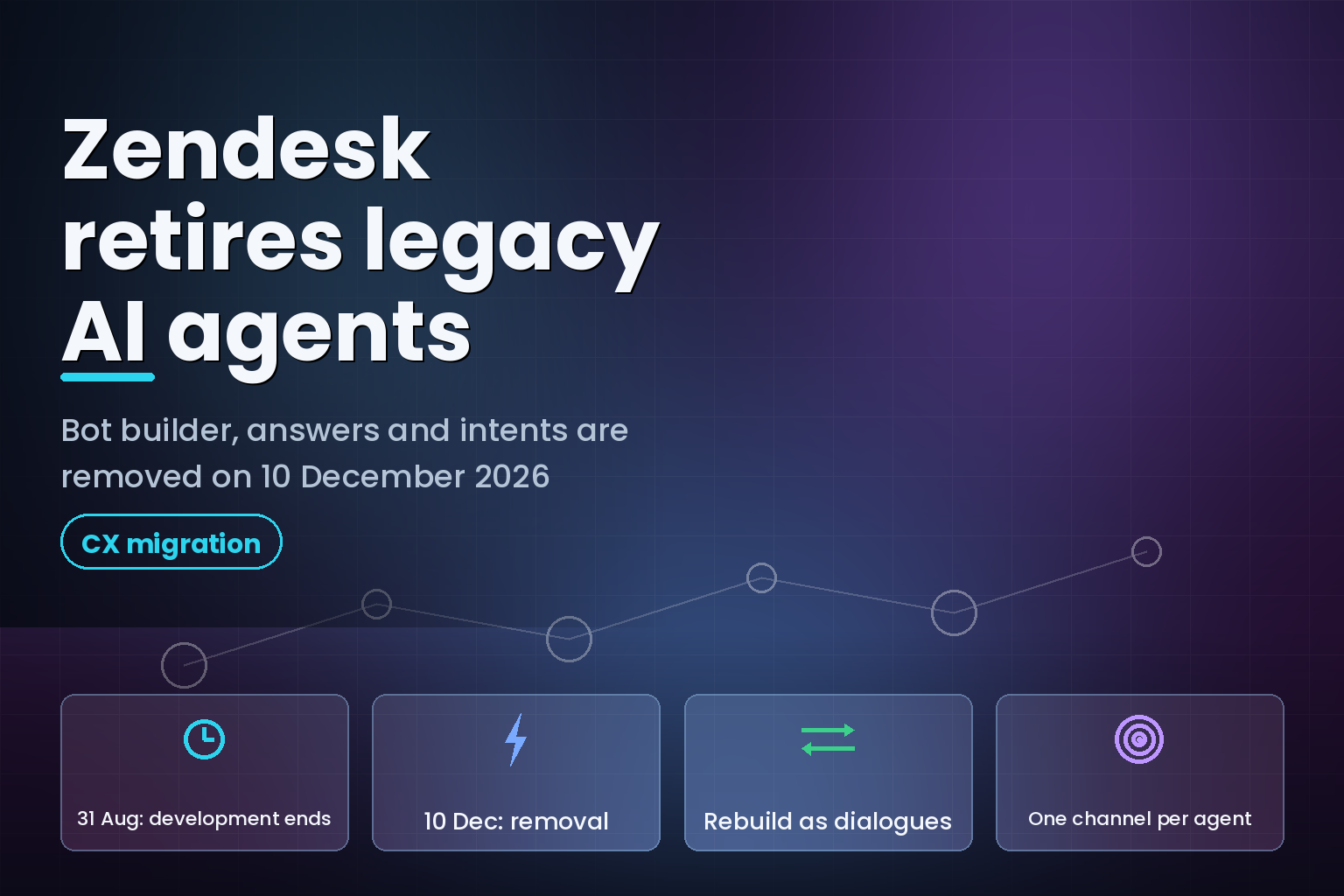
Summary. On 23 June 2026 Zendesk published a removal notice for AI agents - Essential and legacy AI agent functionality, which covers bot builder, answers and intents. Two dates govern the work: development stops on 31 August 2026, and the features are removed from the product on 10 December 2026. Any AI agent still running on that technology after 10 December will not function. There is no automatic migration today. Zendesk's own guidance says you rebuild each agent by hand, and its migration article states that an automated in-product tool will arrive "later in 2026" with no committed date. The rebuild is not a like-for-like port either: in the new AI agents experience each agent works on exactly one channel type, so a single legacy agent deployed on both messaging and email becomes two agents. Billing changed underneath the migration as well. Zendesk introduced automated resolution tiers on 18 May 2026, and only one of the three tiers draws down your resolution allowance. Zendesk Suite plans start at $55 per agent per month paid yearly and run to $115 for Suite Professional, with Copilot a separate $50 per agent per month, so the AI line is now a genuinely separate budget item from seats. This article covers what breaks, what the rebuild actually involves, how the new billing tiers change your run rate, and how to decide between rebuilding inside Zendesk and moving the automation layer somewhere you control.
What Zendesk removed, and the exact dates
Zendesk's announcement carries a three-column date table: announced 23 June 2026, development ends 31 August 2026, removal on 10 December 2026. The notice applies to customers using AI agents - Essential or legacy AI agent functionality such as bot builder and autoreplies with articles. It does not apply to customers who previously bought the AI agents - Advanced add-on.
The removal is the tail end of a packaging change Zendesk announced on 30 March 2026 and rolled out between 11 May and 12 June 2026. That change deleted the distinction between Essential and Advanced AI agents and pushed the advanced capabilities into every Suite and Support plan: agentic reasoning, multi-step procedures and external API integrations. New customers and trial accounts got the new experience between 11 and 15 May 2026. Existing customers on Essential or legacy functionality got it between 25 May and 12 June 2026.
So the sequence is: Zendesk gave everyone the better product first, then set a clock on the older one. That is a reasonable way to run a deprecation. The problem is what "migrate" means in practice.
| Date | What happens | What you can still do |
|---|---|---|
| 30 March 2026 | Packaging change announced; Essential and Advanced tiers merged | Nothing required |
| 11 May to 12 June 2026 | New AI agents experience rolled out to all Suite and Support accounts | Start building in the new experience |
| 18 May 2026 | Automated resolution tiers replace the previous resolution platform | Re-forecast your AI spend |
| 23 June 2026 | Removal notice published for Essential and legacy functionality | Plan the rebuild |
| 31 August 2026 | Zendesk stops technical development except critical bug fixes and breaking-change support | Legacy agents still run, but no fixes |
| 10 December 2026 | AI agents - Essential and legacy functionality removed | Legacy agents stop functioning |
The 31 August date is the one teams underrate. It is not a shutdown. It is the point after which nobody at Zendesk is improving the thing you depend on, while your channels, integrations and knowledge base keep changing around it. Fourteen weeks of running an unmaintained automation layer in front of customers is a real operational risk, not a paperwork deadline.
What actually breaks in the rebuild
Zendesk's migration article maps the old concepts to the new ones. The names change and so does the underlying model.
| Concept | Legacy AI agent functionality | New AI agents experience |
|---|---|---|
| Where you build scripted conversation flows | Bot builder | Dialogue builder |
| What the scripted flows are called | Answers | Dialogues |
| How the agent works out what the customer wants | Intents | Use cases |
| Knowledge-grounded replies | Article recommendation and article steps | Generative replies and generative procedures |
| Deployment scope per agent | One agent could serve multiple channels | One agent serves one channel type |
Step types map across too, and this table is the part worth printing out before you start. Zendesk documents eleven mappings from bot builder step types to dialogue builder block types.
| Bot builder step type | Dialogue builder block type |
|---|---|
| Send message | AI agent message |
| Present options | Customer message |
| Show help center articles | Generative replies |
| Add carousel | Carousel |
| Ask for details | AI agent message presenting a form template |
| Ask if question resolved | Customer message asking if the question was resolved |
| Make API call | Integration or action flow |
| Transfer to agent | Escalation |
| Branch by condition | Conditional |
| Add business hours condition | Availability |
| Set variable | Any block type with an added action that sets a conversation parameter |
Read that list as a scope estimate. Every "Make API call" step in your current flows is a separate integration or action flow to rebuild and re-test against a live backend. Every "Set variable" becomes a conversation parameter you have to define and thread through the dialogue. If your legacy agent has forty answers with branching logic and three API calls, this is not an afternoon.
Zendesk says so itself. Its migration guidance notes that if your legacy agent includes many answer flows, or flows with a high degree of complexity such as many branching steps or integrations, it strongly recommends engaging its AI Expert offering, which it describes as a recurring service subscription rather than a one-off project.
The single-channel rule is the hidden multiplier
The migration article states it plainly: in the new AI agents experience, each AI agent can interact on only one type of channel. A single agent cannot serve messaging and email. If you built one Essential agent and deployed it across both, you now build two.
That doubles more than the build. It doubles the QA matrix, the knowledge-source configuration, the escalation rules, the reporting surface and the change-management process for every future edit. Teams that ran a single agent across web widget, mobile SDK, WhatsApp and email are looking at a structurally different operating model, not a port.
The real cost is usually the fan-out, not the code.
There is no migration tool yet
Zendesk's guidance includes a tip that an automated, in-product migration tool "will be offered" to help recreate an essential AI agent without a manual rebuild, and that more details "will become available later in 2026". No date is committed. The same tip tells you that you can either follow the manual steps now or wait for the tool.
Waiting is a bet with an asymmetric payoff. If the tool ships in September you save a few weeks of build. If it ships in November, or only covers simple Essential agents and not legacy bot builder flows, you are rebuilding under a hard removal date in the middle of peak season for most retail and D2C businesses. The tip explicitly says the tool helps recreate an essential AI agent, not a legacy bot builder agent, so the more complex your setup, the less likely the tool covers you.
The billing change that arrived with the migration
Zendesk moved to automated resolution tiers on 18 May 2026, and the tier definitions materially change what you pay for. Automated resolutions are the unit Zendesk uses to calculate and bill AI agent usage. Under the tier model, resolutions are grouped by the value the agent delivered.
| Tier | What it means | Draws down your allowance |
|---|---|---|
| Assisted escalation | AI agent collected data, authenticated the customer or helped route, but a human finished the resolution | No |
| Contained resolution | AI agent handled the interaction to completion, but the conversation did not pass LLM verification after the 72-hour window | No |
| Verified resolution | AI agent resolved the interaction and the conversation passed LLM verification after the 72-hour window | Yes |
Only verified resolutions consume allowance. That is a better deal than the model it replaced, and it also makes forecasting harder, because your bill now depends on how an LLM grades your conversations rather than on a countable event you control.
The included allowances are documented per plan. Zendesk Suite and Support Enterprise include 15 automated resolutions per agent per month. Professional and Growth include 10. Team includes 5. Accounts on all plans have a maximum of 10,000 allocated automated resolutions per year. Legacy Support plans include access to AI agents but come with no included automated resolutions at all, so those customers buy every resolution.
Zendesk's own documentation is explicit that the removal will move your numbers: "you may see changes in the number of automated resolutions as you begin using upgraded capabilities. Because pricing is tied to outcomes, changes in the number of automated resolutions may impact your overall usage and associated costs."
Translated: the upgraded agents resolve more, so more conversations reach verified status, so your resolution consumption rises. Your existing overage configuration is respected, which means an account with overage enabled and no cap can quietly spend more the week after a successful migration than the week before.
How resolutions are counted, and where the timers changed
The counting rules are not identical between the old and new models, which matters for anyone comparing month-over-month usage after cutover.
Under Essential and legacy functionality, an automated resolution on messaging was counted after 72 hours of inactivity, subject to LLM verification and a positive-or-no-feedback outcome. Email and web form followed the same 72-hour inactivity rule with the extra condition that no human agent replied to the ticket.
Under advanced agent logic, messaging conversations are evaluated at the end of a session that defaults to 2 hours after the first message, configurable up to a maximum of 72 hours. Email stays at 72 hours. Escalation removes a conversation from consideration entirely, because any escalation changes the status away from handled or answered.
A shorter default session window means conversations close out and get graded faster. If you leave the messaging session at the 2-hour default, expect your resolution counts to land sooner in the month than your finance team is used to.
Two other counting rules are worth keeping in the runbook. Automated resolutions in sandbox environments do not count against your allocation, and no resolutions are counted when you test an agent using the testing features in Admin Center. That gives you a free rehearsal environment for the rebuild, which is the single most useful fact in the billing documentation.
What this costs, in seats and in add-ons
Zendesk publishes plan pricing openly, which makes the total-cost picture easier to build than for most CX vendors.
| Plan or add-on | Price, paid yearly, as of August 2026 | AI agents included |
|---|---|---|
| Support Team | $19 per agent per month | No |
| Suite Team | $55 per agent per month | Yes, 5 automated resolutions per agent per month |
| Suite Professional | $115 per agent per month | Yes, 10 automated resolutions per agent per month |
| Suite Enterprise + Copilot | Sales-quoted | Yes, 15 automated resolutions per agent per month |
| Copilot add-on | $50 per agent per month | Agent-side assistance, separate from AI agents |
| Contact Center | $83 per agent per month | Voice channel |
Note what is missing from that table: a published per-resolution rate. Zendesk's documentation describes the mechanics of committed usage and overage billing, and states that committed usage provides a better per-resolution cost than overage or pay-as-you-go, but it does not publish the numbers. Overage is billed monthly regardless of your subscription term. If you are modelling the post-migration run rate, the per-resolution rate has to come from your account team, and it should come in writing before you cut over.
Zendesk also supports only USD, EUR, GBP and BRL as billing currencies, which matters for the India section below.
Rebuild in Zendesk, or move the automation layer
The removal notice forces a decision that many teams have been deferring. Rebuilding forty answer flows by hand is roughly the same order of work as standing up an agent on infrastructure you own, and the second option changes your cost curve.
| Option | Best when | Main risk | Cost shape |
|---|---|---|---|
| Rebuild in the new Zendesk experience | Your flows are simple, your team is small, and Zendesk is already the system of record | Single-channel rule multiplies agent count; per-resolution rate is sales-quoted | Seats plus verified resolutions |
| Rebuild with Zendesk AI Expert engagement | Many branching flows or several API integrations, and an internal team without CX engineering capacity | Recurring service subscription, not a fixed-scope project | Seats plus resolutions plus recurring services |
| Move automation to your own agent, keep Zendesk as ticketing | Volume is high enough that per-resolution pricing dominates, and you already run engineering | You own evaluation, guardrails and uptime | Model tokens plus engineering |
| Adopt Forethought AI agents by Zendesk | You want self-improving agents without changing the ticketing stack | Newly acquired product line, integration maturity varies | Sales-quoted |
| Move platform entirely | Zendesk was already under review for other reasons | Migration of tickets, macros and history, on top of the agent rebuild | Full replatform |
The third row deserves attention because Zendesk's own pricing model creates the incentive. When you pay per verified resolution, the vendor captures the upside of every improvement you make to your knowledge base. When you run the agent yourself, that upside stays with you. Our own view from delivery work is that the crossover point is a volume question, not an ideology question, and it usually arrives sooner than teams expect. We covered the arithmetic in detail in the AI customer support agent build vs buy cost analysis.
Zendesk is not standing still on this. It announced a definitive agreement to acquire Forethought on 11 March 2026, expected to close by the end of that month, and positions the combined offering as self-improving AI agents that work on any platform. The pricing page now carries a Zendesk + Forethought block that markets the agents as working with "your current setup, whether you use Zendesk or another service provider".
"The era of simply managing conversations is over. The future of customer experience requires agentic capabilities built for definitive resolution," said Tom Eggemeier, CEO of Zendesk, in the acquisition announcement.
Keith Kirkpatrick, Vice President and Research Director at The Futurum Group, framed the same deal as a market signal: "Zendesk is making a bold statement that agentic AI will define the next era of customer experience. At a time when many software companies are cautious or still in pilot mode, this investment reflects strong confidence in both the technology and the market's readiness."
Zendesk claims its AI agents "routinely resolve over 80% of interactions end-to-end across a broad customer base", with human and autonomous agents working together. That figure comes from Zendesk's own March 2026 press release and has not been independently audited, so treat it as a vendor claim rather than a benchmark. It is still directionally useful: if the new agents really do resolve substantially more than the legacy bot builder flows they replace, the resolution-consumption warning in the removal notice is not boilerplate.
A migration plan that fits the remaining weeks
From 6 August 2026 you have roughly three and a half weeks to the development-freeze date and eighteen weeks to removal. The sensible target is the earlier one.
Week 1: inventory. In Admin Center, open AI > AI agents > AI agents and check each agent under the Essential heading. Essential agents have no Intents or Answers tab. Legacy agents have an Answers tab and may also have an Intents tab. Record, for every agent: channel or channels deployed, number of answers, number of intents, number of API-call steps, number of variables, and the escalation paths. That list is your scope document.
Week 2: build the sandbox rehearsal. Resolutions in sandbox environments do not count against your allocation, and Admin Center testing consumes nothing. Rebuild your two highest-volume flows there first, one per channel, so you learn the dialogue builder on work that matters before you touch the long tail.
Week 3: rebuild in order of traffic. Create use cases first to identify customer requests, then generative procedures or dialogues to control responses. Work down the answer list by volume. Anything below one percent of conversations is a candidate for deletion rather than migration, and a deprecation is the cheapest time you will ever get to delete a flow nobody uses.
Week 4: instrument before cutover. Set your messaging session duration deliberately rather than accepting the 2-hour default. Configure the automated resolution limit and decide explicitly whether you want to pause AI agent functionality at the cap or accept overage. For email agents, create the automation trigger; Zendesk's documentation warns that without it, human replies during a conversation the email agent also touched will not appear in conversation logs, and automated resolutions may be consumed for conversations that should not have counted.
After cutover: watch the tier mix. Track the split between assisted escalation, contained resolution and verified resolution for the first four weeks. That mix, not the raw conversation count, is your bill. If verified resolutions jump sharply, the migration worked and your run rate changed on the same day.
India-specific considerations
For Indian support teams the removal lands with three extra wrinkles.
First, currency. Zendesk bills in USD, EUR, GBP and BRL only. Indian teams carry the rupee-dollar exposure on both seats and resolutions, and a per-resolution model converts a variable support workload directly into a variable foreign-currency liability. A support team clearing meaningfully more verified resolutions after migration sees that increase in dollars. Budget the resolution line in USD and hedge it the way you hedge any other dollar-denominated SaaS commitment.
Second, data protection. Support transcripts are among the richest personal-data stores most Indian companies hold: names, phone numbers, order histories, sometimes payment references and health details. Under the Digital Personal Data Protection Act 2023, the obligations sit with you as the data fiduciary regardless of which vendor's agent generates the reply, as set out in our DPDP Act engineering playbook. A rebuild is the right moment to re-check what the agent is allowed to read from your knowledge sources, what it writes back into ticket fields, and what leaves the country. The engineering patterns for that are the same ones we describe in the AI CX conversational agent patterns guide.
Third, language coverage. Indian D2C and fintech support queues run substantially in Hindi and other Indic languages, often transliterated into Latin script. Legacy intents were trained artefacts; use cases in the new experience are described in natural language. That is generally an improvement for messy multilingual input, but it is also a behaviour change you must test rather than assume, because your old intent model and your new use cases will disagree on exactly the transliterated queries that make up your long tail.
What to decide this month
The removal is not negotiable and the migration is manual. Three decisions are worth making before 31 August 2026:
Decide whether you are waiting for the migration tool. If your agents are simple Essential agents, waiting is defensible. If you have legacy bot builder flows with API calls, the tip in Zendesk's documentation does not promise you coverage, and waiting is a gamble on an uncommitted date.
Decide your channel architecture before you build. The single-channel rule means the number of agents you end up operating is a design choice, not a constraint you discover halfway through. Consolidating four channels onto two agents with a shared knowledge source is a different maintenance burden from running four.
Decide where the automation layer lives for the next three years. A forced rebuild is the cheapest possible moment to reconsider that, because the switching cost you would normally weigh against a move is a cost you are paying anyway. The enterprise AI agents production use cases pillar sets out how teams have made that call, and the pilot to production scoping guide covers what it takes to run an agent you own.
FAQ
How eCorpIT can help
eCorpIT is a CMMI Level 5, MSME certified and ISO 27001:2022 certified engineering organisation in Gurugram, and our senior-led teams have delivered AI agent and CX automation work across D2C, fintech and healthcare stacks. We help teams inventory legacy Zendesk flows, rebuild them as dialogues and use cases without losing escalation behaviour, and model the post-migration resolution run rate before cutover rather than after the first invoice. Where the volume arithmetic favours owning the automation layer, we build and instrument agents that we design aligned with DPDP Act requirements and integrate back into your existing ticketing. Talk to us at /contact-us/ if you want the rebuild scoped against the 31 August date.
References
- Announcing the removal of AI agents - Essential and legacy functionality: Important dates and migration guidance - Zendesk help, 23 June 2026
- Announcing expanded access to AI agent capabilities for all Zendesk customers - Zendesk help, 30 March 2026
- Migrating to the new AI agents experience - Zendesk help
- About automated resolutions for AI agents - Zendesk help
- About automated resolution tiers - Zendesk help, tiers introduced 18 May 2026
- Zendesk pricing plans - Zendesk, page last modified 16 July 2026
- Zendesk Advances Resolution Platform with Self-improving AI Agents from Proposed Forethought Acquisition - Zendesk newsroom, 11 March 2026
- About AI agents - Zendesk help
- Getting started with AI agents - Zendesk help
- Managing your automated resolutions - Zendesk help
- Monitoring your automated resolution usage - Zendesk help
- Understanding the step types for AI agent answers (Legacy) - Zendesk help
- What are Zendesk Support and Suite plans priced? - Zendesk help
Last updated: 6 August 2026.