

On this page · 14 sections
- The 2026 framing
- The 7-question decision matrix
- What Jetpack Compose ships in 2026
- What Flutter ships for Android in 2026
- What changed in August 2026, and why it narrows the gap
- Performance comparison: the honest 2026 picture
- Cost comparison (Android-only build)
- The Kotlin Multiplatform option
- When Compose clearly wins
- When Flutter clearly wins
- FAQ
- A short closing note
- Further reading
- References
Summary. Jetpack Compose is Google's native Android UI framework. Flutter is Google's cross-platform UI framework. Both are Google-backed. Both ship to Android. The decision is not "which is better" — it is "which fits my build, my team, and my platform strategy." Compose wins for Android-only builds with peak performance, day-one Material You / Android 16 / foldable / Wear OS feature parity. Flutter wins when you need iOS plus Android from one codebase, brand-consistent rendering across both platforms, or a single engineering team to ship both stores. This guide gives you the seven-question decision matrix and the cost math.
Talk to eCorpIT about your Android build · Hire Android Developers
The 2026 framing
The Compose-vs-Flutter conversation is uniquely confusing because both are Google products. Three things matter to clear it up.
Jetpack Compose is native Android UI. Kotlin, runs on the Android runtime, uses Android's platform Views under the hood, ships with day-one access to every new Android feature. The Android team's strategic UI investment.
Flutter is cross-platform UI. Dart, renders everything through Impeller (Flutter's own engine), ships to iOS, Android, web, and desktop from one codebase. Google's strategic cross-platform investment.
Both are real, both are growing, neither is being deprecated. The question is which fits your specific build.
For Android-only builds where peak performance and day-one platform features matter, Compose wins. For builds where you need both iOS and Android with brand-consistent rendering, Flutter wins. The seven-question matrix below decides for your specific build.
The 7-question decision matrix
Each question maps to a Compose or Flutter preference. Whichever framework gets the most preferences is the right starting point.
Question | Compose preference if | Flutter preference if ---|---|--- Platforms required | Android only | iOS plus Android (or more) Day-one Android feature parity | Required (Material You, Android 16, foldables, Wear OS) | Acceptable 3–9 month lag Brand consistency across platforms | Not applicable (Android only) | Critical (pixel-identical iOS and Android) Team language preference | Kotlin (strong Android team) | Dart (no strong Kotlin or JS team) Performance ceiling | Peak Android performance | Standard line-of-business workload Engineering team size | Single Android team | Single cross-platform team for both stores 3-year roadmap | Heavy Android-platform-feature-led | Cross-platform feature parity is the goal
For most Android-only builds, Compose wins clearly. For most cross-platform builds, Flutter wins clearly. Mixed signals indicate a discovery-call discussion.
What Jetpack Compose ships in 2026
Five capabilities that define the Compose value proposition.
Day-one new-Android-feature support. When a new Android version ships, Compose gets the new APIs immediately, because it is part of the platform's own toolkit rather than a layer above it. Foldable support, Material You theming, Wear OS, Android Auto and Privacy Sandbox APIs all arrive on Google's schedule, not on a framework maintainer's. Cross-platform frameworks reach the same APIs eventually, through a plugin, and "eventually" is the whole difference if your roadmap depends on a launch-day feature.
Material You design system. Dynamic colour, adaptive layouts, large-screen and foldable support, accessibility integration. The Compose-Material 3 alignment is tighter than any cross-platform framework can match.
Native performance. Memory usage and bundle size match the platform's expectations. App size matters for Play Store install conversion in emerging markets. Cold-start and frame-rate optimisation has fewer cross-platform overhead concerns.
Kotlin Multiplatform compatibility. Compose can share business logic with iOS via Kotlin Multiplatform Mobile (KMP). The UI stays platform-specific (SwiftUI on iOS, Compose on Android), but the business logic, data layer, and API integration share. This is the increasingly mature alternative to full cross-platform.
Direct integration with Android-platform APIs. HealthKit's Android counterpart (Health Connect), Wear OS, Android Auto, Bluetooth LE, advanced camera (CameraX), foldable-aware adaptive layouts. All accessible without a cross-platform-framework layer.
What Flutter ships for Android in 2026
Five capabilities that define the Flutter value proposition.
Single codebase for iOS plus Android. The biggest reason most teams pick Flutter. One Dart codebase ships to both stores. Engineering team size scales with single-codebase complexity rather than dual-platform complexity.
Material 3 and Cupertino parity. Flutter's Material 3 widgets are excellent. The Cupertino library approximates iOS-style components for cross-platform consistency.
Brand-consistent rendering across platforms. Pixel-identical UI on iOS and Android. For D2C brands, gaming, branded content, fitness, anything where visual identity matters across platforms, this is the deciding factor.
Strong design control through Impeller. Direct rendering pipeline gives finer-grained control over animations, transitions, and motion design than platform-native UI components.
Mature CI/CD via Codemagic and EAS-equivalent options. Cross-platform build pipelines that handle iOS and Android together rather than separately.
What changed in August 2026, and why it narrows the gap
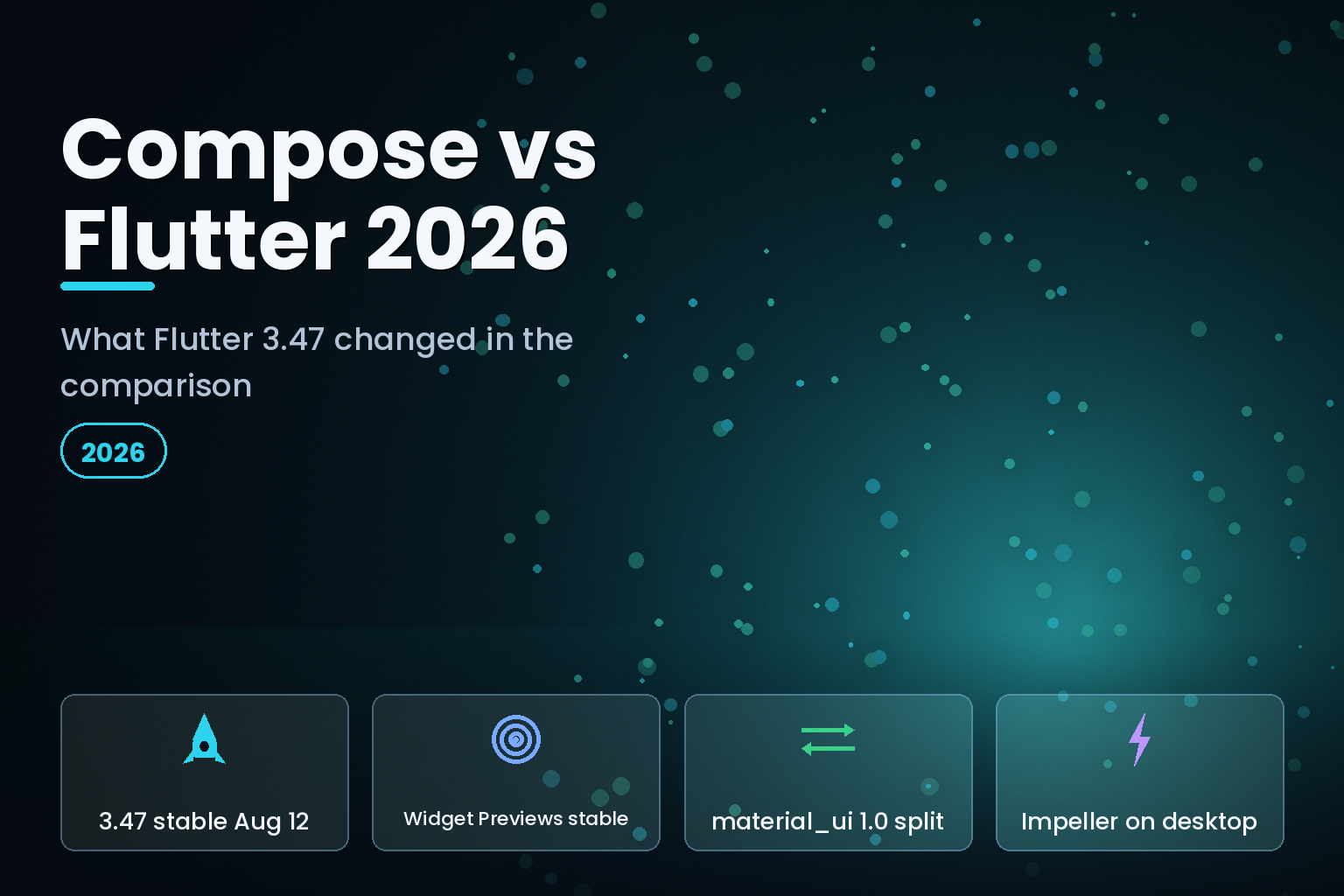
This page was first written on 30 May 2026, and the most-cited reason to prefer Compose over Flutter has moved since. Flutter 3.47 reached the stable channel on 12 August 2026, with 3.47.1 following on 19 August, and three things in it bear directly on this comparison.
Widget Previews graduated to stable. Compose's @Preview annotation — render a composable in the IDE without deploying to a device — has been one of the most concrete day-to-day advantages of the native toolkit, and one of the easiest to feel within an hour of using it. Flutter Widget Previews are now stable, which does not make the two experiences identical, but it removes "you cannot preview without a hot reload cycle" from the honest list of Flutter drawbacks. If you last evaluated Flutter on this axis before August 2026, re-run that evaluation.
Material and Cupertino left the SDK. Flutter 3.47 shipped the 1.0 release of standalone material_ui and cupertino_ui packages. Flutter's own framing is that this "decouples design systems from the core SDK", because bundling the design libraries inside the SDK "slowed down their development". For a team weighing design-system control, this matters in both directions: you gain the ability to take Material updates on a package cadence instead of an SDK cadence, and you take on one more dependency to manage. It is the clearest signal yet that Flutter's answer to "how closely do you track Material?" is now "on your schedule, not ours."
Impeller is on desktop by default. Relevant only if desktop is on your roadmap, but it firms up the multi-platform argument in the last section of this guide.
The Android build story moved too. Flutter 3.47 is verified against Java 17, Kotlin Gradle Plugin 2.4.0, Android Gradle plugin 9.1.0 and Gradle 9.3.1 — higher floors than AGP 9.0's own release notes list, and a real consideration if your CI images are pinned. We cover the whole Android build migration in the AGP 9 and Flutter 3.47 upgrade guide.
None of this flips the decision matrix below. It does mean the Compose column's advantages are narrower than they were in May, and a comparison written before August 2026 will overstate them.
Performance comparison: the honest 2026 picture
A word on how to read this section, because it is where comparison articles do the most damage. Published Compose-versus-Flutter benchmark numbers are almost always measured on someone else's app, on hardware you do not have, with a build configuration nobody wrote down. We have removed the precise figures this page previously carried, because we could not trace them to a benchmark anyone can reproduce, and a number you cannot check is worse than no number. What follows is the direction of the difference and the reason for it. Measure your own build before you let any of it decide a budget.
Cold-start time. Compose has the structural edge. A Compose app starts the Android runtime and nothing else; a Flutter app also initialises the Flutter engine before the first frame. That gap has narrowed considerably across the Impeller releases, and on flagship hardware it is usually not perceptible. On low-end devices it still is.
Frame rate. Both sustain smooth scrolling on ordinary UIs on modern devices. Compose has the shorter path to high-refresh-rate displays because it is talking to the platform compositor directly. Flutter reaches the same place with attention to how you build your render tree.
Memory usage. Compose is lighter, for the same structural reason: no second rendering engine resident in the process. This matters most on the low-RAM Android devices that dominate Tier 2 and Tier 3 India, Indonesia and much of Africa, and matters very little on a flagship.
App size. A Compose APK is smaller than a Flutter APK for a comparable app, because the Flutter build ships its engine. How much smaller depends heavily on your asset load, your ABI splits and whether you ship an App Bundle — which is why a single percentage is misleading. If install conversion in low-bandwidth markets is a business metric for you, build both and measure; it is a day of work and it settles the argument.
Animation smoothness. Compose has direct access to the platform animation pipeline. Flutter has full control through Impeller, and that control is genuinely an advantage for bespoke motion design. Both produce excellent results in competent hands.
Battery usage. Compose has the cleaner profile because it runs on the platform's own rendering pipeline. The Flutter engine adds overhead, though modern Impeller builds have reduced it.
For most consumer-facing apps on mid-range and better hardware, these differences sit below the user-perception threshold and should not decide your framework. For low-end Android markets and peak-performance categories, they should.
Cost comparison (Android-only build)
Real comparison through eCorpIT senior rates.
Simple Android-only MVP
Approach | eCorpIT cost | US agency cost ---|---|--- Compose (native Android) | $8K – $25K | $30K – $80K Flutter (Android slice) | $9K – $28K | $32K – $85K
The two are nearly identical for Android-only builds. Compose has slight edge on hours because the team does not pay the cross-platform-coordination overhead.
Mid-complexity Android-only app
Approach | eCorpIT cost | US agency cost ---|---|--- Compose (native Android) | $15K – $60K | $80K – $150K Flutter (Android slice) | $17K – $65K | $85K – $160K
For Android-only builds, both options are similarly priced.
Where the cost picture flips
The cost story changes the moment iOS is also required.
Approach | eCorpIT cost for iOS + Android ---|--- Compose + SwiftUI (two codebases) | 1.7× single-platform cost Flutter (one codebase) | 1.15× single-platform cost
If iOS is required, Flutter's cross-platform economics dominate. If Android-only, the choice is closer to a coin flip on cost.
For your specific project the interactive cost calculator returns a personalised range in 90 seconds.
The Kotlin Multiplatform option
Worth flagging because it changes the framing for some buyers.
Kotlin Multiplatform Mobile (KMP) lets you share business logic between iOS and Android while keeping UI platform-specific: SwiftUI on iOS, Compose on Android. The result: native UI on both platforms, shared data layer and business logic.
When KMP wins over Flutter: When you want native UI feel on both platforms but do not want to pay the full cost of two separate codebases. KMP shares roughly 30–60% of code across iOS and Android (business logic, API integration, data models) while keeping UI native.
When KMP loses to Flutter: When you want brand-consistent rendering across platforms (Flutter renders identically; KMP defers to platform UI). When the UI work is the largest part of the build (KMP's shared-business-logic advantage matters less for UI-heavy builds).
We cover this in more detail in our SwiftUI vs Kotlin Multiplatform pillar.
When Compose clearly wins
Five buyer situations.
Android-only consumer apps. D2C apps for India Tier 2/3 markets, Indonesia, Brazil, Nigeria. Native Compose with Material You theming and adaptive layouts.
Wear OS or Android Auto companion apps. Flutter's Wear OS support is workable but lags Compose's day-one access.
Foldable-first apps. Galaxy Z, Pixel Fold support requires adaptive layouts that Compose ships natively.
Peak Play Store category competition. Top-tier categories where every kB of app size and millisecond of cold-start matters for ranking.
Existing Android codebases. Extending an existing native Android codebase with Compose is the natural evolution; introducing Flutter requires a rewrite.
When Flutter clearly wins
Five buyer situations.
iOS plus Android from one codebase. Most common case in practice. One Dart codebase ships to both stores. Single engineering team handles both releases.
Brand-led D2C apps. Pixel-identical rendering on iOS and Android matters strategically.
Mid-market and growth-stage companies with one engineering team. Single-codebase economics compound over years.
Complex animation or motion-design-heavy apps. Flutter's direct rendering pipeline gives finer control than platform-native UI.
Multi-platform strategy. Flutter ships to iOS, Android, web, and desktop. For companies extending mobile to web or desktop later, Flutter's reach is a strategic asset.
FAQ
A short closing note
The Jetpack Compose vs Flutter decision in 2026 is genuinely about fit, not about which is "better." For Android-only builds, Compose wins on performance, day-one platform features, and codebase ownership. For iOS-plus-Android builds, Flutter wins on single-codebase economics and brand-consistent rendering. The seven-question matrix above maps your project to the right choice.
If you want a senior read on which framework fits your specific build, that is what we do. And if the answer turns out to be Flutter, the practical next question is who builds it — our flutter app development company page sets out how we scope and staff those engagements.
Further reading
* Hire Android Developers · Hire Flutter Developers
* Flutter vs React Native 2026 · Native vs Cross-Platform Mobile App
* Expo vs React Native · SwiftUI vs Kotlin Multiplatform 2026
* Mobile App Development Cost Calculator
References
- What's new in Flutter 3.47 — Emma Twersky, The Flutter Blog, 12 August 2026
- Flutter release notes, stable channel — Flutter documentation
- Flutter SDK release manifest — Flutter infrastructure, records 3.47.0 on 12 August 2026 and 3.47.1 on 19 August 2026
- Jetpack Compose — Android Developers
- Compose Material 3 — Android Developers
- Compose performance guidance — Android Developers
- Kotlin Multiplatform — JetBrains
- Migrating Flutter Android projects to built-in Kotlin — Flutter documentation
- Built-in Kotlin migration for app developers — Flutter documentation
- Android Gradle plugin release notes — Android Developers
- Impeller rendering engine — Flutter documentation
- Android App Bundle and app size — Android Developers
_Page last reviewed by Manu Shukla, Founder, eCorpIT, on 22 August 2026. Next review: November 2026._


