

On this page · 10 sections
- What Google is actually doing
- The migration timeline, and where you sit in it
- The three changes that cost money
- What the benchmark data says you should baseline
- The 10-step migration playbook
- Agencies: this is an operations problem, not a marketing one
- What this means outside the United States
- FAQ
- How eCorpIT can help
- References
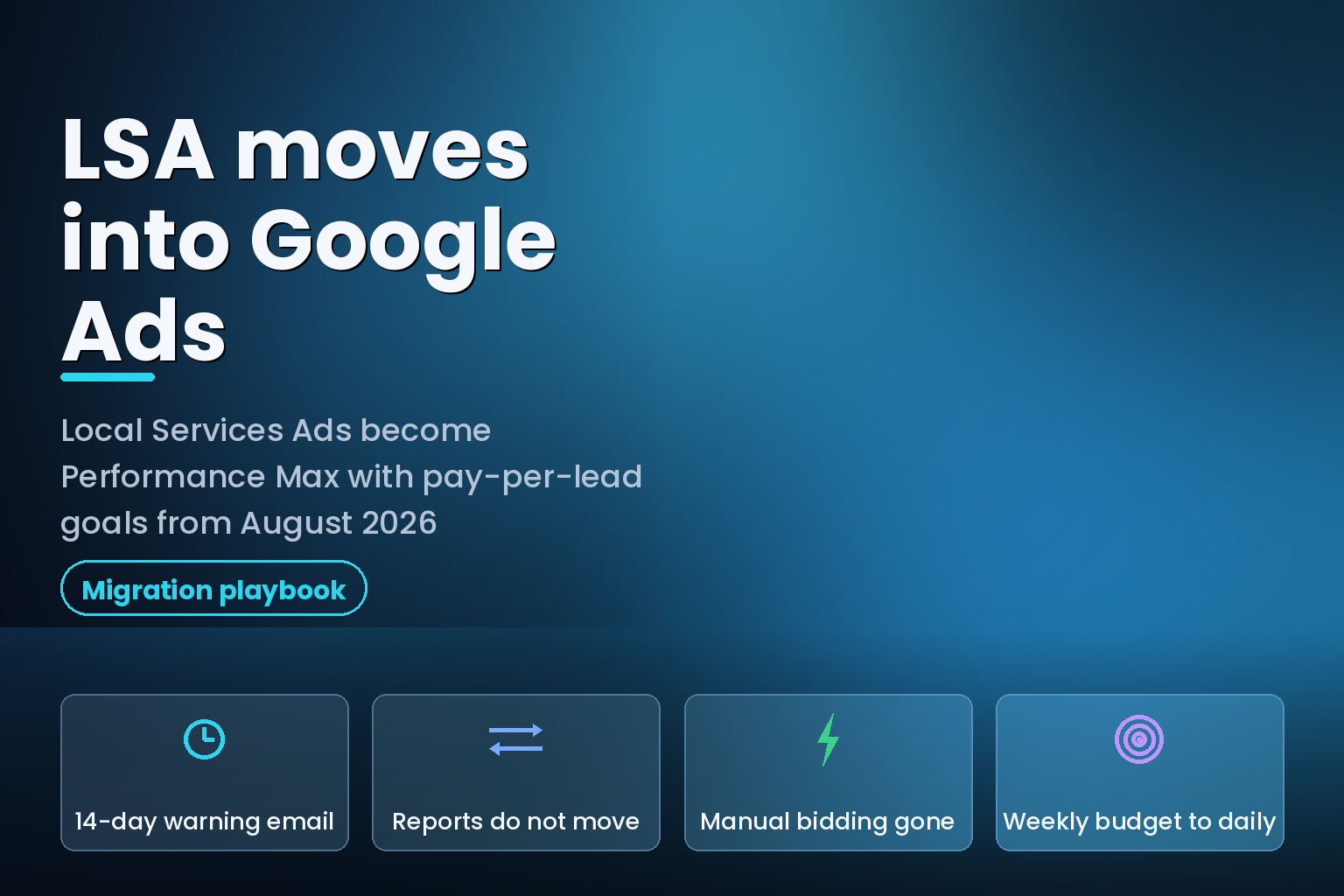
Summary. Google began migrating Local Services Ads into a specialised Performance Max campaign type with pay-per-lead goals in August 2026, starting with selected home and storefront service advertisers in the United States across nine trades, including plumbing, HVAC, electrical and roofing. Broader groups follow in late 2026, and non-US accounts plus all remaining categories move in 2027. The account administrator gets one email 14 days before the migration date and a reminder 7 days later, and that is the entire warning. Three things change materially. Historical performance reports do not carry over, so anything you have not downloaded from the Local Services Ads dashboard before transition day is gone. Manual bidding, including a maximum cost-per-lead, is deprecated, as is vertical-level Target CPA. Weekly budgets become daily budgets, calculated by dividing your historical weekly average by 7, with monthly spend capped at the daily average multiplied by 30.4. For context on what is at stake, SearchLight Digital's February 2026 benchmark across 888 contractors and $6.72M in LSA spend put the blended cost per lead at $53 with a 43.9% book rate, against $72 per lead and a 32.2% book rate for standard Performance Max in the same dataset. Those are different campaign types, and Google says placements and the pay-per-lead model are unchanged. It is still the number you want on record before your account moves.
What Google is actually doing
Local Services Ads has run on its own dashboard, with its own lead inbox, its own weekly budget model and its own bidding controls, since launch. That ends. Google's help documentation is explicit: "existing Local Services Ads campaigns will be automatically migrated to a specialized Performance Max campaign type optimized specifically for pay-per-lead goals."
The word doing the heavy lifting there is "specialized". This is not your LSA budget being poured into a standard Performance Max campaign. Google lists five ways the new campaign type differs from standard Performance Max: you pay for valid leads rather than clicks, serving is restricted to Google Search and Google Maps rather than YouTube, Gmail and the Display Network, targeting stays keywordless and driven by your Google Business Profile, eligible businesses keep the Google Verified badge, and onboarding skips the account linking and bidding-strategy setup that standard Performance Max requires.
So the ad your customer sees in the local pack does not change. The economics of what you pay for do not change. What changes is the console, the reporting continuity, the bidding controls and the budget arithmetic. For an in-house marketer running one location that is an afternoon of work. For an agency running 200 LSA accounts across nine trades, it is a quarter of migration operations.
The migration timeline, and where you sit in it
| Phase | When | Who moves |
|---|---|---|
| Phase 1 | August 2026 | Selected US home and storefront service advertisers: plumbing, HVAC, electrical, appliance repair, house cleaning, lawn care, roofing, pest control, moving |
| Phase 2 | Late 2026 | Broader advertiser groups, including service-area businesses without a storefront, and accounts with custom bidding or booking configurations |
| Phase 3 | 2027 | Non-US accounts and all remaining business categories not migrated in 2026 |
| Advance notice | 14 days before your date | Email to the account administrator on the profile, plus warning banners in the LSA dashboard |
| Final reminder | 7 days after the first email | Second email to the same administrator |
| Post-migration ramp | Up to 2 weeks | Google advises allowing this long for performance to return to stable levels |
Two details in that table matter more than the dates.
The notice goes to the account administrator listed on the profile. On agency-managed accounts that is frequently a former employee, a shared inbox nobody reads, or the client's owner who will forward it three weeks late. Fixing the administrator email on every account you manage is the single highest-value hour of work in this whole migration, and it has to happen before your 14-day email is sent, not after.
Google says to allow up to two weeks for performance to ramp back to stable levels. Read that as written: a temporary dip is expected behaviour, not a fault. If you report weekly to clients, brief them before the migration rather than explaining a soft fortnight afterwards.
The three changes that cost money
Historical reports do not migrate
Google states it twice, in the body and again in the FAQ: "Your previous campaign-level performance metrics (such as past impressions, clicks, weekly spend, and ad-level performance reports) will not migrate to Google Ads." Past customer leads do carry over, including contact details, message history and older call recordings, and they land in the Lead Manager under Goals, then Conversions, then Leads. But the performance reporting does not.
Once your account migrates, the old dashboard is inaccessible. Logging in redirects you to the Google Ads campaign overview. There is no grace period and no export button on the other side.
Download everything before transition day. At minimum: monthly spend and lead volume for the trailing 24 months, cost per lead by month, lead volume by service category, and any ad-level report you use in client reviews. Store it somewhere that is not the platform, because this is the second time in twelve months that a Google reporting surface has changed underneath advertisers.
Manual bidding and vertical-level Target CPA are gone
Manual bidding, including setting a maximum cost-per-lead, is no longer supported. Neither is vertical-level Target CPA. If you ran one campaign covering plumbing and HVAC with different Target CPA values per vertical, Google calculates a single unified campaign-level Target CPA and applies it to every category in that campaign.
That is a real loss of control for multi-trade contractors, and Google names the workaround directly: split into separate campaigns per vertical if you want separate bidding rules. Decide that before migration day, not after you notice your HVAC target dragging your plumbing spend around.
The economics say this matters. In SearchLight Digital's February 2026 data, HVAC LSA leads averaged $51 with a 9.55x closed return on ad spend, while plumbing averaged $57 with 6.85x and drain or sewer averaged $59 with 5.50x. A unified target across those three is a blunt instrument. The same discipline we set out in the Google Ads target bidding change playbook for August 2026 applies here: when a platform removes a lever, the answer is usually campaign structure rather than a cleverer target.
Weekly budgets become daily budgets
Your historical average weekly budget is divided by 7 to produce a daily average. Google says monthly spend does not change, because it is capped at the daily average multiplied by 30.4. Daily spend can fluctuate on high-demand days.
The arithmetic is sound and the practical effect is not neutral. Contractors who deliberately front-loaded a week, or who ran a weekly cap knowing storm days would exhaust it, lose that shaping. If your business has genuine daily demand spikes, model the new cap against your last quarter before migration and adjust the budget figure rather than accepting the divide-by-7 default.
What the benchmark data says you should baseline
Before your account moves, write down your current numbers. If performance drifts after migration you need a comparison that is not "it feels slower".
SearchLight Digital, a home services marketing data firm, published a benchmark drawn from $6.72M in Local Services Ads spend across 888 contractors, 1,774 campaigns and 126,650 leads during February 2026, with $52.7M in closed revenue tracked. The blended figures below are from that dataset, not from Google, and they cover US home services specifically.
| Metric | Local Services Ads | Google Ads, PMax | Google Ads, non-branded | Google Ads, blended |
|---|---|---|---|---|
| Cost per lead | $53 | $72 | $149 | $104 |
| Book rate | 43.9% | 32.2% | 37.6% | 41.7% |
| Match rate | 42.8% | 35.8% | 42.1% | 48.4% |
| Cost per paying customer | $233 | $447 | $804 | $472 |
| Average ticket | $1,826 | $2,521 | $2,516 | $2,465 |
Read that table carefully, because it is easy to misread. The Performance Max column describes standard Performance Max campaigns on a cost-per-click model, not the new pay-per-lead campaign type, and the Google Ads figures come from the January 2026 dataset while the LSA figures come from February 2026. Google's position is that the pay-per-lead model, the Search and Maps placements and the keywordless targeting all survive the migration intact, which means the LSA economics should be the ones that carry forward.
The reason to record the table anyway is that it gives you a defensible reference point. If your post-migration cost per paying customer drifts from something near $233 towards something near $447, you have a number to escalate with rather than an impression.
By trade, the same February 2026 dataset puts electrical at $39 per lead with an 8.52x return, HVAC at $51 with 9.55x, general or multi-trade accounts at $54 with 7.84x, plumbing at $57 with 6.85x, and drain or sewer at $59 with 5.50x. Note that book rate spread is narrow, between 39.5% and 44.5%, while return on ad spend spreads almost two to one. Lead price is not what separates a good LSA account from a bad one.
The 10-step migration playbook
1. Fix the account administrator email on every account
The 14-day notice and the 7-day reminder both go to the administrator on the profile. If that address is stale, you find out about the migration when a client asks why the dashboard redirected. Audit every account this week.
2. Export every report you will ever want
Follow Google's own instruction to download reports from the Local Services Ads dashboard before migrating. Pull spend, leads, cost per lead and category breakdowns for at least 24 months, save them outside the platform, and label them with the export date. Treat anything you did not export as deleted.
3. Write down your baseline numbers
Cost per lead, lead volume, book rate if your CRM tracks it, cost per paying customer, and average ticket. Four numbers on one page per account. This is what you will compare against in September.
4. Decide your campaign structure before Google decides it for you
If you run multiple verticals under one campaign with different Target CPA values, that becomes one unified campaign-level target. Split into per-vertical campaigns if the bidding difference matters to your economics. Google names plumbing and HVAC as the worked example.
5. Recalculate the daily budget
Take your historical weekly average, divide by 7, then multiply by 30.4 and check that monthly number against what you actually intend to spend. If your demand is spiky, the default conversion may not be the number you want.
6. Replace your Better Business Bureau callouts
BBB callouts are no longer supported. Google's guidance is to open the campaign's assets tab and select at least 6 other structured callouts, such as business hours, specialties or accepted payment methods. Do this as a content task with the client, not as a box-tick, because these callouts are now carrying trust signalling that the BBB line used to carry.
7. Audit the Google Business Profile first
Google Ads pre-populates campaign setup from your Google Business Profile, and business name, address and hours sync one-way from the profile into Ads on a daily cycle. Significant changes to business name, storefront address or primary category trigger a verification review that typically takes 24 to 48 hours, during which the campaign may pause. Clean the profile before migration so that no post-migration edit triggers a pause. If the profile itself needs work, our guidance on local SEO and Google Maps rankings covers the fundamentals.
8. Re-point your lead operations
The Lead Manager lives under Goals, then Conversions, then Leads, and Google says it carries the same features as the old inbox: charged status, lead type, the lead feedback form and CSV download for CRM import. Anyone who disputes leads, grades leads or exports to a CRM needs the new path documented before day one, because lead disputes are time-sensitive and a week of confusion is a week of uncontested spend.
9. Load your assets while you are in there
You can upload up to 100 additional business photos and manage up to 6 callouts per category. Headlines, videos and sitelinks, which standard Performance Max supports, do not apply to pay-per-lead campaigns. Do not waste a production budget on assets this campaign type cannot use.
10. Know what you cannot do yet
New pay-per-lead campaigns cannot be created inside Google Ads at this time. Google's instruction is to keep using g.co/localservices for new campaigns and local accounts, with campaign creation in Ads arriving later. If your growth plan involves opening new locations this quarter, that constraint belongs in the plan.
Agencies: this is an operations problem, not a marketing one
Nothing in the ten steps above is intellectually difficult. The difficulty is that it has to be executed correctly across every account you manage, on a schedule Google controls and reveals to you 14 days at a time, while a different subset of your accounts migrates every week.
Three operational patterns are worth putting in place now.
Build the account inventory before phase 1 reaches you. One row per account: trade, administrator email, current weekly budget, current Target CPA values by vertical, whether it uses BBB callouts, whether reports have been exported, and a migration status column. Without that sheet you will not know which accounts are done.
Batch the export work rather than doing it on notice. If you wait for the 14-day email on each account, you will do the same export task 200 times across four months under time pressure. Export everything now, once, and re-export closer to the date for the accounts that have not yet moved.
Rewrite the client reporting template once. Reports will be built from Google Ads metrics after migration, where the relevant columns are Conversions for charged leads, Cost for spend and Cost per conversion for cost per lead. If your template still references the LSA dashboard's field names, every post-migration report needs manual translation. The reasoning is the same one behind our take on keeping control inside automated Google Ads products: the platform will keep changing, and the durable asset is your own measurement layer.
What this means outside the United States
Phase 1 is US-only, and Google puts non-US accounts in the 2027 phase alongside the remaining business categories. That gives everyone outside the United States roughly a year of warning, and it gives them something more useful: a public trial run.
For Indian agencies and offshore performance teams servicing US home-service clients from Gurugram, Bengaluru or Pune, the timing is inverted from the usual pattern. Your clients migrate first, in a phase you did not choose, while your own market's accounts stay on the old surface. Practically that means the migration lands as a delivery workload on the India-based team during US business hours, on Google's schedule, without a corresponding change to the local accounts your team also manages. Staff for it deliberately.
Two habits transfer regardless of geography. Export before a platform migration, always, because reporting continuity is the first thing vendors drop. And keep a measurement layer you own, whether that is a CRM with offline conversion import or a warehouse table, so that a console change never erases your history. The same argument runs through our work on PPC advertising and Google Ads ROI and on choosing a digital marketing partner in Gurugram: the platform is rented, the data model is owned.
One separate change worth folding into the same review. On 6 July 2026 Google renamed the Local Services platform policies to "Local Services Ads requirements", updating terminology and removing policies that no longer apply. That followed the badge consolidation that replaced the Google Guaranteed and Google Screened marks with a single Google Verified badge. If your ad copy, landing pages or client decks still say "Google Guaranteed", they are describing a badge that no longer exists.
FAQ
How eCorpIT can help
eCorpIT is a Gurugram-based technology and performance marketing organisation, founded in 2021, with CMMI Level 5, MSME and ISO 27001:2022 certification. Our senior-led teams run paid acquisition alongside the measurement plumbing behind it, which is exactly what a migration like this tests: clean account inventories, exports that happen before deadlines rather than after them, and reporting built on data you control rather than on a console that may be renamed next quarter. If you manage Local Services Ads accounts and want the migration audited before your 14-day notice lands, talk to us.
References
- Local Services Ads transition to Performance Max campaigns with pay-per-lead goals, Google Ads Help.
- Local Services Ads policy update (June 2026), Google Advertising Policies Help, posted 5 June 2026, effective 6 July 2026.
- What is a good cost per lead for Google Local Service Ads? 2026 benchmarks, SearchLight Digital, February 2026 data, last updated March 2026.
- What is a good cost per lead for HVAC Google Ads? 2026 benchmarks, SearchLight Digital.
- View reports on Local Services Ads, Google Local Services Help.
- Local Services platform policies, Google Advertising Policies Help.
- Upcoming changes to Local Services Ads Google Guarantee badges, Google Business Profile Community.
- Google Ads settings, Google Ads.
- Google Ads assets page, Google Ads.
- Reach local customers with Local Services Ads, Google Ads.
- Google Local Service Ads benchmark, March 2026, by trade, The Data-Driven Trades.
- Google Ads announcements, Google Ads Help.
Last updated: 3 August 2026.


