

On this page · 12 sections
- Firebase vs Supabase: the core differences
- Scalability: which handles growth better?
- Reliability and availability: what happens when something fails?
- Security: which is safer for production?
- CDN and performance: is a global CDN enough?
- Pricing: what grows the bill?
- Migration and vendor lock-in
- Can you use Firebase and Supabase together?
- Which platform should you choose?
- A checklist before committing
- How eCorpIT can help
- References
Summary. Firebase is Google's broad app platform built around Firestore, a managed document database, plus Auth, Cloud Messaging, Crashlytics and Analytics; it now also offers SQL Connect, managed Postgres reached through generated SDKs. Supabase is a Postgres platform: every project gets a full Postgres database with Auth, auto-generated APIs, Storage, Realtime and Edge Functions around it. Firestore scales without you managing servers but rewards careful data design, such as the 500/50/5 ramp-up rule; Supabase scales by compute size, connection pooling and asynchronous read replicas. On reliability, Firestore's SLA promises 99.99% for regional and 99.999% for multi-region databases, while Supabase offers a 99.9% per-product SLA only on Enterprise, and daily backups only on paid plans. Both secure data well when configured well: Firebase through Security Rules and App Check, Supabase through Postgres Row Level Security. Supabase users should note that from 30 October 2026, new tables in existing projects are no longer exposed to the Data API automatically. You also do not have to choose one: Supabase accepts Firebase Auth tokens directly, so a Firebase app can add a relational Postgres backend without moving its users.
About this article. eCorpIT is not affiliated with Google or Supabase. Features, limits, SLAs and prices were checked against Firebase, Google Cloud and Supabase documentation, pricing pages and the Supabase migration tooling on 26 October 2026. Both platforms change often, so confirm current terms before committing. Researched with AI assistance and reviewed by our editorial team.
Firebase vs Supabase: the core differences
| Capability | Firebase | Supabase |
|---|---|---|
| Main database | Cloud Firestore (document NoSQL); also Realtime Database and SQL Connect (managed Postgres) | Postgres, with full database access |
| Relationships | Document references, nested data and application logic | Foreign keys, joins, constraints, views and SQL |
| Real-time | Mature listeners built into the mobile and web SDKs | Postgres change subscriptions, Broadcast and Presence |
| Offline-first | Firestore caching on by default on Android and Apple, opt-in on web | Possible, but needs more application-level design |
| Access control | Security Rules for client access, Google Cloud IAM for servers | Postgres grants and Row Level Security |
| Scaling model | Managed automatic scaling, within design constraints | Compute sizes, connection pooling, read replicas |
| CDN | Firebase Hosting global CDN for frontends | CDN for Storage objects; Smart CDN on Pro and above |
| Uptime SLA | Firestore 99.99% regional, 99.999% multi-region | 99.9% per product, Enterprise only |
| Portability | Exports possible; Firebase-specific features need re-engineering | Standard Postgres tools, open-source stack, self-hosting option |
| Best fit | Mobile-first apps using Firebase's wider services | Relational apps, SaaS, dashboards and SQL-heavy backends |
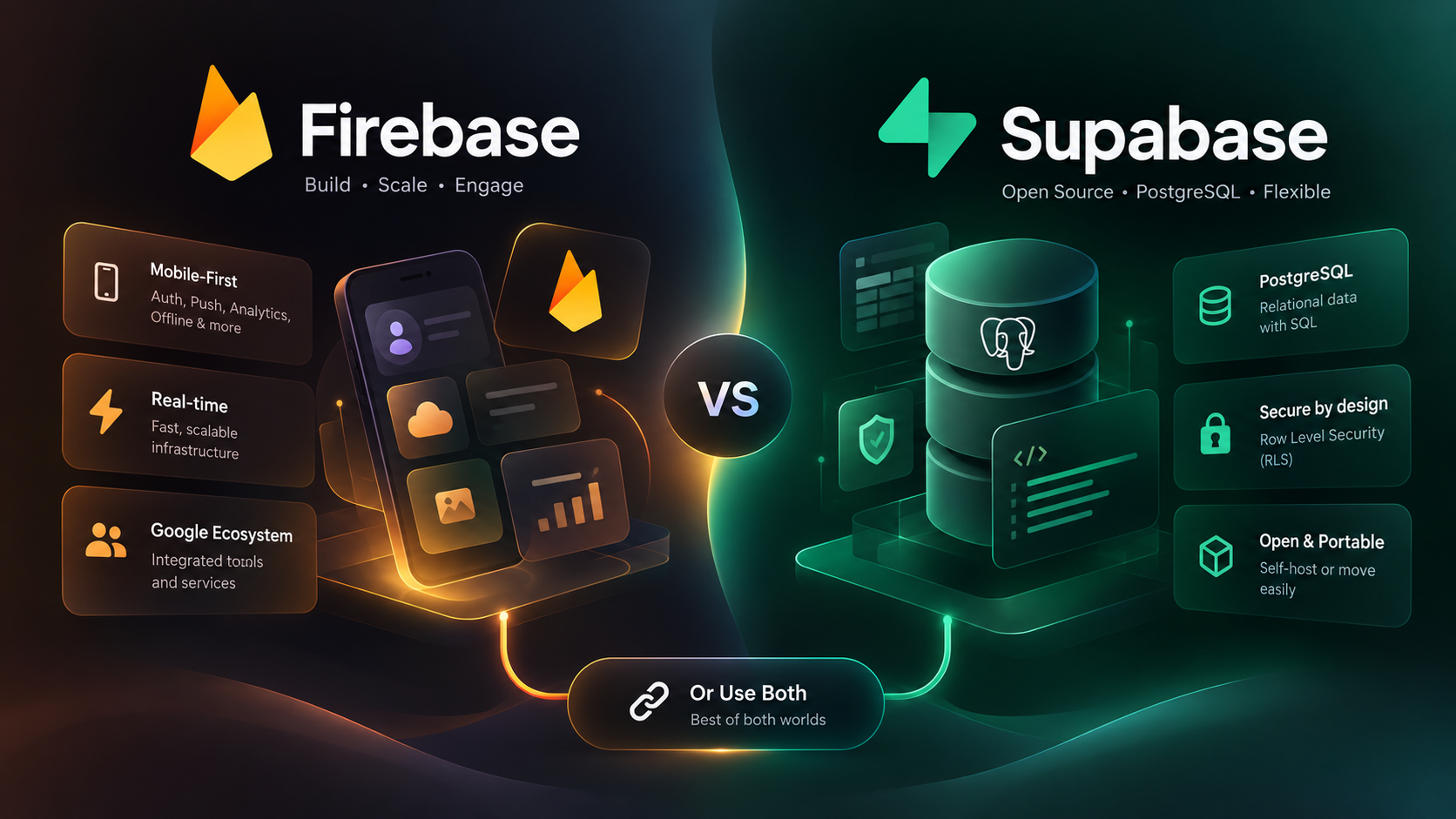
These are architectural differences, not a ranking. Supabase describes its database as "a full Postgres database, not a Postgres abstraction", while Firebase spans a family of services in which Firestore is the default data store.
Scalability: which handles growth better?
Judge scalability by your query patterns, write throughput, concurrent users and data growth, and by how much engineering it takes to keep performance steady, not by a theoretical maximum.
Firebase: managed horizontal scaling
Google runs Firestore's storage distribution, replication and scaling, so you concentrate on the data model. That suits rapidly changing traffic, many independent user records and frequent real-time updates. Automatic scaling still has rules. Firestore's best-practices guide recommends starting a new collection at no more than 500 operations a second and raising traffic by 50% every five minutes, the 500/50/5 rule; it warns that monotonically increasing document IDs cause hotspots, and that indexing a sequentially increasing field caps writes to that collection at about 500 a second. How fast you can update a single document depends on the workload, so load-test hot documents rather than assume.
On mobile, Firestore's offline persistence is enabled by default on Android and Apple platforms and disabled by default on the web. The SDKs retry operations and re-establish broken connections, which makes apps resilient on patchy networks, though offline writes and conflicts still need design.
Firestore now comes in Standard and Enterprise editions. Enterprise adds an advanced query engine and a MongoDB-compatible mode, but real-time listeners and offline support work only with its core operations.
Supabase: Postgres scaling
Every hosted Supabase project is a Postgres database with services built around it, which pays off when data is interconnected: customers, orders, products, inventory and invoices joined with constraints and transactions. You scale by:
- Compute size: from the free Nano tier up to 16XL (64 vCPUs and 256 GB RAM), with larger instances on request; resizing takes under two minutes of downtime.
- Connection pooling: Supavisor, whose client limit grows with compute size.
- Query work: indexes, query tuning and keeping analytics off the primary.
- Read replicas: on Pro, Team and Enterprise, with at least Small compute. Replication is asynchronous, so replicas can lag the primary, and writes always go to the primary.
Supabase's API load balancer geo-routes Data API GET requests to the closest database and sends everything else to the primary. Auth, Storage and Realtime cannot use replicas. A bigger instance will not fix a slow query, and one overloaded database can slow every service that depends on it. Our Supabase read replica cost model works through the numbers.
Which scales better?
Neither, universally. Firebase is the easier start when data fits documents and traffic is spiky; Supabase fits when relationships, transactions, reporting and complex queries are central. A poorly designed Firestore schema gets expensive; an inefficient Postgres workload gets slow. The useful question is how predictably your workload scales and how much effort that takes. If you are weighing other Postgres hosts too, see our Neon vs Supabase comparison.
Reliability and availability: what happens when something fails?
Firebase reliability
Google's Firestore SLA commits to at least 99.99% monthly uptime for regional databases and 99.999% for multi-region databases (Stockholm regional is 99.95%). Multi-region locations are fixed sets such as nam5, nam7 and eur3, chosen when you create the database, and they keep serving data through the loss of a whole region; regional locations cost less. Add the SDKs' retries and offline cache, and Firebase gives strong managed availability with little setup.
Supabase reliability
Supabase backs up Pro, Team and Enterprise projects daily, keeping 7, 14 and up to 30 days respectively. Point-in-time recovery is an add-on for those plans, costs about $100 a month per seven days of retention, needs at least Small compute, and replaces daily backups when enabled. Three caveats matter:
- Backups are not high availability. The project is inaccessible during a restore.
- Storage objects are not in database backups. Files need their own recovery plan.
- Free projects get no downloadable backups. Run your own dumps.
Supabase's SLA covers Enterprise customers only: each covered product, including Postgres, Auth, the Data API, Storage, the pooler, Realtime and Functions, has a 99.9% uptime commitment, beta products are excluded, and Team customers get support SLAs rather than uptime SLAs. Do not compare that number directly with Firestore's: the products, plans and conditions differ.
The reliability verdict
Firebase offers stronger managed availability out of the box through multi-region Firestore. Supabase gives you a capable toolkit, but you choose the compute tier, backup and PITR set-up, replicas and monitoring yourself. On either platform, production readiness means tested restores, alerts, load tests and knowing which failures your configuration can survive.
Security: which is safer for production?
Neither platform is inherently safe or unsafe. The difference is how controls are implemented, and how consistently your team applies them.
Firebase security
Firebase Authentication plus Security Rules control what clients can read and write in Firestore, Realtime Database and Cloud Storage; rules check identity, ownership and incoming data. App Check adds attestation that requests come from your genuine app, and supports Firestore, Realtime Database, Cloud Storage, callable Cloud Functions and SQL Connect, with Auth in preview. Firebase's security checklist says to start rules in locked mode, set budget alerts, and keep service-account and server keys secret; the API keys in Firebase config files are not secrets.
One detail catches teams out: Firestore's server client libraries bypass Security Rules entirely and authenticate with Google Cloud credentials, so server code needs least-privilege IAM and its own authorisation checks.
Supabase security
Supabase relies on Postgres grants and Row Level Security. RLS policies can express rules such as users reading only their own rows, admins seeing their organisation's records, or the public reading only published content. Supabase's docs warn that a table in an exposed schema without RLS is readable and writable by any role with a grant on it, and that the secret key (formerly service_role) bypasses RLS and must never reach a browser or app.
A dated change is coming. After switching it on for new projects in May, Supabase will apply its setting that stops new tables being exposed automatically to all existing projects on 30 October 2026: new tables in the public schema will need an explicit grant before the Data API can reach them. Existing tables keep their grants. Supabase's production checklist also covers SSL enforcement, network restrictions and account MFA.
Which security model should you choose?
Firebase's rules model is tightly integrated with its client SDKs. Supabase's RLS appeals to teams who want authorisation expressed in SQL, close to the data. Either way, production needs least privilege, secret management, authorisation tests, audit trails, rate limits and checks that privileged keys never ship in client apps. Security quality comes from configuration, not the platform name.
CDN and performance: is a global CDN enough?
A CDN caches cacheable content such as images, scripts, styles and downloads near users. It does not make every database query run near the user.
Firebase. Firebase Hosting serves static assets from a global CDN and can run dynamic content through Cloud Functions or Cloud Run. Requests handled by backend code are not cached on the CDN by default, and Hosting sets Cache-Control to private for dynamic content unless you change it. App Hosting is a separate product for full-stack frameworks.
Supabase. All Storage assets are cached on a CDN. On Pro and above, Smart CDN invalidates cached files automatically within about 60 seconds when they change; the Free plan gets a basic CDN. For database reads, the replica load balancer routes GET requests to the nearest replica, but recently written data may not have arrived there yet.
Verdict. Firebase Hosting is excellent for CDN-backed frontends; Supabase Storage covers CDN-backed app files, and replicas help some read workloads. On both, caching API responses must respect freshness and personalisation, because caching a user-specific response publicly is a security bug.
Pricing: what grows the bill?
Neither platform is cheaper for every app. The anchors as of October 2026:
- Firebase: the Spark plan is free with no card; Blaze is pay-as-you-go and includes Spark's free usage. Firestore Standard's free tier covers 1 GiB stored, 50,000 reads, 20,000 writes and 20,000 deletes a day and 10 GiB of monthly egress; beyond that you pay per document read, write and delete, per index entry read, and for storage and network. Authentication with Identity Platform is free up to 50,000 monthly active users, then billed per user; phone sign-in is billed per SMS.
- Supabase: Free is $0 for two projects with a 500 MB database and 50,000 monthly active users, but pauses after a week of inactivity. Pro starts at $25 a month including $10 of compute credits, 100,000 monthly active users and 250 GB of egress, then $0.09 per GB; Team starts at $599; Enterprise is custom.
Common mistakes: estimating from registered users instead of activity, ignoring egress and frequently downloaded files, assuming free-tier behaviour matches production, comparing only database prices while ignoring auth, functions, storage, backups and monitoring, and buying a bigger instance to hide slow queries. Model real read and write patterns, then confirm with a load test.
Migration and vendor lock-in
Moving from Firebase to Supabase
Moving from Firestore to Postgres means mapping collections and documents to tables. Supabase's documented tool copies one Firestore collection into one Postgres table, with fields mapped to text, numeric, boolean or jsonb columns; nested data needs custom hooks or a script to split it into related tables. The tool is a community script that has seen little code change since 2022, so test it on a copy first.
Users need care. Supabase's Firebase Auth migration script exports users and inserts them into auth.users, but it does not carry usable passwords; the password-on-first-login middleware is still marked work in progress. To keep passwords, create users through Supabase Auth's admin API, which accepts Firebase scrypt password hashes, and test it before cut-over. Storage has its own script that downloads files from Firebase and uploads them to new, non-public Supabase buckets; Firebase Storage rules are not converted, so rewrite them as RLS policies.
Also plan for everything outside the data: Security Rules, offline sync, triggers, Cloud Functions, push notifications and analytics.
Moving from Supabase to another Postgres
Because the database is standard Postgres, you can export it with pg_dump and restore it with psql. That moves the data, not the platform: changes to the auth and storage schemas must be restored separately, Storage objects and Edge Functions move on their own, and Auth, webhooks, secrets and settings need to be recreated. Self-hosting is documented with Docker but is community-supported and lacks branching, managed backups and PITR, and the Management API.
Migration verdict
Supabase has the portability edge at the database layer because Postgres is a widely supported standard. Leaving Firebase can mean more transformation when an app leans on document-specific features and integrated services. Treat either move as a project: back up, map the schema, test login continuity, check record counts and relationships, rehearse rollback and load-test the result.
Can you use Firebase and Supabase together?
Yes. Supabase officially supports Firebase Authentication as a third-party provider, and a hybrid can be a sound design if each platform has a clear job.
Architecture A: Firebase Authentication plus Supabase Postgres
            Mobile or web app
      |
      v
Firebase Authentication
      |  Firebase ID token
      v
Supabase APIs  ->  Postgres + Row Level Security
This suits an app that already uses Firebase Auth but now needs relational data, SQL reporting or a more portable database. You register your Firebase project ID with Supabase and give every user a role custom claim set to authenticated, for example with a blocking function (which needs Identity Platform), a Cloud Function on user creation, or the Admin SDK for existing users. On the hosted platform, tokens from unregistered Firebase projects are rejected before they reach the database; self-hosters must add restrictive RLS policies that check the token's issuer and audience. Supabase's JavaScript, Flutter, Swift and Kotlin clients accept the Firebase token directly. These users are billed as third-party monthly active users: 50,000 included on Free and 100,000 on Pro and Team, then $0.00325 each.
For example, a mobile app can keep Firebase sign-in while storing customers, subscriptions, bookings and invoices in Supabase, without migrating its users.
Architecture B: Firebase mobile services plus Supabase data
Many Firebase services work independently of Firestore and Firebase Auth. Cloud Messaging addresses app instances, not signed-in users; Crashlytics needs neither Auth nor Firestore; and Google Analytics for Firebase is free. A healthcare scheduling app could use Firebase Authentication for identity, Supabase Postgres and RLS for appointments, Cloud Messaging for reminders, and Crashlytics for diagnostics. Our guide to iOS push notification environments covers a common Cloud Messaging trap.
Architecture C: two databases for distinct workloads
Sometimes both databases are justified: Firestore for a feature that depends on its mobile SDK, offline cache or document-style real-time behaviour, and Postgres for transactional records and reporting. The rule is one source of truth per entity. If Postgres owns orders, Firestore must not become a second authority on order status; replicate for a defined purpose with event handling, retries, reconciliation and monitoring.
The cost of combining them
Two platforms to configure, secure, monitor and pay for; more integration points and latency; extra identity configuration; possible synchronisation bugs; and more testing and incident work. A hybrid is better only when the capabilities gained outweigh that overhead.
Which platform should you choose?
| Your requirement | Starting point |
|---|---|
| Mobile-first app with offline data | Firebase |
| Frequent real-time updates through client SDKs | Firebase |
| Push, analytics and crash reporting in one workflow | Firebase |
| SaaS dashboard with complex relationships and SQL reporting | Supabase |
| Orders, invoices, permissions and interconnected records | Supabase |
| Standard Postgres and database portability | Supabase |
| Existing Firebase app that needs relational data | Firebase Auth plus Supabase Postgres |
| Distinct mobile and relational requirements | A carefully scoped hybrid |
| Strict availability targets | Compare the specific SLA, region, replication and recovery design |
These are starting points. Firebase can handle relational work through SQL Connect, and Supabase can power real-time and mobile apps; choose the approach that fits with the least unnecessary complexity. For Flutter teams, both have mature SDKs, as our Flutter app development team sees across client projects, and the recent Supabase Select 2026 announcements add agent-friendly tooling on the Supabase side.
A checklist before committing
- Data model: independent documents, or relationships, joins and transactions?
- Traffic: read and write throughput, concurrent connections and peaks?
- Latency: where are users and data, and which requests can use caches or replicas safely?
- Offline: must users edit while disconnected, and how will conflicts resolve?
- Security: are authorisation rules or policies tested, and are privileged keys kept server-side?
- Recovery: what recovery point and recovery time objectives do you need, and are restores tested?
- Cost: have query volume, storage, file delivery, egress, compute and backups been estimated?
- Portability: can you export data, recreate services and move without losing critical features?
- Operations: who owns monitoring, incidents, upgrades, load tests and disaster recovery?
For budgeting the wider build, our guide to app development cost in India breaks down where backend choices show up in a quote.
How eCorpIT can help
eCorpIT is a Gurugram-based technology organisation, founded in 2021, assessed at CMMI Level 5 and MSME certified, with senior-led engineering teams working across AWS, Microsoft and Google platforms. Our mobile app development team builds on Firebase, Supabase or both, designs RLS and Security Rules, and plans migrations between them without losing users or data. Talk to us at /contact-us/.
Last updated: 26 October 2026.


