On this page · 12 sections
- What changed in 2026
- The core architectural difference
- Pricing, in real 2026 numbers
- Scale-to-zero and the cold-start tradeoff
- Branching: Neon's real advantage
- Auth, storage, and realtime: Supabase's real advantage
- A decision framework you can act on
- Where Netlify DB fits
- India-specific considerations
- FAQ
- How eCorpIT can help
- References
Summary. Neon and Supabase both sell managed PostgreSQL, but they are not the same kind of product. Neon is a database-only service that scales compute to zero on every plan, bills at $0.106 per compute-unit-hour on its Launch tier, and charges a flat $0.35 per GB-month for storage after Databricks bought it for about $1 billion in May 2025. Supabase is a full backend platform, Postgres plus authentication, storage, realtime, and edge functions, that starts at $25 per month per project and keeps a dedicated instance running 24/7. Neon's free plan gives you 100 compute-unit-hours and 0.5 GB; Supabase's free plan gives you 500 MB, 50,000 monthly active users, and two projects. The right pick depends on one question: do you want a database, or a backend?
That distinction decides most of the tradeoffs below. Neon's CEO-level pitch, after the Databricks deal, is that databases are now created by code. Ali Ghodsi, co-founder and CEO of Databricks, said Neon proves that "four out of every five databases on their platform are spun up by code, not humans." Neon reported more than 18,000 customers at acquisition, including OpenAI, Adobe, Replit, and Vercel. Supabase, meanwhile, has grown by giving solo developers and small teams an entire Firebase-style backend on open-source Postgres. Both are credible in 2026. Choosing well means matching their architecture to how your application actually runs.
This guide compares the two on architecture, real pricing in dollars, scale-to-zero cost math, branching, the auth and storage layer, and India data-residency, then gives a decision table you can act on. If you are also weighing the runtime and framework around the database, our backend runtime decision guide for Bun and Node.js and the broader 2026 web platform developer guide sit alongside this one.
What changed in 2026
Three shifts reset this comparison in the last year.
First, Databricks acquired Neon in May 2025 for roughly $1 billion and then cut prices. Storage fell from $1.75 to $0.35 per GB-month, the free compute allowance doubled from 50 to 100 compute-unit-hours per month, per-hour compute rates dropped 15 to 25 percent, and the old $5 monthly minimum was removed, so paid plans are now purely usage-based with no floor. The Scale tier also added SOC 2 Type 2 and HIPAA eligibility.
Second, Netlify Database reached general availability on 28 April 2026, and it runs on Neon underneath. That means a third major host now ships Neon's engine as a one-command, zero-config primitive with isolated database branches and platform-managed migrations. If you deploy on Netlify, you are effectively choosing managed Neon whether you say the name or not.
Third, Neon deprecated its Azure regions in 2026. Existing Azure projects keep running, but new projects can only be created on AWS regions. That matters for anyone who assumed an Azure-native Postgres path; if you need Azure, look at a different option, and our Azure HorizonDB versus Flexible Server comparison covers that ground.
The core architectural difference
Neon separates storage from compute. Your data lives in a shared storage layer, and stateless compute nodes attach to it on demand. When no queries arrive, the compute node pauses, and you stop paying for it. When a query comes in, a node spins up and attaches to your storage. This is what makes scale-to-zero and instant branching possible, and it is the whole point of Neon.
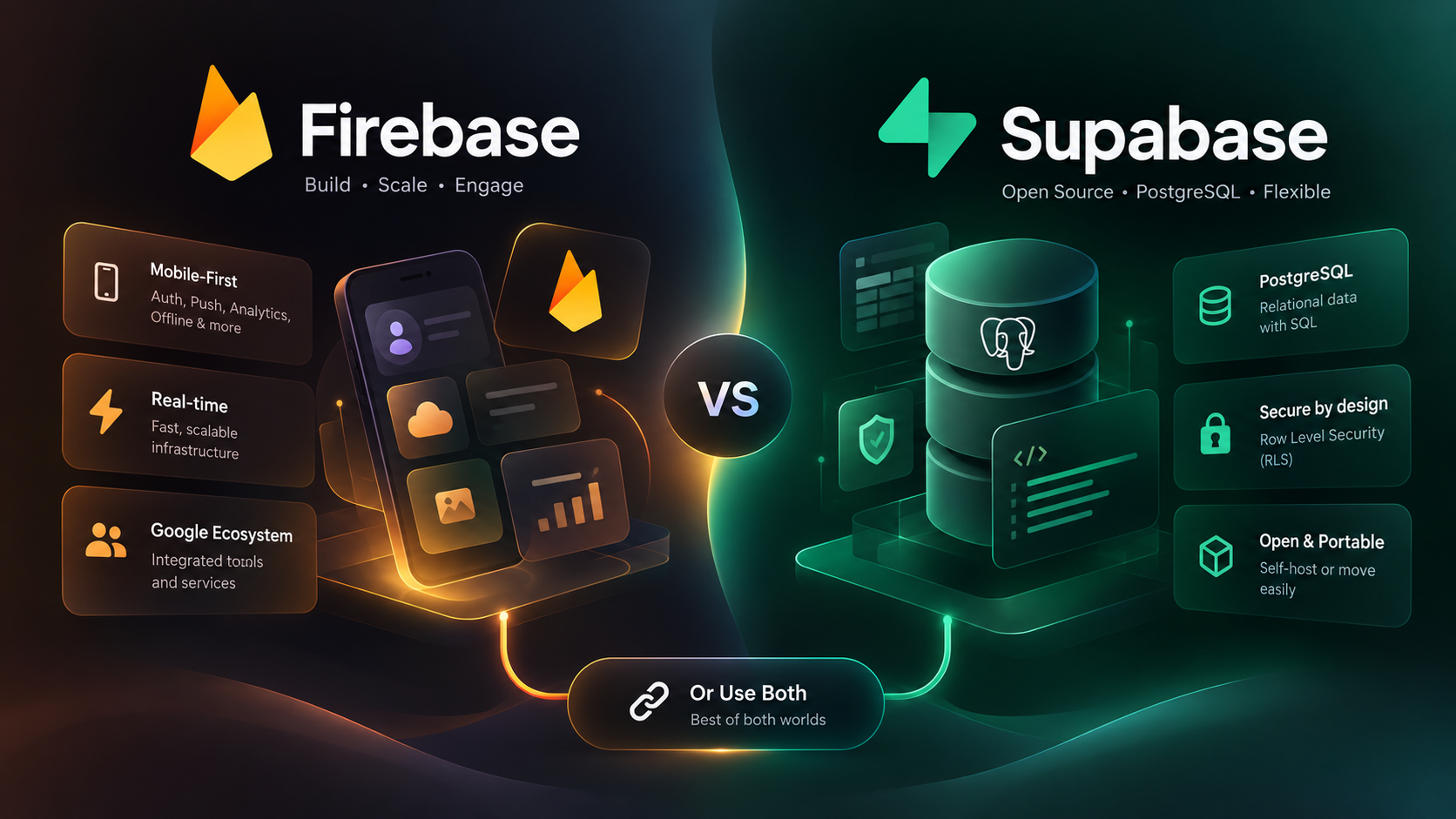
Supabase runs a dedicated Postgres instance for your project. You choose a compute size, from Micro at $10 per month to 16XL at $3,730 per month, and that instance runs continuously. On top of Postgres, Supabase bundles a full backend: an authentication service with row-level-security integration, object storage, a realtime engine for live subscriptions, auto-generated REST and GraphQL APIs, and edge functions. Neon gives you a database and expects you to bring the rest.
That single design choice, shared-storage serverless versus a dedicated instance with a bundled backend, explains almost every difference that follows.
| Dimension | Neon | Supabase |
|---|---|---|
| Product type | Database-only serverless Postgres | Full backend platform on Postgres |
| Compute model | Separated storage and compute; scales to zero | Dedicated instance; runs 24/7 on paid plans |
| Branching | Instant, data-inclusive, copy-on-write | Migration and preview testing, not instant data copies |
| Built-in auth | Neon Auth, added January 2026 | Native auth with row-level security, mature |
| Storage and realtime | Bring your own | Object storage and realtime included |
| Best fit | Variable or bursty workloads, per-tenant databases, AI agents | Apps that want a whole backend in one service |
Pricing, in real 2026 numbers
Pricing is where the architectural split becomes a monthly invoice.
Neon has three consumption tiers plus Enterprise. The Free plan includes 100 compute-unit-hours per month, 0.5 GB of storage, autoscaling up to 2 compute units, and scale-to-zero. The Launch plan bills compute at $0.106 per compute-unit-hour, storage at $0.35 per GB-month, enables scale-to-zero, and autoscales up to 8 compute units, with no monthly minimum. The Scale plan raises compute to $0.222 per compute-unit-hour and adds SOC 2 Type 2 and HIPAA eligibility. You pay for what you use: compute-hours, storage, and branching, billed separately.
Supabase prices per project. The Free plan includes 500 MB of database storage, 50,000 monthly active users, 5 GB of egress, 500 MB of file storage, two projects, and unlimited API requests, but no backups, no SLA, and no HIPAA, and free projects auto-pause after one week of inactivity. The Pro plan is $25 per month per project and includes 8 GB of database space, 100,000 monthly active users, 100 GB of file storage, 500 realtime connections, and $10 of compute credits. Compute add-ons scale from Micro at $10 per month with 1 GB of RAM up to 16XL at $3,730 per month with 256 GB of RAM on a 64-core ARM instance. The Team plan is $599 per month and adds SOC 2 and ISO 27001 alignment, 14-day backup retention, and priority support. Enterprise is custom, with HIPAA and bring-your-own-cloud options.
| Plan or dimension | Neon | Supabase |
|---|---|---|
| Free tier | 100 compute-unit-hours, 0.5 GB storage, scale-to-zero | 500 MB DB, 50,000 MAU, 2 projects, auto-pause after 1 week |
| Entry paid plan | Launch: $0.106/compute-unit-hour + $0.35/GB-month | Pro: $25/month per project, includes $10 compute credit |
| Compute billing | Usage-based, scales to zero, no monthly minimum | Fixed instance size, runs 24/7, $10 to $3,730/month |
| Higher tier | Scale: $0.222/compute-unit-hour, SOC 2 Type 2 + HIPAA | Team: $599/month, SOC 2 + ISO 27001, 14-day backups |
| Storage rate | $0.35 per GB-month | 8 GB included on Pro, 100 GB file storage |
| Compliance ceiling | HIPAA eligible on Scale | HIPAA on Enterprise, BYO cloud |
The headline is simple. If your database sits idle for long stretches, Neon can be dramatically cheaper because you stop paying for compute when nothing is querying. If your database is busy around the clock, a fixed Supabase instance gives you predictable cost and no cold-start penalty.
Scale-to-zero and the cold-start tradeoff
Scale-to-zero is Neon's signature and its one real cost. When a Neon compute node has been idle and the first query arrives, it wakes. Neon's published figures put that cold start at roughly 500 milliseconds for the first query after a pause, often under 100 milliseconds when compute is already warm. For a background job, an internal tool, a staging environment, or a per-customer database that is quiet most of the day, paying nothing during idle time is worth a half-second wake on the first request.
Supabase paid plans do not scale to zero. You pick a compute size and pay for it 24/7, and queries are always warm with no cold-start penalty. For a production API serving steady traffic, that is the behavior you want, and the fixed price is a feature, not a tax.
A worked example makes the split concrete. Suppose you run 50 internal dashboards, each with its own database, each queried for about two hours across a working day and idle the rest. On Neon, you pay for roughly two compute-unit-hours per database per day plus storage, and the other 22 hours cost nothing in compute. On a fixed-instance model, you would pay for 50 always-on instances regardless of use. Now flip it: a single consumer app with constant traffic keeps a Neon compute node awake almost continuously, so its usage-based bill converges toward, and can exceed, a right-sized fixed instance. Match the billing model to the traffic shape, not to the marketing.
If your workload is AI agents that create and tear down databases programmatically, the scale-to-zero and per-database economics tilt hard toward Neon, which is the exact pattern Databricks bought it for. For agent state specifically, weigh it against a managed lakehouse approach in our Postgres for AI agent state comparison.
Branching: Neon's real advantage
Neon branches a database the way Git branches code. A branch is an instant, copy-on-write clone of your data and schema that costs almost nothing to create because it shares storage with its parent until you write to it. You can branch production, run a migration or a test suite against real-shaped data, and throw the branch away. Netlify's Neon-backed database exposes the same idea as isolated database branches per deploy.
Supabase has branching too, but it is built for migration and preview testing rather than instant, data-inclusive copies. It is useful for validating schema changes in a pull request, but it does not give you the throwaway, full-data clones that Neon makes routine. If your team runs migrations against production-shaped data often, or spins up a fresh database per feature branch or per test run, Neon's branching is the single feature most likely to change how you work.
This is also where the two products serve different daily habits. Neon rewards teams that treat databases as disposable and reproducible. Supabase rewards teams that want one durable backend they rarely think about.
Auth, storage, and realtime: Supabase's real advantage
The mirror image of branching is everything Supabase bundles that Neon does not.
Supabase ships a mature authentication service with social logins, email and phone flows, and tight integration with Postgres row-level security, so your authorization rules live in the database. It includes object storage, a realtime engine for live queries and presence, auto-generated APIs, and edge functions. For a solo founder or a small team building a SaaS MVP on a Next.js front end, that bundle can replace four or five separate services and a week of wiring.
Neon added Neon Auth in January 2026, which closes part of the gap, but Neon remains a database-first product. If you choose Neon, you will assemble auth, storage, and realtime from other providers, which gives you freedom of choice and more integration work. That is the trade: Supabase optimizes for one integrated backend, Neon optimizes for a best-in-class database you compose with other tools.
For teams already running a serverless front end, pair either database with the right compute layer; our Cloudflare Workers versus Vercel Functions cost analysis covers that decision.
A decision framework you can act on
The choice is rarely about which product is better in the abstract. It is about which billing model and feature set fit your workload.
| Pick this when | Neon | Supabase |
|---|---|---|
| Traffic is bursty or idle a lot | Strong: pay nothing when idle | Weak: you pay 24/7 |
| Traffic is steady and heavy | Fair: usage bill can exceed a fixed instance | Strong: predictable fixed cost |
| You want auth, storage, realtime included | Weak: assemble it yourself | Strong: all bundled |
| You branch databases constantly | Strong: instant data-inclusive branches | Fair: migration and preview testing |
| AI agents create databases by code | Strong: the pattern it was bought for | Fair: not the primary design |
| You want one backend and rarely think about it | Fair: database only | Strong: full platform |
Read the table by your dominant row. A per-tenant B2B product with many quiet databases, a fleet of internal tools, or an agent platform points to Neon. A consumer app that wants auth, file uploads, and realtime in one place, with steady traffic, points to Supabase. Teams that want deep Postgres tuning under either option should also read our Postgres 18 async I/O and migration tuning guide.
Where Netlify DB fits
If you deploy on Netlify, the decision is partly made. Netlify Database, generally available since 28 April 2026, is managed Neon exposed as a native Netlify primitive. You provision it with one command, get isolated branches per deploy, and let Netlify handle setup and migrations. Storage was free on Netlify DB until 1 July 2026, after which active databases consume credits for compute and bandwidth. Choosing Netlify DB gives you Neon's scale-to-zero and branching without leaving the Netlify workflow, at the cost of Netlify-specific packaging. It is a reasonable default for Netlify-hosted, full-stack and AI-native apps, and a poor fit if you are not on Netlify.
India-specific considerations
For teams serving Indian users or handling Indian personal data, region and residency matter under the Digital Personal Data Protection Act, 2023 (DPDP Act). Supabase supports deployment in the AWS Asia Pacific (Mumbai) region, ap-south-1, which launched in June 2016 and carries three availability zones. Hosting an Indian-user database in Mumbai keeps that data in-country and simplifies data-residency arguments.
Neon runs on AWS regions and deprecated its Azure regions for new projects in 2026, so confirm the current AWS region list before you commit if in-country hosting is a requirement; Neon publishes its live region list in its documentation. As a matter of engineering practice, pick the region closest to your users for latency and residency, and treat compliance framing carefully. eCorpIT designs applications aligned with DPDP Act requirements; we do not claim a database vendor is DPDP-certified on your behalf, because compliance depends on how the whole system handles consent, retention, and cross-border transfer, not on the database alone. For the wider build, our DPDP engineering playbook for Indian startups sets out the controls.
FAQ
How eCorpIT can help
eCorpIT is a senior-led engineering organisation in Gurugram that builds and modernises SaaS backends on PostgreSQL, including Neon and Supabase deployments. We help teams choose the right serverless database for their traffic shape, design branching and migration workflows, and architect data residency aligned with the DPDP Act for Indian users. If you are picking a backend or untangling a database cost problem, talk to our team via /contact-us/ and we will map the tradeoffs to your workload.
References
_Last updated: 2 August 2026._