On this page · 12 sections
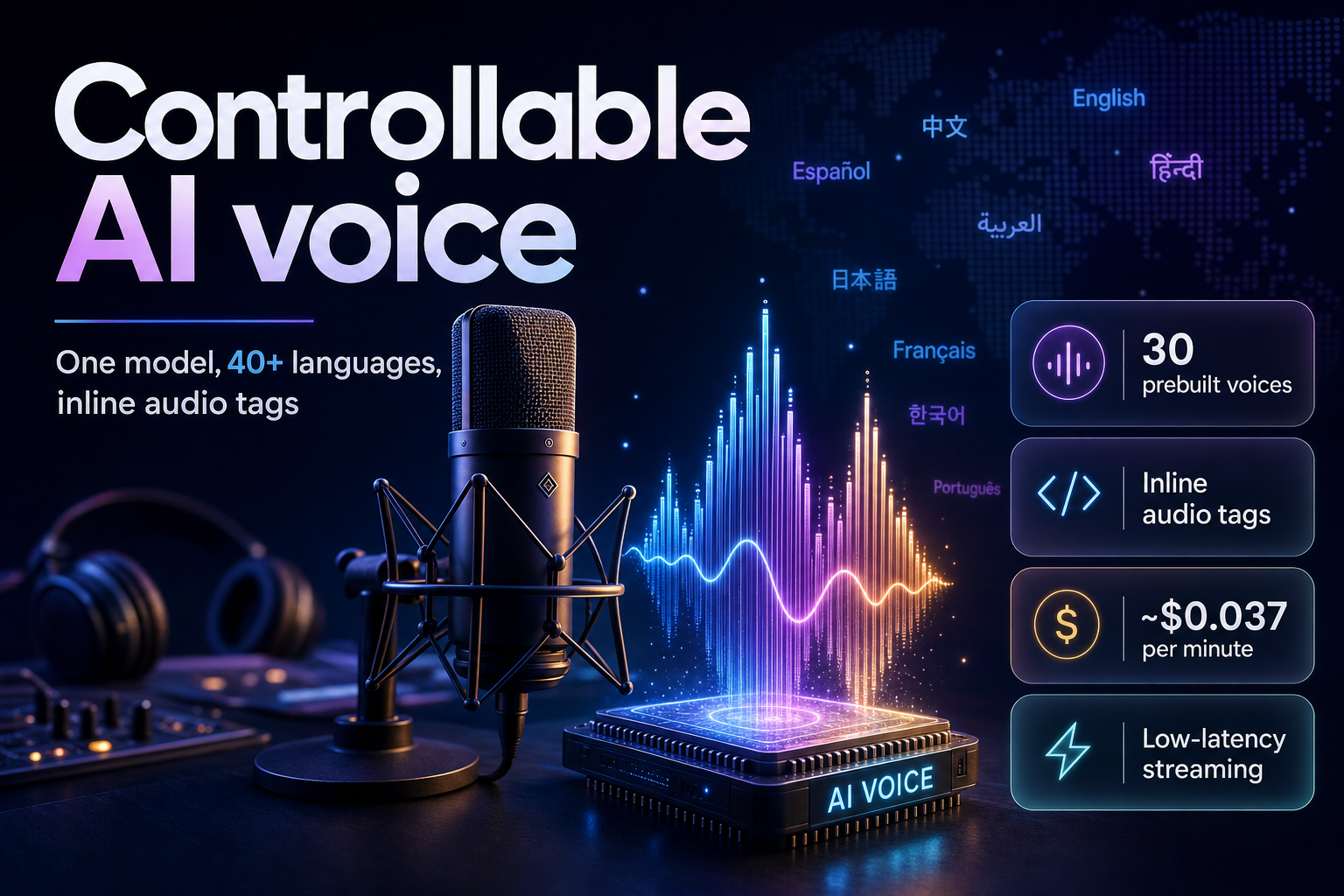
Summary. Gemini 3.1 Flash TTS is Google's controllable text-to-speech model, in preview since April 15, 2026 on the Gemini API, Google AI Studio, Vertex AI and Google Vids. It ships 30 prebuilt voices, reads 70+ languages, handles two speakers in a single call, and takes inline audio tags such as [whispers] or [laughs] to steer delivery. On the Artificial Analysis text-to-speech leaderboard it scored an Elo of 1,211 from blind human preference tests. Audio comes back as 24 kHz, 16-bit PCM, and every clip carries a SynthID watermark. Pricing on Google's paid tier is $1.00 per 1M text-input tokens and $20.00 per 1M audio-output tokens; because audio bills at 25 tokens per second, that works out to roughly $0.037 per minute of speech. That is cheaper than ElevenLabs but more than OpenAI's gpt-4o-mini-tts at about $0.015 per minute, so the model earns its place on control and languages, not raw price. This guide covers the API, the audio-tag system, multi-speaker and streaming code, the limits that bite in production, and how the numbers compare with OpenAI and ElevenLabs as of July 2026.
Google introduced the model on April 15, 2026. Senior product manager Vilobh Meshram and principal research engineer Max Gubin, writing for the Gemini team, described it as a model that "delivers improved controllability, expressivity and quality," with audio tags that give "precise control to direct AI speech." Nine months into 2026, the practical question for an engineering team is no longer whether the speech sounds natural. It does. The question is which model gives you the control, the language coverage and the unit economics your product actually needs.
What Gemini 3.1 Flash TTS is
Gemini 3.1 Flash TTS is a native audio-generation model that reads a text transcript aloud with fine control over style, accent, pace and tone. It is not the same thing as the Gemini Live API, which is built for interactive, two-way conversation. TTS is built for exact recitation: podcast episodes, audiobook chapters, in-app narration, IVR prompts and voiceovers where the script is fixed and you want the reading to sound the way you intend.
Three things separate the 3.1 model from the earlier Gemini 2.5 Flash and 2.5 Pro TTS previews. First, audio tags: inline markers you drop into the transcript to change the emotional delivery of a word or a whole line. Second, streaming: only gemini-3.1-flash-tts-preview can stream audio back as it generates, which matters for latency-sensitive apps. Third, quality and price positioning: Artificial Analysis placed the model in what it calls its "most attractive quadrant" for the blend of speech quality and cost.
The model reaches developers through the Gemini API and Google AI Studio, enterprises through Vertex AI, and Workspace users through Google Vids. The API surface is the same one you already use for text: a generate_content or interactions.create call, with the response modality set to audio and a speech_config that names the voice.
| Spec | Value | Notes |
|---|---|---|
| Model ID | gemini-3.1-flash-tts-preview |
Preview; call via Gemini API or Vertex AI |
| Launch | Preview, April 15, 2026 | Gemini API, AI Studio, Vertex AI, Google Vids |
| Prebuilt voices | 30 | Kore (firm), Puck (upbeat), Enceladus (breathy) and 27 more |
| Languages | 70+ | Auto-detected; includes Hindi, Tamil, Telugu, Bengali, Marathi |
| Speakers per call | 1 or 2 | Multi-speaker dialogue in a single request |
| Audio output | 24 kHz, 16-bit PCM, mono | Wrap as a WAV file client-side |
| Context window | 32,000 tokens | Split long scripts into chunks |
| Streaming | Yes (3.1 only) | stream=True; 2.5 TTS models cannot stream |
| Watermark | SynthID | Applied to all generated audio |
| Quality (Elo) | 1,211 | Artificial Analysis text-to-speech leaderboard |
Audio tags: directing the delivery
Audio tags are the reason to pick this model over a plain voice API. A tag is an inline modifier in square brackets that changes how the next stretch of text is spoken. You can shift the emotion, the pace, or add a non-verbal sound, and you can switch mid-sentence.
            [whispers] Hey there, I'm a new text to speech model,
[shouting] and I can say things in many different ways.
[whispers] How can I help you today?
The tags are natural-language, not a fixed enum, so Google publishes a set of common ones and tells you to experiment beyond them. Commonly used tags include the following:
| Tag | Effect |
|---|---|
[excited] / [amazed] |
Raises energy and pitch on the line |
[bored] / [tired] |
Flattens delivery, slows cadence |
[whispers] / [shouting] |
Drops to a hush or lifts to a shout |
[sighs] / [gasp] / [laughs] |
Inserts a non-verbal sound |
[sarcastic] / [serious] |
Changes intent and stress |
[very fast] / [very slow] |
Controls pace directly |
One practical rule from Google's own guide: if your transcript is not in English, keep the tags in English anyway. A Hindi script with [excited] works; a translated tag is less reliable.
Tags handle the line-level control. For the character and the scene, Google recommends a fuller prompt structure that treats you as a director. A strong prompt has an Audio Profile (who the voice is), a Scene (where they are and the mood), Director's Notes (style, pace, accent), a sample context, the transcript, and the inline audio tags. You do not need all six every time; the Director's Notes carry most of the weight. Naming a specific regional accent ("British English as heard in Croydon") beats a generic one ("British accent"), and layering a matching voice, for example Enceladus for a breathy, tired read, reinforces the effect.
Building your first request
Here is a single-speaker call in Python using the Gemini API. It sets the audio modality, picks the voice Kore, and writes the returned PCM into a WAV file.
            from google import genai
from google.genai import types
import wave

def wave_file(filename, pcm, channels=1, rate=24000, sample_width=2):
    with wave.open(filename, "wb") as wf:
        wf.setnchannels(channels)
        wf.setsampwidth(sample_width)
        wf.setframerate(rate)
        wf.writeframes(pcm)

client = genai.Client()
response = client.models.generate_content(
    model="gemini-3.1-flash-tts-preview",
    contents="Say cheerfully: Have a wonderful day!",
    config=types.GenerateContentConfig(
        response_modalities=["AUDIO"],
        speech_config=types.SpeechConfig(
            voice_config=types.VoiceConfig(
                prebuilt_voice_config=types.PrebuiltVoiceConfig(
                    voice_name="Kore",
                )
            )
        ),
    ),
)
data = response.candidates[0].content.parts[0].inline_data.data
wave_file("out.wav", data)
The output is raw 24 kHz, 16-bit mono PCM, so the wave_file helper sets sample_width=2 and rate=24000. Skip those and the file plays at the wrong speed. If you prefer plain HTTP, the REST call posts to generativelanguage.googleapis.com with the same speech_config shape and an x-goog-api-key header.
Multi-speaker and streaming
For a two-person dialogue, name each speaker in the prompt and map each name to a voice. Up to two speakers work in one call, which is enough for interviews, tutorials and back-and-forth explainer clips without stitching two files together.
            prompt = """TTS the following conversation between Joe and Jane:
Joe: How's it going today Jane?
Jane: Not too bad, how about you?"""

response = client.models.generate_content(
    model="gemini-3.1-flash-tts-preview",
    contents=prompt,
    config=types.GenerateContentConfig(
        response_modalities=["AUDIO"],
        speech_config=types.SpeechConfig(
            multi_speaker_voice_config=types.MultiSpeakerVoiceConfig(
                speaker_voice_configs=[
                    types.SpeakerVoiceConfig(
                        speaker="Joe",
                        voice_config=types.VoiceConfig(
                            prebuilt_voice_config=types.PrebuiltVoiceConfig(voice_name="Kore"))),
                    types.SpeakerVoiceConfig(
                        speaker="Jane",
                        voice_config=types.VoiceConfig(
                            prebuilt_voice_config=types.PrebuiltVoiceConfig(voice_name="Puck"))),
                ]
            )
        ),
    ),
)
Streaming is where 3.1 pulls ahead of the 2.5 TTS models, which cannot stream at all. Set stream=True on the Interactions API and process audio chunks as they arrive, which cuts the time-to-first-sound for a voice UI:
            stream = client.interactions.create(
    model="gemini-3.1-flash-tts-preview",
    input="Say cheerfully: Have a wonderful day!",
    response_format={"type": "audio"},
    generation_config={"speech_config": [{"voice": "Kore"}]},
    stream=True,
)
for event in stream:
    if event.event_type == "step.delta" and event.delta.type == "audio":
        chunk = event.delta.data  # base64 audio; decode and play or buffer
What it costs
Google prices TTS on tokens, not characters. On the paid tier, text input is $1.00 per 1M tokens and audio output is $20.00 per 1M tokens. Audio is metered at 25 tokens per second of speech, so one minute of generated audio is 1,500 audio tokens. That puts the effective rate at roughly $0.0368 per minute of speech, which is the figure Google prints on its own pricing page. The Batch API halves both rates, to $0.50 and $10.00 per 1M tokens, if you can tolerate asynchronous turnaround. During preview, the free tier serves the model at no charge with tighter rate limits.
A worked example: a 5-minute narrated explainer is about 7,500 audio-output tokens, or close to $0.15 in audio, plus a few cents of text input for the transcript. A 300-episode podcast back-catalogue at 20 minutes each is roughly 9,000 minutes of audio, or about $330 in output tokens on the standard tier and about $165 on Batch. Those are small numbers next to voice-actor and studio costs, which is the real reason teams move narration in-house.
Two caveats on the price. It is a preview rate and can change before general availability, so pin it in your cost model with a date. And it is quoted for text-to-speech; the Gemini Live API, used for interactive back-and-forth audio, prices differently and is not a substitute for batch narration.
Gemini 3.1 Flash TTS vs OpenAI and ElevenLabs
Gemini is not the cheapest managed TTS API in July 2026. OpenAI's gpt-4o-mini-tts is roughly half the per-minute cost. ElevenLabs is more expensive but adds voice cloning and a large voice library. The table below sets the three side by side; treat the per-minute figures as approximate, because the providers bill on different units and the conversion assumes about 150 spoken words (near 900 characters) per minute.
| Dimension | Gemini 3.1 Flash TTS | OpenAI gpt-4o-mini-tts | ElevenLabs (Flash / Multilingual v3) |
|---|---|---|---|
| Text input | $1.00 / 1M tokens | $0.60 / 1M tokens | Billed per character |
| Audio output | $20.00 / 1M tokens | $12.00 / 1M tokens | $0.05–$0.10 / 1K characters |
| Approx. cost per audio minute | ~$0.037 | ~$0.015 | ~$0.045–$0.09 |
| Prebuilt voices | 30 | ~11 | Large library |
| Custom voice cloning | No | No | Yes |
| Languages | 70+ | Multilingual | 70+ (v3) |
| Two speakers in one call | Yes | No | Limited |
| Streaming | Yes | Yes | Yes |
| Watermark | SynthID on all audio | No | No |
Competitor prices are list rates as of July 2026 and move often, so re-check them against each vendor before you commit a budget. The decision usually comes down to three questions. If you need the lowest cost per minute for straightforward narration, gpt-4o-mini-tts wins. If you need a specific cloned brand voice, ElevenLabs is the only one of the three that clones. If you need fine emotional control, two-speaker dialogue in one call, broad language coverage and an audio watermark for provenance, Gemini 3.1 Flash TTS is the strongest fit. This tracks the wider 2026 pattern in AI models, where best-fit beats best-on-paper; the same logic runs through our Gemini 3.5 Pro vs GPT-5.6 vs Claude Fable 5 model comparison and our budget LLM tier cost comparison.
Limits and gotchas that bite in production
The model is strong, but four constraints from Google's documentation will shape how you build around it.
32,000-token context. A TTS session caps at 32k tokens, and Google warns that quality drifts on outputs longer than a few minutes. Split long scripts into paragraph- or scene-sized chunks, generate each, and concatenate. Chunking also makes retries cheaper when one segment fails.
Occasional 500 errors. The model sometimes returns text tokens instead of audio tokens, which makes the server fail the request with a 500. Google's guidance is blunt: build automatic retry logic, because it happens in a small fraction of requests and is not something you can prompt your way out of.
Prompt-classifier false rejections. A vague prompt can miss the speech-synthesis classifier, so the model either returns PROHIBITED_CONTENT or, worse, reads your director's notes aloud. Add a clear preamble that tells the model to synthesize speech and label exactly where the spoken transcript begins.
Voice and instruction drift. If your written tone contradicts the chosen voice, for example a deep voice asked to sound like a young child, the output can mismatch. Keep the transcript, the director's notes and the voice profile pointing the same way.
And one non-negotiable: every clip is watermarked with SynthID. That is useful for provenance and disclosure, but it means you cannot pass the audio off as a human recording, and you should not try. For any customer-facing use, disclose that the voice is AI-generated.
India-specific considerations
For teams building for India, language coverage is the headline. The model's supported list includes Hindi, Bengali, Tamil, Telugu, Marathi, Gujarati, Kannada, Malayalam, Punjabi, Urdu, Odia, Nepali, Sindhi, Konkani and Maithili, with language auto-detected from the input text. That makes single-model multilingual IVR, agri-advisory voice notes and vernacular app narration practical without wiring up a separate engine per language. Keep audio tags in English even inside an Indian-language script, as Google advises.
On cost, roughly $0.037 per audio minute is on the order of ₹3 per minute at mid-2026 exchange rates, well below studio voiceover rates for the same languages. If you are weighing a build against a domestic multilingual stack, our multilingual voice agent build guide for India using Bhashini sets out the trade-offs, and for reasoning-driven conversational voice our gpt-realtime voice agents build guide covers the interactive path.
Two compliance notes. Recorded voice tied to an identifiable person is personal data under the Digital Personal Data Protection Act 2023, so treat cloned or user-supplied voices with consent and purpose limitation in mind. And because SynthID marks the output, an AI-disclosure line in your UI is the honest default for consumer products.
When to choose it
Pick Gemini 3.1 Flash TTS when the job needs directed performance rather than a flat read: expressive narration, two-voice dialogue, wide Indian and global language support, streaming for a responsive voice UI, and a provenance watermark. Pick a cheaper model for high-volume, plain narration where cost per minute dominates, or a cloning provider when a specific brand voice is the whole point. Prototype with two or three real scripts, listen on real devices, and measure cost against your actual words-per-minute before you standardise.
FAQ
How eCorpIT can help
eCorpIT builds voice, IVR and narration features on models like Gemini 3.1 Flash TTS, from a first prototype to a production pipeline with chunking, retries and cost controls. As an ISO 27001:2022 certified engineering organisation, we design multilingual and consent-aware audio systems aligned with Digital Personal Data Protection Act 2023 requirements, and we help teams choose between Gemini, OpenAI and cloning providers on cost and control rather than hype. See our AI voice agent development service, or contact us to scope a build.
References
_Last updated: July 28, 2026._