On this page · 12 sections
- What actually happens, and when
- The Firebase deadline is the one that will actually hurt
- Your three real options
- Migrating a native iOS app
- Migrating a Flutter app
- If you maintain a Flutter plugin
- Scoping the work honestly
- India-specific considerations
- The order to do this in
- FAQ
- How eCorpIT can help
- References
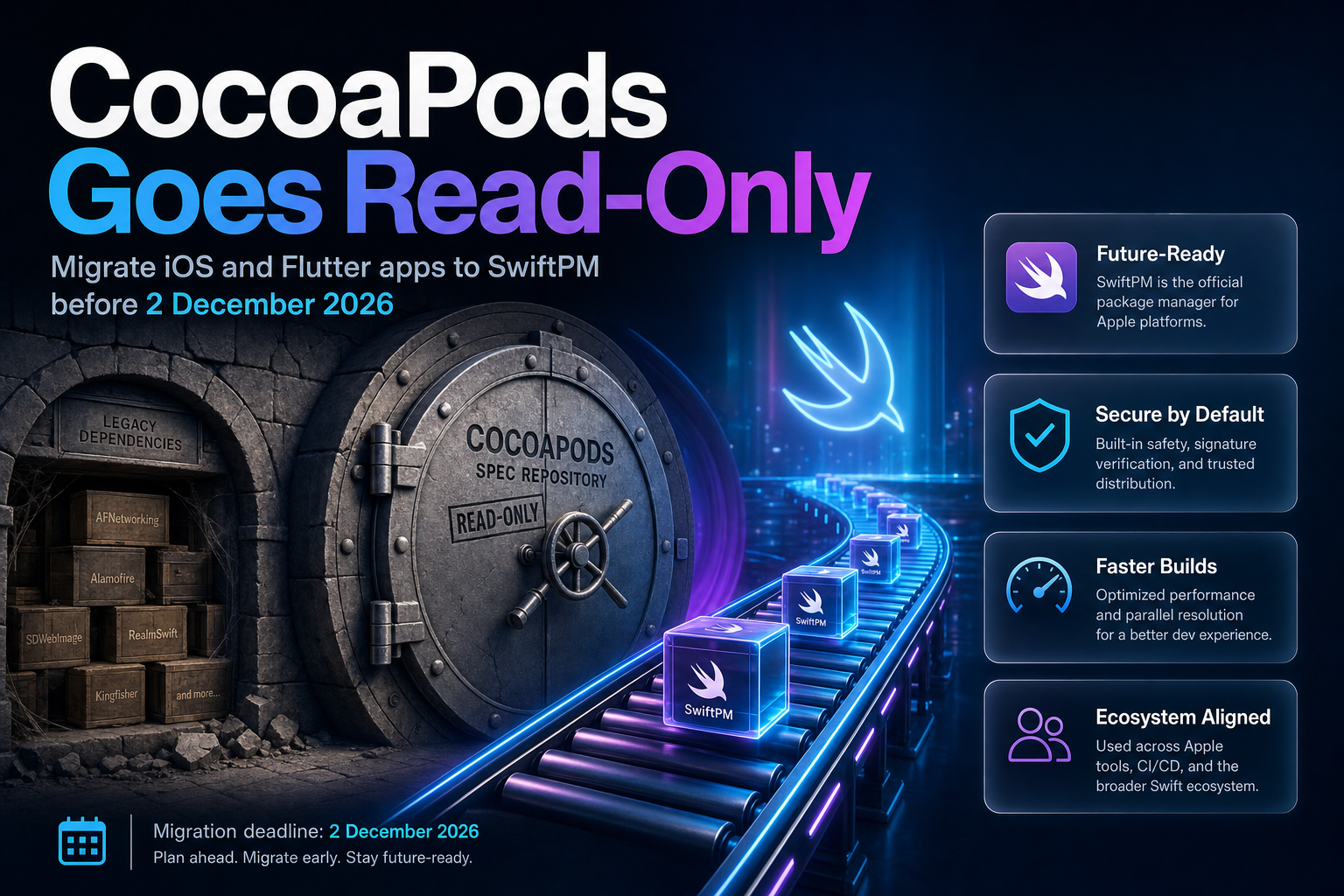
Summary. CocoaPods trunk stops accepting new Podspecs permanently on 2 December 2026, with a test run of read-only mode between 1 and 7 November 2026. Firebase moves first: it stops publishing new versions to CocoaPods in October 2026, affecting 20 pods including FirebaseAuth, FirebaseCrashlytics and FirebaseFirestore. Flutter already made the call in the 3.44 stable release, where Swift Package Manager is on by default. None of this breaks a shipping app on 3 December. Existing pod versions stay installable indefinitely, and pod install keeps resolving. What stops is the flow of updates, which means the first security fix you cannot pull is the day the deadline actually arrives for you. In India, where the average iOS developer salary is ₹780,089 as of May 2026 (PayScale, 129 profiles), a migration deferred to November is a migration priced at panic rates.
The distinction that matters most: this is a publishing freeze, not a shutdown. Teams that read "CocoaPods is dead" headlines and schedule an emergency rewrite are solving the wrong problem. Teams that read "nothing breaks" and do nothing until 2027 are storing up a worse one.
What actually happens, and when
CocoaPods maintainer Orta Therox laid out the timeline on the CocoaPods blog. The plan has been public since November 2024 and updated in May 2025, so none of it is a surprise:
| Date | What happens | What it costs you if you ignore it |
|---|---|---|
| May 2025 | New pods using the prepare_command Podspec field are blocked |
Nothing, unless you publish a pod that shells out at install time |
| Mid-late 2025 | First mass email to everyone who has contributed a Podspec | Nothing; it was a notice |
| October 2026 | Firebase stops publishing new versions to CocoaPods | No new Firebase features, performance work or critical fixes via pods |
| September-October 2026 | Second mass email, roughly a month before the test run | Nothing; it is your last warning |
| 1-7 November 2026 | Test run of read-only mode | CI that publishes Podspecs fails for a week, by design |
| 2 December 2026 | Trunk permanently stops accepting new Podspecs | Your dependency graph is frozen at whatever version you last resolved |
On the choice of date, Therox wrote: "I will switch trunk to not accept new Podspecs permanently. This is a Wednesday after American Thanksgiving, so I think folks won't be in rush mode."
The 1-7 November test run is the part most teams miss. Therox describes its purpose plainly: "I will trigger a test run, giving automation a chance to break early." If your release pipeline publishes an internal pod, that week is a free rehearsal. Treat it as one.
What does not break
The infrastructure stays up. Therox: "Infrastructure like the Specs repo and the CDN would still operate as long as GitHub and jsDelivr continue to exist, which is pretty likely to be a very long time. This will keep all existing builds working."
Firebase says the same thing about its own libraries: "Existing versions of Firebase libraries will remain available indefinitely on the CocoaPods registry, and your apps that use those CocoaPod versions will continue to function." On CI specifically, Firebase's guidance is unambiguous: "No, pipelines running pod install or pod update will continue to work for existing versions. However, they will not pull any new Firebase library updates released after October 2026."
Two groups are unaffected by the trunk change entirely, per the CocoaPods post: teams running their own specs repos, and teams that have vendored all their dependencies.
The Firebase deadline is the one that will actually hurt
October 2026 lands two months before the trunk freeze, and Firebase explains why in its own FAQ: "We chose October to ensure the final versions published to CocoaPods are stable before the registry locks in December. This timeline provides a necessary cushion to safely coordinate these final updates, and it ensures that cross-platform SDKs which depend on the native SDK but have delayed release cycles have plenty of time to prepare their own releases."
The impacted list covers most of what a production app actually uses: Firebase, FirebaseABTesting, FirebaseAI, FirebaseAILogic, FirebaseAnalytics, FirebaseAppCheck, FirebaseAppDistribution, FirebaseAuth, FirebaseCore, FirebaseCrashlytics, FirebaseDatabase, FirebaseFirestore, FirebaseFunctions, FirebaseInAppMessaging, FirebaseInstallations, FirebaseMessaging, FirebaseMLModelDownloader, FirebasePerformance, FirebaseRemoteConfig, FirebaseStorage, and their subdependencies. The change also reaches every distribution wrapping the native Firebase Apple SDK: the Firebase Unity SDK, the Firebase C++ SDK, and FlutterFire.
If you genuinely cannot move by October, Firebase gives an escape hatch and immediately discourages it: "You can either use the old versions of Firebase pods or copy the Firebase podspecs from GitHub and host them in your own specs repository. In either case, we recommend you migrate off CocoaPods as soon as possible. We will not provide official support for installing Firebase directly from the podspec after CocoaPods support is discontinued in October 2026. If you choose to host your own podspecs, you will be responsible for keeping them up-to-date."
Running your own specs repo for Firebase means you now maintain a package registry. That is a permanent operating cost taken on to avoid a one-time migration.
Your three real options
Firebase documents three installation paths, and the choice depends entirely on whether your non-Firebase dependencies have moved.
| Approach | When it fits | The catch |
|---|---|---|
| Swift Package Manager | Every dependency supports SwiftPM | Requires Xcode 26.2 or higher for Firebase via Xcode |
| Manual XCFrameworks | Some dependencies are still CocoaPods-only | You download Firebase.zip and manage versions by hand |
| Keep CocoaPods, freeze versions | Short-term only, with a dated exit plan | No fixes after October 2026; you own the risk |
| Self-hosted specs repo | You have a platform team and a strong reason | You maintain a registry forever, unsupported by Firebase |
| Carthage | Rarely | Firebase calls Carthage support "experimental" |
Firebase's own recommendation is short: "Firebase recommends Swift Package Manager for new projects."
The trap worth naming is mixing managers. Firebase's guidance: "it's industry best practice to use a single installation method for your entire project. Mixing CocoaPods and Swift Package Manager (SPM) within the same target can lead to complex dependency cycles and build errors. If your non-Firebase dependencies do not yet support SPM, using manual installation for Firebase libraries is the most stable way to consolidate your workflow as you migrate."
Read that again if you were planning a partial migration. Manual XCFrameworks is not the fallback for teams that failed at SwiftPM. It is the correct answer for a specific, common situation: one stubborn CocoaPods-only dependency blocking the rest.
Migrating a native iOS app
For most apps this is a project-configuration change, not a code change. Firebase: "For most projects, migrating to Swift Package Manager does not require changing your application code unless your project has custom Xcode configurations or dependencies that make heavy use of CocoaPods install scripts."
Step one is an audit, and it is the step teams skip. Firebase: "Verify that each of your app's dependencies support Swift Package Manager. All Firebase libraries support SPM, but you'll need to check SPM-support for your non-Firebase dependencies in their GitHub repositories or product pages."
With Xcode closed, remove CocoaPods from the project:
pod deintegrate
Then delete the CocoaPods-generated .xcworkspace. Open the .xcodeproj directly and re-add dependencies through File > Add Package Dependencies, pointing at the Firebase repository:
https://github.com/firebase/firebase-ios-sdk.git
To integrate through a Package.swift manifest instead:
            dependencies: [
  .package(name: "Firebase",
           url: "https://github.com/firebase/firebase-ios-sdk.git",
           from: "8.0"),
]
Then add the products to each target that needs them:
            .target(
  name: "MyTargetName",
  dependencies: [
    .product(name: "FirebaseAuth", package: "Firebase"),
  ]
),
Two product-specific details bite people after the switch. Google Analytics "requires adding the -ObjC linker flag to your target's build settings if included transitively." And Crashlytics still needs debug symbols uploaded, but the run-script path changes. Under CocoaPods it was "${PODS_ROOT}/FirebaseCrashlytics/run". Under SwiftPM it becomes:
${BUILD_DIR%Build/*}/SourcePackages/checkouts/firebase-ios-sdk/Crashlytics/run
If you migrate and your crash reports quietly stop symbolicating, that stale run-script path is the first thing to check.
The other common failure has a boring cause. Firebase: "When adding the Firebase package, Xcode will prompt you to add Firebase frameworks to your app's build targets. If you forget to add a framework during this step, you can always add it later in your target's settings under Build Phases > Link Binary with Libraries. If your project contains multiple targets, make sure you have Firebase added to the correct targets."
Migrating a Flutter app
Flutter is further along than most iOS teams realise, and the tooling does the work. Per the Flutter documentation: "As of the 3.44 release, Flutter's Swift Package Manager (SwiftPM) support is on by default. Upgrading Flutter and running your app automatically adds SwiftPM integration."
The migration touches your Xcode project files: "Migrating to SwiftPM requires updating the ios/Runner.xcodeproj/project.pbxproj and ios/Runner.xcodeproj/xcshareddata/xcschemes/Runner.xcscheme files." On macOS it is the equivalent pair under macos/. The CLI adds a local package, FlutterGeneratedPluginSwiftPackage, from ios/Flutter/ephemeral/Packages/FlutterGeneratedPluginSwiftPackage, plus a build pre-action named Run Prepare Flutter Framework Script. Those files belong in your review, not in a rubber-stamped diff.
Unmigrated plugins do not block you. Flutter's docs: "Note that Flutter falls back to CocoaPods for dependencies that don't yet support Swift Package Manager." FlutterFire needs nothing at all, per Firebase: "No action is required for most Unity and Flutter developers. Updating to the latest version of Firebase on Unity or Flutter will automatically migrate your underlying dependency manager on Apple platforms to Swift Package Manager. Note that if you're managing non-Firebase dependencies via CocoaPods, you may need to migrate those manually."
If a build goes sideways, SwiftPM can be turned off globally:
flutter config --no-enable-swift-package-manager
and back on:
flutter config --enable-swift-package-manager
For a single project, use pubspec.yaml instead:
            flutter:
  config:
    enable-swift-package-manager: false
Flutter's docs attach a warning to that switch: "In general, don't do this. Remember that the CocoaPods registry becomes read-only on December 2, 2026 and disabling SwiftPM won't be allowed in the future." Note also that "Disabling Swift Package Manager causes Flutter to use CocoaPods for all dependencies. However, SwiftPM remains integrated with your project." The escape hatch is a debugging tool with an expiry date, not a strategy. If you are already planning a broader version bump, fold this into the Flutter 3.44 production upgrade rather than running two risky migrations a month apart.
One correction worth making, because the SEO farms have it wrong: Flutter 3.44 did not kill CocoaPods. The documentation states that "Flutter continues to support CocoaPods in maintenance mode," and tells plugin authors to support "both Swift Package Manager and CocoaPods until further notice."
If you maintain a Flutter plugin
Your users' pub.dev scores now depend on you. Per pub.dev's scoring documentation, under "Support modern toolchains (SwiftPM and Wasm)": "Flutter plugins that support iOS or macOS will only receive full score if they support Swift Package Manager."
The required layout is specific. Create a directory under ios, macos and/or darwin named for the platform package, then inside it: Package.swift, a Sources directory, and Sources/plugin_name. Move everything from ios/Classes to ios/plugin_name/Sources/plugin_name. The privacy manifest moves to ios/plugin_name/Sources/plugin_name/PrivacyInfo.xcprivacy. Keep the podspec working by pointing it at the new location:
s.source_files = 'plugin_name/Sources/plugin_name/**/*.swift'
The Package.swift template opens with // swift-tools-version: 5.9. One naming rule catches people: if the plugin name contains an show, the library name must be the hyphen-separated version of it.
Also check your pubspec.yaml syntax. Flutter's docs: "If you were previously using disable-swift-package-manager: true, update your pubspec.yaml to use the new config section format shown above. The old syntax is deprecated and will produce an error in Flutter 3.38 and later."
Scoping the work honestly
There is no credible published figure for how long this takes across the industry, and we are not going to invent one. What can be said from the documented facts is which variables drive the cost:
| App profile | What decides the effort | Where the time actually goes |
|---|---|---|
| Flutter app, all plugins migrated | Flutter CLI does it automatically | Reviewing the project.pbxproj and scheme diff |
| Flutter app, some plugins unmigrated | Automatic fallback to CocoaPods | Waiting on upstream plugin authors, or forking |
| Native iOS, all deps on SwiftPM | Dependency audit | Crashlytics run-script path, -ObjC flag, per-target linking |
| Native iOS, one CocoaPods-only dep | Whether that dep has a roadmap | Choosing manual XCFrameworks vs forking the dependency |
| Custom Xcode config or install scripts | Depth of the customisation | Rebuilding what prepare_command and post-install hooks did |
That last row is the expensive one. Firebase names it as the exception to "no code changes": projects "that make heavy use of CocoaPods install scripts." If your Podfile has a post_install block doing real work, SwiftPM has no equivalent, and you rebuild that logic as build phases or scripts. The real cost is usually the migration of that glue, not the dependency swap.
India-specific considerations
For teams in India, the cost conversation is concrete. PayScale puts the average iOS developer salary in India at ₹780,089 as of May 2026, from 129 salary profiles last updated 17 May 2026, with a base range of ₹296,000 to ₹20,00,000. Whatever this migration costs in engineer-weeks, it costs the same in July as in November, except in November you are also negotiating with a frozen registry, a test-run week, and every other team doing the same thing.
The version floor deserves a line in your planning doc. Firebase's SwiftPM path "requires 26.2 or higher" for Xcode, and its CocoaPods distribution "requires Xcode 26.2 and CocoaPods 1.12.0 or higher." Shared or older build machines are a real constraint for Indian services teams running many client projects on one fleet, and toolchain upgrades tend to be the hidden dependency. If you are also planning around newer Apple toolchains, our notes on Xcode 27 and Swift 6.4 developer features cover what else moved.
On privacy, the plugin-author layout change relocates PrivacyInfo.xcprivacy to ios/plugin_name/Sources/plugin_name/PrivacyInfo.xcprivacy. A privacy manifest that silently stops being bundled because it sat at the old ios/Classes path is a compliance problem wearing a build-configuration costume. Verify it ships in the built product after migrating, not just that it exists in the repo.
Cross-platform teams have a parallel deadline to sequence against. If you also run React Native, the architecture work documented in our React Native New Architecture migration guide competes for the same iOS engineers in the same quarter. Pick an order deliberately.
The order to do this in
- Audit dependencies now. Every non-Firebase pod: does it publish a Swift package? This is the only step that gates the rest.
- If everything supports SwiftPM, migrate to SwiftPM.
- If one or two do not, use manual XCFrameworks for Firebase rather than mixing managers in a target.
- Move before October 2026 if you use Firebase. That is the live deadline, not December.
- Use the 1-7 November read-only test run as a rehearsal if you publish internal pods.
- If you maintain a plugin, migrate it and stop dragging your users' pub points down.
The teams that will have a bad December are the ones that read "existing builds keep working" and stopped there. That sentence is true and it is not a reprieve. It means the failure is silent: no red build, no crash, just a Firebase security fix in January 2027 that you cannot install without doing, under pressure, the migration you could have done this month.
FAQ
How eCorpIT can help
eCorpIT is a CMMI Level 5 certified technology organisation in Gurugram with senior-led iOS, Swift and Flutter teams that maintain production apps through exactly this kind of toolchain change. We run the dependency audit that step one calls for, sequence the SwiftPM migration against your release calendar rather than against December, and rebuild the Podfile install-script logic that has no direct SwiftPM equivalent. If you are weighing whether to migrate now or fund it as an emergency in November, contact us and we will scope the audit against your actual dependency list. Our iOS and Swift app development and Flutter app development teams work from the same primary sources cited below.
References
- CocoaPods Trunk Read-only Plan - Orta Therox, CocoaPods Blog, 30 November 2024, updated May 2025.
- Migrate from CocoaPods - Firebase for Apple platforms documentation, last updated 21 May 2026.
- Options to install Firebase in your Apple app - Firebase for Apple platforms documentation, last updated 15 May 2026.
- Swift Package Manager for app developers - Flutter documentation.
- Swift Package Manager for plugin authors - Flutter documentation.
- Package scores and pub points - pub.dev help documentation.
- iOS Developer Salary in India in 2026 - PayScale, based on 129 salary profiles, last updated 17 May 2026.
- firebase-ios-sdk - Firebase Apple SDK repository, source of the Firebase Swift package.
- prepare_command - CocoaPods Podspec syntax reference.
- Swift Package Manager - Swift.org documentation.
- Adding package dependencies to your app - Apple Developer documentation.
- Firebase framework SDK zip download - Firebase pre-built XCFramework distribution.
Last updated: 16 July 2026.