On this page · 10 sections
- What Android 17 actually changed
- The exact attributes that stop working
- Why this is landing now
- The four failure modes, and the code that fixes them
- The adaptive APIs Google wants you on
- How to test this before the deadline
- The Google Play timeline, and a gap worth knowing
- India-specific considerations
- A migration order that works
- FAQ
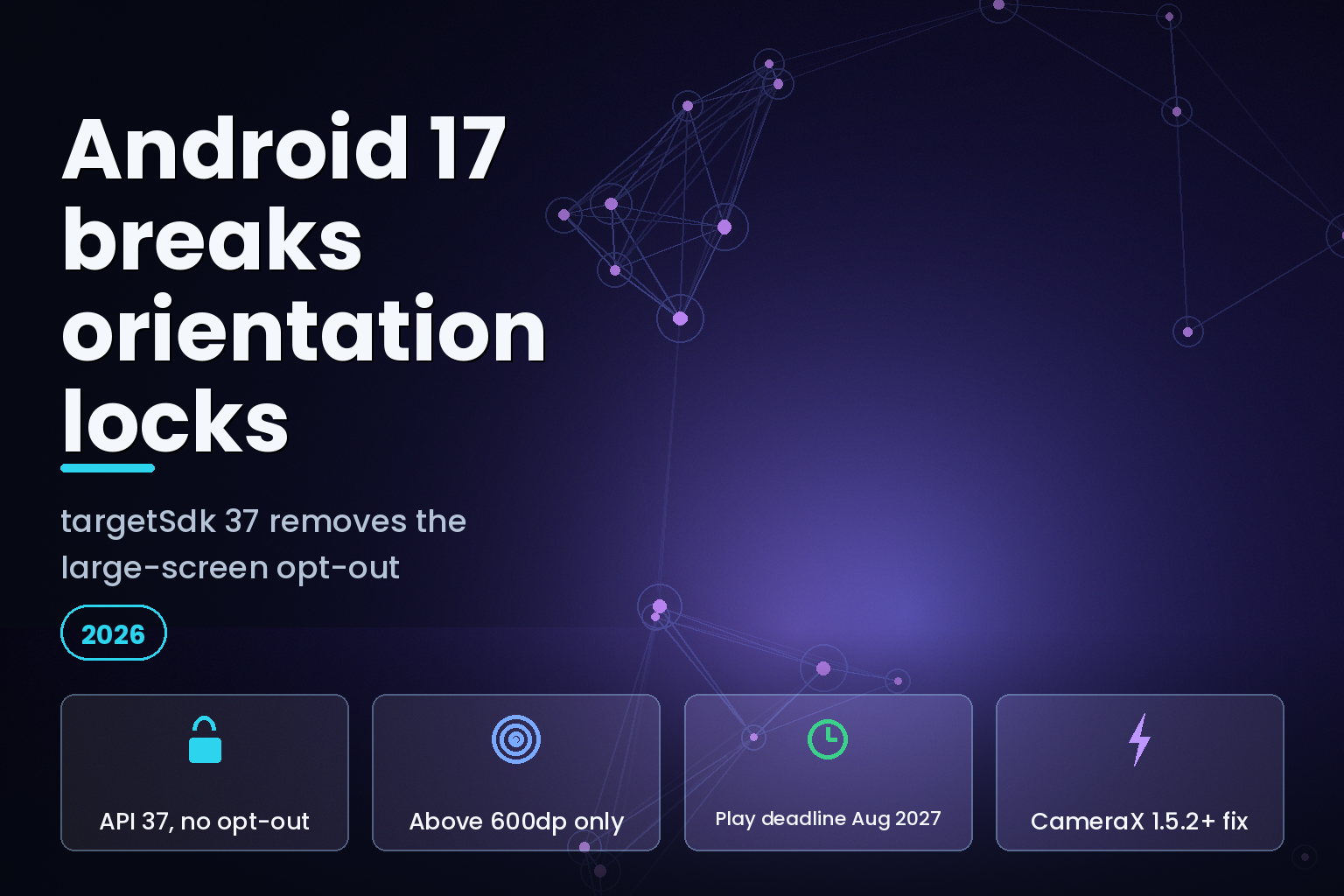
Summary. Android 17 shipped on 16 June 2026, and for any app that targets API level 37 it ignores screenOrientation, setRequestedOrientation(), resizeableActivity="false", minAspectRatio and maxAspectRatio on every display whose smallest width is above 600 dp. There is no opt-out this time. Android 16 gave you a temporary one in 2025; Android 17 removed it. Google puts the installed base at "over 580 million large screen devices", Samsung unveils its next foldables at Galaxy Unpacked in London on 22 July 2026, and Google Play will require new apps and updates to target API level 37 in August 2027. Games, identified by the android:appCategory flag, stay exempt. Everyone else gets one job: make the app fill whatever window it is handed.
The change is small to describe and expensive to ignore. Four things break first: stretched layouts, buttons pushed off-screen, skewed camera previews, and lost user state. All four have fixes that are a few lines of Compose.
What Android 17 actually changed
Android 17 reached most supported Pixel devices on 16 June 2026, and the source went to the Android Open Source Project the same day. Matthew McCullough, VP of Product Management, Android Developer, framed the release this way: "Android 17 marks the start of our transition to an intelligence system, putting your apps at the center. It's shifting to an adaptive-first development standard by introducing mandatory large-screen resizability, all while delivering next-generation privacy, security, media, camera, and performance."
The mechanism is narrow. From Google's behaviour-change documentation: "For apps targeting Android 17 (API level 37) or higher, orientation, resizability, and aspect ratio restrictions no longer apply on displays whose smallest width is greater than 600dp. Apps fill the entire display window, regardless of aspect ratio or a user's preferred orientation, and pillarboxing isn't used."
Read that once more. The trigger is your targetSdk, not the user's OS version. An app on an Android 17 device that still targets API 36 keeps the old behaviour, because Android 16 shipped a temporary opt-out and it still applies at that target level. The day you bump to 37, the opt-out is gone.
Android 17 is also in beta on handsets, tablets and foldables from Honor, iQOO, Lenovo, OnePlus, OPPO, Realme, Sharp, vivo and Xiaomi, so this is not a Pixel-only concern.
The exact attributes that stop working
Google's February 2026 guidance lists the ignored attributes and their ignored values precisely. Nothing new was introduced after Android 16; what changed is that you can no longer decline it.
Manifest attribute or API | Values ignored above sw600dp | What you do instead ---|---|--- screenOrientation | portrait, reversePortrait, sensorPortrait, userPortrait, landscape, reverseLandscape, sensorLandscape, userLandscape | Design both orientations; let the window drive the layout setRequestedOrientation() | The same eight values | Remove the call; react to configuration instead resizeableActivity | All values, including false | Support arbitrary window sizes minAspectRatio | All values | Constrain content width in the layout, not the manifest maxAspectRatio | All values | Same as above android:appCategory=game | Not ignored. Games remain exempt | Nothing, if you genuinely ship a game
Two escape hatches survive, and neither is a strategy. Screens smaller than sw600dp are untouched, so a phone in portrait behaves as it always did. And users can explicitly opt in to your app's requested behaviour through the device's aspect ratio settings, which is a per-user choice you do not control.
Why this is landing now
Google's own number for the addressable base is "over 580 million large screen devices in the hands of users", cited alongside the forthcoming launch of Googlebooks, described in the same post as "the next generation of ChromeOS built on the Android stack". That is the commercial argument for the platform change: the large-screen surface is no longer a rounding error, so Google stopped letting apps pretend it does not exist.
The retail timing is sharper than the platform timing. Samsung will host Galaxy Unpacked in London on 22 July 2026 at 2 p.m. BST, and its own invitation says the next Galaxy devices "are set to deliver more personal and adaptive experiences". Samsung's current book-style foldable, the Galaxy Z Fold7, lists at ₹1,74,999 in India for the 12 GB/256 GB variant, with 512 GB and 1 TB options above it, and sells for about ₹1,67,999 after the standing ₹7,000 bank discount. Those are the devices where a portrait-locked app looks worst, in the hands of the customers who complain loudest.
The real cost is usually the migration, not the code.
The four failure modes, and the code that fixes them
Google's developer relations engineer Miguel Montemayor set out the common breakages: "For apps that have historically restricted orientation and aspect ratio, we commonly see issues with skewed or misoriented camera previews, stretched layouts, inaccessible buttons, or loss of user state when handling configuration changes."
Those four cover most of what a QA pass will surface in the first hour on a tablet emulator.
1\\. Stretched layouts
The pattern that causes it is fillMaxWidth or match_parent on a card, form or text field. On a phone it looks correct. On an unfolded foldable in landscape the same card runs the full width of the window, and a line of body text becomes unreadable. The fix is a maximum width, not a maximum aspect ratio:
Box( contentAlignment = Alignment.Center, modifier = Modifier.fillMaxSize() ) { Column( modifier = Modifier .widthIn(max = 300.dp) // Prevents stretching beyond 300dp .fillMaxWidth() // Fills width up to 300dp .padding(16.dp) ) { // Your content } }
widthIn caps the component and fillMaxWidth still lets it breathe below the cap. The content stays legible at 300 dp on a phone and at 300 dp on a 12-inch tablet, with the surplus space becoming margin rather than stretched text.
2\\. Buttons pushed off-screen
Short windows are the problem, not wide ones. A Save or Login button anchored at the bottom of a non-scrollable column disappears when a foldable opens in landscape, and if nothing scrolls, the user is stuck mid-flow with no way to submit. One modifier fixes it:
Column( modifier = Modifier .fillMaxSize() .verticalScroll(rememberScrollState()) .padding(16.dp) )
Google's guidance pairs the two directly: "By combining max-width constraints with vertical scrolling, you ensure your app remains functional and usable, regardless of how wide or short the app window size becomes." Treat that as the minimum bar for every screen with a primary action, not as an edge case.
3\\. Skewed camera previews
This one is the most expensive to retrofit, because the bug is arithmetic, not layout. Apps assume a fixed relationship between the sensor orientation and the device orientation, and once the window can be any shape, the assumption fails. Google ranks four options:
Approach | When it fits | What you inherit ---|---|--- Jetpack CameraX PreviewView | Preferred for new and most existing code | Adjusts for sensor orientation, device rotation and scaling; keeps aspect ratio by centring and cropping (FILL_CENTER); FIT_CENTER letterboxes instead CameraViewfinder | Existing Camera2 codebases | Backward compatible to API level 21; applies aspect ratio, scale and rotation transforms for you Manual Camera2 | You cannot adopt either library | You compute sensor orientation from CameraCharacteristics, read display rotation, and redo it on every configuration change Camera Intent | Basic capture only | The system camera app does the work; you get a photo or video back
One line in that guidance is worth more than the rest of the section: "screen size should not be used to determine the dimensions of the camera viewfinder; use window metrics instead. Otherwise you risk a stretched camera preview." Your app may be running in a third of a split screen, in a desktop window, or on a connected display. The screen is not the window.
There is also a version floor. Google's note is blunt: "You'll need to update your CameraX version to either 1.5.2 or 1.6.0+ to avoid a crash related to an added dynamic range mode on Android 17 devices." If you ship a camera and you have not moved CameraX, that is the first ticket.
4\\. Lost user state
Window size changes stop being rare events. As Google puts it: "Users may rotate their device, fold/unfold it, or resize your app dynamically in split-screen or desktop windowing modes." Each of those destroys and recreates the activity by default, and an app that never handled it properly resets scroll positions, wipes half-filled forms, and loses navigation history.
Android 17 quietly improves the default. The system no longer restarts activities for configuration changes that do not require a full redraw, specifically CONFIG_KEYBOARD, CONFIG_KEYBOARD_HIDDEN, CONFIG_NAVIGATION, CONFIG_TOUCHSCREEN and CONFIG_COLOR_MODE. Running activities get onConfigurationChanged() instead. If your app relied on the restart to reload resources, you now have to ask for it back with the new android:recreateOnConfigChanges manifest attribute.
The adaptive APIs Google wants you on
The launch post is specific about the target architecture, and it is Compose. Android 17 ships an AI-assisted "Jetpack Compose adaptive skill", and the components it steers you toward are worth knowing by name:
NavigationSuiteScaffoldfrom the Material 3 Adaptive library, which moves between bottom navigation on phones and edge-anchored navigation rails on large screens.
- Navigation 3 Scenes, specifically
ListDetailSceneStrategyandSupportingPaneSceneStrategy, for multi-pane layouts. Google's wording is pointed: use them "instead of fragile fragment transactions".
- Compose 1.11 FlexBox and Grid APIs for adjusting row and column spans as the window changes.
- Compose 1.11 trackpad and mouse support, including
TrackpadInjectionScopeandperformTrackpadInput, for testing laptop-class input on Googlebooks and Desktop Mode.
Behind those APIs sits a bigger decision that will outlast this migration. From the same post: "Android development is now Compose-first. All new Android APIs, libraries, tools, and developer guidance will be built exclusively for Jetpack Compose. Legacy View components (in the android.widget package) and View-based Jetpack libraries (like Fragments, RecyclerView, and ViewPager) are now in maintenance mode. They will receive only critical bug fixes, and no new features."
If your app is Views and Fragments, the adaptive work and the Compose migration are the same project now, and pricing them separately will only mislead your own roadmap. Teams weighing that against a cross-platform rewrite should read our comparison of Jetpack Compose and Flutter before deciding, and the hiring-side view of React Native versus Flutter if staffing is the real constraint.
How to test this before the deadline
You do not need a foldable on your desk, and you do not need to bump targetSdk in production to find out what breaks.
Method | What you set | What it tells you ---|---|--- Android 17 Beta emulators | Pixel Tablet and Pixel Fold series images with targetSdkPreview = "CinnamonBun" | The real post-migration behaviour on the two form factors that expose it App compatibility framework | Enable the UNIVERSAL_RESIZABLE_BY_DEFAULT compat flag | The same behaviour without changing your target, useful if you are not on API 36 yet Compose UI Check | Run it against your composables | An automated audit of your UI with adaptive suggestions DeviceConfigurationOverride | Wrap components in tests | Specific display characteristics simulated in unit tests, so regressions fail CI Manual resize pass | Split-screen and desktop windowing on a large-screen device | State loss, off-screen actions and stretched containers, in that order
The compat-flag route is the one most teams underuse. It decouples "does our UI survive an arbitrary window" from "are we ready to ship at API 37", and those are different questions with different owners. Wiring DeviceConfigurationOverride into the suite you already run is what stops the fix from regressing two sprints later; if that suite is thin, our QA and test automation service exists for exactly this shape of problem.
The Google Play timeline, and a gap worth knowing
Here the platform story and the store story diverge, and the difference is money.
The platform change binds when you target API 37, which is your choice and your schedule. The store change binds on a date. Miguel Montemayor, Developer Relations Engineer, Android, stated it directly in February 2026: "The deadlines for targeting a specific API level are app-store specific. For Google Play, new apps and updates will be required to target API level 37, making this behavior mandatory for distribution in August 2027."
Now the gap, updated for August 2026. Google Play's published requirement pages have since caught up on the near deadline but not the far one. Play Console Help and the developer.android.com requirements page now both document the current floor: from 31 August 2026, new apps and app updates must target Android 16 (API level 36) to be submitted, with Wear OS and Android Automotive held at API 35 and Android TV and Android XR at API 34. Developers who need longer can request an extension to 1 November 2026 through a form in the Play Console. Separately, existing apps must target API 35 or higher to stay available to new users on devices running a newer Android than the app targets. What those pages still do not mention is API level 37. The August 2027 date exists in a developer blog post, not in the policy page your compliance team will read.
Plan against the blog post. It is a Google engineer stating a Google Play requirement, and the platform behaviour it describes is already live in a shipped OS. But if your process requires the policy page to say it before a budget is approved, start that conversation now rather than in mid-2027, because roughly a year of runway is less than it sounds for an app that has never rendered a second pane. The API 36 submission floor nine days out is the more urgent of the two.
Milestone | Date | What it forces ---|---|--- Android 16 temporary opt-out | 2025 | Nothing. You could decline the behaviour at API 36 Android 17 released | 16 June 2026 | Behaviour is live for anyone targeting API 37 Google Play requires API 36 to submit | 31 August 2026 | New apps and updates must target API 36; extension available to 1 November 2026 Existing-app visibility floor | Ongoing | Apps must target API 35 or higher to stay available to new users on newer Android Galaxy Unpacked, London | 22 July 2026 | New foldables in customers' hands, and new bug reports Google Play requires API 37 | August 2027 | New apps and updates must target 37, so the behaviour becomes mandatory for distribution
India-specific considerations
Two things make this land differently for teams building out of India.
The first is device mix. Foldables are premium here in a way they are not in every market: the Galaxy Z Fold7 starts at ₹1,74,999, which is several times the price of the phones most of your users carry. That cuts both ways. The share of your install base on a large screen is small, so the failure is easy to miss in aggregate metrics; but the users on those devices skew toward exactly the high-value segment a D2C, fintech or B2B app cares about. A stretched checkout on a ₹1,74,999 device is not a long-tail bug.
The second is testing budget. Buying a foldable and a tablet per QA pod is real money against an Indian delivery cost base, and it is also unnecessary. The Pixel Fold and Pixel Tablet emulator images with targetSdkPreview = "CinnamonBun" reproduce the behaviour, and DeviceConfigurationOverride puts it in CI. Spend on one physical foldable for final acceptance, not on a device lab.
Where your app handles personal data, the adaptive work also touches your DPDP posture, because more configuration changes mean more state being saved, restored and sometimes logged. The Digital Personal Data Protection Act 2023 does not say anything about aspect ratios, but a form that silently repopulates from a cached bundle is a data question as much as a UX one. Teams working through that alongside a build should read our note on DPDP compliance costs for Indian startups.
For cross-platform teams, the same pressure arrives from the other side: Flutter's move to make Impeller mandatory on Android and iOS is covered in our Impeller migration guide, and Apple's parallel forcing function for iOS teams is the UISceneDelegate migration. The pattern across all three is the same: the platform removes an escape hatch that a generation of apps quietly depended on.
A migration order that works
Do it in this sequence. It front-loads the cheap wins and leaves the expensive rework where you can scope it.
1\. Update CameraX to 1.5.2 or 1.6.0+ if you touch the camera at all. This is a crash, not a layout nit.
1\. Turn on UNIVERSAL_RESIZABLE_BY_DEFAULT and run your existing regression pack on a Pixel Tablet emulator. Log what breaks; do not fix yet.
1\. Fix state preservation first. Lost form data is the failure users report as "the app is broken", and it is independent of visual polish.
1\. Cap widths with widthIn and make every primary-action screen scrollable. This clears most of the visual defects for a day of work.
1\. Only then reach for NavigationSuiteScaffold and Navigation 3 Scenes. Real multi-pane layouts are a design decision, not a modifier, and they need a designer in the room.
1\. Bump targetSdk to 37 last, once the first five are green.
Steps 1 through 4 are days. Step 5 is where the quarter goes, and it is the point at which most teams either pull a designer into the sprint or hire android developers who have already shipped adaptive layouts.