On this page · 13 sections
- The seven features at a glance
- 1. Automatic tab organization
- 2. Notify Me: Safari watches the page for you
- 3. Describe an Extension: build your own research tool
- 4. Agentic password fixing
- 5. Resume Browsing across devices
- 6. Topic-grouped Bookmarks and Reading List
- 7. a faster, more efficient engine
- What to confirm before you rely on these
- India-specific considerations
- How eCorpIT can help
- FAQ
- References
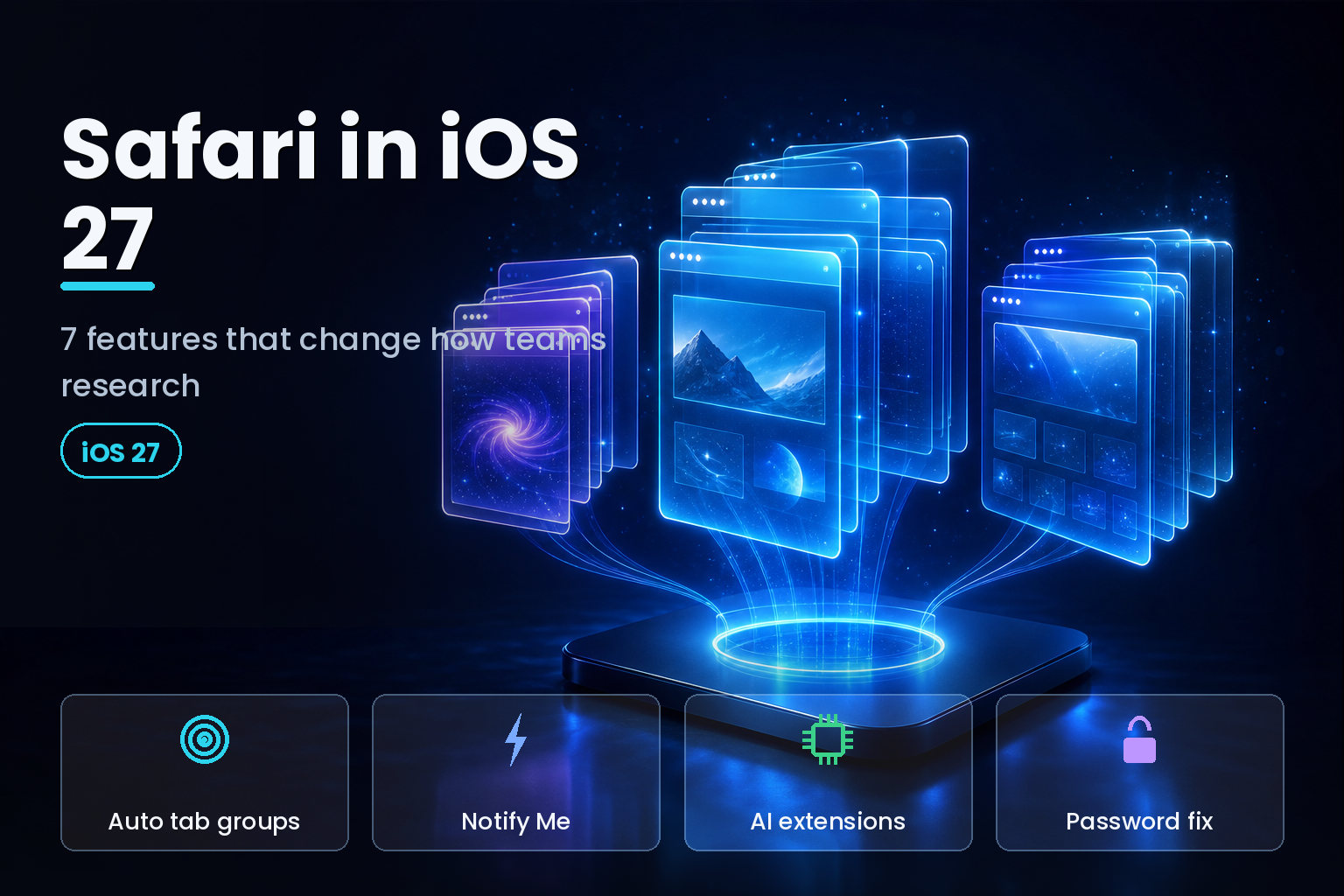
Summary. Apple rebuilt Safari around Apple Intelligence in iOS 27, unveiled at WWDC on June 8, 2026, and set for general release in fall 2026 after a public beta expected in mid-July. Seven browser features matter for anyone whose job is research: automatic tab organization, Notify Me page monitoring, plain-language custom extensions, agentic password fixing, cross-device Resume Browsing, topic-grouped Bookmarks, and a faster JavaScript engine. Most run only on devices with Apple Intelligence, meaning iPhone 15 Pro and later. Apple's Craig Federighi, senior vice president of Software Engineering, framed the release as "bringing powerful new capabilities" across the system. iOS 27 also delivers roughly 30% faster app launches and photos that load about 70% faster. One example of the new agentic tone: you can tell Safari "notify me when this jacket drops below $100," and it watches the page for you.
For teams that live in a browser, three of these are genuinely agentic: Safari acts on your behalf rather than waiting for a click. Here is what each one does and how to put it to work.
The seven features at a glance
| Feature | What Safari does | Best research use |
|---|---|---|
| Automatic tab organization | Groups open tabs into topics with AI | Keep parallel projects separate |
| Notify Me | Watches a page and alerts you on change | Track pricing, restocks, competitor pages |
| Describe an Extension | Builds an extension from a plain-language prompt | One-tap citations, focus timers |
| Password auto-fix | Navigates, signs in, updates weak passwords | Secure many research-tool logins |
| Resume Browsing | Restores recent topics across devices | Continue a session on another device |
| Topic-grouped Bookmarks | Sorts saved pages and Reading List by topic | Build a tidy research library |
| Faster engine | Quicker JavaScript, better power efficiency | Long, tab-heavy research sessions |
1. Automatic tab organization
Safari uses Apple Intelligence to sort open tabs into topics, grouping related pages so a research session stops looking like 40 identical favicons. If you are pricing a new couch while planning a weekend trip, Safari separates the two. You turn it on by tapping the three-line icon in tab view and enabling "Automatically Create Topics," then filter to see only the tabs for one project.
For a marketer or analyst running two or three briefs at once, this is the difference between context-switching and drowning. Groups can be saved as permanent tab groups, so a competitive-analysis session survives past today. Our wider view of the on-device model behind this sits in iOS 27 Apple Intelligence features and device requirements.
2. Notify Me: Safari watches the page for you
This is the standout agentic feature. Navigate to any page, tap the settings icon left of the URL bar, choose Notify Me, and describe in plain language what to watch for. Safari then monitors the page and sends a push notification when it detects a matching change. Apple pitches restock and ticket examples: "notify me when this jacket drops below $100" or when a product returns to stock in your size.
The frequency is capped for battery and privacy: Safari checks at most once per day at a set time, with weekly and monthly options too. The processing is built into Safari, so there is no third-party tracker, email signup, or scraping service in the loop. For research teams, the real value is monitoring competitor pricing pages, regulatory notices, changelog pages, or a supplier's availability without paying a monitoring SaaS. It replaces a category of tools with a browser setting.
3. Describe an Extension: build your own research tool
Safari in iOS 27 lets you create extensions by describing them in plain English, through the new Create an Extension option in Safari settings. Apple groups suggestions under Boost Productivity, Improve Focus, Get Creative, and Develop and Design. The examples read like a researcher's wish list: "create a citation for the current webpage and copy it to my clipboard," "create a 3-minute focus timer for the page," "set the minimum font size to 14pt," or "highlight and show the dimensions of webpage elements when I tap on them."
A one-tap citation generator alone saves an analyst real time across a report. Because the extension is generated from a prompt, a non-developer on a marketing team can build a small tool that used to need engineering help. This is agentic in the useful sense: you state the outcome, Safari writes the code.
4. Agentic password fixing
The Passwords app can now use Safari to fix weak and compromised logins automatically. Apple Intelligence navigates to the eligible site, signs in, and updates the password to a strong one with a single tap. For a team that logs into a dozen research databases, analytics dashboards, and vendor portals, this closes the most common security gap without a manual reset marathon. We break down the mechanics in how the iOS 27 Passwords auto-fix works.
5. Resume Browsing across devices
The Start Page gains a Resume Browsing section that brings back topics you recently closed or have open on another device. An analyst who starts a session on an iPhone during a commute can pick up the same topic cluster on a Mac at the desk. Research rarely finishes in one sitting, and this removes the "which tabs did I have open" tax at the start of every session.
6. Topic-grouped Bookmarks and Reading List
The same topic intelligence that organizes live tabs also groups saved pages in Bookmarks and the Reading List. Over months, a research library tends to rot into an unsorted list. Automatic topic grouping keeps saved sources filed by subject, so the sources you gathered for a Q1 brief are still findable in Q3. It turns Safari's saved pages from a junk drawer into a searchable shelf.
7. a faster, more efficient engine
Apple says Safari's power efficiency improved, web apps and Start Page content load faster, JavaScript handling is quicker, and animations are smoother. This is the unglamorous feature that matters most during a four-hour research marathon with 30 tabs and three web dashboards open. Faster JavaScript and lower battery drain mean the browser keeps up with heavy, data-tool-driven work instead of becoming the bottleneck. Alongside Safari, iOS 27 delivers about 30% faster app launches system-wide.
What to confirm before you rely on these
Three practical caveats. First, the AI features (tab grouping, custom extensions, Notify Me) require Apple Intelligence, which runs on iPhone 15 Pro and later; older iPhones get the browser but not the intelligence. Second, availability differs by region. Apple confirmed that Siri AI is delayed in the European Union for iOS 27 and iPadOS 27 under the Digital Markets Act, with no set timeline, so EU teams should verify which Apple Intelligence features are live on their devices before building a workflow around them. Third, iOS 27 is still in beta as of July 2026; treat these as near-term, not shipped-today, when planning rollouts. Our timeline tracker is the iOS 27 release date and India timeline.
India-specific considerations
For Indian teams, two points stand out. The device gate is a budget question: Apple Intelligence needs an iPhone 15 Pro or later, so fleet planning should assume only newer, premium handsets get the agentic Safari features. Privacy sits under the Digital Personal Data Protection Act 2023 (DPDP). Notify Me and password fixing keep processing on device, which fits DPDP's data-minimisation direction better than a cloud monitoring service that copies your browsing to a third party. Teams handling personal data should still document that these features run on device when recording their processing activities. The day-one India picture is covered in Apple Intelligence India iOS 27 day-one features.
How eCorpIT can help
eCorpIT is a CMMI Level 5, MSME-certified technology organization in Gurugram, with senior teams that help marketing and knowledge-work groups turn new platform features into reliable workflows. We map which iOS 27 Safari capabilities fit your research process, set device and DPDP guardrails, and build the small automations (from citation tooling to monitoring routines) that save hours each week. To plan an iOS 27 rollout for your team, talk to our team.
FAQ
References
_Last updated: July 3, 2026._