On this page · 9 sections
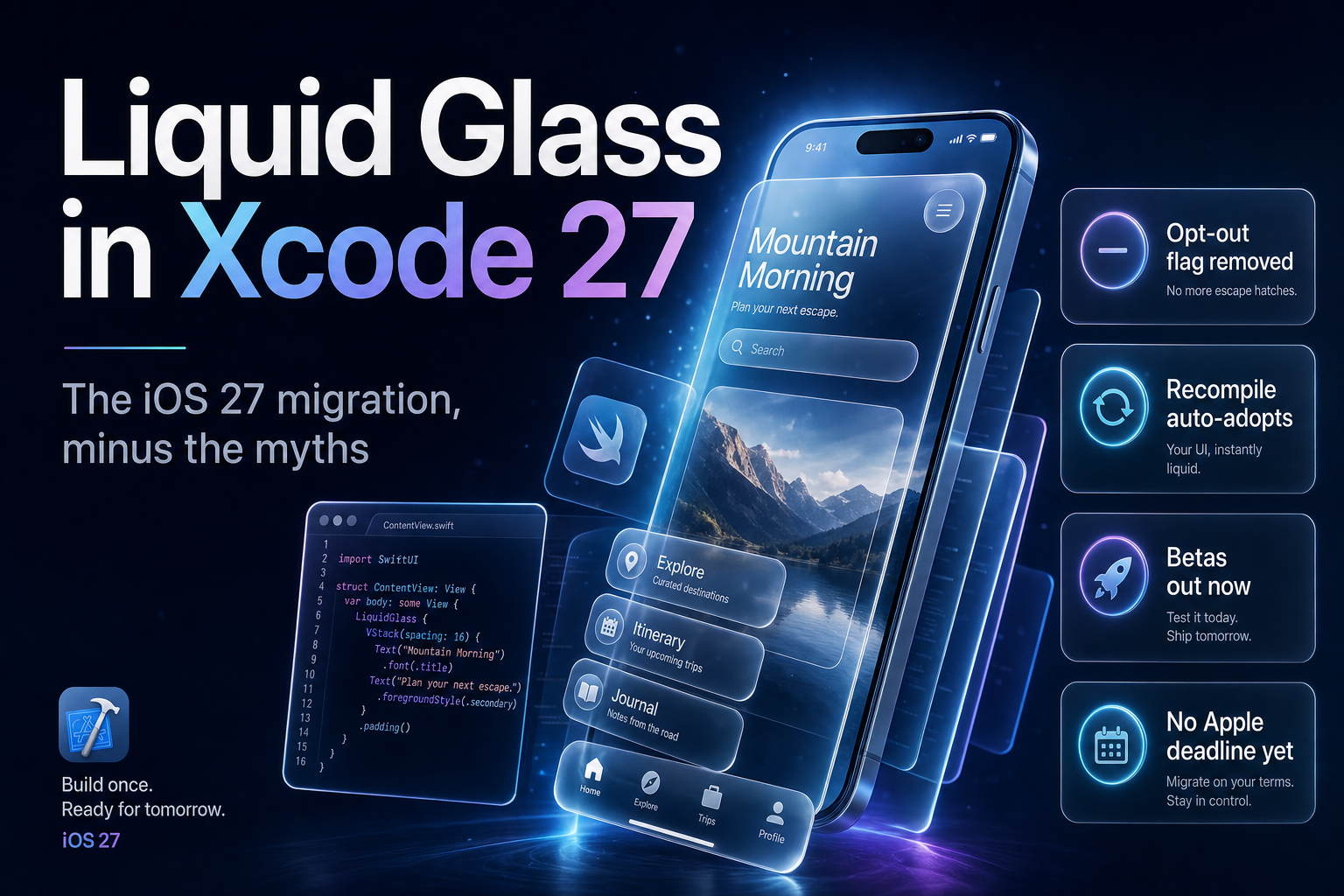
Summary. Liquid Glass, the system-wide interface Apple introduced with iOS 26 at WWDC 2025, is refined in iOS 27, and Apple shipped iOS 27 beta 4 and Xcode 27 beta 4 on 20 July 2026 ahead of a public release expected in September 2026. Two facts drive every migration decision. First, in Xcode 27 the UIDesignRequiresCompatibility opt-out is going away, so recompiling an app against the new SDK applies Liquid Glass to standard components automatically, with no code change. Second, and contrary to a widely shared claim, Apple has published no "April 2027" App Store deadline for Liquid Glass: it is not on Apple's Upcoming Requirements page, and it is not in Apple's own WWDC26 App Store guide. The only App Store SDK floor Apple actually enforces is the existing one, that apps be built with Xcode 26 or later using the iOS 26 SDK, in force since 28 April 2026. This guide separates what Apple requires from what the internet invented, and shows how to migrate a real UIKit or SwiftUI app. You need a paid Apple Developer Program membership, which costs $99 per year, to ship any of this.
If your team is being told there is a hard countdown to April 2027, that is the part to stop repeating. The engineering work is real; the deadline attached to it is not.
The real timeline, without the panic
Liquid Glass arrived with iOS 26 in 2025 as a new material for controls, navigation, tab bars and sheets, with a translucent, layered look. iOS 27 does not introduce it; it tunes it, adjusting legibility and contrast after a year of feedback. The public betas are out, with iOS 27 beta 4 and Xcode 27 beta 4 dated 20 July 2026, and Apple's usual cadence points to a general release around September 2026 alongside new iPhone hardware.
For most apps, the visual change is not something you opt into with new code. When Apple shipped iOS 26, it also gave developers a temporary escape hatch: setting UIDesignRequiresCompatibility to true in the Info.plist kept the pre-Liquid-Glass look for one release cycle. Apple was explicit that this was a transition aid, not a permanent setting. In Xcode 27, developers testing the beta report that the flag no longer takes effect, so an app rebuilt against the new SDK simply adopts the new design. That is the whole mechanism: recompile, and standard components change.
The April 2027 myth, and what Apple actually publishes
A specific claim has spread across blogs and social posts: that Apple will make Liquid Glass mandatory and that apps have "until April 2027" before the App Store rejects non-adopting builds. It is worth being precise, because teams are planning sprints around it.
Apple publishes App Store deadlines in exactly one authoritative place, the Upcoming Requirements page in the developer news section. As of 27 July 2026, that page lists no Liquid Glass requirement and no April 2027 date. Apple's own WWDC26 App Store guide, which enumerates what is changing for submissions, covers new creative assets, subscription options, Time Allowances and the On-Demand Resources deprecation, and says nothing about a Liquid Glass enforcement date either. The one SDK requirement Apple does enforce is unrelated to Liquid Glass: since 28 April 2026, apps uploaded to App Store Connect must be built with Xcode 26 or later using the iOS 26 SDK.
| Claim circulating online | What Apple actually documents |
|---|---|
| Liquid Glass is mandatory by April 2027 | No such date on Apple's Upcoming Requirements page |
| The App Store will reject non-Glass builds | No Liquid Glass submission rule in the WWDC26 App Store guide |
| A special deadline applies to the redesign | The only enforced floor is Xcode 26 plus iOS 26 SDK, since 28 April 2026 |
| You must rewrite your UI to comply | Recompiling adopts standard components; custom views are your choice |
Here is what is almost certainly true underneath the myth. Apple raises its minimum SDK requirement on a roughly annual cadence. Some months after iOS 27 ships, a future requirement will likely mandate the iOS 27 SDK for new submissions, and building against that SDK is what pulls in Liquid Glass. So the design becomes unavoidable through the normal SDK-bump cycle, not through a Liquid-Glass-specific deadline, and Apple has not yet posted the date. Plan for the SDK cadence, which is predictable, rather than a rumoured April number, which is not. Our guide to Xcode 27 and Swift 6.4 developer features covers the toolchain side of the same upgrade.
What actually changes when you recompile
The reason Apple can retire the compatibility flag is that most standard components adopt Liquid Glass with no work. Rebuild a typical app against the iOS 27 SDK and the navigation bars, tab bars, toolbars, sheets, buttons and search fields render in the new material because they use the system's own controls.
The work concentrates in three places: custom controls that draw their own backgrounds, hard-coded assumptions about opacity or blur, and layouts that fought the old translucency. A view that painted a solid bar behind a navigation title, or that assumed a control was fully opaque, can look wrong against a translucent system chrome. That is where you spend your time.
| Component type | Migration effort | What to do |
|---|---|---|
| Standard SwiftUI and UIKit controls | Low | Recompile; they adopt Liquid Glass automatically |
| Custom backgrounds behind system chrome | Medium | Remove opaque fills; let the system material show through |
| Fully custom controls and cards | Medium to high | Apply the glass APIs deliberately, or keep a solid style |
| Accessibility and contrast paths | Medium | Test Reduce Transparency and Increase Contrast |
Adopting the glass APIs in SwiftUI and UIKit
For custom views you want to match the system look, iOS 26 added a small set of APIs that carry into iOS 27. In SwiftUI, the .glassEffect() modifier applies the material, with variants such as .regular and .clear, and chainable modifiers like .tint() for colour and .interactive() for touch response.
            // SwiftUI: apply Liquid Glass to a custom control
Text("Buy now")
    .padding()
    .glassEffect(.regular.tint(.blue).interactive())
When you have several glass shapes near each other, wrap them in a GlassEffectContainer so the system blends overlapping shapes, keeps blur and lighting consistent, and morphs them smoothly instead of rendering each in isolation.
            // SwiftUI: group glass shapes so they blend and morph together
GlassEffectContainer(spacing: 12) {
    HStack(spacing: 12) {
        IconButton(system: "heart")
        IconButton(system: "square.and.arrow.up")
    }
}
UIKit has a narrower path. You can apply the material with UIVisualEffectView using UIGlassEffect, but UIKit does not offer the automatic morphing that GlassEffectContainer gives SwiftUI, so grouped, animating glass clusters are easier to build in SwiftUI. For a mixed codebase, adopt glass in SwiftUI where you have it and use UIGlassEffect for isolated UIKit surfaces. Teams weighing a broader move can read our take on SwiftUI versus Kotlin Multiplatform in 2026 before committing custom UI to one path.
One rule holds across both frameworks: do not fake the material with a semi-transparent image or a blur hack. Those break under Reduce Transparency and Increase Contrast, which Liquid Glass respects when you use the real APIs.
A migration plan you can run this quarter
Treat it as an audit, not a rewrite.
Start by building your app with the Xcode 27 beta against the iOS 27 SDK, with no compatibility flag, and run it. That single step shows you 80% of the damage, because standard components change immediately and custom ones stand out. Screenshot every primary screen in light and dark mode. Next, fix the custom backgrounds: remove opaque fills that sit behind system chrome and let the material show through. Then decide, per custom control, whether to adopt glassEffect or keep a deliberate solid style; both are valid, and not every card should be glass. Finally, test the accessibility paths, Reduce Transparency and Increase Contrast, on real devices, because that is where a rushed migration regresses.
Schedule two unrelated iOS 27 changes in the same cycle while you have the app open. On-Demand Resources are deprecated starting in iOS 27, and Apple points teams to Apple-Hosted Background Assets instead, with 200 GB of hosted assets included per app in the Apple Developer Program. Separately, from September 2026 you must declare in App Store Connect whether your app has social media capabilities, which we cover in our note on the App Store social media and age-assurance declaration. Both are real submission requirements with dates, unlike the Liquid Glass rumour.
India and global teams: what to budget
The migration cost is engineering time, not licensing. A paid Apple Developer Program membership, at $99 per year, or roughly ₹8,400 at about ₹85 to the dollar, is the only hard cost, and you already have it if you ship to the App Store. For an app with mostly standard components, budget a few days to recompile, audit and fix contrast. For a design-heavy app with many custom controls, budget one to two sprints, most of it in visual QA rather than new code.
For Indian product studios shipping to a global audience, the practical risk is not a missed Apple deadline, which does not yet exist, but shipping a recompiled build where custom UI looks broken against the new chrome. Test before the iOS 27 public release rather than after your users update. If you want a second pair of hands, our iOS and Swift app development team runs Liquid Glass audits as a fixed-scope engagement.
FAQ
How eCorpIT can help
eCorpIT is a Gurugram-based, senior-led iOS engineering organisation that migrates production apps to new Apple design systems. We run a fixed-scope Liquid Glass audit: recompile against the iOS 27 SDK, catalogue what breaks in your custom UI, fix contrast and accessibility, and hand back a build that looks right before your users update. If you want the migration done without guessing at deadlines, talk to our iOS team.
References
- WWDC26 App Store guide - Apple Developer.
- Upcoming Requirements - Apple Developer.
- SDK minimum requirements - Apple Developer.
- iOS 27: features, betas and release timeline - AppleInsider.
- Human Interface Guidelines - Apple Developer.
- Using GlassEffectContainer with UIKit - Apple Developer Forums.
- Discover Apple-Hosted Background Assets - Apple Developer.
- Apple Developer Program - Apple.
- iOS 27 makes Liquid Glass mandatory: act before April 2027 - byteiota (the circulating claim this article corrects).
Last updated: 27 July 2026.