On this page · 11 sections
- What Core AI is, and what it is not
- 1. Core ML keeps working, but new AI capability ships only in Core AI
- 2. You can run real LLMs and generative models on the device
- 3. New profiling and authoring tools change the daily workflow
- 4. Foundation Models: free cloud inference and third-party routing
- 5. Deeper OS integration through Siri, App Intents and Spotlight
- India-specific considerations
- How to prepare your app
- FAQ
- How eCorpIT can help
- References
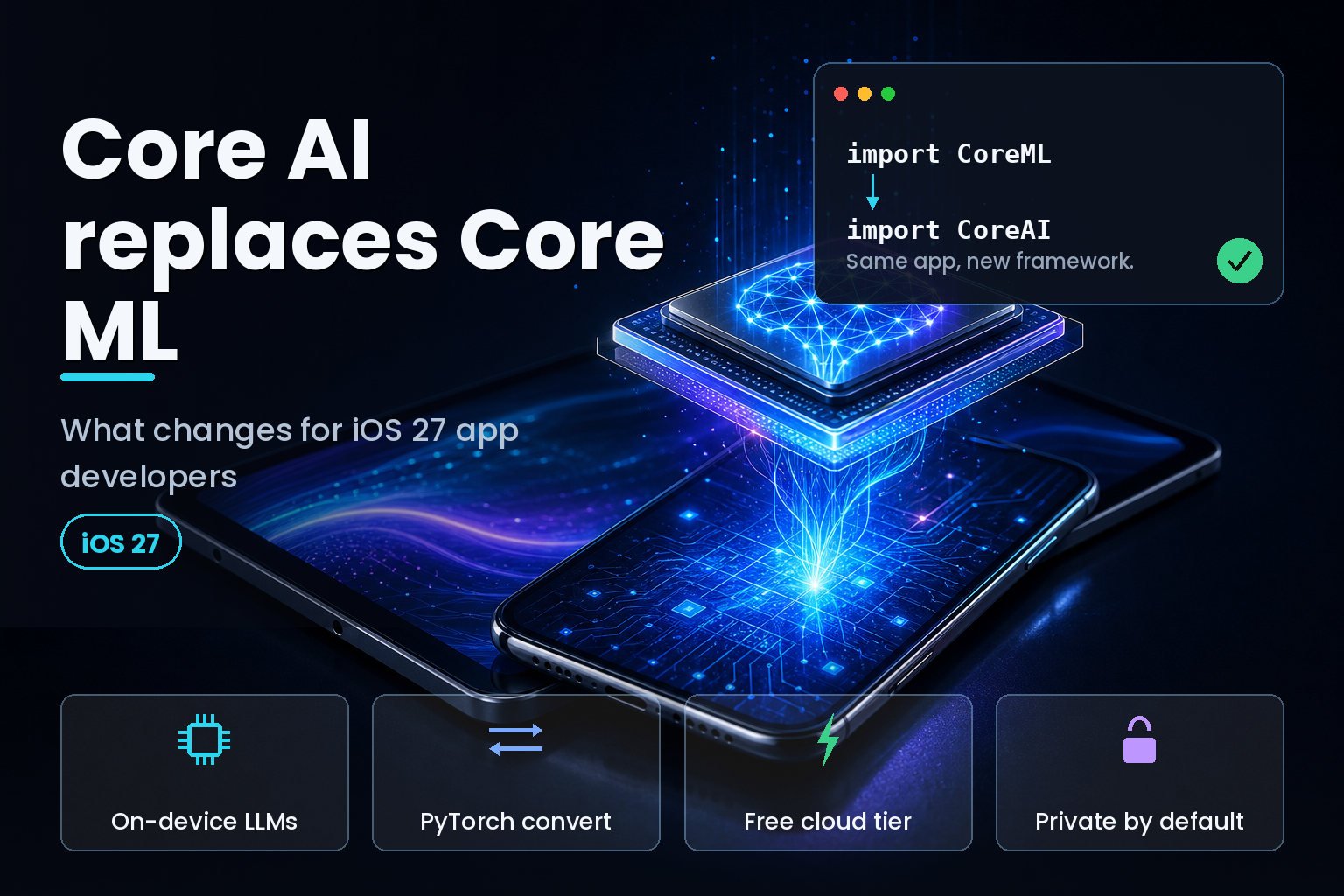
Summary. Apple introduced Core AI at WWDC 2026 on June 8, the on-device AI framework that succeeds Core ML, the machine-learning runtime Apple shipped in 2017. Core AI runs inside iOS 27, iPadOS 27 and macOS Golden Gate (macOS 27), all due in the autumn of 2026 and in developer beta now. It runs custom models on Apple silicon, compiles them ahead of time, and powers the rebuilt Siri under the hood. Apple paired it with a bigger Foundation Models framework that now gives free Private Cloud Compute inference (a $0 infrastructure bill) to developers under 2 million first-time App Store downloads, adds image input, and opens server-side access to outside models from Anthropic and Google through one Swift API. For app developers the short version is this: Core ML does not disappear, but every new AI capability now lands in Core AI.
The rename is not cosmetic. Mark Gurman, who covers Apple for Bloomberg News, reported the plan three months before the keynote in his Power On newsletter: "The idea is to replace the long-existing Core ML with something a bit more modern." He added that "the switch from 'ML' to 'AI' is significant. Apple knows that 'machine learning' is a dated term that no longer resonates with developers or consumers." Nine years separate the two frameworks. Core ML arrived in 2017 for image classifiers and small neural networks; Core AI arrives in 2026 for large language models, diffusion models and the transformer architectures that now sit behind most app AI features.
This article covers five practical changes for iOS and Swift teams: what happens to your existing Core ML models, how to run real LLMs on the device, the new profiling and authoring tools, the free cloud and third-party model routing in Foundation Models, and the deeper Siri and Spotlight hooks. It also covers what changes for teams shipping to India. The facts below come from Apple's WWDC 2026 Platforms State of the Union, four Core AI and Foundation Models sessions, and Apple's own machine-learning research pages.
What Core AI is, and what it is not
Core AI is the inference framework that already powers on-device Apple Intelligence, now opened to third-party developers. Apple describes it as a way to build, run and deploy AI models in your app across the CPU, GPU and Neural Engine, designed for Apple silicon. The headline mechanics, confirmed at the 2026 Platforms State of the Union, are ahead-of-time compilation, dedicated Instruments for profiling AI workloads, and Python tools that convert PyTorch models to Apple silicon.
It helps to hold three frameworks apart, because Apple now ships three layers and they solve different problems. Core ML, from 2017, runs classical machine learning: vision, sound classification, tabular prediction, and the smaller models most apps already bundle. The Foundation Models framework, from 2025, gives you Apple's own language model with a few lines of Swift. Core AI, from 2026, is the lower-level runtime for bringing your own modern model, including open LLMs, and running it locally.
| Dimension | Core ML (2017) | Core AI (2026) |
|---|---|---|
| Primary workload | Classical ML: image classification, object detection, tabular prediction | Generative and transformer models: LLMs, diffusion, large attention models |
| Model source | .mlmodel and .mlpackage files | Converted from PyTorch with Apple's Python tools |
| Compilation | Runtime conversion on device | Ahead-of-time compilation for Apple silicon |
| Profiling | Limited instrumentation | Dedicated Instruments for AI workloads |
| Hardware target | CPU, GPU, Neural Engine | CPU, GPU, Neural Engine, tuned for large models |
| Role in iOS 27 | Supported, no announced sunset | New framework, runs Siri under the hood |
1. Core ML keeps working, but new AI capability ships only in Core AI
The first thing to tell your team: nothing breaks on day one. Core ML stays in iOS 27, and Apple announced no deprecation date for it. Your existing classifiers, vision models and tabular predictors keep running, and for those workloads Core ML is still the right tool. Apple did not ask anyone to rewrite a working image classifier.
The trajectory is the one Apple has run before with UIKit and SwiftUI. Both coexisted for years, but every new platform capability shipped in the newer framework while the older one stopped receiving real investment. Core AI sits in that same position now. The new model architectures, the AI-specific profiling, the conversion pipeline and the Siri integration points all live in Core AI. If you are building a feature around a language model or a diffusion model in an iOS 27 app, Core ML cannot reach those APIs, so Core AI is where the work happens.
The practical read for 2026 is a split decision rather than a migration deadline. Keep classical ML on Core ML. Build anything generative on Core AI. Plan a real audit of which models you ship and why, because the answer decides which framework each one belongs in. The migration cost, when it comes, is usually the model conversion and testing, not the Swift call site.
2. You can run real LLMs and generative models on the device
This is the change most teams have waited for. Core AI lets you bring your own model and run it locally, instead of being limited to Apple's bundled options or shipping every prompt to a server. Apple's Python tooling converts a PyTorch model into a form that compiles ahead of time for Apple silicon, and the new framework handles the large memory footprints that language and diffusion models need.
Apple did not stop at custom models. One WWDC 2026 session, Integrate on-device AI models into your app using Core AI, walks through a curated set of popular open models optimised for Apple silicon, including Qwen, Mistral and SAM3, with instructions to download, run and benchmark them on a Mac before integrating them into an app. A second session, Dive into Core AI model authoring and optimization, covers the custom path: authoring models with Metal kernels and applying platform-aware compression so a large model fits real device memory.
For teams that only need Apple's own model, the Foundation Models framework remains the fastest route. The on-device model there is a 3-billion-parameter language model, quantised to 2 bits per weight, and Apple states plainly that it is built for summarisation, extraction and classification, not for world knowledge or advanced reasoning. That honesty matters. Knowing the on-device model's ceiling tells you when to stay local and when to call a larger model in the cloud, which is the subject of change four.
3. New profiling and authoring tools change the daily workflow
Running a large model on a phone is an engineering problem with a memory budget and a thermal budget, so Apple shipped tooling to measure both. Core AI adds dedicated Instruments for AI workloads, which lets you see where inference spends time across the CPU, GPU and Neural Engine instead of guessing. Ahead-of-time compilation moves a slow step out of the user's first run and into your build.
The tooling change extends into Xcode 27, which Apple rebuilt this year. It is about 30% smaller, runs on Apple silicon only, and replaces the old Simulator with a new Device Hub. Its agentic coding can now drive the simulator, localise an app, run tests and fix crashes pulled from Organizer, and Xcode Cloud builds run up to twice as fast. For an AI feature, that means the loop of convert, compile, profile and test sits inside one toolchain rather than a pile of command-line scripts.
One migration note for Mac developers: Apple has finished the Intel transition. macOS Tahoe was the final Intel release, and developers can now ship Apple silicon-only binaries on the Mac App Store. Core AI assumes Apple silicon, so any plan to run local models on the Mac should assume the same baseline.
4. Foundation Models: free cloud inference and third-party routing
The single most useful announcement for small teams was a price. Apple now gives free access to its Foundation Models running on Private Cloud Compute to any developer with fewer than 2 million first-time App Store downloads, which removes the server bill that usually blocks an indie team from shipping a cloud-backed AI feature. For most apps below that threshold, server-scale inference now costs nothing beyond engineering time.
Two more changes widen what the framework can do. It gained image input, so prompts can include pictures, and it gained server-side model integration: you can call outside models such as Anthropic's Claude and Google's Gemini through the same Swift API you already use for Apple's model. A new Dynamic Profiles system coordinates several models and tools for multi-agent workflows. Apple also said the Foundation Models framework will go open source later in the summer of 2026.
| Path | Where it runs | Cost to you |
|---|---|---|
| On-device model | The user's iPhone, iPad or Mac | None, and no network call |
| Private Cloud Compute | Apple's private servers | Free under 2 million first-time downloads |
| Third-party models | Anthropic Claude, Google Gemini | The provider's own API pricing |
| Custom model via Core AI | The user's device | None at inference, plus your engineering time |
| Open-source framework | Self-hosted or on device | Free, planned for summer 2026 |
The build-versus-buy question gets sharper here. If the on-device 3-billion-parameter model handles the task, you pay nothing and the data never leaves the phone. If you need frontier reasoning, you route to the cloud and accept a cost and a network round trip. We walk enterprise teams through that trade-off in our guide to generative AI strategy, because the wrong default can quietly add a per-request bill to a free app.
5. Deeper OS integration through Siri, App Intents and Spotlight
Core AI is not only a runtime you call; it is also the engine behind features your app can plug into. Apple rebuilt Siri for iOS 27 into a conversational assistant, and the new App Intents work gives your app two new ways to participate. New entity and intent schemas let an app contribute its content to Spotlight's semantic index, which makes that content discoverable and actionable through natural language. A new View Annotations API lets Siri act on what is currently on screen, so a user can ask Siri to work with the view in front of them.
For product teams this is a discoverability change as much as a technical one. When Siri and Spotlight can read and act on your app's content, the way users reach a feature shifts from tapping through a UI to asking for it by name. The same logic that governs how content surfaces in AI answer engines now applies inside the operating system, a point we cover in our AEO, GEO and SEO guide. Apple is using Google's Gemini models to underpin the revamped Siri, and analyst Ming-Chi Kuo has argued the real test is whether Apple can deliver a better experience than Google using the same models.
Putting the five together, the decision tree for a 2026 app is short. The table below maps a need to the framework that fits it.
| Your need | Use | Why |
|---|---|---|
| Image classification, vision, small predictors | Core ML | Built for classical ML, and existing models keep running |
| Summarise, extract or classify text on device | Foundation Models, on-device | Apple's 3-billion-parameter model, no infrastructure |
| Run a custom or open LLM locally | Core AI | Converts PyTorch models and compiles them for Apple silicon |
| Frontier reasoning or world knowledge | Foundation Models, server | Routes to Private Cloud Compute, Claude or Gemini |
| Multi-step agent workflows | Foundation Models, Dynamic Profiles | Coordinates several models and tools |
India-specific considerations
For teams building from India, the on-device direction has three concrete effects. Privacy compliance gets easier when inference stays on the phone, because data that never leaves the device sits outside most of the transfer and consent questions raised by the Digital Personal Data Protection Act, 2023. Running Apple's on-device model or a local Core AI model keeps user content on the handset by default, which is a cleaner starting point for a DPDP-aligned design than a cloud call.
Cost is the second effect. An indie studio in Gurugram or Bengaluru that would otherwise pay a monthly cloud inference bill running into tens of thousands of rupees can move suitable workloads on device, where inference is free after the engineering work. Apple's free Private Cloud Compute tier under 2 million downloads extends that saving to cloud-backed features for most small Indian apps. Third, Apple's developer presence in the region is growing: the company said its fifth Apple Developer Center will open this autumn in Berlin, joining existing centres in Cupertino, Shanghai, Singapore and Bengaluru, the last of which serves Indian developers directly.
How to prepare your app
Start with an inventory. List every model your app ships, label each as classical ML or generative, and you have your Core ML versus Core AI split. For new AI features, prototype against the iOS 27 beta now rather than after the autumn release, because the conversion and compression steps are where time goes. Decide the on-device versus cloud boundary deliberately, using the 3-billion-parameter on-device model as your local ceiling and the free Private Cloud Compute tier as the fallback before you reach for a paid third-party model. Finally, plan the Siri and Spotlight integration as a product decision, not an afterthought, since it changes how users find your features.
FAQ
How eCorpIT can help
eCorpIT is a senior-led software organisation in Gurugram, building iOS and cross-platform apps since 2021. Our engineers can audit your current Core ML usage, plan a Core AI migration, and prototype on-device or Foundation Models features against the iOS 27 betas. We hold a CMMI Level 5 appraisal and work with teams shipping to both global and Indian users. Tell us what you are building through our contact page.
References
- Apple replacing Core ML with modernized Core AI framework for iOS 27 at WWDC, Zac Hall, 9to5Mac, March 1, 2026.
- Apple Outlines Major AI and Developer Tool Updates at 2026 Platforms State of the Union, Hartley Charlton, MacRumors, June 9, 2026.
- Apple's Foundation Models framework unlocks new intelligent app experiences, Apple Newsroom, September 2025.
- Introducing Apple's On-Device and Server Foundation Models, Apple Machine Learning Research.
- Meet the Foundation Models framework, WWDC25, Apple Developer.
- Meet Core AI, WWDC26, Apple Developer.
- Integrate on-device AI models into your app using Core AI, WWDC26, Apple Developer.
- Dive into Core AI model authoring and optimization, WWDC26, Apple Developer.
- What's new in the Foundation Models framework, WWDC26, Apple Developer.
- Report: Apple Plans to Make On-Device AI a Key WWDC Focus, MacRumors, May 28, 2026.
- Google Gemini Could Be the Ceiling on Apple's AI Ambitions, MacRumors, June 8, 2026.
- WWDC 2026: Apple makes its big Siri AI reveal, changes Liquid Glass and more, CNBC, June 8, 2026.
_Last updated: June 21, 2026._