
On this page · 11 sections
- What mobile application security covers
- Why mobile app security matters
- The OWASP Mobile Top 10 (2024)
- Common mobile application security risks
- How to secure a mobile application
- Mobile app security testing: what to check
- When should you get a security assessment?
- Choosing a testing approach
- Mobile application security checklist
- How eCorpIT can help
- References
Summary. Mobile application security means protecting an app, its data, its users and the backend services it talks to, not just the code on the phone. Most serious incidents come from a handful of patterns: authorisation enforced only in the app, secrets shipped inside the package, sensitive data stored or logged carelessly, and APIs that trust whatever the client sends. The OWASP Mobile Application Security Verification Standard (MASVS 2.1) groups the controls into eight areas, from storage and cryptography to resilience and privacy, and the OWASP Mobile Top 10 (2024) ranks improper credential usage first. Treat the client as something attackers will inspect and modify: enforce every security decision on the server, keep privileged credentials off the device, use platform storage such as Android Keystore and the iOS Keychain for what must stay local, and add obfuscation and integrity checks as defence in depth rather than as the main protection. OWASP is explicit that such resilience measures must not replace proper security architecture. Test the production build and the APIs behind it, and retest after every significant change.
About this article. This is a platform-agnostic guide for product owners, developers and engineering leaders; platform examples are included where they clarify a point. Standards and platform behaviour were checked against OWASP, Android and Apple documentation on 29 October 2026. Researched with AI assistance and reviewed by our editorial team.
What mobile application security covers
Mobile application security is the set of controls and practices that protect an app and everything it depends on from unauthorised access, data exposure, tampering, fraud and abuse. An app is rarely a standalone program: it talks to APIs, identity providers, payment services, analytics, cloud storage and third-party SDKs, and a weakness in any of them affects the whole product.
Think of it as four connected areas:
- The mobile client: compiled code, configuration, permissions, local files, caches and runtime behaviour.
- Identity and access: login, sessions, account recovery, roles and permissions.
- Network and backend: API authentication and authorisation, input validation, business rules and service credentials.
- Data and operations: encryption, logging, backups, monitoring, dependencies, incident response and ongoing testing.
Security belongs in every stage, from requirements and architecture to release, maintenance and retirement.
Why mobile app security matters
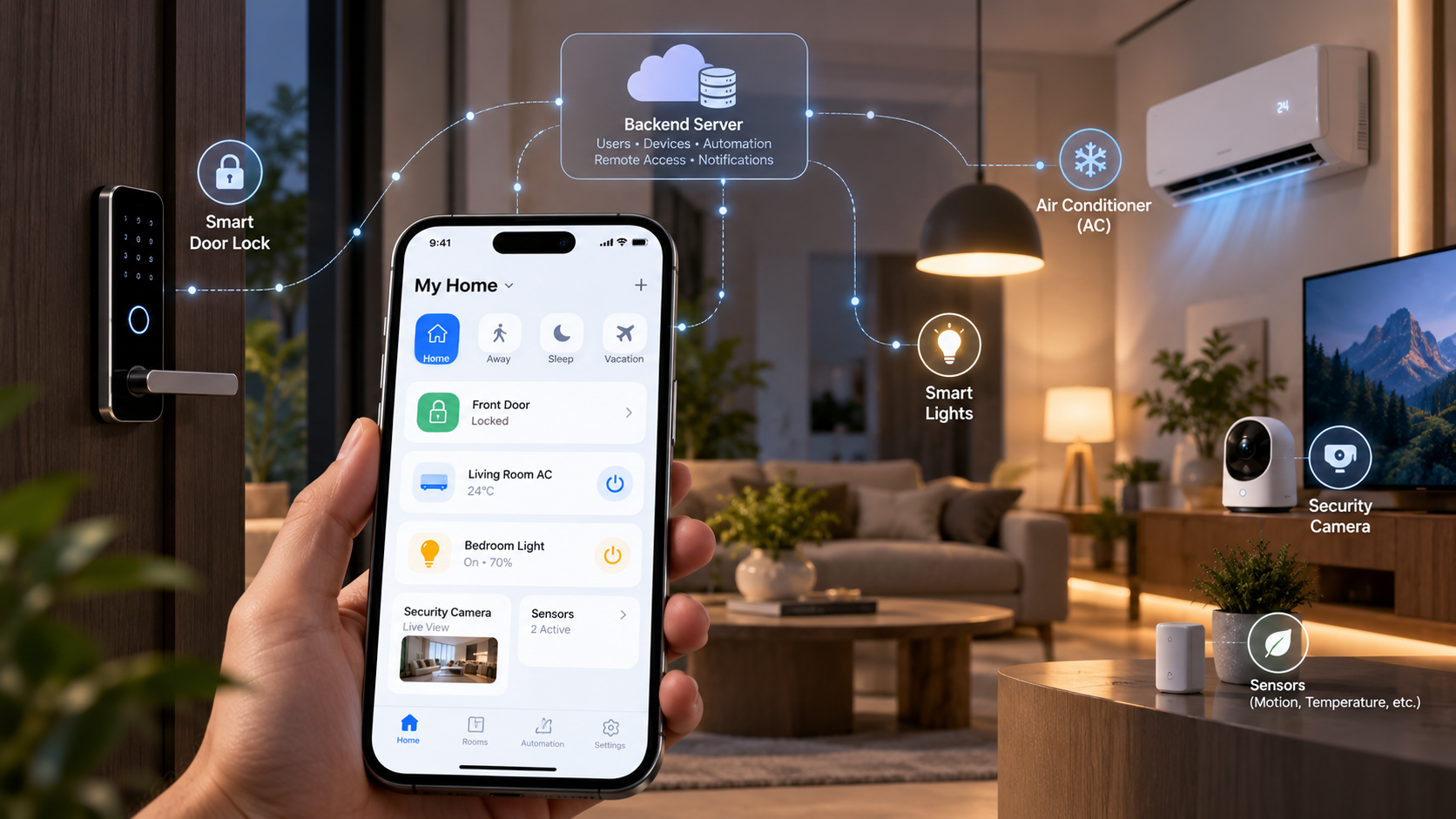
The impact depends on what the app holds and does. For a consumer app it may be personal data or account takeover; for banking, healthcare, commerce or enterprise apps it can mean financial loss, exposed records, fraud, outages and regulatory duties. Typical impacts include privacy breaches, account compromise, fraud and lost revenue from bypassed purchase rules or abused promotions, service abuse through exposed credentials or weak API controls, lost trust, and the operational and compliance cost of investigating, fixing and notifying. Apps that control physical devices add safety to the list, as our guide to building a smart home app explains. The right level of protection follows the app's threat model, data sensitivity and the harm misuse could cause.
The OWASP Mobile Top 10 (2024)
OWASP's 2024 list is a useful map of where mobile apps go wrong:
| Rank | Risk |
|---|---|
| M1 | Improper credential usage |
| M2 | Inadequate supply chain security |
| M3 | Insecure authentication and authorisation |
| M4 | Insufficient input and output validation |
| M5 | Insecure communication |
| M6 | Inadequate privacy controls |
| M7 | Insufficient binary protections |
| M8 | Security misconfiguration |
| M9 | Insecure data storage |
| M10 | Insufficient cryptography |
The sections below cover these risks in practical terms. For defining requirements, the MASVS from OWASP's Mobile Application Security project is the more complete reference; its eight control groups are storage, cryptography, authentication, network, platform, code, resilience and privacy.
Common mobile application security risks
1. Weak authentication and session management
Problems arise when tokens are exposed, sessions never expire, account recovery is weak or revoked sessions still work. Use established authentication protocols and safe recovery flows, keep tokens out of plain-text storage, set sensible lifetimes with revocation, ask for extra verification on sensitive actions where justified, and never log credentials or tokens.
2. Broken authorisation and access control
Being signed in does not entitle a user to every record. If an API accepts a document ID, it must check that this user may read that document; hiding the link in the app is not a control. Enforce permissions on the backend for every protected operation, check ownership and role or attribute rules, never trust client-supplied roles, prices, subscription flags or user IDs, and test APIs directly, outside the app's screens.
3. Insecure data storage
Apps keep data in files, databases, caches, logs, preferences, downloads and backups. Store only what the app needs, keep credentials and keys in platform secure storage, shorten the life of cached sensitive data, and review backups, file access, screenshots and logging. Know what each platform actually gives you:
- Android Keystore makes keys hard to extract from the device, but if the app's process is compromised an attacker may still use the keys without extracting them.
- iOS file protection defaults to complete until first user authentication, so files remain readable while the phone is locked after the first unlock; use complete protection for data that should only be readable while the device is unlocked.
- Android backups are on by default, and on Android 12 and later turning off allowBackup does not stop device-to-device transfers on some devices; use data extraction rules to exclude sensitive files explicitly.
Encryption depends on key management, and it does not protect data once a compromised runtime has decrypted it.
4. Exposed secrets and unsafe configuration
A distributed app can reveal hard-coded credentials, private keys, internal endpoints, test settings or privileged tokens, and obfuscating a value does not make it secret if the app must recover it to use it. Some SDK and client identifiers are designed to be public, but restrict them where the provider allows. Keep database passwords, admin credentials and privileged service keys on the server, use server-side secret management with least privilege, strip test credentials and debug settings from release builds, rotate anything exposed and investigate how it was used.
5. Insecure API communication and backend design
An app can use encrypted connections and still be vulnerable if the backend accepts unauthorised operations: transport security and authorisation solve different problems. Common gaps are missing permission checks, oversized responses, unsafe input handling, predictable resource IDs, weak rate limits and replayable sensitive requests.
Use correctly configured HTTPS and certificate validation; Android blocks cleartext traffic by default from Android 9, and Apple's App Transport Security requires HTTPS for URL Loading System connections unless you loosen it. Be careful with certificate pinning: Android's documentation does not recommend it because a certificate change can cut users off until they update, while Apple supports it through configuration; if you pin, include backup pins. Then authenticate and authorise every operation, validate inputs, return only what the user needs, apply rate limits and freshness checks, and never treat an endpoint as private because it is undocumented.
6. Cryptography mistakes
Hard-coded shared keys, weak algorithms, poor randomness, careless key storage and home-made schemes all undermine encryption. Use reviewed libraries and platform facilities, never design your own cipher, keep master keys off the client, define how keys are generated, stored, rotated, revoked and recovered, and have a qualified reviewer assess cryptography that protects high-value assets.
7. Excessive permissions and unsafe platform interactions
Every extra permission widens the impact of misuse. Deep links, exported components, inter-app communication, file handling and embedded web views can also open attack paths. Request only the permissions a feature needs, validate data from external entry points, review deep links, file providers and web content, keep sensitive functions away from other apps without access controls, and include third-party SDK permissions and behaviour in your review. Privacy disclosures are part of this too: Apple has required privacy manifests describing required-reason API use since 1 May 2024, and Google Play's Data safety form has been mandatory since July 2022.
8. Vulnerable dependencies and third-party services
Libraries, SDKs, identity providers and analytics services can bring weaknesses into an otherwise well-built app. Keep an inventory of important dependencies and SDKs, update vulnerable components and remove unused ones, review their permissions, data collection and network behaviour, follow security advisories, and assess each third-party service by the data and privileges it receives. Our software supply chain security service covers this for larger estates.
9. Reverse engineering and tampering
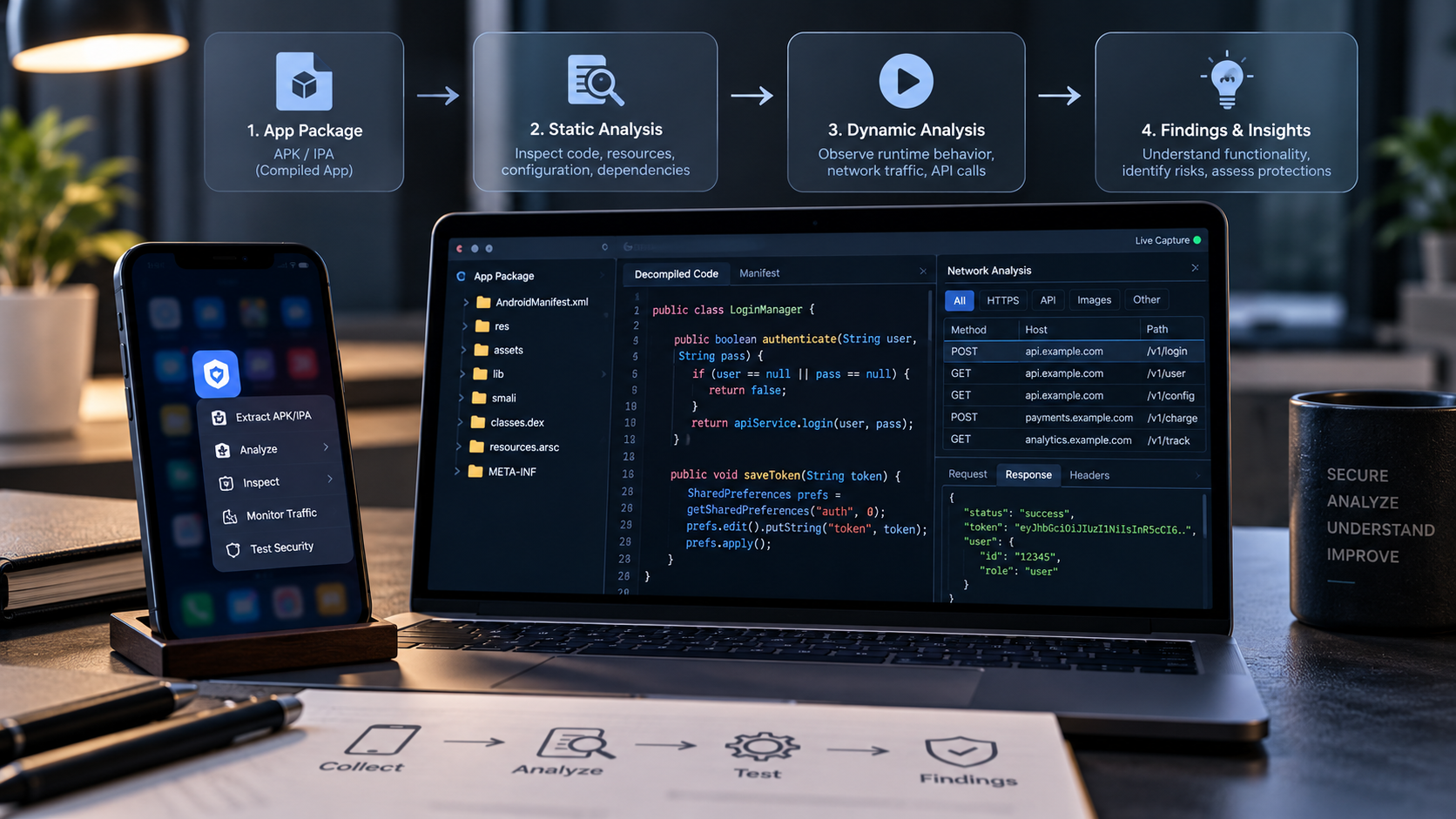
A compiled app can be inspected and parts of it reconstructed. Attackers look for business logic, embedded secrets, API behaviour and client-side checks they can change. Reverse engineering on its own does not prove a vulnerability; the risk appears when what is discovered enables a real attack, such as bypassing a local subscription check or finding a privileged credential.
Treat the client as an environment that may be inspected or manipulated, enforce security-critical rules on the backend, use obfuscation and tamper resistance as defence in depth, keep privileged secrets and authoritative data out of the package, and test whether a modified client can actually gain access. Our companion guide explains how mobile app reverse engineering works step by step.
How to secure a mobile application
1. Start with a threat model. Identify what must be protected, who might attack it, what they can do and the impact. An app showing public information faces different risks from one holding medical records, taking payments or opening business systems. Prioritise controls by data sensitivity and potential harm.
2. Enforce authorisation on the backend. The server is the authority for protected resources and business decisions. If the app sells paid content, the backend verifies entitlement before returning it; if users edit records, the backend checks they may edit that record. The same applies to roles, transaction limits and reward balances.
3. Protect data through its life cycle. Consider data in transit, at rest, in processing, in logs, in backups and at deletion. Minimise collection and retention, encrypt appropriately, protect keys and restrict access, matching controls to each data type's sensitivity.
4. Harden release builds. Remove debug features and test configuration, use compiler optimisation and obfuscation where available, review permissions and components, and protect release-signing credentials. Android's R8, for example, shortens class and method names, mainly to shrink the app, which also makes code harder to read. Know the limits of each measure and test them.
5. Use integrity checks proportionately. Platform integrity services such as Google's Play Integrity API and Apple's App Attest give your server signals about the app and device. Google says Play Integrity works best alongside other signals rather than as the sole anti-abuse mechanism, and Apple notes App Attest cannot definitively identify a device with a compromised operating system, so evaluate the results on your server and combine them with authorisation, transaction controls and monitoring. Google's older SafetyNet attestation was fully turned down in January 2025. Decide how the app behaves when evidence is missing or a legitimate device trips a signal, and avoid making one check the gate for everything unless the threat model justifies it.
6. Monitor abuse and prepare to respond. Watch authentication failures, unusual request patterns, repeated authorisation failures, suspicious transactions and unexpected credential use. Protect logs and keep sensitive values out of them. Have procedures to revoke credentials, invalidate sessions, disable vulnerable features, notify where required and verify fixes.
7. Retest after changes. New features, API changes, dependency updates and backend migrations introduce new weaknesses. Retest important controls after significant changes and confirm earlier findings are fixed without new problems.
Mobile app security testing: what to check
Test the whole system, not just the mobile package.
| Area | Question | Evidence of a useful test |
|---|---|---|
| Authentication | Are login, recovery and sessions handled securely? | Expired and revoked sessions are rejected |
| Authorisation | Can a user reach another user's data or restricted operations? | Unauthorised requests are denied by the backend |
| Local storage | Are credentials or sensitive records exposed? | Production-like storage and logs have been reviewed |
| API security | Are inputs validated and sensitive operations protected? | Direct requests cannot bypass access controls |
| Network | Is transport security configured correctly? | TLS settings and failure behaviour are verified |
| Secrets | Are privileged credentials in the client? | Package and configuration review finds none |
| Dependencies | Are libraries and SDKs maintained? | Inventory and vulnerability review are current |
| Tampering | Can a modified client gain privileges? | Sensitive operations stay protected server-side |
| Privacy | Is personal data collected and kept appropriately? | Data flows, permissions, logs and retention reviewed |
Scanners help but need validation, because many weaknesses only show up when you understand the business rules and test several components together. A useful report gives each finding's impact, reproduction conditions, evidence, remediation and retest result. The OWASP Mobile Application Security Testing Guide (MASTG) describes how to verify each MASVS control.
When should you get a security assessment?
A dedicated assessment is worth it when you are about to launch an app that handles sensitive or valuable data; when you add payments, subscriptions, identity verification or other high-risk features; after major backend or authentication changes; when you have received a security report or suspect exposed credentials; when customers, partners, auditors or regulators need evidence of controls; or when the app has outgrown what routine development testing can cover.
Depth should match risk: a configuration review may suit a low-risk app, while one handling payments or confidential records needs broader manual assessment and penetration testing. Agree the scope first, covering app versions, APIs, environments, accounts and data flows; the threat model; the techniques, such as static and dynamic analysis, API authorisation checks and configuration review; how findings will be prioritised; and retesting. To prepare, gather the scope, a test environment, API documentation and a list of sensitive workflows.
Choosing a testing approach
| Approach | Best for | Limitation |
|---|---|---|
| Automated static analysis | Common code, configuration and dependency issues | Misses business-logic and authorisation flaws |
| Manual security review | Architecture, trust boundaries and sensitive workflows | Coverage depends on scope and expertise |
| API security testing | Authentication, authorisation, input handling and abuse controls | Does not cover every client-side risk |
| Mobile penetration testing | Realistic attack paths across app and services | Needs clear scope and an authorised environment |
| Ongoing security testing | Tracking changes and retesting fixes | Needs ownership and a repeatable process |
These approaches complement each other. When comparing providers or tools, ask about scope, platforms, depth, reporting, remediation guidance, retesting and the people doing the work, and be wary of any promise that an app will be completely secure.
Mobile application security checklist
Architecture and backend
- Sensitive business rules are enforced by a trusted backend.
- Every protected operation checks authentication and authorisation, including resource ownership.
- Rate limits and abuse controls protect sensitive endpoints.
- No privileged secrets are embedded in the app package.
Data and authentication
- Sensitive local data is minimised and stored with platform protections.
- Tokens have suitable expiry, revocation and refresh behaviour.
- Logs and error messages expose no credentials or personal data.
- Backup and device-transfer behaviour has been reviewed.
- Cryptographic keys are managed and rotated.
Client and release
- Release builds contain no development credentials or debug features.
- Permissions, deep links and other entry points are reviewed.
- Dependencies and SDKs are maintained and their data use declared.
- Obfuscation and tamper resistance are used where risk justifies them.
Testing and response
- Static and dynamic testing ran on a production-like build.
- API authorisation was tested independently of the app interface.
- Invalid, expired and revoked sessions were tested.
- High-risk workflows were assessed for tampering and abuse.
- Findings have owners, fixes and retest results.
- Security logging and incident response are in place.
If your app is built in Flutter or React Native, the same principles apply, with framework-specific details on top; our Flutter team builds these controls into delivery.
How eCorpIT can help
eCorpIT is a Gurugram-based technology organisation, founded in 2021, assessed at CMMI Level 5 and MSME certified, with senior-led engineering teams working across AWS, Microsoft and Google platforms. Our cybersecurity services include fixed-scope mobile application penetration testing for iOS and Android, covering runtime analysis, reverse engineering and secure storage checks alongside API testing, with prioritised fixes and retesting. Talk to us at /contact-us/.
Last updated: 29 October 2026.