On this page · 10 sections
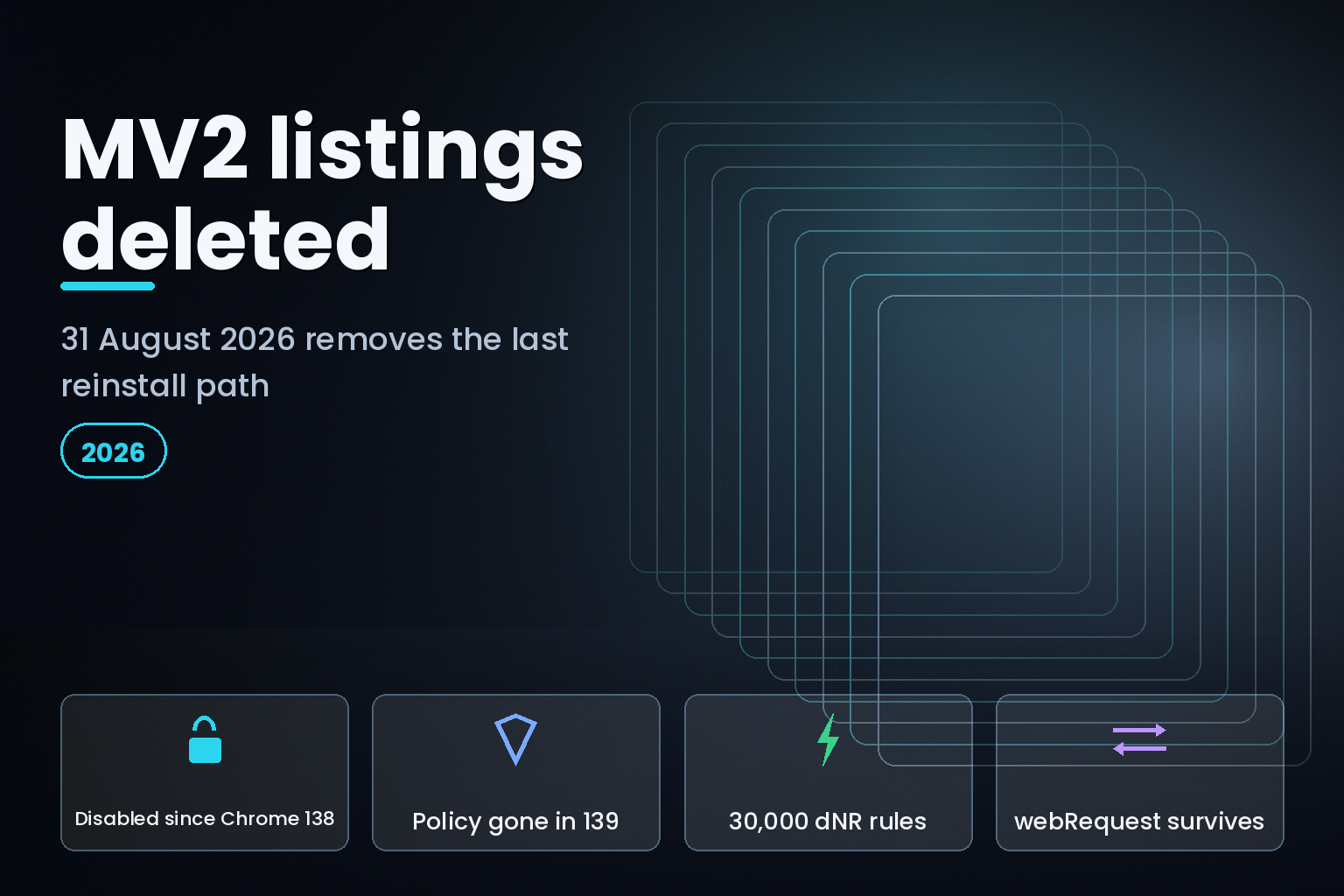
Summary. The headline everyone is repeating is a year late. Manifest V2 did not stop working this month, it stopped working on 24 July 2025, when Chrome 138 disabled MV2 extensions for all users on all channels. The ExtensionManifestV2Availability enterprise policy, the only remaining override, was removed in Chrome 139. Chrome stable is now 151, released 11 August 2026, which is twelve milestones past the point at which any MV2 extension could run. What actually happens on 31 August 2026 is narrower and still worth acting on: Google deletes the remaining MV2 listings from the Chrome Web Store. Extensions installed on Chrome 138 or earlier stay installed, but cannot update and cannot be reinstalled once the listing is gone. That deletes the last recovery path for any machine still pinned to an old Chrome. Two facts make the rebuild scoping less bad than most coverage suggests: webRequestBlocking still works in Manifest V3 for policy-installed extensions, and declarativeNetRequest now guarantees 30,000 static rules and 30,000 safe dynamic rules, up from a combined 5,000 before Chrome 121.
This piece is for the teams that still have an MV2 extension somewhere, usually an internal tool nobody has owned since 2023, and need to know what is genuinely broken versus what a search summary told them was broken.
What actually happens on 31 August 2026
Google's Manifest V2 deprecation timeline, last updated 8 July 2026, is unambiguous on the date and on its scope:
"Aug 31st 2026: All remaining Manifest V2 extensions removed from the Chrome Web Store. All remaining Manifest V2 extensions are removed from the Chrome Web Store. Manifest V2 extensions installed on Chrome 138 or earlier will remain installed, but will be unable to receive any updates and cannot be reinstalled from the Chrome Web Store once removed from Chrome."
The same page records what preceded it:
| Date | Event | What it did |
|---|---|---|
| January 2022 | Chrome Web Store stopped accepting new public or unlisted MV2 submissions | Closed new public distribution |
| June 2022 | Chrome Web Store stopped accepting new private MV2 submissions | Closed private distribution |
| 24 July 2025 | Chrome 138 disabled MV2 for all users on all channels | Users could no longer re-enable |
| Chrome 139 | ExtensionManifestV2Availability policy removed |
Removed the enterprise override |
| 31 August 2026 | Remaining MV2 listings deleted from the store | Removes the reinstall path |
On the enterprise policy the timeline states: "For Enterprises, the ExtensionManifestV2Availability policy will be removed with Chrome 139. This change will affect all users on Chrome 139 simultaneously. Therefore, Manifest V2 extensions will cease to function for any user upgrading to Chrome 139 and subsequent versions." It also names the last supported build: "Chrome 138 is the final version of Chrome to support Manifest V2 extensions (when paired with the ExtensionManifestV2Availability key)."
Google's admin documentation says the same thing from the other side: "In Chrome version 139 and later, Manifest V2 extensions no longer work and load in disabled state... Users and admins can't re-enable Manifest V2 extensions after deprecation."
Note that the store deletion is not tied to a Chrome milestone. It is a server-side action on the Chrome Web Store, so it lands on 31 August 2026 regardless of what version any given machine is running.
The honest scale picture
Google's most recent published adoption figure is old, and should be quoted with its date. Writing on the Chromium blog on 30 May 2024, the Chrome team said "over 85% of actively maintained extensions in the Chrome Web Store are running Manifest V3". No newer official figure exists, so anyone citing a 2026 percentage is citing something Google has not published.
The live store is a better indicator. Read on 17 August 2026, the MV2 build of uBlock Origin was still listed with 11,000,000 users, version 1.73.0, updated 5 August 2026. Its Manifest V3 replacement, uBlock Origin Lite, showed 17,000,000 users. On Firefox, which kept blocking webRequest, uBlock Origin reported 10,507,713 average daily users. Two weeks before the purge, the most-discussed casualty of the transition is still on the shelf with 11 million installs.
David Li, product manager for Chrome Extensions at Google, framed the programme this way when the phase-out began: "We've always been clear that the goal of Manifest V3 is to protect existing functionality while improving the security, privacy, performance and trustworthiness of the extension ecosystem as a whole."
The Electronic Frontier Foundation's position has not changed either. Alexei Miagkov, senior staff technologist at the EFF, wrote in December 2021 that "the changes in Manifest V3 won't stop malicious extensions, but will hurt innovation, reduce extension capabilities, and harm real world performance." Both statements are now testable rather than predictive, which is the useful thing about being a year past the switch.
Inventory the fleet first
Most teams do not know what they still have. The inventory is a 20-minute job in Google Admin console and it is the only step that should happen before any rebuild estimate.
The path is Devices > Chrome > Reports > Apps & extensions usage. Chrome browser reporting must be enabled, and Google notes it "can take up to 24 hours for data to show up in reports", so start it the day before you need the answer.
Two columns carry the signal. Install type takes the values admin, development, multiple, normal, other and sideload. Anything reading sideload or development is an extension no policy is managing, which is where the forgotten internal tools live. Chrome Web Store status includes the value "No record on CWS", described as "Never published on the Chrome Web Store", which is how self-hosted and internally distributed extensions identify themselves. Export the whole table with Export > Download CSV and treat that file as the scope document.
Two policies matter afterwards. ExtensionInstallForcelist pins an extension by its 32-character ID with an optional update URL, and carries a trap worth reading twice: "The update URL set in this policy is only used for the initial installation; subsequent updates of the extension use the update URL in the extension's manifest." Pointing the policy at a new server does not move an already-installed extension.
The platform restriction on non-store extensions is the other constraint that shapes distribution: "On Microsoft Windows instances, apps and extensions from outside the Chrome Web Store can only be forced installed if the instance is joined to a Microsoft Active Directory domain, joined to Microsoft Azure Active Directory or enrolled in Chrome Enterprise Core. On macOS instances... only be force installed if the instance is managed via MDM, joined to a domain via MCX or enrolled in Chrome Enterprise Core." Linux is the exception with no such requirement.
ExtensionSettings is the finer-grained control, with installation_mode, blocked_permissions, runtime_blocked_hosts (100 entries maximum), blocked_install_message (1,000 characters maximum) and minimum_version_required.
What must be rewritten, and what is a manifest edit
The single most useful distinction in this migration is between the changes that are a line in the manifest and the changes that are a rewrite. Google's migration documentation covers both, though every page in that doc set self-reports a 2023 last-updated date, so treat it as stable guidance rather than as current news.
| Change | Classification | What it costs |
|---|---|---|
browser_action / page_action to action |
Manifest edit plus namespace rename | Hours |
| Callbacks to promises | Optional, backward compatible | Zero if skipped |
| Background page to service worker | Manifest line is trivial, the code is not | Days to weeks |
chrome.tabs.executeScript to chrome.scripting.executeScript |
Rewrite at every call site | Days |
Blocking webRequest to declarativeNetRequest |
Full rewrite, no mechanical translation | Weeks |
| Remotely hosted code removal | Depends entirely on dependencies | Unbounded |
Service workers are where the silent failures are
The manifest change is one line: "background.scripts", an array, becomes "background.service_worker", a string, and "background.persistent" goes. Google notes that "the "service_worker" field takes a string, not an array of strings", so any multi-file background script needs bundling or ES modules with "type": "module".
The code changes are less forgiving. There is no DOM and no window, so anything touching either moves to an offscreen document via chrome.offscreen.createDocument. XMLHttpRequest() cannot be called from a service worker at all and becomes fetch(). window.localStorage is unavailable and becomes chrome.storage.local, which turns every synchronous read into an asynchronous one and therefore changes every call site rather than just the storage layer. setTimeout and setInterval become chrome.alarms. Global variables stop being a safe place to hold state.
The failure that costs teams the most time is registration order. Google's guidance is explicit: if listeners are added asynchronously, "the service worker will be reinitialized when the event is dispatched. This means that when the event fires, the listeners will not be registered (since they are added asynchronously), and the event will be missed." Listener registration has to sit at the top level of the script. This produces an extension that works perfectly in development, where the worker is already warm, and drops events in production.
The lifecycle numbers are on a different page from the migration guide, which is why they are so often misquoted. The service worker lifecycle documentation gives a 30-second idle timeout, extended to 5 minutes for a single request, with 30 seconds allowed for a fetch() response.
Blocking webRequest, and the carve-out almost nobody reports
Google states plainly that there is no mechanical path here: "The Web Request API and the Declarative Net Request APIs are significantly different. Instead of replacing one function call with another, you need to rewrite your code in terms of use cases."
The exception is the most commercially useful fact in this entire migration, and most coverage states the ban absolutely: "You don't need to make these changes if your extension is installed by policy. For policy installed extensions, the webRequestBlocking permission is still available in Manifest V3."
For an enterprise security or DLP extension distributed through ExtensionInstallForcelist or ExtensionSettings, blocking webRequest is not gone. That changes the rebuild estimate materially, and it is the first thing to check before anyone budgets a declarativeNetRequest rewrite. Observational webRequest also survives; Google's instruction is conditional, to remove the permission "if you no longer need to observe network requests".
The permission mapping has a documented inconsistency worth knowing before you debug it. For blocking, declarativeNetRequest alone is enough and host permissions are not needed, because "blocking content doesn't require host permissions". For redirects you need declarativeNetRequestWithHostAccess plus the host permission, but Google's prose on the same page says to use declarativeNetRequest while the adjacent code sample declares declarativeNetRequestWithHostAccess. Follow the code sample.
The declarativeNetRequest limits that decide feasibility
These numbers determine whether a rule-heavy extension can be ported at all, and they are much better than they were.
| Limit | Value |
|---|---|
| Static rulesets that can be declared | 100 |
| Static rulesets enabled at once | 50 |
| Guaranteed minimum static rules | 30,000 |
| Safe dynamic rules, Chrome 121 and later | 30,000 |
| Unsafe dynamic rules | 5,000 |
| Session rules | 5,000 |
| Regex rules per type | 1,000 |
| Compiled size per rule | Under 2 KB |
Google's note on the interaction matters for planning: "Starting in Chrome 121, there is a larger limit of 30,000 rules available for safe dynamic rules... Any unsafe rules added within the limit of 5000 will also count towards this limit." Safe rules are those using the block, allow, allowAllRequests and upgradeScheme actions. Redirect counts as unsafe, which is why redirect-heavy extensions hit the 5,000 ceiling while blocklists do not. Before Chrome 120 the ceiling was 50 rulesets with only 10 enabled and a combined 5,000 dynamic and session rules, so a port abandoned on limits in 2023 deserves a second look.
Remotely hosted code
The definition is narrower than the panic around it: "Remotely hosted code, or RHC, is what the Chrome Web Store calls anything that is executed by the browser that is loaded from someplace other than the extension's own files. Things like JavaScript and WASM. It does not include data or things like JSON or CSS."
So remote configuration fetched as JSON is fine, remote web services are fine, and sandboxed iframes remain a documented route: "Remotely hosted code is supported in sandboxed iframes. Please note that this approach does not work if the code requires access to the embedding page's DOM." Remote JavaScript and WebAssembly are not fine, including code you did not author but pulled in as a dependency, and including code that is never executed.
Review rejection on this ground returns a "Blue Argon" error. Google's own detection advice is to grep for http:// and https:// in the compiled bundle rather than the source, "since that is what is being evaluated by the store".
executeScript tightens the same rule. chrome.tabs.executeScript becomes chrome.scripting.executeScript, needs the scripting permission plus host permissions or activeTab, takes an array of files where the old API took one, and moves tabId into the injection target. The MV2 code: property has no replacement: "You can no longer execute external logic using executeScript(), eval(), and new Function()." The substitute is the func property with args, which injects a function that must already exist in your bundle and lets only its arguments vary.
Shipping: review times and the fast path
Anyone planning a rebuild against the 31 August date should read Google's extension review process page, which currently carries a live warning: "As of April 2026, we are experiencing a surge in submissions, which is leading to extended submission review times. We are actively working to process submissions as quickly as possible."
The published guidance is "for most extensions, review is completed within a few days, but it can take up to a few weeks", with advice to contact developer support if an extension is pending for more than three weeks. There is no published percentage-based service level, so the widely repeated "reviewed in three days" figure is not something Google states. New developers, new extensions, broad host permissions and dangerous permission requests all slow review. Minification is allowed; obfuscation is not.
There is one documented way to ship in minutes instead of days, and it is specific to declarativeNetRequest: "For extensions using the Declarative Net Request API, the Chrome Web Store lets you publish updates meeting certain criteria without needing review. Changes will usually go live within a few minutes." All five conditions must hold: declarativeNetRequest is a required permission, only files referenced in rule_resources changed, every added, updated or removed static rule is a safe rule, no rulesets were added or removed from the manifest, and nothing else in the item changed. Google also documents an escape hatch for keeping a ruleset eligible while carrying your own bookkeeping: "add an additional field such as _metadata to rules in your ruleset files. Unrecognized keys within a ruleset file don't impact eligibility."
For teams whose extension is a rules pipeline rather than an application, designing for that eligibility list is worth more than any amount of review-queue optimism.
Distribution for internal tools
An internal extension does not escape review by being private. Google is explicit: "All visibility settings have the same policy requirements and will go through the same review process." Any Google Workspace organisation can run a private instance of the Chrome Web Store, and publishing to an external organisation now works through an approval link, but on revocation "any existing items will remain published but cannot be updated".
Self-hosting a .crx with an update_url and a gupdate XML manifest still works, and the new package must be signed with the same private key. Be aware that Google's self-hosting documentation was last updated in 2017 and its external-install page in 2012. The current authority on where self-hosting is permitted is the ExtensionInstallForcelist platform restriction quoted earlier, and Google's admin guidance lists an on-premise web store as "not recommended as a best practice".
What to do in the next two weeks
- Run the Apps & extensions usage report and export the CSV. Enable Chrome browser reporting today if it is off, because the data takes up to 24 hours.
- Filter for install type
sideloadanddevelopment, and for the Chrome Web Store status "No record on CWS". That is the unmanaged surface.
- For every MV2 item still listed in the store, decide before 31 August whether you need a copy of the package. After that date the listing is gone and there is no reinstall path.
- Check whether each extension is policy-installed. If it is,
webRequestBlockingis still available and the rewrite is smaller than the generic advice implies.
- Scope service-worker work by counting synchronous storage reads and asynchronous listener registrations, not by counting features.
- Grep the compiled bundle, not the source, for remote script and WebAssembly loads.
Teams running this alongside other browser deadlines should also look at the Chrome XSLT removal in November 2026 and at how the two-week Chrome release cycle changes regression testing, because the same fleet inventory answers all three questions. Mobile teams facing the parallel platform deadline should read our note on targetSdk 37 and adaptive layouts.
FAQ
How eCorpIT can help
We scope and rebuild browser extensions as engineering work with a fixed inventory step first, because the estimate changes completely depending on whether an extension is policy-installed and how much of its background script touches synchronous storage. eCorp Information Technologies Private Limited has built software from Gurugram since 2021, is assessed at CMMI Level 5, MSME certified and ISO 27001:2022 certified, and works as an AWS, Microsoft and Google partner. The work usually sits with our custom software development and software testing teams, since the regression surface is larger than the rewrite. Send us the CSV from your Apps and extensions usage report at /contact-us/ and we will tell you which items are a manifest edit and which are a rebuild.
References
Last updated: 17 August 2026.