On this page · 13 sections
- What a 2.1(a) rejection means
- What the crash log can tell you
- Why iOS 27 will not launch the app
- Why a partial scene manifest is not enough
- Why testing can miss it
- How to confirm the diagnosis
- How to migrate a Flutter app
- Problems that appear after the migration
- Is this about foldables or the iPhone Duo?
- Does this affect React Native and other cross-platform apps?
- Pre-submission checklist
- How eCorpIT can help
- References
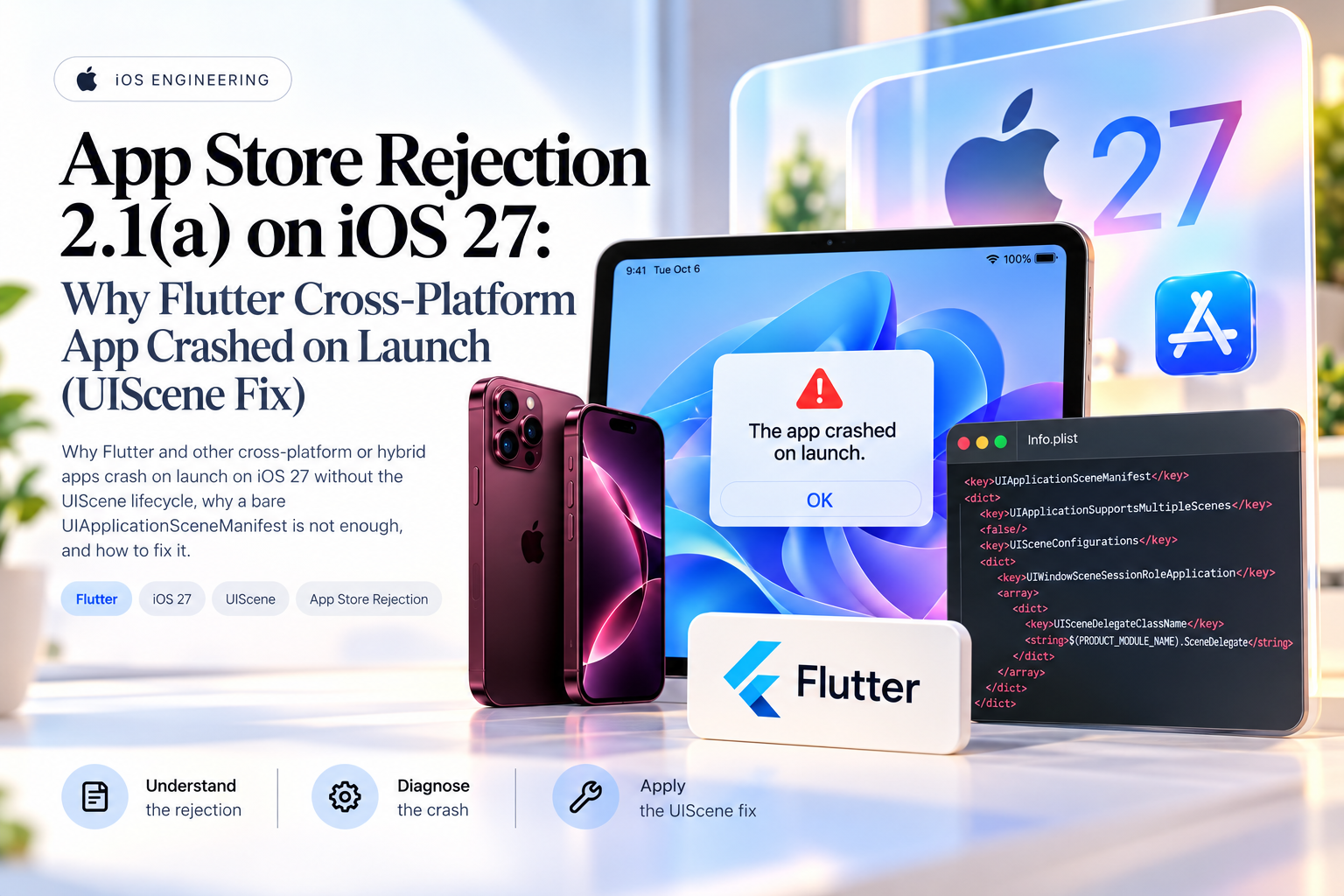
Summary. A Flutter app built with Xcode 27 that has not adopted the UIKit scene-based life cycle will not launch, and App Review rejects binaries that crash under Guideline 2.1(a), App Completeness. Apple's iOS and iPadOS 27 release notes say apps built with the latest SDK "must adopt the scene-based life cycle or they fail to launch". Flutter 3.41 and later migrate unmodified projects automatically, but a customised AppDelegate, plugins and lifecycle code need manual work. This guide covers reading the crash log, confirming the cause, migrating the project and testing the build before you resubmit.
About this article. This is a diagnostic guide for teams that have received a crash-on-launch rejection, not a report on one app. Platform claims are checked against Apple's and Flutter's documentation as of the date at the end. Researched with AI assistance and reviewed by our editorial team.
What a 2.1(a) rejection means
Guideline 2.1 sits in the Performance section of the App Review Guidelines, and part (a) is App Completeness. It asks developers to test on-device for bugs and stability, and says Apple will reject binaries that crash or show obvious technical problems.
When the reviewer's steps to reproduce amount to opening the app, the crash happens before any feature runs. That points the investigation at start-up: native initialisation, lifecycle configuration and the Info.plist that shipped in the archive. It does not prove the fault is in UIKit, and on its own it does not clear Dart code or plugins.
The rejection tells you what the reviewer saw. Finding the cause is still your job, and it starts with the crash report attached to the rejection.
What the crash log can tell you
Apple documents each field in a crash report's header. For a launch crash, read these first:
| Field | What to check |
|---|---|
Process |
The crashed executable. In a Flutter project this is usually Runner. |
Hardware Model and OS Version |
The exact device and OS build the reviewer used. |
Version |
The version and build number; match them to the build you submitted. |
Exception Type |
The Mach exception and its BSD signal, which describe how the process ended. |
Triggered by Thread |
The thread where the exception started; read its top frames. |
Launch Time and Date/Time |
A crash within moments of launch fits a start-up failure, but does not prove one. |
The exception type guides where to look next. An unsymbolicated report is rarely useful, so symbolicate it first; when you upload debug symbols with the build, Xcode symbolicates App Store and TestFlight crash reports for you.
A UIKit frame near the top of the crashed thread that refers to scene life-cycle adoption is a strong clue. Airbridge reports that an Xcode 27 build without scene support terminates at launch with the runtime issue UIScene life cycle is required for apps built with this SDK. Treat that as a pointer to check, not as Apple's documented wording, and compare what you see with Apple's technical note TN3187 and with the Info.plist inside the built app.
Why iOS 27 will not launch the app
Apple has been warning about this since iOS 18.4. TN3187 records the console message added in that release, which said the app did not adopt the UIScene life cycle and that this would become an assert, and a firmer message in iOS 26 that adoption would soon be required. In iOS 27 the assert arrived. The iOS and iPadOS 27 release notes list it under UIKit deprecations, and Apple's transition guide applies the same rule to iPadOS 27, Mac Catalyst 27, tvOS 27 and visionOS 27.
Two details matter for a rejected build:
- It follows the SDK, not the device. The rule applies to apps built with the latest SDK. A build from an older Xcode that launched last month says little about a build from Xcode 27.
- Adoption is not the same as multiple windows. TN3187 says only adoption of the scene life cycle is required; supporting several scenes is encouraged but optional. A single-window app still needs a scene configuration.
The same release notes add a second rule worth checking in the same pass: apps built with the 27.0 SDK must declare a launch screen through UILaunchStoryboardName, UILaunchStoryboards, UILaunchScreen or UILaunchScreens, and App Review rejects apps without one. Flutter's iOS template sets UILaunchStoryboardName to LaunchScreen, so this mostly affects projects that removed or renamed it.
Why a partial scene manifest is not enough
Adding the key alone does not count. This manifest exists, but it gives UIKit no configuration to build the window from:
            <key>UIApplicationSceneManifest</key>
<dict>
    <key>UIApplicationSupportsMultipleScenes</key>
    <false/>
</dict>
UIApplicationSupportsMultipleScenes answers one question: can the app show more than one scene at a time? It does not name a scene class, a delegate or a storyboard. Apple describes the manifest as a dictionary that holds both UIApplicationSupportsMultipleScenes and UISceneConfigurations. TN3187's test for whether you still need to migrate starts there: if the UIApplicationSceneManifest key is missing or has no configurations, you are not done.
The class named in UISceneDelegateClassName must also exist in the built app. A manifest that points at a SceneDelegate nobody wrote fixes nothing.
Why testing can miss it
Most teams that hit this rejection did test. The usual gaps:
- The development Mac still builds with an older Xcode, while CI or the archiving machine uses Xcode 27.
- The team tested a debug build; the reviewer ran the release archive.
- The team tested on iPhone while the reviewer used an iPad. Because the rule follows the SDK, check first that both runs used the same archive.
- A customised
AppDelegatekept the project off Flutter's automatic migration path.
- The source
Info.plistdiffers from the one packaged in the archive, for example because a build phase or flavour rewrites it.
- A plugin or native SDK depends on app-level lifecycle callbacks that stop firing after migration.
Test the exact archive, SDK and device families you are submitting. A clean debug run is not evidence.
How to confirm the diagnosis
Before changing the project, work through these checks in order:
- Symbolicate the crash report. Read the top frames of the crashed thread.
- Open the source plist. Look for
UIApplicationSceneManifestinios/Runner/Info.plistand check that it holds a full scene configuration.
- Check the app delegate. If it implements
application(_:configurationForConnecting:options:), confirm it returns a valid configuration.
- Record the toolchain. Note the Flutter and Xcode versions that built the rejected archive.
- Search the start-up code. Look for early access to
window,rootViewControllerorFlutterViewController.
- Inspect the archive. Read the
Info.plistinside the built app, not just the source file.
- Reproduce it. Install the release build fresh on a device running the reviewer's OS version and cold-launch it.
Fix the cause the evidence points to. A scene manifest that names a missing class is not a fix.
How to migrate a Flutter app
The path depends on your Flutter version and on how far the iOS host project has been customised. Flutter's UIScene adoption guide is the source of truth, and the steps below summarise it. For the UIKit side, including apps with no Flutter at all, see our iOS 27 UISceneDelegate migration guide.
Let Flutter migrate it
UIScene support is the default from Flutter 3.41. If the project's AppDelegate has not been customised, running flutter run or flutter build ios migrates it, and the CLI prints this line when it succeeds:
Finished migration to UIScene lifecycle
If the automatic migration cannot run, the CLI warns you and prints instructions for the manual route. Review and commit the changes it makes.
Add a complete scene manifest
For a manual migration, Flutter's guide gives this single-window configuration for Info.plist:
            <key>UIApplicationSceneManifest</key>
<dict>
  <key>UIApplicationSupportsMultipleScenes</key>
  <false/>
  <key>UISceneConfigurations</key>
  <dict>
    <key>UIWindowSceneSessionRoleApplication</key>
    <array>
      <dict>
        <key>UISceneClassName</key>
        <string>UIWindowScene</string>
        <key>UISceneDelegateClassName</key>
        <string>FlutterSceneDelegate</string>
        <key>UISceneConfigurationName</key>
        <string>flutter</string>
        <key>UISceneStoryboardFile</key>
        <string>Main</string>
      </dict>
    </array>
  </dict>
</dict>
If you add your own scene delegate in Swift, set UISceneDelegateClassName to $(PRODUCT_MODULE_NAME).SceneDelegate; in Objective-C, SceneDelegate is enough. Flutter's current app template does exactly this, with a SceneDelegate class that subclasses FlutterSceneDelegate. Do not name a custom class in the manifest unless the class is in the target.
Move plugin registration
In a customised AppDelegate, conform to FlutterImplicitEngineDelegate and move plugin registration into the implicit-engine callback. This is the shape of Flutter's current template:
            @main
@objc class AppDelegate: FlutterAppDelegate, FlutterImplicitEngineDelegate {
  override func application(
    _ application: UIApplication,
    didFinishLaunchingWithOptions launchOptions: [UIApplication.LaunchOptionsKey: Any]?
  ) -> Bool {
    return super.application(application, didFinishLaunchingWithOptions: launchOptions)
  }

  func didInitializeImplicitFlutterEngine(_ engineBridge: FlutterImplicitEngineBridge) {
    GeneratedPluginRegistrant.register(with: engineBridge.pluginRegistry)
  }
}
Method channels and platform views created at launch move into the same callback and use engineBridge.applicationRegistrar.messenger() as their messenger. Compare the snippet with your own file rather than pasting it over custom code.
Stop reaching for the view controller at launch
Flutter's guide warns that accessing FlutterViewController in application(_:didFinishLaunchingWithOptions:) can crash the app, and singles out a force cast of window?.rootViewController as the pattern to remove. Under the scene life cycle the window belongs to the scene, which connects after that callback. If you need the controller, Flutter suggests subclassing FlutterViewController and doing the work in awakeFromNib, or moving it to scene(_:willConnectTo:options:) in a scene delegate.
Move UI lifecycle code to a scene delegate
After migration, UIKit stops calling the app delegate's UI-state events, such as applicationDidBecomeActive. Move that logic to the scene equivalents, for example sceneDidBecomeActive and scene(_:openURLContexts:). A custom scene delegate must subclass FlutterSceneDelegate or conform to FlutterSceneLifeCycleProvider so that Flutter still receives the events.
If you maintain a plugin
Plugins that use lifecycle events need the scene APIs added in Flutter 3.38. Raise the plugin's minimum Flutter version to 3.38, adopt FlutterSceneLifeCycleDelegate and register with registrar.addSceneDelegate(instance). Launch options are nil after migration, so logic that reads them belongs in scene(_:willConnectTo:options:).
Problems that appear after the migration
A build that launches can still misbehave. Check these before you resubmit.
Plugin registration order
Register plugins once, in the place your Flutter version expects. Airbridge documents an EXC_BAD_ACCESS crash near GeneratedPluginRegistrant.register(with:) that appeared after teams adopted the scene life cycle.
Cold launches from links and notifications
A deep link or notification tap that starts the app now arrives through the scene's connection options, not the app delegate's launch options. Test each entry point from a cold start. Courier's write-up covers what the change means for push notifications.
Work that must finish before launch completes
Some APIs still have to be set up before application(_:didFinishLaunchingWithOptions:) returns. Flutter's guide names BGTaskScheduler task registration, the UNUserNotificationCenter delegate and HealthKit background delivery. Do not move every initialisation call into the scene delegate.
Background and foreground behaviour
The callbacks behind foregrounding, backgrounding and returning to the app have moved, so test each transition again.
Temporary workarounds
Flutter documents a way to disable UIScene temporarily by putting an underscore in front of the Application Scene Manifest entry. Under the iOS 27 SDK that leaves the app without a scene life cycle, which is the failure you are fixing. Use it for diagnosis on older toolchains only, never in a release build.
Is this about foldables or the iPhone Duo?
No. A launch-time lifecycle assertion and a layout problem are different failures. A scene life-cycle crash stops the app before any interface exists; a layout problem shows up afterwards, as overlapping content or controls that do not adapt when the window changes size. Once the app launches reliably, base layout on the scene's or container's bounds rather than a fixed screen size, and test resizing and multitasking. Our iPhone Duo developer guide covers the foldable APIs separately. Do not blame a rejection on a form factor unless the crash evidence supports it.
Does this affect React Native and other cross-platform apps?
Yes. Every iOS app runs on a native UIKit host, whatever draws its interface, so React Native and web-view hybrid apps built with the iOS 27 SDK face the same rule. The steps differ by framework and version, so follow your framework's own guide and check that the generated iOS project has a complete scene configuration. Flutter draws its own interface rather than wrapping a web view, which is why it is usually called cross-platform rather than hybrid; the UIKit requirement applies either way.
Flutter teams moving to Xcode 27 should also read our notes on the CocoaPods sunset and the move to Swift Package Manager and on the mprotect failed 13 debug crash on iOS 26 and 27.
Pre-submission checklist
Before uploading a new build:
- Build with the Xcode and iOS SDK you intend to ship with.
- Test the release configuration, not only debug.
- Delete the app, install the release build and cold-launch it on every supported device family, including iPad if you support it.
- Read the scene manifest inside the archived app and confirm the delegate class it names exists.
- Confirm
Info.plistdeclares a launch screen, which the 27.0 SDK also requires.
- Review plugin registration and any custom
AppDelegatecode.
- Test deep links and notification launches from a cold start.
- Test backgrounding, foregrounding, resizing and multitasking.
- Confirm your plugins and native SDKs support the scene life cycle.
- Increment the build number and archive from a clean build.
- Keep the crash report and your passing test evidence with the release record.
When you resubmit, a short note to App Review explaining the cause, the change and how you tested it helps the reviewer. For the wider list of iOS 27 changes to regression-test, see our iOS 27 testing checklist for app teams.
How eCorpIT can help
eCorpIT is a Gurugram-based technology organisation, founded in 2021, assessed at CMMI Level 5 and MSME certified, with senior-led engineering teams working across AWS, Microsoft and Google platforms. Our Flutter and iOS teams audit iOS host projects for the scene life cycle, migrate customised app delegates and plugins, and test release builds on real iPhone and iPad hardware before an app goes back to review. Talk to us at /contact-us/.
Last updated: 21 October 2026.