

On this page · 15 sections
- What SpotlightSearchTool does
- What you need before you start
- How Core Spotlight natural language search works end to end
- Step 1: index your content as CSSearchableItem
- Step 2: choose the attributes the model can read
- Step 3: pick a SpotlightSearchTool guide that fits your model
- Step 4: write system instructions that describe your index
- Step 5: stream the answer and the result cards
- Hydrate full items with the Core Spotlight index delegate
- On-device model vs Private Cloud Compute
- Pitfalls in Apple's sample code
- Production checklist
- When not to use it
- How eCorpIT can help
- References
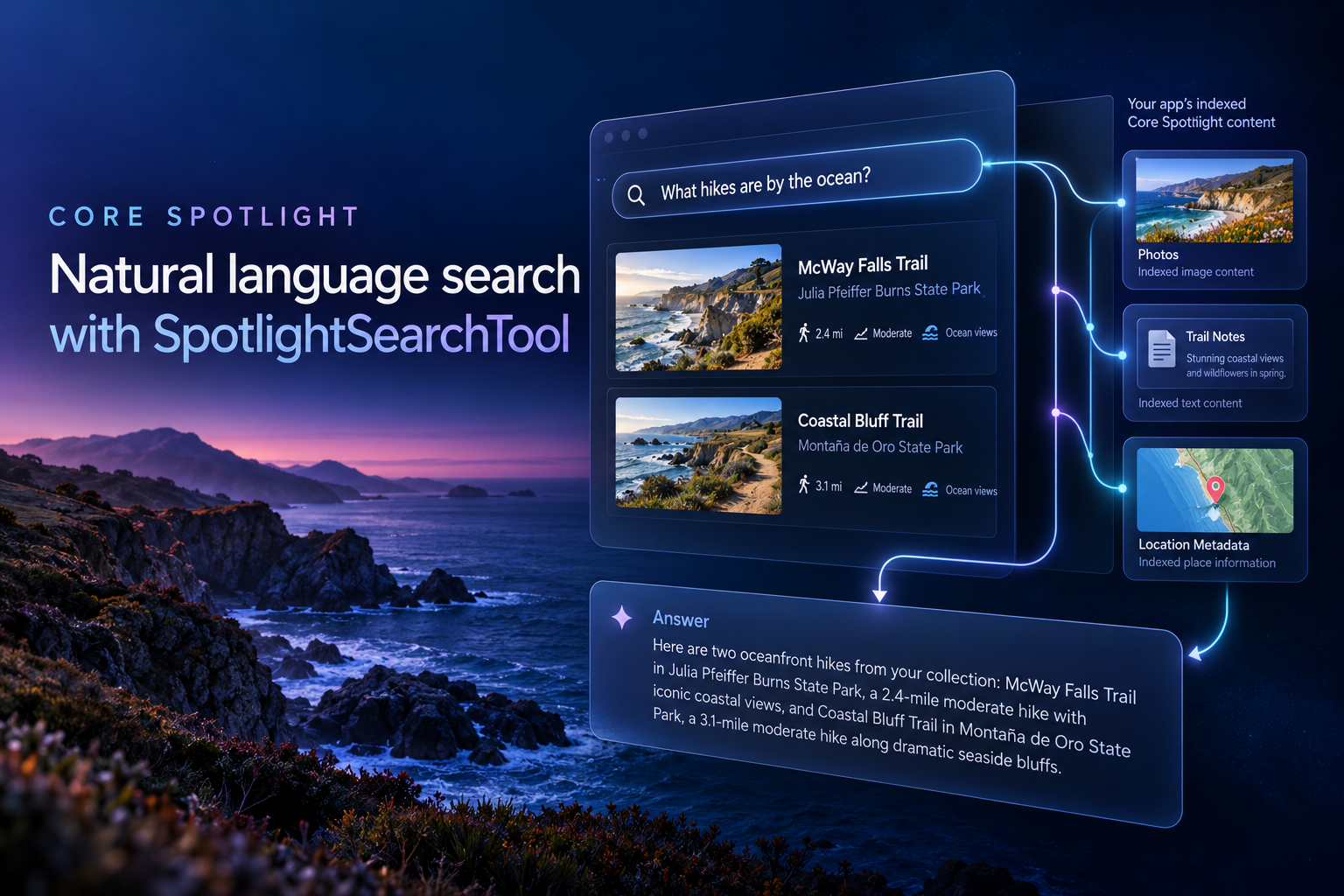
Summary. To add Core Spotlight natural language search to an iOS 27 app, index your records as CSSearchableItem objects in a named index, then give a SpotlightSearchTool to a Foundation Models LanguageModelSession, along with instructions that describe your attributes. The model turns a plain-English question into Spotlight queries, reasons over the matches and streams an answer. Use a focused guide on the on-device model, or the default complete guide on Private Cloud Compute.
Apple's "Searching indexed content with natural language" is a sample-code page with a short walkthrough. Its SwiftUI app indexes ten hiking trails, answers questions such as "Which trails in California have water features?" and accompanies WWDC26 session 246, "LLM search using Core Spotlight". I read all six Swift files alongside the API reference. What follows is based on Apple's iOS 27 documentation and sample code, not on benchmarks of my own: how the sample works, where it cuts corners a shipping app cannot, and how to adapt it.
Code excerpts are from Apple's sample, Copyright © 2026 Apple Inc., used under the MIT-style licence in its LICENSE.txt.
What SpotlightSearchTool does
Many apps already donate content to Core Spotlight for system search. SpotlightSearchTool connects that index to a Foundation Models session, so the model can search, filter and reason about what you indexed. It is a struct in the Core Spotlight module that conforms to the Foundation Models Tool protocol, so you pass it to a session like any other tool.
The model decides to call the tool and writes a query, Spotlight runs it and returns a description of the results, and the model reasons over that and answers. For each query the model builds a pipeline of stages such as retrieving, counting and scoring, and you can add your own.
In practice this is retrieval-augmented generation (RAG), fully on-device when you use the system model, with no embeddings pipeline or vector store for you to run. The index is the one Spotlight already keeps for your app. If the framework is new to you, start with our notes on Foundation Models v3 for Swift developers.
What you need before you start
- Xcode 27 and an OS 27 target. The sample page lists iOS, iPadOS and Mac Catalyst 27.0. The SpotlightSearchTool symbol pages add macOS and visionOS 27.0. None lists watchOS or marks the API as beta.
- An Apple Intelligence device, with Apple Intelligence switched on in Settings > Apple Intelligence & Siri. The sample's README says a device or simulator will do, so Apple's two sources disagree. Treat simulator results as provisional.
- Content already in Core Spotlight. The tool searches what you index, plus indexed files if you add a FileSource.
The project targets iOS 27.0 on iPhone and iPad with Swift 6.0 and default MainActor isolation, and its entitlements file is empty.
How Core Spotlight natural language search works end to end
- Index each record as a CSSearchableItem, with built-in attributes where they fit and custom ones where they do not.
- Build a SpotlightSearchTool with a Core Spotlight source, the attributes the model may read (fetchAttributes) and a guide sized for your model.
- Give the tool to a LanguageModelSession with instructions that describe your index.
- Stream the answer while a separate task reads the tool's searchResults and turns matches into cards.
- When the tool needs content Spotlight cannot hand back, such as full text, it asks your index delegate to rebuild the item. Apple calls this hydration.
Step 1: index your content as CSSearchableItem
The sample decodes SampleData.plist and writes the trails to a named index. The name matters: batching needs your own index, because the default index cannot take batch updates and is meant only for testing and prototyping. From Indexer.swift:
            let index = CSSearchableIndex(name: "TrailSearchSample")

static let distanceAttributeKey: CSCustomAttributeKey? = CSCustomAttributeKey(
    keyName: "distance",
    searchable: true,
    searchableByDefault: true,
    unique: false,
    multiValued: false
)
Most trail fields map onto built-in attributes such as title, textContent, namedLocation and keywords. Two choices are worth copying. Difficulty goes into rating, which Apple documents as a user-supplied media rating, so the instructions must say what the number means. Duration is converted from hours to seconds, the unit Apple defines for that attribute. Distance has no built-in attribute, so it becomes a custom key:
            if let hours = trail.duration {
    attributeSet.duration = NSNumber(value: hours * 3600)
}

if let distance = trail.distance, let key = Self.distanceAttributeKey {
    attributeSet.setValue(NSNumber(value: distance), forCustomKey: key)
}
The CSCustomAttributeKey initialiser is failable, hence the optional. Apple requires key names to be ASCII with no punctuation other than underscores, and recommends a reverse-DNS style such as com_mycompany_myapp_mykeyname. A bare "distance" is fine in a sample. In a real app, namespace it.
Indexing runs once. indexIfNeeded() reads the index's last client state and returns if any exists. Otherwise indexAllItems() writes everything in one batch:
            func indexAllItems() async {
    let items = createSearchableItems()
    guard !items.isEmpty else { return }

    var isIndexed = true
    let newState = Data(bytes: &isIndexed, count: MemoryLayout.size(ofValue: isIndexed))

    do {
        index.beginBatch()
        try await index.indexSearchableItems(items)
        try await index.endBatch(withClientState: newState)
    } catch {
        logger.error("Batch index failed: \(error)")
    }
}
endBatch(withClientState:) accepts up to 250 bytes. The sample stores a single Bool there, which is the weakest part of the indexer, as the pitfalls section explains.
Step 2: choose the attributes the model can read
Indexing an attribute makes it searchable. Whether the model can see it is decided by fetchAttributes on CoreSpotlightSource, which defaults to empty and then sends the model only each item's identifier.
Session.swift lists eleven built-in attributes (title, contentDescription, namedLocation, stateOrProvince, keywords, latitude, longitude, rating, duration, contentCreationDate and completionDate) and appends the custom key:
            if let key = SpotlightIndexer.distanceAttributeKey {
    attributes.append(SearchableItemAttribute(rawValue: key.keyName))
}
Notice what is missing: textContent. The instructions tell the model to search textContent for topics like "water", yet it is never fetched. Spotlight stores text and HTML in a compact form that can be searched but not read back by a model, so the index alone cannot hand the notes back. If the model needs them, hydration has to supply them. Every fetched attribute costs context, so this list is your main quality-versus-budget dial.
Step 3: pick a SpotlightSearchTool guide that fits your model
The guide sets how much search machinery the tool exposes and how verbosely it formats results. Complete uses every technique. focused(_:) limits the search to the content domain you pass, with compact output. dynamic(_:) lets you switch techniques on through a GuidanceProfile.
Apple is blunt about the on-device model: without a focused guide, the search exceeds the model's context window and cannot return results. The iOS 27 release notes are more specific. Known issue 183770678 says that without a configuration, the tool's description and parameter schema alone exceed the on-device context window, so the session fails with a token-limit error before any prompt is added. The workaround is a focused guide. It is easy to walk into, because a bare SpotlightSearchTool() defaults to the complete guide, which works best with Private Cloud Compute, while a LanguageModelSession created without a model uses the on-device one.
The sample picks the guide from the model type in Session.swift:
            private func makeSpotlightTool() -> SpotlightSearchTool {
    SpotlightSearchTool(
        configuration: .init(
            sources: [
                .coreSpotlight(
                    .init(
                        searchableIndexDelegate: SpotlightIndexer.shared,
                        fetchAttributes: Self.fetchAttributes
                    )
                )
            ],
            guide: isOnDevice ? .focused() : .complete
        )
    )
}
.focused() with no argument resolves to Guide.focused(_:) with the .items domain, whose default mapping covers title, textContent and the creation and modification dates. Audio, calendar, communications, documents and visual-media domains also exist, with mappings you can override. For the smallest on-device setup, leave sources empty and the tool falls back to a default CoreSpotlightSource:
            let tool = SpotlightSearchTool(
    configuration: .init(guide: .focused())
)
That avoids the overflow, but the default source's fetchAttributes list is empty, which Apple documents as sending the model only each item's identifier. The docs do not say whether the focused domain's own mapping makes up for that, so add attributes as in Step 2 before you judge answer quality.
Two further controls go unused in the sample: maximumResponseSize caps the UTF-8 characters of tool output per call, and FormatLevel.compact, passed through Guide(level:format:), switches results to terse, line-oriented text.
Step 4: write system instructions that describe your index
The instructions in Session.swift are the most reusable part of the sample. Apple's page says the on-device path gets more explicit instructions, but in the code one string goes to every session whichever model runs. It contains eight rules:
- Grounding. Always call the tool first and never answer from memory.
- No content-type filter. Every trail is public.text, so use keyword and text predicates.
- A plain-English schema. Each attribute with its meaning and unit: rating is difficulty from 1 to 5, duration is in seconds, distance is in miles as a custom attribute.
- A flag convention. Completed trails carry the keyword "hiked", turning a date question into one keyword predicate.
- Stop-words. Search the topic, not "trail", "hike", "show" or "find". Every trail's keywords include "trail".
- Query expansion. "Water" also means lakes, rivers, creeks, waterfalls, ocean, tidepools and swimming.
- Output format. Short prose with name, location, difficulty and highlights, and no lists or headings, because the UI parses only inline Markdown.
- Honesty. Say when nothing matched, never invent trails, and say that elevation gain, calories or pace are not available.
The grounding rule calls the tool spotlight_search. Apple does not document the tool's name value, and the evaluation code in session 246 expects "searchSpotlight". Treat the name as a hint and confirm in evaluation that the model really calls the tool.
For your own data, rewrite every rule, and check a domain's default mappings before choosing it. Instructions and indexer are coupled by hand (content type, what rating means, units, key names, flag keywords) and nothing in code keeps them in step. Even the sample drifts. Difficulty 2 carries the keyword "easy" on trails 002 and 009 but "moderate" on trail 005, and the instructions define only levels 1, 3 and 5. Our Foundation Models context-management guide covers keeping prompts lean.
Step 5: stream the answer and the result cards
Each search builds a fresh tool, session and results listener, so no history carries between queries. The listener starts before the prompt is sent:
            let tool = makeSpotlightTool()
let session = makeSession(tool: tool)
searchResultsTask = listenForSearchResults(from: tool)

await streamResponse(from: session)
isGenerating = false
The answer streams through session.streamResponse(to:), and the code assigns chunk.content rather than appending, because each chunk carries the aggregated text so far.
Cards come from tool.searchResults, an AsyncSequence of SearchReply values that never throws. Each reply carries content, a label, a status, a queryToken and a stageToken. Matches arrive as items, scoredItems or groupedItems, each wrapping SearchableItem, a Swift value type whose item property holds the CSSearchableItem. The other cases (count, table, statistic and text) come from pipeline stages. The sample unwraps the match cases and skips the rest:
            for await reply in tool.searchResults {
    let items: [CSSearchableItem]
    switch reply.content {
    case .items(let searchItems):
        items = searchItems.map(\.item)
    case .scoredItems(let scored):
        items = scored.map(\.item.item)
    case .groupedItems(let groups):
        items = groups.values.flatMap { $0 }.map(\.item)
    case .count, .table, .statistic, .text:
        continue
    @unknown default:
        continue
    }
    let newItems = items.filter { seen.insert($0.uniqueIdentifier).inserted }
    self.results.append(contentsOf: newItems)
}
The model can run several queries while refining an answer, so the sample deduplicates on uniqueIdentifier. It ignores the token, status and label fields. Each model call gets a new query token, and status stays partial until the final reply for that token, so group by queryToken if the cards should reflect the model's last query rather than every attempt. The label is a short model-written description that works as a section title or accessibility label.
Hydrate full items with the Core Spotlight index delegate
Spotlight cannot return the original text or HTML of an item, so the tool asks your CSSearchableIndexDelegate for a fresh CSSearchableItem with the same content. Without a delegate, the tool uses only what the index returns. With a dynamic guide, the delegate also fills attributes missing from the index. Session 246 adds that this is the moment to attach metadata you would not donate for search but that helps the model reason.
The sample passes the singleton that owns the index as the delegate and implements the completion-handler form:
            nonisolated func searchableItems(forIdentifiers identifiers: [String], searchableItemsHandler: @escaping @Sendable ([CSSearchableItem]) -> Void) {
    Task { @MainActor in
        let items = createSearchableItems(identifiers: identifiers)
        searchableItemsHandler(items)
    }
}
The method is not new. Apple lists it from iOS 18.4, with an async form returning [CSSearchableItem]. CoreSpotlightSource is @unchecked Sendable, so the delegate must be safe across isolation boundaries; the sample marks callbacks nonisolated and hops to the main actor.
On-device model vs Private Cloud Compute
The sample defaults to SystemLanguageModel so it runs without setup, though its own comment says trail search works best on a server model. Switching is one line, PrivateCloudComputeLanguageModel(), plus everything around it.
| Aspect | On-device SystemLanguageModel | PrivateCloudComputeLanguageModel |
|---|---|---|
| Where it runs | On the device, works offline | Private Cloud Compute, needs a network |
| Context size (Apple's table) | 4K tokens | 32K tokens |
| Reasoning | Not supported | Multiple levels |
| Usage limits | Unlimited | Daily limit per person, more with iCloud+ |
| SpotlightSearchTool guide | .focused(), optionally compact format | .complete, the default |
| Setup | Apple Intelligence on, availability checked | Eligibility plus the managed com.apple.developer.private-cloud-compute entitlement |
| Cloud cost | None, runs locally | None for eligible developers, other pricing unpublished |
| Unavailable because | Apple Intelligence off, device not eligible, model not ready | Device not eligible, system not ready, plus quota, network and service errors |
| Privacy | Apple says it preserves privacy | Apple says it preserves privacy, no retention detail on developer pages |
Eligibility means membership of the App Store Small Business Program, fewer than 2 million first-time downloads from any of your apps, and the entitlement assigned to your account. Test installs do not count, and if you cross the threshold or leave the programme you have six months to migrate.
Apple's advice is to start on-device, evaluate with the Evaluations framework and move to PCC only if needed. If you move, check availability, retry on-device when the network fails and show quota state. Running out throws quotaLimitReached, and quota is independent of availability, so a model can report available and still refuse. See our on-device vs cloud LLM break-even analysis. For other models through the Model Provider APIs, see our Foundation Models provider guide, and evaluate first: session 246 says a model of your choosing can drive the tool, but Apple gives no guidance on which guide suits other models.
Pitfalls in Apple's sample code
These suit ten trails, not a shipping app. References are to the sample as updated on 25 August 2026.
- Indexing happens once per install. indexIfNeeded() returns if any client state exists, and the state is a single true Bool (Indexer.swift, lines 62-79), so changed data is not reindexed on launch. Store a data version and compare it on launch.
- Nothing is deleted. There is no deleteSearchableItems call, so removed records stay searchable, even though the sample sets a domainIdentifier, which Apple recommends for deleting groups of items.
- Acknowledgements are immediate. Both reindex callbacks call acknowledgementHandler() before their Task finishes. Apple allows that when client state is saved through endBatch(withClientState:), so it is not a bug, but a failed batch is only logged.
- Batches can overlap. beginBatch must not be called again before endBatch returns, and nothing serialises launch indexing against a reindex callback. Chaining batches through one stored Task closes this edge case. A separate actor would not, because actors are re-entrant at every await.
- Hydration rereads everything. Each call decodes the whole plist and filters with a linear contains. Look records up by identifier.
- No availability check. Apple says to verify SystemLanguageModel availability before use, and skipping it is one documented cause of an assetsUnavailable error. The sample finds out only when the stream throws.
- Errors after a PCC switch. Every SystemLanguageModel.Error becomes "Apple Intelligence isn't available right now." PCC's quotaLimitReached and LanguageModelError.rateLimited fall through to a generic message, and none of these strings is localised.
- Streams are never cancelled. reset() and run() cancel the listener but not the Task created in onSubmit, so an old stream can keep writing to response.
- Cards can vanish. enrichedResults swaps each result for a locally built item and silently drops anything it cannot match.
- Results are unbounded. maximumResultCount is unset, and nil returns every match from each source.
API differences between the WWDC code, the docs and the sample
Code copied across Apple sources will not always compile. Follow the declarations.
| Topic | Where you might copy it from | What the declarations say |
|---|---|---|
| Guide | Session 246 writes .init(level: .dynamic(profile)), the sample .focused() |
Both are valid, because Guide has init(level:format:) as well as static focused(_:), complete and dynamic(_:) |
| Custom stages | Session 246 uses outputTypes and execute(on:) |
outputType, and one execute method per input type, such as execute(items:) taking [SearchableItem] |
| Reply cases | The "Making your indexed content available" article matches .count(let n, let header) |
Single payloads such as count(SearchCount) and text(SearchTextResult) |
| Contact resolver | Session 246 sets tool.contactResolver |
A property of SpotlightSearchTool.Configuration |
| Tool name | Session 246 expects "searchSpotlight", the sample says spotlight_search | Not documented |
Production checklist
- Check model availability before showing the search field, and keep keyword search for devices without Apple Intelligence.
- Use
.focused()on-device, perhaps with compact format, and.completeon PCC.
- Version the client state, delete removed records, and serialise batch writes.
- Add a CoreSpotlight Delegate app extension so reindex requests are handled when the app is not running.
- Set maximumResultCount, and maximumResponseSize if the default is too large.
- Map rateLimited, quotaLimitReached and network errors to localised messages.
- Build an evaluation set. Session 246 has a chapter on evaluating response quality, and the sample has no tests.
When not to use it
- Exact lookups. For an order number or customer name, a plain Core Spotlight query or your database is simpler and deterministic.
- Users without Apple Intelligence. The tool needs OS 27, and Apple's models need an eligible device, so you need a fallback anyway. Our iOS 27 and Apple Intelligence iPhone guide covers which phones qualify.
- watchOS. SpotlightSearchTool has no watchOS listing.
- Server-only data. The tool searches your app's own Spotlight index, so shared cross-user data needs another retrieval path.
- Answers that need guarantees. The model chooses the queries and writes the prose. Instructions reduce invention; evaluation is still required.
How eCorpIT can help
eCorpIT is a Gurugram-based technology organisation, founded in 2021, assessed at CMMI Level 5 and MSME certified, with senior-led engineering teams working across AWS, Microsoft and Google platforms. For this feature we index an app's data into Core Spotlight with the right built-in and custom attributes and a reindex and deletion strategy. We build and tune the SpotlightSearchTool configuration and system instructions against an evaluation set, and we help you decide between the on-device model and Private Cloud Compute, including the entitlement request. See our iOS and Swift app development service or hire iOS developers. Talk to us at /contact-us/.
Last updated: 28 September 2026.


