On this page · 16 sections
- 1. the session API is still the whole surface
- 2. Guided generation gives you typed structs, not strings
- 3. Streaming returns partial structs you can animate
- 4. Tool calling lets the model run your code
- 5. Version 3 adds images, cloud routing, and reusable skills
- 6. Dynamic Profiles turn one session into a small agent
- Availability, errors, and safe defaults
- Guardrails and content safety
- Common pitfalls
- Testing and shipping
- A note on privacy and where requests go
- India-specific considerations
- What to adopt first
- FAQ
- How eCorpIT can help
- References
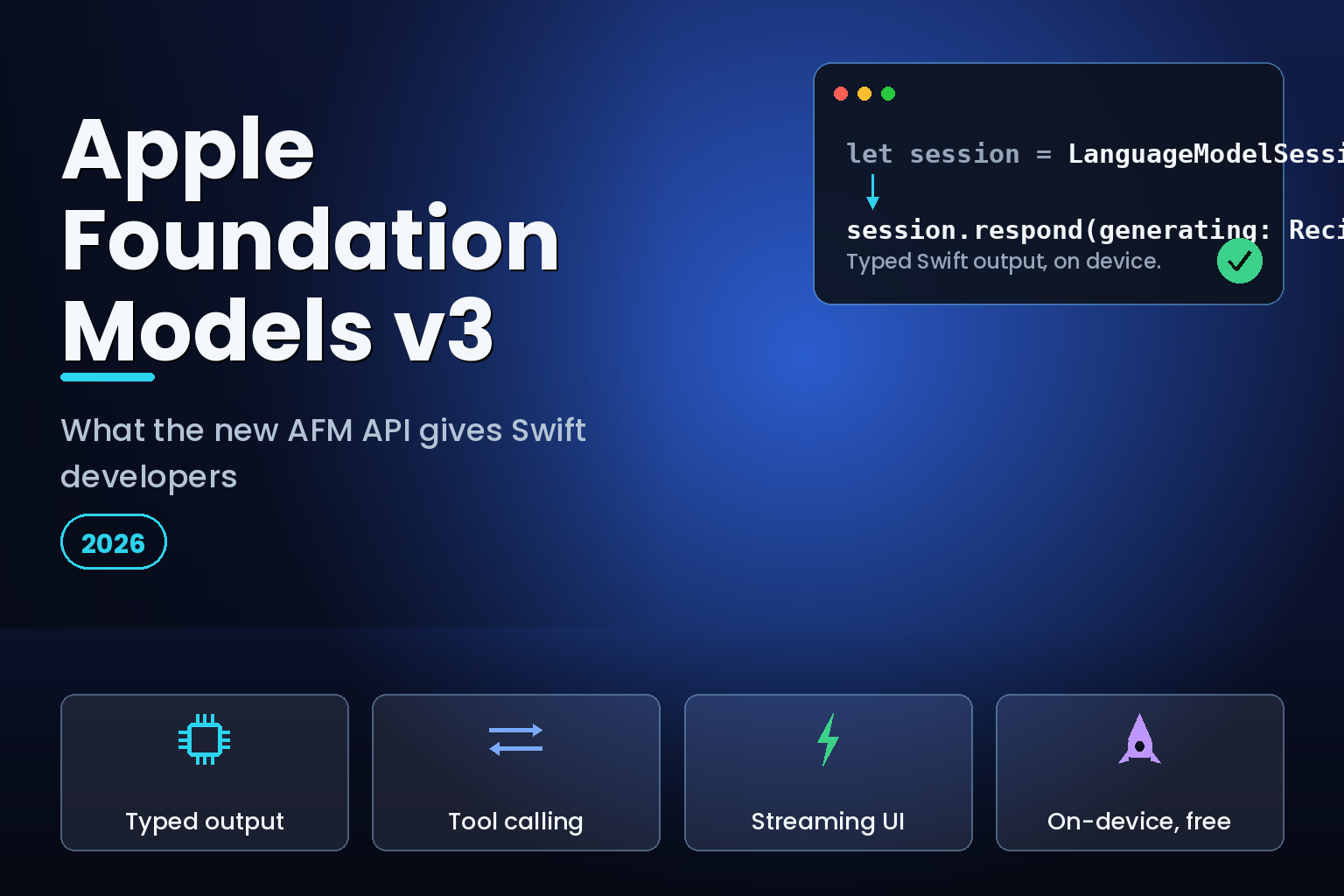
Summary. Apple's Foundation Models framework, first shipped in 2025 with iOS 26, reached its third generation at WWDC 2026 on June 8. The on-device model behind it is now AFM 3 Core at 3 billion parameters, with AFM 3 Core Advanced at 20 billion sparse parameters for harder local work. The framework stays a single Swift API across iOS, iPadOS, macOS, and visionOS, still free on-device with no per-token cost, and Apple added a free Private Cloud Compute allowance for apps in the App Store Small Business Program with fewer than 2 million first-time downloads. Version 3 adds image input, cloud routing through the same call site, custom skills, and Dynamic Profiles, and Apple said it plans to open-source the framework later in summer 2026. Here are the six changes that matter for a Swift developer.
The framework's pitch has not changed: typed Swift output, no API key, and on-device privacy. What changed is reach. The same LanguageModelSession you used for a 3-billion-parameter local model can now take an image, call your app's tools, or fall back to a cloud model behind one call site. For an iOS developer shipping in late 2026, that turns a local-only helper into the front door for most AI work in an app. The cloud tier still costs money when you use it, billed as GPU time that ran from roughly $2.12 to $14.24 per GPU-hour as of June 2026, so the design goal is to keep as much on-device as the model can handle.
This is a developer's read of the v3 API. It pairs with our look at how Apple's routing works under the hood on Nvidia GPUs and Private Cloud Compute.
1. the session API is still the whole surface
The entry point remains LanguageModelSession. You create a session, optionally set instructions, and call respond(to:) for text or stream the answer. In SwiftUI, you hold the session as state and can call prewarm() to load the model before the first request, which the framework documents as a latency optimisation.
            import FoundationModels

let session = LanguageModelSession(
    instructions: "You are a concise cooking assistant."
)
let response = try await session.respond(to: "Suggest a quick weeknight dinner.")
print(response.content)
Sessions are stateful. They keep a transcript across turns, so a follow-up question carries the earlier context without you rebuilding the prompt. The createwithswift walkthrough and Apple's Meet the Foundation Models framework session both treat the session object as the one thing you must understand first.
2. Guided generation gives you typed structs, not strings
The feature most worth adopting is guided generation. You mark a Swift type with the @Generable macro, annotate fields with @Guide, and ask the model to produce that type. The compiler generates a schema and an initialiser, and the framework uses constrained decoding to guarantee the output matches your structure, so you get a typed value rather than a string you have to parse.
            @Generable
struct MovieRecommendation {
    @Guide(description: "A short, catchy title")
    let title: String
    @Guide(description: "A one-sentence summary")
    let summary: String
    @Guide(.anyOf(["G", "PG", "PG-13", "R"]))
    let rating: String
}

let result = try await session.respond(
    to: "Recommend a family film.",
    generating: MovieRecommendation.self
)
let movie = result.content  // a MovieRecommendation value
One detail catches people out: fields are generated in declaration order, and earlier fields can influence later ones, as the appcoda guide to @Generable and @Guide notes. Put the field that should be decided first at the top.
3. Streaming returns partial structs you can animate
For anything the user waits on, use streaming. streamResponse returns an async sequence whose elements are partially generated snapshots of your type. You bind those snapshots to SwiftUI and the view fills in as the model produces fields, which reads as a live response rather than a frozen spinner.
            let stream = session.streamResponse(
    to: "Plan a three-day Goa itinerary.",
    generating: Itinerary.self
)
for try await partial in stream {
    self.itinerary = partial  // update UI with each snapshot
}
The pattern, covered in this streaming write-up by Majid Jabrayilov, pairs cleanly with declarative UI because each snapshot is just a new value to render.
4. Tool calling lets the model run your code
Tool calling is how you connect the model to real data and actions. You define a type that conforms to the Tool protocol, give it a name and description, declare its arguments as a @Generable type, and implement call. The model decides if and when to invoke the tool based on the conversation, then folds the result into its answer. Apple's examples wire tools to system frameworks such as WeatherKit and MapKit.
            struct WeatherTool: Tool {
    let name = "getWeather"
    let description = "Get the current weather for a city."

    @Generable
    struct Arguments {
        @Guide(description: "City name")
        let city: String
    }

    func call(arguments: Arguments) async throws -> String {
        let temp = try await WeatherService.current(for: arguments.city)
        return "It is \(temp) in \(arguments.city)."
    }
}
The takeaway is that tools keep the model honest. Rather than letting it guess a fact, you give it a function that returns the real value, which matters most for anything time-sensitive or account-specific.
5. Version 3 adds images, cloud routing, and reusable skills
This is where 2026 moves the framework forward. The release adds multimodal image input, so a prompt can include a photo and the on-device model can reason over it, with Vision framework tools such as OCR and barcode reading available for the model to call, as byteiota documented. The same Swift API can now route a prompt to a server model, including third-party providers that conform to the LanguageModel protocol, so the call site stays identical whether the work runs on-device or in the cloud. Apple also added custom skills, reusable AI capabilities an app can define, as Appbot's developer recap summarised.
| Capability | 2025 (iOS 26) | 2026 v3 (iOS 27) |
|---|---|---|
| Input | Text only | Text and images |
| Model location | On-device only | On-device or cloud, same API |
| Reusable capabilities | Tools | Tools and custom skills |
| Multi-step workflows | Single session | Dynamic Profiles |
| Retrieval | Bring your own | Built-in semantic search |
| Licensing | Closed | Open-source planned, summer 2026 |
The practical effect is that you can prototype on the free on-device model and move a single feature to a cloud model by changing a dependency, with no change to your session logic. That is the cleanest part of the design for teams that do not want to commit to one model vendor.
6. Dynamic Profiles turn one session into a small agent
Dynamic Profiles are the most forward-looking addition. They let an app swap the model, tools, and instructions during a single continuous session, which is the building block for multi-step or multi-agent workflows, per Callstack's WWDC 2026 review. In plain terms, one conversation can shift from a fast on-device profile for routine turns to a cloud profile with more tools for a hard step, then back, without tearing down the session.
| API building block | What it does | Swift entry point |
|---|---|---|
| Session | Stateful conversation with a transcript | LanguageModelSession |
| Structured output | Typed, schema-constrained results | @Generable, @Guide |
| Streaming | Partial snapshots for live UI | streamResponse(to:) |
| Tool calling | Model invokes your functions | Tool protocol |
| Availability | Check the model is usable on this device | SystemLanguageModel |
| Profiles | Swap model, tools, instructions mid-session | Dynamic Profiles |
Before any of this runs, check availability. The on-device model needs a supported device and Apple Intelligence enabled, so query SystemLanguageModel and degrade gracefully when it is not available rather than assuming the model is there.
Availability, errors, and safe defaults
The on-device model is not present on every device or in every region, so treat availability as a first-class branch rather than an assumption. Query SystemLanguageModel for the default model's status before you build any UI that depends on it. A device may be unsupported, the user may have Apple Intelligence turned off, or the model assets may still be downloading. Each of those is a different state, and a polished app handles them distinctly: hide the feature on unsupported hardware, prompt to enable Apple Intelligence where that is the blocker, and show a brief loading state while assets finish downloading.
Errors during generation deserve the same care. A respond call can throw, and guided generation can fail to satisfy a constraint in rare cases, so wrap calls in do/catch and decide what a failure means for the user. For a non-critical feature such as a suggested reply, a quiet fallback to a non-AI path beats an error dialog. For a feature the user explicitly asked for, a short, plain message and a retry is the right call. Avoid surfacing raw model errors, because they read as bugs even when the cause is a transient resource limit.
Context length is the other constraint to respect. The on-device model has a finite context window, and pushing a long document into a single prompt either truncates quietly or degrades quality. The v3 framework's built-in semantic search and context-management APIs exist for exactly this: retrieve the few passages a request needs and pass those, rather than the whole corpus. The same habit keeps cloud costs down when a feature does escalate, because you send fewer tokens.
Guardrails and content safety
Apple ships the framework with built-in safety guardrails, and they apply whether the request runs on-device or in the cloud. Your job is to design around them rather than against them. Keep prompts specific and task-scoped, because a narrow instruction both improves output quality and reduces the chance of a refusal. Where your app handles user-generated content, assume some inputs will be rejected and present that outcome gracefully. Treat the model as one component in a feature, not the whole feature, so a refusal or an empty result has a sensible default behind it.
Common pitfalls
A few mistakes show up repeatedly in early Foundation Models code. The first is parsing strings by hand when guided generation would return a typed value; if you are writing a regular expression against model output, switch to @Generable. The second is calling the model on the main thread and blocking the UI; generation is asynchronous, so keep it off the main actor and stream where the user waits. The third is assuming the model is always available, which breaks on older devices and in restricted regions. The fourth is over-reaching for the cloud: many tasks that feel like they need a frontier model, such as classification, extraction, or short summarisation, run well on-device for free, and routing them to a paid tier adds cost and latency for no benefit.
Testing and shipping
Test AI features the way you test networking, with the unhappy paths first. Exercise the unsupported-device branch, the Apple-Intelligence-disabled branch, and the assets-downloading branch on real hardware, because the Simulator does not reflect on-device model behaviour. For output quality, build a small fixed set of representative prompts and review the typed results after each change, since guided generation makes those results easy to assert against. When Apple open-sources the framework later in summer 2026, the internals become easier to reason about, but the discipline is the same: pin the prompts, check the structured output, and treat a model change like any other dependency bump.
A note on privacy and where requests go
Because the same API can reach the cloud, you should know where a request lands. On-device requests never leave the phone. Cloud requests go through Private Cloud Compute, the system Apple's senior vice president of software engineering, Craig Federighi, called "key to the privacy architecture of our entire system" in Apple's WWDC remarks. For a developer, the rule is simple: keep personal or sensitive context on-device by default, and document which features may use a cloud profile so a privacy review has something concrete to check.
India-specific considerations
For Indian app teams, the free on-device tier is the headline. A 3-billion-parameter model that runs offline at no per-token cost lets you ship summarisation, extraction, and classification without a cloud bill in rupees, which changes the unit economics for price-sensitive markets. Where a feature must reach the cloud, the routing boundary doubles as a Digital Personal Data Protection Act 2023 (DPDP) control: classify which requests may leave the device, and keep personal local context on-device by default. Apple lists English (India) and Hindi among the locales rolling out, so the consumer features are in scope for Indian users over time. We build applications aligned with DPDP requirements; see our guide to generative AI enterprise strategy for the wider picture.
What to adopt first
If you are starting today, adopt guided generation before anything else, because typed output removes the most fragile part of an LLM integration. Add streaming for any user-facing wait. Add tools where the model needs real data. Reach for cloud routing and Dynamic Profiles only when a feature genuinely exceeds the on-device model. The framework rewards the same discipline Apple built into the system: do the work on-device when you can, and pay for the cloud only when the request earns it.
FAQ
How eCorpIT can help
eCorpIT (eCorp Information Technologies Private Limited) is a Gurugram-based, CMMI Level 5 technology organisation whose senior engineering teams build iOS and cross-platform apps with on-device and hybrid AI. We help Swift teams adopt guided generation, streaming, and tool calling, decide what stays on-device versus a cloud profile, and design applications aligned with DPDP requirements. Read more about us, or contact our team to plan your Foundation Models integration.
References
- Apple Developer, Foundation Models documentation, 2026.
- Apple Developer, What's new in the Foundation Models framework (WWDC26), 2026.
- Apple Developer, Meet the Foundation Models framework (WWDC25), 2025.
- createwithswift, Exploring the Foundation Models framework, 2025.
- appcoda, Working with @Generable and @Guide in Foundation Models, 2025.
- Apple Machine Learning Research, Introducing the Third Generation of Apple's Foundation Models, 2026.
- byteiota, Apple Foundation Models WWDC 2026: Multimodal and Python SDK, 2026.
- Callstack, On-device AI after WWDC 2026: What changed, 2026.
- swiftwithmajid, Building AI features using Foundation Models: Streaming, October 8, 2025.
- CNBC, Apple partnering with Google and Nvidia for most advanced AI model, June 8, 2026.
- Spheron, GPU Cloud Pricing 2026, 2026.
- byteiota, Apple Foundation Models: Free Private Cloud Compute, 2026.
_Last updated: June 22, 2026._