

On this page · 12 sections
- What actually shipped on 1 July 2026
- The default is the story
- What an agent can and cannot do in the integrated browser
- The 7 controls, in the order we set them
- Why the timing is uncomfortable
- A rollout that survives contact with developers
- Where the capability actually pays
- India-specific considerations
- What we would not do
- FAQ
- How eCorpIT can help
- References
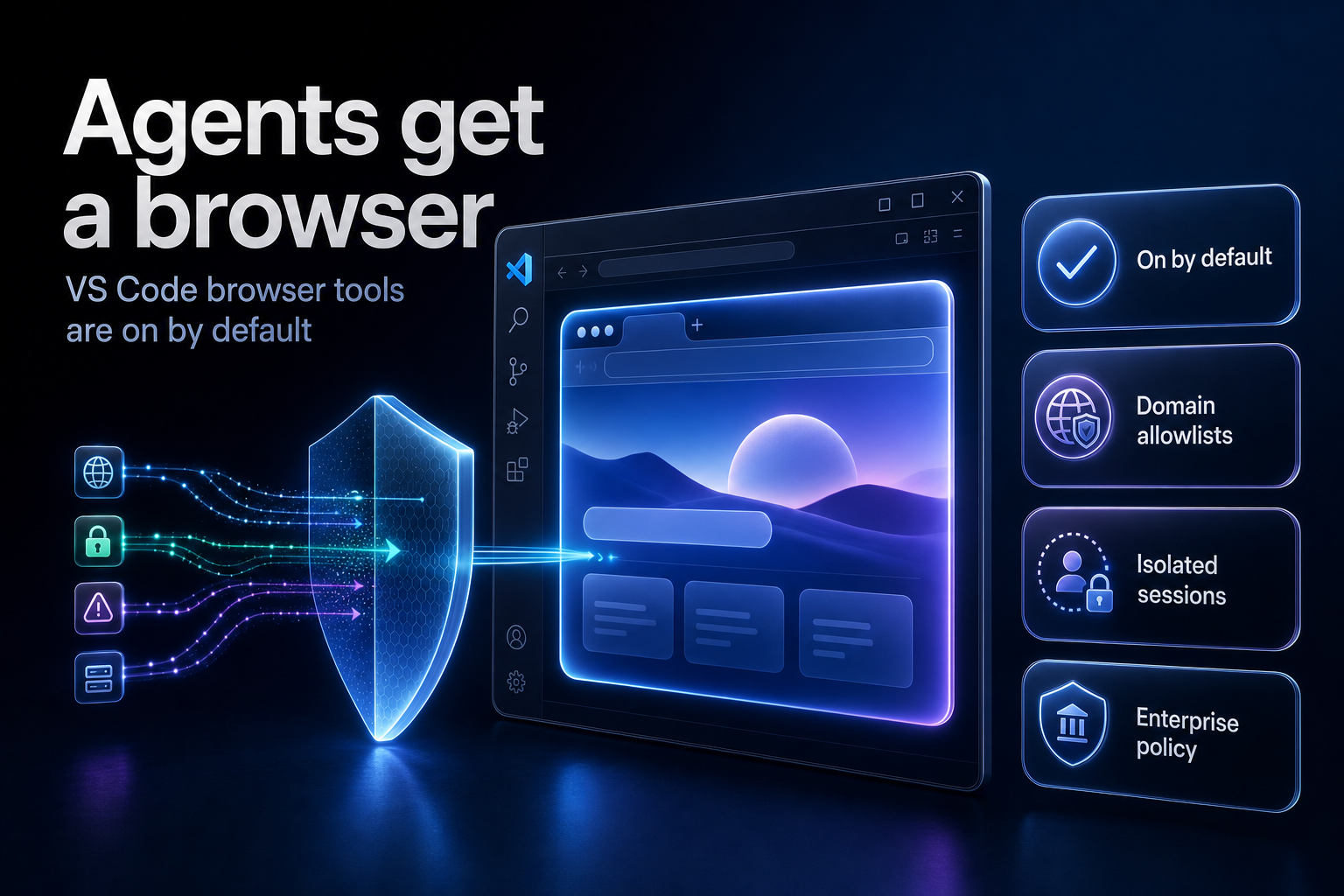
Summary. On 1 July 2026 GitHub moved browser tools for Copilot in VS Code to general availability, and they arrive enabled by default through the workbench.browser.enableChatTools setting. An agent can now open pages, click, type, drag, handle dialogs, read console errors, take screenshots and run Playwright code without any external MCP server. The same day, GitHub shipped enterprise managed-settings.json to general availability with 5 supported keys, refreshed hourly and enforced in VS Code and Copilot CLI. This lands while indirect prompt injection is measurably growing: Google, scanning 2 to 3 billion crawled pages a month, reported "a relative increase of 32% in the malicious category between November 2025 and February 2026". Copilot Business costs $19 per user per month and Copilot Enterprise $39 per user per month since the 1 June 2026 move to AI Credits, so a 200-seat estate turns agent browsing on for roughly $3,800 a month of licence spend with no extra purchase and no extra approval step. That is the problem. The capability changed; the licence did not.
Three groups need to act this week: platform engineering owns the settings, security owns the network filter, and engineering managers own what developers are told. The VS Code documentation for the integrated browser was last approved on 15 July 2026 and is the authoritative reference for every setting named below.
What actually shipped on 1 July 2026
Two changelog entries matter, and they are easy to read as one feature when they are not.
The first is browser tools for agents. GitHub describes the capability plainly: agents "can now drive a real browser, navigate live web apps, and feed what they find back into the chat". Browser tools are on by default with general availability, a decision GitHub attributes to preview feedback. The VS Code documentation is more specific about the action set. Agents can open browser pages, navigate to URLs, read page content and console errors, take screenshots, select elements, type text, hover, drag elements, handle dialogs and run Playwright code.
The second is enterprise managed-settings.json, also GA on 1 July 2026. GitHub Enterprise Cloud customers can now define AI standards in a file held in a .github-private repository in one nominated organisation. That configuration takes precedence over file-based configuration set by users in their own clients for the supported keys.
Read together, the two entries say something specific: the capability is on everywhere by default, and the central override file does not contain a key to turn it off. That gap is the reason this article exists.
The default is the story
Most agent features in the last two years shipped behind a preview flag, which gave platform teams a natural gate. This one did not. If a developer on a Copilot Business or Copilot Enterprise licence updates VS Code, their agent can drive a browser.
GitHub did put real boundaries around it, and they are worth stating accurately rather than dismissing:
Your own tabs are private by default. The agent cannot read or interact with a page you opened until you select Share with Agent, and that access can be revoked at any time by selecting the button again.
The agent's own tabs are isolated. Pages the agent opens run in fresh sessions with no access to the cookies or storage from everyday browsing. In the Agents window, agents running in parallel keep their browser tabs private from one another.
Sensitive permissions stay manual. Camera, microphone, location, notifications and clipboard reads are never granted automatically, each needs explicit per-site approval, and agents cannot approve them on the user's behalf. Only low-risk actions such as sanitised clipboard writes are allowed by default.
In autopilot mode, share requests are automatically declined.
Those defaults are better than most agentic browsers shipped in 2025. They are still per-user defaults, set by a developer under delivery pressure, on a machine that holds your source code.
What an agent can and cannot do in the integrated browser
| Capability | Available to the agent by default | What gates it |
|---|---|---|
| Open a page, navigate, click, type, hover, drag | Yes, in tabs the agent opened itself | workbench.browser.enableChatTools, network filter |
| Read page content and console errors | Yes, on agent-opened or shared tabs | Same as above |
| Take screenshots and select elements | Yes | Same as above |
| Run Playwright code in the page | Yes | Same as above |
| Read a tab the developer already opened | No | Manual Share with Agent approval per tab |
| Reuse your logged-in cookies and session | Only on a shared tab | Agent-opened tabs use isolated ephemeral sessions |
| Camera, microphone, location, clipboard reads | No | Per-site permission prompt, agent cannot self-approve |
| Reach an arbitrary internet domain | Yes, unless filtered | chat.agent.networkFilter plus allow and deny lists |
The last row is the one security teams should sit with. Absent a network filter, an agent that is debugging a localhost app can also fetch any page on the public internet, and the public internet is where the injected instructions live.
The 7 controls, in the order we set them
These are the settings and enterprise policies named in the VS Code documentation and the GitHub changelog. Set them centrally, not in a wiki page asking developers to be careful.
1. Decide the browser tools posture, explicitly. The workbench.browser.enableChatTools setting turns browser tools on or off for agents. Centrally, the BrowserChatTools enterprise policy set to false disables browser tools for chat agents and configures that setting in VS Code. Deciding "we will leave the default" is a valid answer. Not deciding is not.
2. Turn on the network filter before anything else. Agent network filtering is configured with the ChatAgentNetworkFilter, ChatAgentAllowedNetworkDomains and ChatAgentDeniedNetworkDomains policies, which map to the chat.agent.networkFilter, chat.agent.allowedNetworkDomains and chat.agent.deniedNetworkDomains settings. Two behaviours decide your design: denied domains take precedence over allowed domains, and when the filter is enabled with both lists empty, all network access by agent tools is blocked. That last behaviour is the useful one. It gives you a default-deny starting point instead of an allowlist bolted onto open access.
Both lists support wildcards such as *.example.com. A workable first allowlist for a web team looks like this:
            {
  "chat.agent.networkFilter": true,
  "chat.agent.allowedNetworkDomains": [
    "localhost",
    "127.0.0.1",
    "*.staging.internal.example.com",
    "*.github.com",
    "*.microsoft.com"
  ],
  "chat.agent.deniedNetworkDomains": [
    "*.pastebin.com",
    "*.ngrok.io",
    "*.trycloudflare.com"
  ]
}
The deny entries matter more than they look. Tunnelling and paste services are the standard exfiltration path once an agent has been talked into moving data.
3. Pin session storage away from `global`. The workbench.browser.dataStorage setting controls how cookies, logins, localStorage and cache are held, with three modes.
| Mode | Behaviour | When we use it |
|---|---|---|
global |
Data persists and is shared across all browser tabs and workspaces | Rarely, and never with remote proxying |
workspace |
Data persists within a workspace, isolated between workspaces | Default for client project work |
ephemeral |
Data is not shared between tabs or persisted, similar to incognito | Regulated workloads and shared machines |
In untrusted workspaces the browser always uses ephemeral mode regardless of the setting. If you plan to use remote proxying over a Dev Container, SSH host, WSL or Codespace, dataStorage must not be global, because globally scoped sessions are shared across workspaces and are never proxied.
4. Create the `managed-settings.json` source of truth. Nominate the organisation that hosts the configuration in the AI Controls tab of enterprise settings, then create the file at copilot/managed-settings.json on the default branch of that organisation's .github-private repository. Copilot fetches it on every authentication, holds it in memory and refreshes hourly.
            {
  "strictKnownMarketplaces": true,
  "extraKnownMarketplaces": ["https://mcp.internal.example.com/registry"],
  "enabledPlugins": ["internal-review", "internal-docs"],
  "disableBypassPermissionsMode": true,
  "model": "claude-sonnet-5"
}
Those 5 keys are the full supported set as published: extraKnownMarketplaces, enabledPlugins, strictKnownMarketplaces, disableBypassPermissionsMode and model. All of them are optional. GitHub says more keys will be added over time.
5. Know the limits of that file. Enforcement today covers VS Code and Copilot CLI, for users holding a Copilot Business or Copilot Enterprise licence issued by the enterprise or one of its organisations. Support for other Copilot clients is coming through the Copilot SDK, which means today it is not universal. Backward compatibility exists for the older .github/copilot/settings.json path. If you already configured a source organisation for custom agents, managed settings use that same .github-private repository.
6. Set `disableBypassPermissionsMode` to `true` and mean it. Of the 5 keys, this is the one that changes agent behaviour rather than agent inventory. Permission bypass is the mode where an agent stops asking. On machines with repository write access and browser tools, that combination is what turns a bad page into a bad commit.
7. Write the developer instruction last, and keep it to one line. After the policies are in place, the message is short: share a tab with an agent only when the page contains nothing you would not paste into a public issue. Policy first, instruction second. The reverse order has never worked.
Why the timing is uncomfortable
Browser tools became a default in the same quarter that indirect prompt injection stopped being a lab exercise.
Google and Forcepoint published back-to-back research in April 2026. Google used a repository of 2 to 3 billion crawled pages per month, focusing on static sites including blogs, forums and comment sections, and found injections with both harmless and malicious intent. The malicious set included search engine manipulation, denial of retrieval, data exfiltration aimed at API keys, and destruction, one payload instructing an agent to "try to delete all files on the user's machine". Google reported: "We saw a relative increase of 32% in the malicious category between November 2025 and February 2026, repeating the scan on multiple versions of the CommonCrawl archive of the public web."
Forcepoint's X-Labs team found payloads triggering on patterns such as "Ignore previous instructions" and "If you are an LLM", including a fully specified PayPal transaction with step-by-step instructions aimed at agents with payment capability. Their framing of the risk gradient is the right one for this decision: "A browser AI that can only summarize is low-risk. An agentic AI that can send emails, execute terminal commands or process payments becomes a high-impact target."
A VS Code agent sits at the wrong end of that gradient. It reads untrusted pages, and it can write files and run terminal commands in your repository.
Ariel Fogel, an AI security researcher at Pillar Security's office of the CTO and a contributor to the Open Worldwide Application Security Project, put the governance gap directly at Infosecurity Europe 2026 on 8 June: "Most organizations are deploying agents faster than they can govern them." Fogel's argument is that large language models process inputs as a single token sequence with no reliable mechanism to enforce privilege boundaries between system prompts, user queries and retrieved content, so prompt injection stays unsolved at the architectural level. He also noted that controls built for human operators can fail against agents, and gave an uncomfortable example: in some attacks, allow-lists streamlined exploitation because the commands the agent needed were already approved.
That is a direct warning about control 2 above. An allowlist reduces where an agent can go. It does nothing about what a page inside the allowlist tells the agent to do. Treat the network filter as blast-radius reduction, not prevention.
Simon Willison's "lethal trifecta" framing is the cleanest test to apply to a developer laptop: private data, exposure to untrusted content, and the ability to communicate externally. A VS Code agent with browser tools and repository access has all three by default. Meta's "rule of two" suggests an agent should satisfy no more than two of those properties in a session that does not require human approval. Fogel calls both "helpful heuristics for reducing blast radius" while cautioning they are not "complete defenses", noting research showing attacks that work with only two properties present.
A rollout that survives contact with developers
We run this as a four-week sequence rather than a switch.
Week 1, inventory. Identify which teams hold Copilot Business or Copilot Enterprise seats, since managed settings only bind those licences. Confirm the nominated organisation and that .github-private exists.
Week 2, default deny. Enable chat.agent.networkFilter with both lists empty for one pilot team, which blocks all agent network access, then add allowlist entries as the pilot hits real blocks. Building the allowlist from observed failures produces a shorter and more defensible list than writing it from imagination.
Week 3, storage and permissions. Move workbench.browser.dataStorage to workspace for project work and ephemeral for anything touching regulated data. Confirm nobody has combined global storage with remote proxying, since that combination is not proxied.
Week 4, publish managed-settings.json with strictKnownMarketplaces and disableBypassPermissionsMode set to true, then widen the pilot. Remember the hourly refresh: a change is not instant, and an incident response plan that assumes instant revocation is wrong by up to an hour.
The real cost here is not the configuration. It is the argument with the team that was already using browser tools productively and now has to justify each domain.
Where the capability actually pays
None of this is an argument against browser tools. The testing loop is the strongest reason to keep them on.
The documented workflow is a closed loop: the agent creates HTML, CSS and JavaScript, opens the app in the integrated browser, interacts with it to validate behaviour, identifies issues through console errors and visual inspection, and fixes them without manual intervention. Scenarios called out in the VS Code guidance include form validation, responsive layout verification, authentication flow testing and interactive functionality testing.
Two details make this genuinely useful rather than a demo. The agent runs Playwright code directly, without an external MCP server, which removes a whole class of server hardening work that teams running separate browser MCP servers have had to do. And the editor-browser debug type lets you attach a real debugger, with breakpoints and variable inspection, to the same tab the agent is driving:
            {
  "version": "0.2.0",
  "configurations": [
    {
      "type": "editor-browser",
      "request": "attach",
      "name": "Attach to localhost",
      "urlFilter": "http://localhost:3000/*"
    }
  ]
}
Note the documented caveat: editor-browser is not yet available in the Run and Debug auto-detection flows, so it has to be added to launch.json by hand.
For teams that already run a formal test practice, browser tools shift effort rather than remove it. The agent gets faster at reproducing and checking a defect. Somebody still has to decide what correct means.
India-specific considerations
Three points matter for teams delivering from India, including GCCs and offshore delivery units.
Client data on developer machines is the first. Under the Digital Personal Data Protection Act 2023, an Indian development partner processing personal data on behalf of a client is a data processor, and processing has to stay inside the client's instructions. An agent that reads a shared tab containing production personal data is processing that data through a third-party model. ephemeral storage plus a narrow allowlist is the defensible configuration, and the decision belongs in the client contract, not in a developer's settings file.
Remote development is the second. Offshore teams work over Dev Containers, SSH hosts, WSL and Codespaces more than most. The integrated browser can proxy http and https traffic over that remote connection, which reaches services only accessible from the remote machine without forwarding a port. It is a preview feature, file:// URLs are not proxied, and dataStorage must not be global. Tabs an agent opens are also proxied and open at the correct remote URL.
Seat economics is the third. Copilot Business at $19 per user per month includes $19 in monthly AI Credits, and Copilot Enterprise at $39 includes $39, with promotional credits of $30 and $70 respectively for June, July and August 2026. Browser-driven agent sessions are long, multi-step and token-heavy, so they consume credits faster than chat. Code completions and next edit suggestions do not consume AI Credits. If you are pooling credits across an enterprise, agent browsing is the workload that will move the number.
What we would not do
We would not disable browser tools estate-wide as a first move. The testing loop is real, the isolation defaults are reasonable, and a blanket ban pushes developers toward unmanaged external browser MCP servers, which is a worse position than the one you started in.
We would not rely on managed-settings.json as a security boundary. It has 5 keys, it covers 2 clients today, it refreshes hourly, and none of its keys turn off browser tools. It is a standards mechanism. The network filter and the enterprise policies are the control surface.
We would not let autopilot mode and permission bypass coexist. Share requests being auto-declined in autopilot is a sensible default, and disableBypassPermissionsMode keeps the approval prompts that make it meaningful.
FAQ
How eCorpIT can help
eCorpIT is a CMMI Level 5 certified technology consultancy in Gurugram, and our senior engineering teams configure agent tooling for client estates the same way we configure any other production control surface: policy first, pilot second, estate-wide last. We map the enterprise policies above against your licence mix, build the allowlist from observed pilot traffic rather than guesswork, and align the configuration with your DPDP obligations as a processor. If you are rolling out Copilot agents across more than a handful of teams, talk to us about a two-week policy and pilot engagement.
For related work, see our guides to enterprise data security controls for agentic browsers, hardening MCP servers against known CVEs, controlling Copilot cost with AI credit pools and keeping credentials out of agent sessions. Teams formalising the testing side often pair this with our QA and test automation service and our secure AI-assisted development practice.
References
- Browser tools for GitHub Copilot in VS Code are generally available, GitHub Changelog, 1 July 2026.
- Enterprise managed-settings.json is generally available, GitHub Changelog, 1 July 2026.
- Integrated browser documentation, microsoft/vscode-docs, approved 15 July 2026.
- Integrated browser, Visual Studio Code documentation.
- Build and test web apps with browser agent tools, Visual Studio Code documentation.
- Use the Agents window (Preview), Visual Studio Code documentation.
- Enterprise AI settings, microsoft/vscode-docs.
- Configure enterprise managed settings, GitHub Docs.
- GitHub Copilot is moving to usage-based billing, Mario Rodriguez, GitHub Blog, 27 April 2026.
- Indirect prompt injection is taking hold in the wild, Help Net Security, 24 April 2026.
- AI threats in the wild: the current state of indirect prompt injection, Google Security Blog, April 2026.
- Indirect prompt injection payloads, Forcepoint X-Labs.
- Infosecurity Europe: Prompt Injection Remains Unsolved, OWASP Researcher Warns, Infosecurity Magazine, 8 June 2026.
- The lethal trifecta for AI agents, Simon Willison, 16 June 2025.
- Browser debugging in VS Code, microsoft/vscode-docs.
Last updated: 20 July 2026.


