

On this page · 10 sections
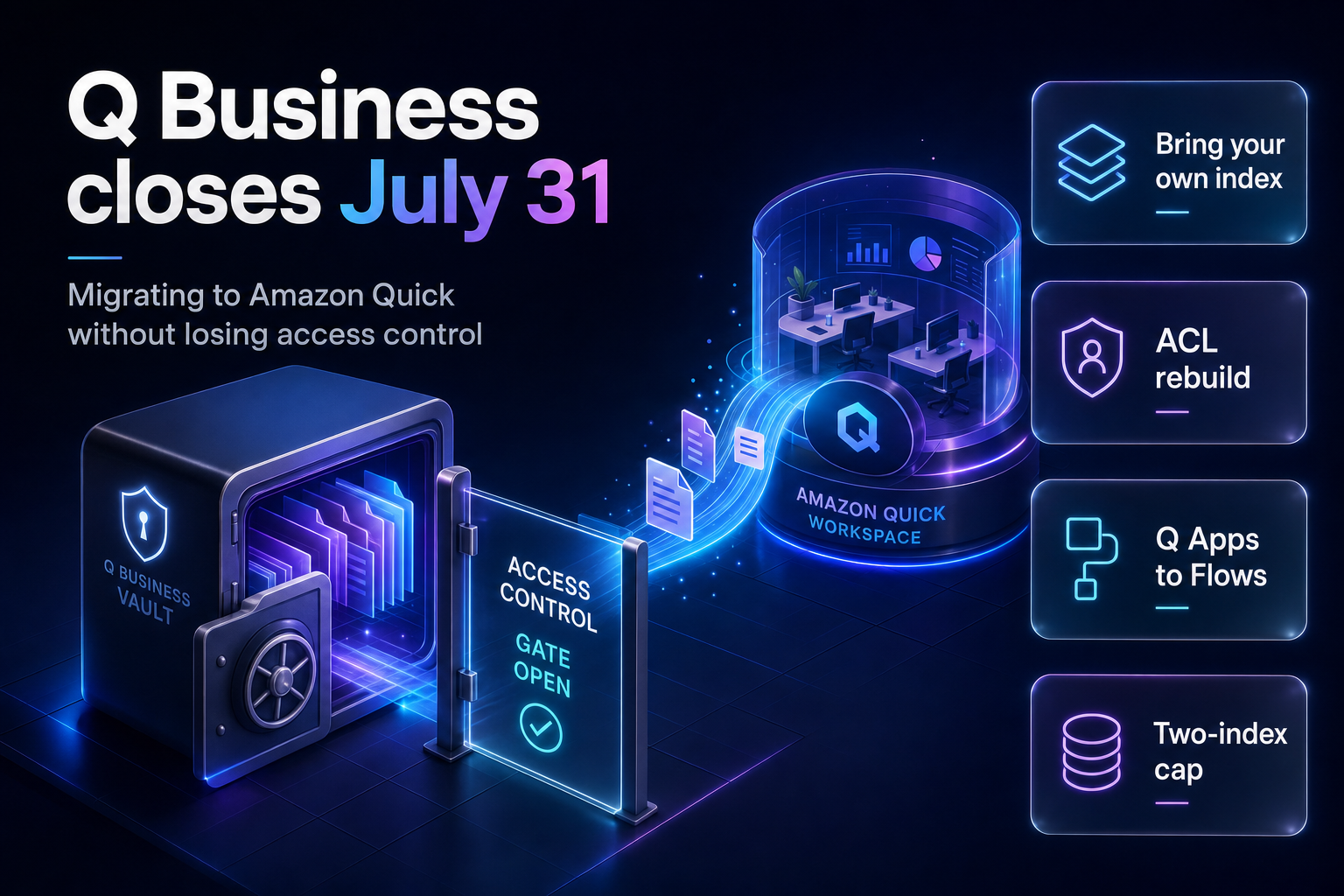
Summary. AWS closes Amazon Q Business to new customers on 31 July 2026, part of the 30 June 2026 announcement that moved 11 services and 10 Amazon SageMaker AI features into maintenance. Existing applications keep running with bug fixes and security updates. The named successor is Amazon Quick, and the recommended path is Bring Your Own Index, which connects your existing Q Business index to Quick in 4 steps without touching the running application. Two things will surprise you. First, the price: Q Business Lite is $3 per user per month, while the cheapest Amazon Quick plan that runs in an AWS account is $20 per user per month plus a flat $250 per account per month infrastructure fee. On AWS's own 5,000-user example, that is the difference between $33,004 and roughly $100,250 a month. Second, access control: in a non-IDC deployment every Amazon Quick user automatically gets access to connected Q Business indexes, so the per-user and per-group distinctions Q Business enforced at the index level do not survive the move. DXC Technology finished rolling Amazon Quick out to 115,000 employees across 70 countries on 10 February 2026, so the platform is proven at scale. The migration mechanics are what will cost you.
This guide walks the 4 documented steps, the feature gaps that need workarounds, and the two limits most teams hit in week one.
What changes and when
Per the Amazon Q Business availability change notice, the service will no longer be open to new customers starting on 31 July 2026. The same notice asks anyone who wants the service to sign up prior to 30 July, so treat 30 July as the practical cutoff rather than 31 July.
Nothing switches off. Q Business remains fully supported, AWS continues bug fixes and security updates, and no end-of-life date has been announced. What ends is new feature work: new feature requests will no longer be considered.
Q Business was not alone. The 30 June 2026 service availability update moved Amazon Kendra and Amazon Bedrock Agents into maintenance on the same day, both closing to new customers on 30 July 2026. If you run all three, you are looking at three migrations, not one. We covered the enterprise search half of that problem in our guide to migrating Kendra to Bedrock Knowledge Bases.
One group needs to act differently. AWS says customers using anonymous access and API integration of Q Business into custom applications should contact AWS Support to discuss custom migration approaches. If you embedded Q Business on a public page with the ChatSync API, the standard path in this guide does not apply to you.
The cost change nobody is discussing
This is arithmetic on published list prices, and it is the part of the migration that will get escalated to your CFO.
Amazon Q Business bills user subscriptions plus index capacity. The Q Business pricing page lists Lite at $3 per user per month and Pro at $20 per user per month, with an Enterprise Index at $0.264 per hour per unit and a Starter Index at $0.140 per hour per unit. One index unit covers 20,000 documents or 200 MB of extracted text and includes 100 hours of connector usage per month.
Amazon Quick bills differently. Per the Amazon Quick pricing page, the two plans that run in an AWS account are Professional at $20 per user per month and Enterprise at $40 per user per month, and both add a flat $250 per account per month infrastructure fee. Index storage is pooled: 25 GB per user on Professional, 50 GB per user on Enterprise, with overages at $5 per GB per month. Agent hours are metered, with 4 hours a month included on Professional and 8 on Enterprise, and extra hours at $3 per agent hour or $6 per research agent hour.
| Line item | Amazon Q Business | Amazon Quick |
|---|---|---|
| Entry paid tier | Lite at $3 per user/month | Professional at $20 per user/month |
| Full tier | Pro at $20 per user/month | Enterprise at $40 per user/month |
| Account fee | None | $250 per account/month |
| Index or storage | $0.264 per hour per Enterprise Index unit | Pooled: 25 GB/user Pro, 50 GB/user Enterprise |
| Metered usage | Images $0.003, audio $0.006/min, video $0.050/min | Agent hours $3/hour, research $6/hour |
| Storage overage | Add index units | $5 per GB per month |
Now run AWS's own worked example. In Q Business pricing Example 1, an enterprise with 5,000 employees buys Lite for 4,500 users and Pro for 500 users, and indexes 1 million documents on 50 Enterprise Index units. AWS totals that at $9,504 for the index and $23,500 for subscriptions, or $33,004 per month.
Put those same 5,000 users on Amazon Quick Professional at list price and the subscription alone is $100,000, plus the $250 account fee. Index storage is included in the pooled allowance rather than billed separately, so the index line disappears. The bill goes from $33,004 to roughly $100,250 per month before any agent-hour overage.
The comparison is not entirely like-for-like. Quick Professional includes Quick Sight dashboards, Quick Flows, research and the desktop app, which Q Business Lite users never had. That is the point worth making internally: the migration is not a swap, it is an upgrade of every Lite user to a full seat whether they needed one or not.
The seat mix is the lever. Most Q Business Lite populations are occasional users who ask a few questions a week. Audit actual usage before you migrate everyone, because on these list prices a Lite user who never opens a dashboard costs 6.7 times more on Quick than on Q Business.
The 4-step migration
AWS documents a phased approach that starts with Bring Your Own Index, so you can move users to Quick without reconnecting data sources or rebuilding the index. Your existing Q Business application keeps running throughout.
Step 1: Set up Quick
Open Quick from the AWS Management Console, under Analytics or by searching for Quick. Enter an account name and a notification email for the account owner, choose the region for your initial SPICE storage capacity, and choose an authentication method: password-based or single sign-on, IAM Identity Center, single-sign-on only, or Active Directory.
Two prerequisites decide whether the rest of this works. Your Q Business index and your Quick instance must be in the same AWS account and the same AWS region, and you need administrator permissions in Quick. For IAM Identity Center deployments, both services must authenticate through IAM Identity Center in the same account and region.
Do the region decision once, deliberately. The SPICE region you pick at account creation and the region your Q Business index already lives in have to agree, and unpicking that later means recreating the Quick account rather than moving a setting.
Step 2: Connect your index with Bring Your Own Index
Sign in to the Quick console as an Admin or Admin Pro user, go to Knowledge bases, choose Create knowledge base, select Amazon Q Business as the data source, choose the index, name it, and create. Your Q Business chat profile is replicated in Quick and your Q Business application keeps running in parallel.
The limits here are firm and worth reading twice:
- You can connect a maximum of two Q Business indexes per region, and that quota cannot be increased.
- Once indexes are selected and saved, they cannot be directly unselected.
- Q Business index knowledge bases cannot be modified the way other Quick knowledge bases can.
- Q Apps, Actions and Q Business chat guardrails are not included in Bring Your Own Index.
- Only document types supported by Q Business are supported in the connected index.
The two-index cap is the one that breaks plans. Organisations that ran separate Q Business applications per business unit, each with its own index, cannot bring more than two per region into Quick. Everything beyond that has to be rebuilt as native Quick knowledge bases.
Step 3: Migrate identity and access control
This is where the trap sits, and it is worth being precise about who it affects.
If you use IAM Identity Center, migration is straightforward. AWS deduplicates subscriptions across Q Business applications sharing the same IAM Identity Center instance and charges each user once at their highest subscription level, and that identity infrastructure carries into Quick. Access to the knowledge base is granted only to users who had access to the selected Q Business index.
If you do not, the defaults change underneath you. In a non-IDC implementation, supporting native identities, AWS Managed Microsoft AD or IAM federation, all Amazon Quick users automatically receive access to connected Q Business indexes. The per-user and per-group access distinctions Q Business enforced at the index level are gone.
The documented workaround is structural rather than a setting: segment content into separate knowledge bases organised by access level, then restrict each knowledge base's sharing permissions to the appropriate groups within Quick Spaces. You are rebuilding an authorisation model as an information architecture. Plan it as design work, not configuration.
Document-level access control lists narrow the gap. Quick supports document-level ACLs for Amazon S3, Confluence Cloud, SharePoint and Google Drive knowledge bases. For S3 there are two methods: a global ACL configuration file defining folder-level permissions, and document-level metadata files giving per-document entries for faster updates. Each entry carries Name, Type (USER or GROUP) and Access (ALLOW or DENY).
Two rules about ACLs will cost you a rebuild if you miss them.
ACLs must be enabled at knowledge base creation time. The setting is permanent and cannot be changed after creation. Create the knowledge base without ACLs and you create it again to add them.
Quick does not ingest documents that lack an associated ACL entry. Q Business did the opposite, granting all users access to S3 prefixes that did not appear in the ACL file. The stricter default is better security and a worse migration surprise: content silently fails to appear rather than appearing to the wrong people. Make sure every document has an explicit ACL entry before you enable ACLs, or your first relevance test will look like a retrieval failure when it is actually an ingestion exclusion.
For teams thinking through the wider authorisation model, our write-up on enterprise AI agent governance layers covers where these controls belong in the stack.
Step 4: Rebuild Q Apps as Quick Flows
Q Apps are excluded from Bring Your Own Index, so every one of them is rebuilt as a Quick Flow.
AWS documents an unusual but practical procedure. Open your Q Business web application, select the Q App, then use the Quick browser extension's "Chat with this tab" option so Quick can read the app's structure. Ask Quick to generate a Flow-equivalent prompt that identifies the data sources, maps them to Quick Flows step types, maps action steps to Quick action connectors, works out the step sequence, and copies the Q App's prompts verbatim. Paste the generated prompt into Create Flow in the Quick web application, then tune it in Run Mode.
Lower the creativity setting for steps that need consistent output. Then test against real inputs, because a generated Flow reproduces structure more reliably than it reproduces behaviour.
One gap has no workaround yet: forms are not available in Quick Flows. For form-based Q Apps, AWS suggests Quick's structured input capabilities or keeping those specific Q Apps until form support arrives.
Connectors: what to do when there is no native equivalent
Quick separates integrations into Knowledge, for data sources used in question answering, and Connectors, for action connectors that perform operations in external applications. Google Drive supports both. Web Crawler supports knowledge base creation only. Configuring integrations requires an Enterprise subscription; Professional users can only use integrations shared with them.
Where no native equivalent exists, AWS routes you to Model Context Protocol. Quick acts as an MCP client connecting to remote MCP servers, configured through a 4-step console wizard: name and endpoint URL, authentication method (user OAuth, service-to-service, or none), auto-discovery and registration of the server's tools as actions, then sharing.
Validated MCP integrations exist for Visier, HuggingFace, Intercom, Linear and PagerDuty Advance. All of them support Chat Agents and Flows.
| Constraint | Effect on migration |
|---|---|
| MCP cannot back a knowledge base | Action-only; no document indexing through MCP |
| Fixed 60-second operation timeout | Long-running queries fail with HTTP 424 |
| Custom HTTP headers unsupported | Rules out APIs needing bespoke header auth |
| Tool lists static after registration | Delete and recreate the integration to pick up changes |
| Step-up authorization unsupported | No re-authentication for privileged actions |
| Enterprise subscription required to configure | Professional users cannot create integrations |
The first row is the one to internalise before you plan around MCP. If a Q Business connector was feeding documents into your index, an MCP integration cannot replace it, because MCP provides action capabilities and cannot be used as a knowledge base data source. Those sources need a native Quick connector, or an export pipeline into one. Teams that need custom MCP servers built properly can read our approach on our MCP server development and integration service page.
Feature gaps that need workarounds
Two Q Business features have no direct equivalent in Quick.
Guardrails and Actions are explicitly excluded from Bring Your Own Index. Content filtering rules, blocked topics and custom action configurations do not transfer. AWS's guidance is to recreate content governance using Quick's native configuration and migrate action-based workflows to Quick Flows. Validate this before cutover: guardrails configured in Q Business will not apply through Bring Your Own Index, so a parallel test that looks identical on answer quality may be running with no content controls at all.
The User Store is the second. Q Business centralised user and group management across data sources. In Quick, user management operates at knowledge base level. The workaround is IAM Identity Center groups plus Space-level sharing, organising knowledge bases by team or role.
Russell Jukes, Chief Digital Information Officer at DXC Technology, described what a completed rollout looks like when the governance work is done properly: "Deploying Amazon Quick across DXC's global workforce gave us the opportunity to pressure-test at true enterprise scale. We've seen firsthand how AI, when connected to the way people work and the processes they rely on, can reduce friction, improve decision-making, and help teams operate more effectively with the right guardrails in place."
That deployment reached 115,000 employees in 70 countries and included an AI Advisor Agent used by more than 40,000 engineers. It is also a useful calibration: DXC treated this as an enterprise programme led by its Chief Digital Information Officer, not a console migration.
Cutover checklist
Before you disable the Q Business application URL, AWS says to confirm that all users have migrated and can authenticate to Quick, that response quality meets or exceeds your Q Business baseline, that Q Apps have been recreated as Quick Flows, that document-level ACLs are configured where applicable, and that MCP integrations work for sources without native connectors.
Add two of our own. Confirm content governance is actually enforcing in Quick rather than silently absent, because Bring Your Own Index does not carry guardrails across. And confirm document counts match between the two systems after enabling ACLs, since Quick excludes documents with no ACL entry and that exclusion is invisible unless you count.
Run both in parallel while you check. There is no forced end date, and the whole value of Bring Your Own Index is that it does not disturb the running application.
India-specific considerations
Region and residency come first. Your Q Business index and Quick instance must sit in the same AWS account and region, so a Quick deployment cannot quietly relocate your data to satisfy a feature. Teams serving Indian customers under data residency commitments should confirm region availability before planning, because the account-level region choice is made once at Quick setup and constrains everything after it.
The access-control default is the bigger Digital Personal Data Protection Act 2023 engineering question. If your Q Business deployment relied on index-level group permissions to keep HR, finance and customer records separated, a non-IDC migration to Quick removes that separation by default. Purpose limitation is difficult to argue when every user in the organisation can query every connected index. Moving to IAM Identity Center before migrating, rather than after, is the cleaner fix, because the IDC path preserves the access mapping you already have.
For Indian enterprises and GCCs, the seat-cost change deserves a hard look. Large Q Business Lite populations were affordable precisely because Lite was $3 per user per month. At $20 per user per month plus the account fee, the economics favour a smaller, deliberately chosen Quick population with the rest served by a narrower internal assistant, rather than a like-for-like rollout to everyone who once had a Lite seat.
FAQ
How eCorpIT can help
eCorpIT plans and runs enterprise AI platform migrations on AWS, including the identity and authorisation work this one turns on. Our senior engineering teams map your existing index-level permissions before anything moves, so a Bring Your Own Index cutover does not quietly widen who can read what, and we model the seat mix against real usage rather than migrating every Lite user to a full Quick seat. Where Q Apps and guardrails have to be rebuilt, we treat them as delivery work with tests, not console clicks. Talk to us about your Q Business migration and we will start with an access-control review.
References
- Amazon Q Business availability change - AWS Documentation
- AWS Service Availability Updates, 30 June 2026 - Amazon Web Services
- Amazon Q Business pricing - Amazon Web Services
- Amazon Quick pricing - Amazon Web Services
- Amazon Kendra availability change - AWS Documentation
- Amazon Bedrock Agents Classic maintenance mode - AWS Documentation
- DXC completes enterprise-wide Amazon Quick deployment - DXC Technology, 10 February 2026
- Amazon Quick overview - Amazon Web Services
- Amazon Quick for Enterprise - Amazon Web Services
- Amazon Q Business FAQs - Amazon Web Services
- AWS Product Lifecycle - AWS Documentation
Last updated: 21 July 2026.


