

On this page · 9 sections
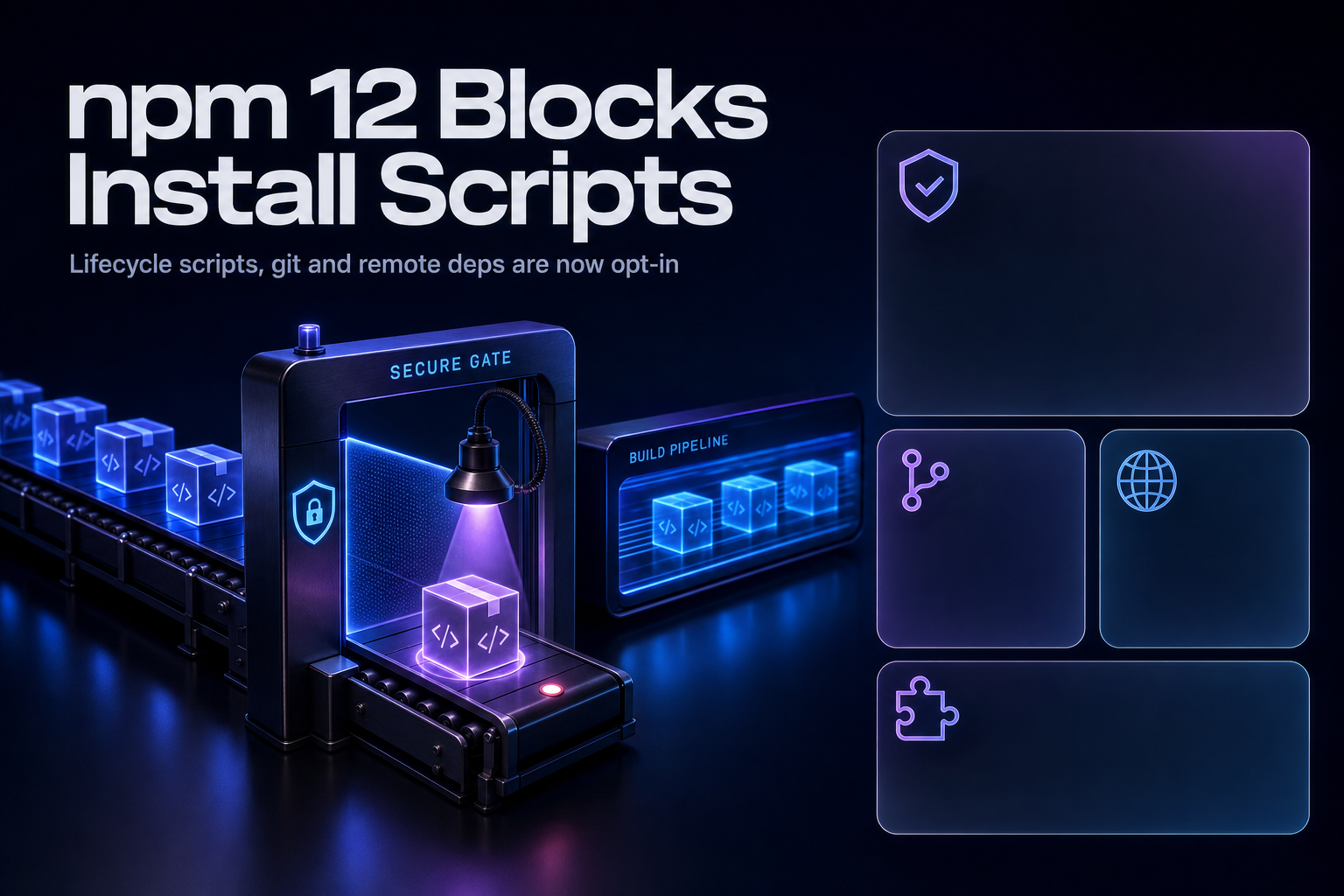
Summary. GitHub made npm v12 generally available on 8 July 2026 and tagged it latest. Three npm install behaviours that ran automatically are now opt-in: allowScripts defaults to off, --allow-git defaults to none, and --allow-remote defaults to none. Implicit node-gyp builds are blocked too, so a package with a binding.gyp and no explicit install script still stops. All three have shipped behind warnings since npm 11.16.0, which means the warnings have been in your logs for weeks. The trigger is not a date on a calendar. It is the next CI job that pulls a fresh npm, and latest now means v12. Context for why GitHub did this: CISA reported in September 2025 that the self-replicating Shai-Hulud worm compromised over 500 npm packages, harvesting GitHub Personal Access Tokens and AWS, Google Cloud Platform and Microsoft Azure keys. It spread through postinstall. For a team in India, where PayScale puts the average DevOps engineer salary at ₹995,999 as of May 2026 across 978 profiles, an afternoon spent on npm approve-scripts is cheaper than a red pipeline during a release.
The uncomfortable part: this is the rare breaking change where the safe default is the one that breaks your build. If your install is currently silent, you have dependencies executing code you have never audited.
What changed, precisely
GitHub announced the changes on 9 June 2026 and turned them on with the v12 release on 8 July 2026. From the release note: "npm v12 is now generally available and tagged latest. This major release turns on the install-time security defaults we announced in June."
| Default | Old behaviour | New behaviour in v12 |
|---|---|---|
allowScripts |
preinstall, install, postinstall ran from every dependency |
Blocked unless explicitly allowed in your project |
Implicit node-gyp |
A binding.gyp triggered an implicit node-gyp rebuild |
Blocked, even with no explicit install script |
prepare scripts |
Ran for git, file and link dependencies | Blocked the same way |
--allow-git |
Git dependencies resolved freely | Defaults to none; direct and transitive both blocked |
--allow-remote |
Remote URLs such as https tarballs resolved freely | Defaults to none; direct and transitive both blocked |
--allow-file, --allow-directory |
Resolved freely | Unchanged in v12 |
That last row matters for monorepos. GitHub is explicit: "The related --allow-file and --allow-directory flags are not changing their defaults in v12." Local workspace links are not what this release is aimed at.
The --allow-git change closes a specific hole, and the reasoning is worth reading carefully: it "closes a code-execution path where a Git dependency's .npmrc could override the Git executable, even with --ignore-scripts." If your mitigation strategy to date has been --ignore-scripts in CI, that sentence is about you. It was not airtight.
The version numbers you need
Not every flag landed at once, which matters when you pin npm in CI:
--allow-gitis available in npm 11.10.0 and later, and was previously announced on 18 February 2026.
--allow-remoteis available in npm 11.15.0 and later.
- All three changes are visible behind warnings in npm 11.16.0 and later.
GitHub's preparation advice is one sentence long: "Upgrade to npm 11.16.0 or later, run your normal install, and review the warnings."
Why this happened: the Shai-Hulud problem
Install scripts are how the npm ecosystem's worst year propagated. CISA's alert of 23 September 2025 describes it plainly: "A self-replicating worm, publicly known as 'Shai-Hulud', has compromised over 500 packages."
The mechanics explain the default change better than any argument about developer experience. Per CISA, after initial access the malware "scanned the environment for sensitive credentials," then "targeted GitHub Personal Access Tokens (PATs) and application programming interface (API) keys for cloud services, including Amazon Web Services (AWS), Google Cloud Platform (GCP), and Microsoft Azure." It then exfiltrated them, uploaded them to a public repository, and, in CISA's words, "used an automated process to rapidly spread by authenticating to the npm registry as the compromised developer, injecting code into other packages, and publishing compromised versions to the registry."
A worm that spreads by publishing needs code execution on the machines that install. postinstall gave it that, from any package anywhere in a transitive tree. CISA's remediation list included pinning "npm package dependency versions to known safe releases produced prior to Sept. 16, 2025" and rotating all developer credentials immediately. npm 12 removes the execution primitive rather than asking every team to keep pinning after the fact.
This is the same class of problem as agent tooling running unreviewed commands, which we covered in our notes on hardening AI coding agents against shell injection. The pattern repeats: something convenient runs code on your behalf, and the blast radius is whatever that process can reach.
The migration, in the order that works
1. Upgrade to npm 11.16.0 first, not straight to 12
Do this on a developer machine before touching CI. Run your normal install and read the warnings. This is the only step that tells you the size of the job without breaking anything.
            npm install -g npm@11.16.0
npm install
2. List what would be blocked
npm approve-scripts --allow-scripts-pending
GitHub: "To see what would be blocked, run npm approve-scripts --allow-scripts-pending."
Expect more entries than you think. Native modules, analytics packages and anything that downloads a binary at install time will all appear, and so will transitive dependencies you have never heard of.
3. Approve what you trust, deny the rest
            npm approve-scripts
npm deny-scripts
Per GitHub: "Then allow the packages you trust with npm approve-scripts and block the rest with npm deny-scripts. The resulting allowlist is written to package.json and should be committed."
Commit that allowlist. It is now a reviewable artifact, and a pull request that adds a package to it is a pull request that deserves a second pair of eyes. That is the actual win here, and it only pays off if the review is real rather than a rubber stamp.
4. Handle git and remote dependencies deliberately
If your install resolves a Git dependency or an https tarball, it stops in v12 unless you pass --allow-git or --allow-remote. Before adding the flag, ask why the dependency is not coming from the registry. A fork you never upstreamed and a tarball on someone's S3 bucket are both worth fixing rather than allowlisting.
5. Only then upgrade CI
Once the allowlist is committed and your local install is clean, move CI. GitHub's framing: "After that, only the scripts you approved keep running once you upgrade. Anything you leave unapproved will stop."
| Failure you will see | Cause | Fix |
|---|---|---|
| A native module is missing at runtime | Implicit node-gyp rebuild blocked |
Approve the package, or use a prebuilt binary |
| Install succeeds, app fails later | A postinstall that fetched an asset never ran |
Approve it, or vendor the asset |
npm install cannot resolve a dependency |
Git dependency, --allow-git now none |
Publish it to the registry, or pass --allow-git |
| A tarball dependency fails to resolve | --allow-remote now none |
Move it to the registry, or pass --allow-remote |
| CI is fine, one developer is broken | They upgraded npm ahead of the team | Pin the npm version across the team and CI |
That last row is the one that wastes an afternoon. Pin npm explicitly in CI rather than inheriting whatever latest resolves to, because latest is now v12 and it moved under you on 8 July.
The token deadlines nobody has diarised
The same 8 July release note starts a second deprecation, and it has real dates attached. Granular access tokens configured to bypass 2FA are being wound down in two steps.
First, account and package management. GitHub: "npm granular access tokens configured to bypass 2FA will be unable to perform sensitive account, package, and organization management actions once the change is rolled out." That covers creating or deleting tokens, generating recovery codes, changing your password, email, profile or 2FA configuration, changing package access, maintainers or trusted publishing configuration, and managing organization and team membership. GitHub: "We expect this change to take effect in early August 2026."
Early August is roughly two weeks out from this article's publication. If a script in your org rotates npm tokens using a 2FA-bypass GAT, it stops working then.
Second, publishing. GitHub: "2FA-bypass tokens will also lose the ability to publish directly. Their publishing surface will be reduced to reading private packages and staging a publish, where a package only becomes public after a human 2FA approval." The expected date: "We expect this change to take effect around January 2027."
| Change | Expected date | What to do instead |
|---|---|---|
| Install-time defaults on | Shipped 8 July 2026 | Commit an allowlist via npm approve-scripts |
| GAT 2FA-bypass loses account and org management | Early August 2026 | Perform those operations interactively with 2FA |
| GAT 2FA-bypass loses direct publish | Around January 2027 | Trusted publishing (OIDC) or staged publishing |
GitHub's guidance for the publishing change is specific: "plan to move automated publishing to trusted publishing (OIDC) or staged publishing with a human approval step, rather than a long-lived publish token." If you publish packages from CI with a long-lived token in a secret, that is now a project with a deadline on it, not a preference.
India-specific considerations
The cost case is easy to make here because the work is bounded. PayScale puts the average DevOps engineer salary in India at ₹995,999 as of May 2026, based on 978 salary profiles last updated 5 May 2026, with a base range of ₹402,000 to ₹30,00,000. The migration is an audit plus an allowlist plus a CI pin. Compare that against CISA's post-incident list from September 2025, which required rotating all developer credentials, auditing every package-lock.json and yarn.lock in the tree, and hunting cached copies of bad versions in artifact repositories. One of those is a planned afternoon. The other is an unplanned week.
Services organisations running many client codebases on shared runners have a specific exposure: one client's approved allowlist is not another's, and a shared base image with a global npm can quietly upgrade every project at once. Pin npm per project. For teams standardising this across a fleet, our QA and test automation practice treats the install step as part of the pipeline contract rather than an implementation detail.
If you are also weighing runtimes, the install-script surface differs across them, and our Bun vs Node.js backend runtime decision covers where each lands. Teams already modernising their toolchain may want to sequence this alongside the work in our Next.js 16.3 toolchain notes rather than as a separate disruption.
What this does not fix
Blocking install scripts removes one execution path. It does not stop a malicious package from running code when you import it, which is the obvious next move for anyone building the next worm. The allowlist is only as good as the review attached to it, and an allowlist that everyone approves without reading is a slower way to reach the same place. Treat npm approve-scripts as the start of a dependency review habit, not the end of one.
FAQ
How eCorpIT can help
eCorpIT is a CMMI Level 5 certified technology organisation in Gurugram whose senior engineering teams run Node.js pipelines for clients across fintech, healthcare and ecommerce. We audit which install scripts your tree actually executes, build and review the allowlist rather than rubber-stamping it, pin npm across shared runners so one client's upgrade does not surprise another, and move CI publishing off long-lived tokens before the January 2027 deadline. If your pipeline is currently green because nobody has upgraded npm yet, contact us and we will scope the audit against your real dependency tree.
References
- npm install-time security and GAT bypass2fa deprecation - GitHub Changelog, 8 July 2026.
- Upcoming breaking changes for npm v12 - GitHub Changelog, 9 June 2026.
- Widespread Supply Chain Compromise Impacting npm Ecosystem - CISA Alert, 23 September 2025.
- npm bulk trusted publishing config and script security now generally available - GitHub Changelog, 18 February 2026.
- npm approve-scripts - npm CLI documentation.
- npm deny-scripts - npm CLI documentation.
- allow-scripts config - npm CLI configuration documentation.
- Trusted publishers - npm documentation on OIDC-based publishing.
- Staged publishing - npm documentation.
- Shai-Hulud Worm Compromises npm Ecosystem in Supply Chain Attack - Palo Alto Networks Unit 42, cited by CISA.
- Development Operations (DevOps) Engineer Salary in India in 2026_Engineer/Salary) - PayScale, 978 salary profiles, last updated 5 May 2026.
- npm v12 community discussion - GitHub Community.
- npm token deprecation community discussion - GitHub Community.
Last updated: 16 July 2026.


