On this page · 12 sections
- What iOS 27 changes for Visual Intelligence
- What the built-in feature captures, and your opportunity
- The developer surface: Visual Intelligence framework plus App Intents
- View Annotations: on-screen awareness for your app
- Three app categories, three integrations
- A practical adoption plan
- Why camera-to-data capture matters for your roadmap
- Device and rollout caveats
- India-specific considerations
- FAQ
- How eCorpIT can help
- References
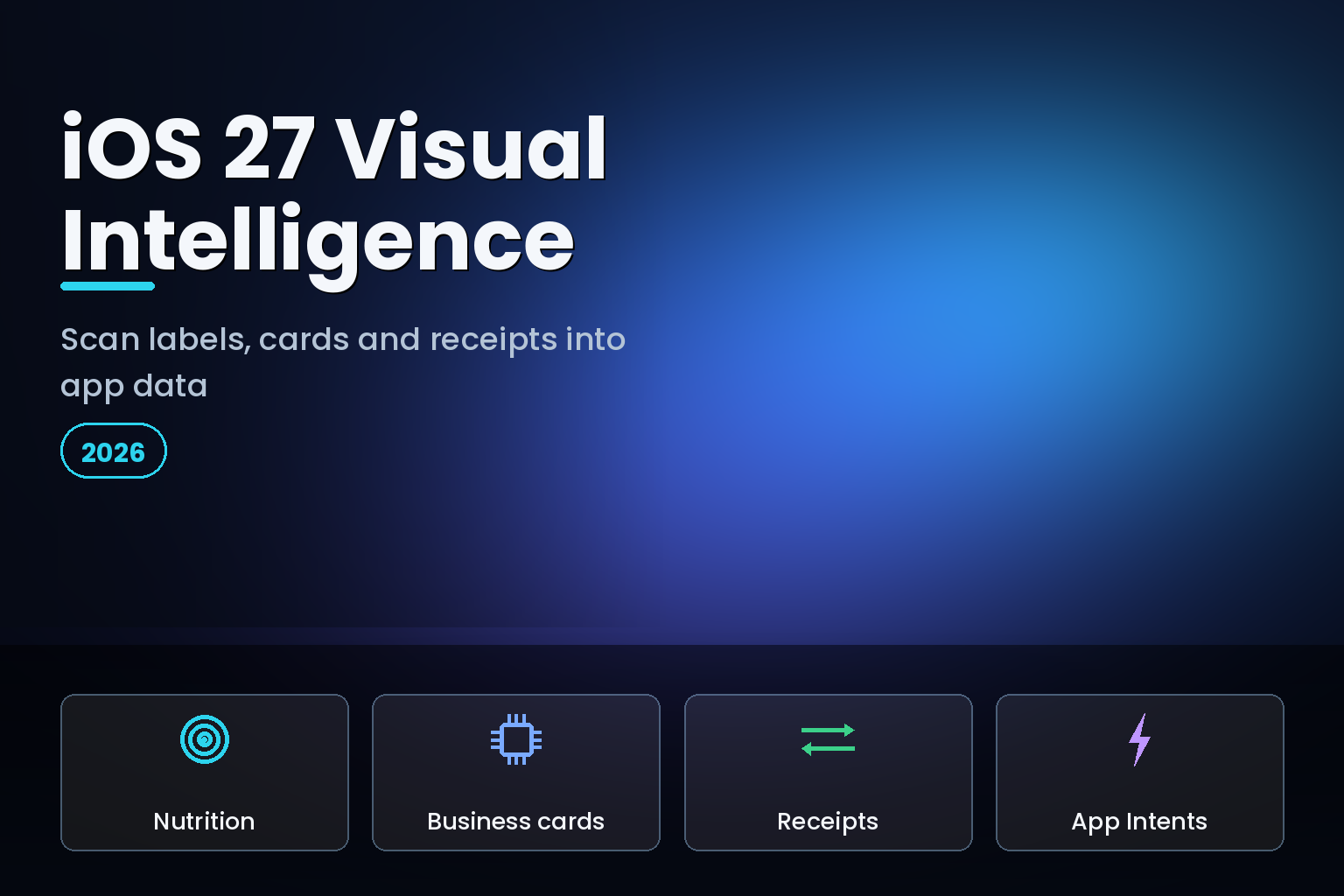
Summary. iOS 27, unveiled at WWDC on June 8, 2026, with developer beta 2 on June 22 and a public release expected around September 14, gives Visual Intelligence a notable upgrade and a rebrand to "Siri Mode" to make it easier to find in the Camera app. The headline new capabilities turn the camera into a structured-data scanner: nutrition labels on food packaging flow into the Health app, phone numbers and addresses on business cards flow into Contacts, and receipts feed Wallet's bill-splitting. Visual Intelligence, first introduced with the iPhone 16 in 2024, also reaches the Mac for the first time in this 2026 release. For developers, the more important news is the integration surface: the Visual Intelligence framework plus the App Intents framework, with a new View Annotations API for on-screen awareness, let your app receive what the camera sees and return matching content. The features need an Apple Intelligence-capable iPhone, an iPhone 15 Pro or newer, which launched at $999, or ₹1,34,900 in India. For health, CRM, and expense apps, this is a new data-capture pipeline worth adopting.
This is a developer and product guide, not a consumer feature tour. The question for a team building a health, sales, or expense app is how to plug into the camera-to-data pipeline Apple just built, so a user can point the camera at a label, a card, or a receipt and have the structured result land in your app rather than only in Apple's. For the broader App Intents strategy this builds on, start with our guide to iOS 27 App Intents and AI agents.
What iOS 27 changes for Visual Intelligence
Visual Intelligence arrived with the iPhone 16 as the camera-based way to ask about what you see. iOS 27 sharpens it in three ways. First, the rebrand to Siri Mode makes it more discoverable and ties it into the broader Siri AI push. Second, it gains structured-data recognition: it can now read nutrition labels for calorie and nutrient tracking into Health, and read phone numbers and addresses from business cards into Contacts, on top of its existing object and place recognition. Third, it comes to the Mac for the first time, and control-clicking an image or file now surfaces Siri as a native option in the context menu.
The strategic shift is from "tell me about this" to "capture this as data." Reading a nutrition label, a business card, or a receipt and turning it into a structured record is exactly the kind of tedious manual entry that apps in health, sales, and finance have always struggled to make painless. iOS 27 makes the camera the input method, and the open question for every such app is whether the captured data flows into your product or only into Apple's.
What the built-in feature captures, and your opportunity
| Captured item | Where Apple sends it | Your app's opportunity |
|---|---|---|
| Nutrition label | Health app (calories, nutrients) | Pull nutrition into your diet or fitness app |
| Business card | Contacts (phone, address) | Capture leads straight into your CRM |
| Receipt | Wallet (bill splitting) | Turn receipts into expense records |
| Object or place on screen | Visual Intelligence search | Surface your matching content in results |
The pattern is clear: Apple handles the capture and routes a default result to its own app, while the developer surface lets your app participate so the same scan can populate your product. The teams that integrate get a camera-based onboarding and data-entry path that would cost a fortune to build alone; the teams that do not watch users capture data into Apple's apps and re-enter it into theirs.
The developer surface: Visual Intelligence framework plus App Intents
The integration has two cooperating frameworks. The Visual Intelligence framework provides your app with the information captured by the camera, what the user pointed at or selected in a screenshot. The App Intents framework is how your app receives that information and returns matching content to the system and to Visual Intelligence. In Apple's words, people can point the Visual Intelligence camera at their surroundings and tap search, or select objects in a screenshot, and search for matching content in apps that offer integration.
So the model is: expose your content and actions through App Intents, adopt the Visual Intelligence framework to receive captured input, and your app becomes a destination for what the camera sees. A recipe app can match a scanned ingredient; a retail app can match a scanned product; a CRM can accept a scanned card. This is the same App Intents foundation that powers Siri AI and Spotlight, so the work compounds, one integration makes your app reachable across the camera, Siri, Spotlight, and Shortcuts. Our explainer on the iOS 27 Foundation Models and on-device AI covers the model layer you can pair with this for richer processing.
View Annotations: on-screen awareness for your app
The new piece in iOS 27 is the View Annotations API, which adds on-screen awareness. It lets you map your app's views to entities, so the system knows which structured entity each visible element represents and where it is on screen. With that, a user can reference and act on what is in front of them conversationally, asking about "this" or "the third one," and Siri can answer detailed questions about those entities and take action on them.
For a data-capture app, on-screen awareness closes the loop. The camera captures a nutrition label, your app shows the parsed result, and the user can then say "log this to today's lunch" or "save this contact to the Acme deal," with Siri resolving the reference against the annotated entity. Adopting onscreen awareness APIs gives Siri the context of what entities are on screen and where, which turns a static parsed result into something the user can act on by voice. It is the difference between showing data and letting the user do something with it hands-free.
Three app categories, three integrations
Health and nutrition apps
Nutrition-label scanning into Health is the most concrete new capability. If you build a diet, fitness, or clinical-nutrition app, the opportunity is to let users capture a label with the camera and log it into your food diary, not only Apple Health. Expose your food-logging actions and entities through App Intents, adopt the Visual Intelligence framework so a scanned label can be matched to your database, and use on-screen awareness so the user can say "log this as breakfast." Where appropriate, read from HealthKit so a label the user scanned into Health is also available to your app, with permission.
CRM and sales apps
Business-card scanning into Contacts is a gift to CRM and sales tools. A salesperson at an event can scan a stack of cards, and with your integration, those become leads in your CRM rather than orphaned entries in Contacts. Model a "create lead" or "add contact" App Intent, accept the captured phone and address data, and let on-screen awareness support follow-ups like "add this card to the Q3 pipeline." The friction you remove, manual entry of names, numbers, and addresses, is exactly the friction that makes salespeople skip CRM hygiene.
Expense and finance apps
Receipt capture is the classic painful workflow. iOS 27's Visual Intelligence already scans receipts for Wallet's bill splitting, reading line items, tax, and tip. For an expense app, the integration lets a user scan a receipt and have it become an expense record in your product, categorised and ready to submit, rather than a photo they will forget to process. Expose expense-creation intents, accept the parsed receipt data, and use on-screen awareness so the user can say "submit this to the client project." This is the workflow expense apps have tried to nail for a decade, and the camera-to-data pipeline finally makes it native.
A practical adoption plan
Treat it as a scoped project across the beta window. First, model your domain in App Intents: define the entities your app captures, a food item, a contact, an expense, and the actions on them, log, create, submit. Second, adopt the Visual Intelligence framework so your content can be matched to what the camera captures, and test that a scan returns your app as a destination. Third, add View Annotations to your result screens so the user can act on parsed data by voice. Fourth, where relevant, read from HealthKit, Contacts, or Wallet with permission so data captured into Apple's apps is also available to yours. Fifth, validate the whole pipeline on the July public beta on an Apple Intelligence-capable device, so you ship a camera-to-data experience by the September release. Adopting App Intents well is the foundation, as our App Intents developer strategy explains.
Why camera-to-data capture matters for your roadmap
Manual data entry is where good apps lose users. A diet app dies the week a user gets tired of typing every food; a CRM goes stale the day a salesperson stops entering cards; an expense app fails when receipts pile up unprocessed. The common cause is friction at the moment of capture, and that is exactly what iOS 27's Visual Intelligence removes by making the camera the input. For a product team, this reframes a long-standing problem: instead of building and maintaining your own optical-character-recognition and parsing pipeline, you can lean on a system capability that improves as Apple improves it, and spend your effort on what you do with the structured result.
There is a competitive dimension too. If a user can point the camera at a label, card, or receipt and have it land in a competitor's app but not yours, the competitor owns the moment of capture, and the data, and increasingly the habit. The apps that integrate early become the natural destination for camera-captured data in their category, while the ones that wait teach their users to capture into Apple's apps and copy across. The integration is not large, model your entities and actions, adopt two frameworks, add annotations, but the strategic payoff is owning the easiest path from the physical world into your product.
The deeper point is that iOS 27 turns Apple Intelligence into infrastructure any app can build on, and Visual Intelligence is one of the most tangible examples. The camera becomes a typed-input replacement for a whole class of tedious workflows. Teams that treat that as a platform shift, not a novelty, will redesign their onboarding and data-entry around it, which is where the real retention gains sit.
Device and rollout caveats
Two honest limits. The Visual Intelligence features are Apple Intelligence capabilities, so they require an iPhone 15 Pro or newer, and the camera-based capture leans on that hardware. A large share of users, especially the older-device base common in India, run iOS 27 but cannot use these features, so design a manual fallback rather than assuming the camera pipeline is always available. Second, Apple Intelligence rolls out by region and language over time, so even eligible devices may not have every capability on day one of the September release. Build the integration now so you are ready as the feature reaches more users, but keep your existing entry methods working for everyone.
India-specific considerations
For India-focused apps, the device split is the central planning fact: most Indian iPhone users are on devices that run iOS 27 but not Apple Intelligence, so the camera-capture pipeline will reach a premium slice first. Build the App Intents and Visual Intelligence integration so it lights up for capable devices, while keeping manual entry and existing flows solid for the majority. Language and regional rollout also affect when capabilities arrive, so plan for a phased reach. Under the Digital Personal Data Protection Act, 2023, capturing personal data through the camera, a business card holds another person's contact details, a nutrition log is health data, carries the same consent and purpose obligations as any other collection. Make sure your capture flows record a lawful basis and let users control what is stored, exactly as for typed input.
FAQ
How eCorpIT can help
eCorpIT is a Gurugram-based, CMMI Level 5 and MSME-certified technology organisation whose senior engineering teams build data-capture and intelligence features into iOS apps. We implement Visual Intelligence and App Intents integration, model the entities and actions your app captures, add View Annotations for on-screen awareness, and wire in HealthKit, Contacts, or Wallet with proper consent. If you build a health, CRM, or expense app and want the iOS 27 camera-to-data pipeline, talk to us through our contact page.
References
- WWDC 2026: everything announced on Siri AI, iOS 27, and Apple Intelligence — TechCrunch, June 9, 2026.
- iOS 27 is official: everything announced at WWDC 2026 — Tom's Guide.
- Visual Intelligence framework — Apple Developer Documentation.
- Integrating your app with Visual Intelligence — Apple Developer Documentation.
- Apple aids app development with new intelligence frameworks and advanced tools — Apple Newsroom, June 2026.
- Explore advanced App Intents features for Siri and Apple Intelligence — Apple Developer, WWDC26.
- WWDC26 Apple Intelligence guide — Apple Developer.
- Everything Apple announced at WWDC 2026 — Digital Trends.
- Apple unveils next generation of Apple Intelligence, Siri AI, and more — Apple Newsroom, June 8, 2026.
_Last updated: June 30, 2026._