On this page · 12 sections
- What service health actually does
- The GA timeline, and why the split matters
- Prerequisites
- Deploy to two regions with a readiness probe
- Wire up the load balancer
- The 8 limitations, ranked by how much they will hurt
- Roll it out one region at a time
- Monitoring and testing failover
- India-specific considerations
- FAQ
- How eCorpIT can help
- References
Summary. Cloud Run service health reached General Availability on 29 June 2026, after a Preview that started on 21 November 2025 for internal traffic and 24 February 2026 for external traffic. It gives you automatic cross-region failover and failback: container instances run readiness probes, Cloud Run aggregates those into a per-region health status, and a load balancer routes traffic away from an unhealthy region. HTTP and gRPC readiness probes reached GA on the same date. The setup needs at least 2 services in different regions, at least 1 minimum instance per region, and a serverless NEG per region behind a global external Application Load Balancer or a cross-region internal Application Load Balancer. Google lists 8 limitations, and 2 of them will quietly defeat your failover if you do not read them. New Google Cloud customers get $300 in free credits to test it.
The feature is genuinely useful and the documentation is thin in exactly the places that matter. This guide covers the working setup and then the parts that will cost you an incident.
One thing to note before you start. The Cloud Run release notes record service health as reaching General Availability on 29 June 2026, but when we checked the configuration page on 16 July 2026 it still carried a Preview banner, with a page footer reading "Last updated 2026-06-18 UTC". Trust the release notes on the launch stage. This kind of drift between a product's release notes and its docs is normal and worth checking whenever a launch stage decides whether you can use something in production.
What service health actually does
Google's description is direct: "Cloud Run service health exposes the aggregate health of your service in each region using Serverless Network Endpoint Groups (NEGs)."
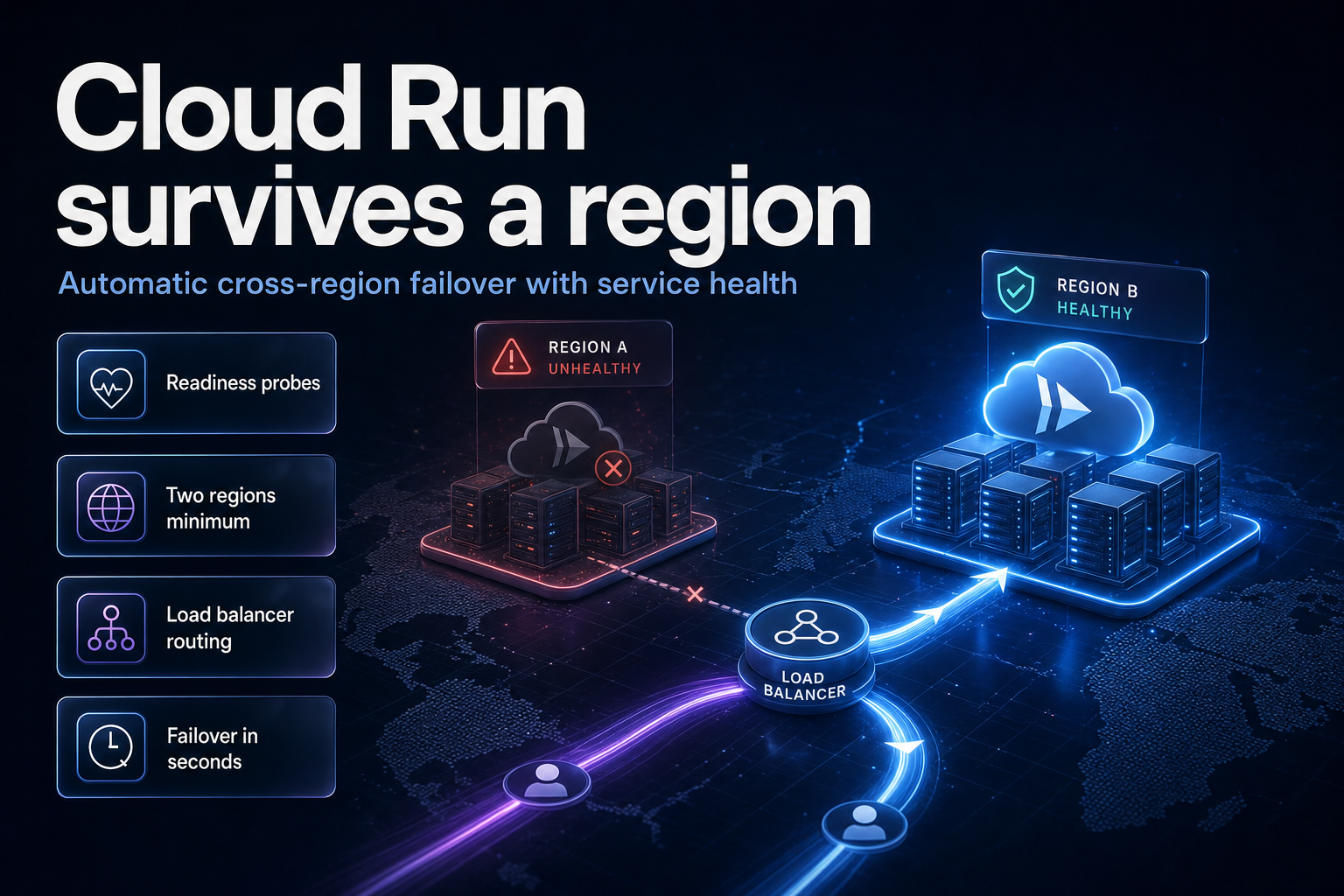
The mechanism has four moving parts:
- Each container instance runs a readiness probe, HTTP or gRPC, that you define.
- Cloud Run aggregates probe results across all instances in a region into one regional health status.
- A serverless NEG per region exposes that status to a load balancer.
- The load balancer routes traffic away from an unhealthy region and gradually restores it once the region recovers.
In Google's words: "If a region becomes unhealthy, the load balancer detects this status and automatically reroutes traffic to a healthy region, gradually restoring traffic once the unhealthy region recovers."
Two design consequences follow immediately. Health is computed per region, not per instance, from the point of view of the load balancer. And failback is automatic, which means a flapping region will flap your traffic.
The GA timeline, and why the split matters
| Date | Stage | Scope |
|---|---|---|
| 21 November 2025 | Preview | Service health for internal traffic; HTTP and gRPC readiness probes |
| 24 February 2026 | Preview | Service health extended to external traffic |
| 29 June 2026 | General Availability | Service health for internal and external traffic; readiness probes also GA |
| 10 September 2025 | GA (separate feature) | Deploy and configure a multi-region service from one gcloud command, or via YAML or Terraform |
| 6 April 2023 | GA (separate feature) | Serverless NEGs as backends for regional external and internal HTTP(S) load balancers |
The internal-then-external split is the useful detail here. If you evaluated this feature in December 2025 and concluded it did not cover your public API, that gap closed on 24 February 2026 and the whole thing has been GA since 29 June 2026.
Prerequisites
Enable the Artifact Registry, Cloud Build, Cloud Run Admin API, Network Services API and Compute Engine APIs. You need roles/serviceusage.serviceUsageAdmin to enable APIs, and the Compute Engine default service account needs roles/run.builder for source-based builds. Google notes that granting the Cloud Run builder role "takes a couple of minutes to propagate", which is a common cause of a first deploy failing for no obvious reason.
If your organisation was created after 3 May 2024, the iam.automaticIamGrantsForDefaultServiceAccounts organization policy constraint is enforced by default, so the Editor role is not automatically granted to default service accounts. You grant roles/run.builder yourself.
            gcloud projects add-iam-policy-binding PROJECT_ID \
    --member=serviceAccount:PROJECT_NUMBER-compute@developer.gserviceaccount.com \
    --role=roles/run.builder
Set your variables:
            PROJECT_NUMBER=$(gcloud projects describe PROJECT_ID --format="value(projectNumber)")
SERVICE=health-example
REGION_A=us-west1
REGION_B=europe-west1
Deploy to two regions with a readiness probe
This is the step that turns on health reporting. The probe is what makes the region's status knowable.
            gcloud beta run deploy $SERVICE \
--source=. \
--regions=$REGION_A,$REGION_B \
--min=10 \
--readiness-probe httpGet.path="/are_you_ready"
Three things in that command carry weight.
--regions takes a comma-separated list, so one command deploys both regions. That multi-region deploy capability has been GA since 10 September 2025 and also works from YAML or Terraform.
--min is not optional here. Google's requirement: "You must configure at least one service-level or revision-level minimum instance per region to calculate health," and "You must set the minimum value to 1 or more." With zero minimum instances there is nothing to probe, so there is no health signal. This is the single most common way to build a failover setup that reports nothing. Google suggests using the Container instance count metric in Cloud Monitoring to estimate the right minimum for each region.
--readiness-probe httpGet.path must match a real endpoint in your code. Google is specific that you "add an HTTP/1 endpoint (the Cloud Run default, not HTTP/2) in your service code to respond to the probe". Note that these endpoints are reachable from outside: "HTTP health check endpoints are externally accessible and follow the same principles as any other externally exposed HTTP service endpoints." Do not leak build versions, dependency status or internal hostnames from /are_you_ready.
Wire up the load balancer
For public traffic you need a global external Application Load Balancer. For private traffic, a cross-region internal Application Load Balancer. The external path looks like this.
Backend service:
            gcloud compute backend-services create $SERVICE-bs \
  --load-balancing-scheme=EXTERNAL_MANAGED \
  --global
Static IP, URL map, proxy and forwarding rule:
            gcloud compute addresses create $SERVICE-ip \
  --network-tier=PREMIUM \
  --ip-version=IPV4 \
  --global

gcloud compute url-maps create $SERVICE-lb \
  --default-service $SERVICE-bs

gcloud compute target-http-proxies create $SERVICE-hp \
--url-map=$SERVICE-lb

gcloud compute forwarding-rules create $SERVICE-fr \
  --load-balancing-scheme=EXTERNAL_MANAGED \
  --network-tier=PREMIUM \
  --address=$SERVICE-ip \
  --target-http-proxy=$SERVICE-hp \
  --global \
  --ports=80
A serverless NEG per region:
            gcloud compute network-endpoint-groups create $SERVICE-neg-$REGION_A \
    --region $REGION_A \
    --network-endpoint-type=serverless \
    --cloud-run-service=$SERVICE

gcloud compute network-endpoint-groups create $SERVICE-neg-$REGION_B \
    --region $REGION_B \
    --network-endpoint-type=serverless \
    --cloud-run-service=$SERVICE
Attach both NEGs to the backend service:
            gcloud compute backend-services add-backend $SERVICE-bs \
    --global \
    --network-endpoint-group=$SERVICE-neg-$REGION_A \
    --network-endpoint-group-region=$REGION_A

gcloud compute backend-services add-backend $SERVICE-bs \
    --global \
    --network-endpoint-group=$SERVICE-neg-$REGION_B \
    --network-endpoint-group-region=$REGION_B
Then read the load balancer IP and hit it:
            LBIP=$(gcloud compute addresses describe $SERVICE-ip --global --format='value(address)')
curl -H "Authorization: Bearer $(gcloud auth print-identity-token)" $LBIP
The 8 limitations, ranked by how much they will hurt
Google lists eight limitations. They are not equally dangerous.
| Limitation (as documented) | Why it matters |
|---|---|
| "Cloud Run service health is computed across all instances. Revisions without probes are treated as unknown. The load balancer treats unknown instances as healthy." | The worst one. Ship a revision without a probe and the load balancer counts it as healthy. Your failover silently stops working. |
| "If a Cloud Run service is deleted, Cloud Run doesn't report an unhealthy status to the load balancer." | Deleting a service does not fail traffic away from it. Remove the backend first, then delete. |
"Failovers require at least two services from different regions. Otherwise, if one service fails, the error message no healthy upstream is displayed." |
A single-region setup does not degrade, it returns errors. |
| "You must configure at least one service-level or revision-level minimum instance per region to calculate health." | Scale-to-zero and health reporting are mutually exclusive. This has a direct cost implication. |
| "Starting a new instance won't count the first readiness probe, so a request might briefly route to a newly started service before becoming unhealthy." | A small window where a cold instance can take a request it cannot serve. |
| "Cloud Run service health doesn't support cross-region internal Application Load Balancers with more than 5 serverless NEG backends." | A hard ceiling of 5 regions on the internal path. Plan your topology around it. |
| "You can't configure a URL mask or tags in serverless NEGs." | Rules out some multi-service routing patterns behind one NEG. |
| "You can't enable IAP from a backend service or load balancer. Enable IAP directly from Cloud Run." | An easy hour to lose if you configure IAP the way you would for a GCE backend. |
The first two are the ones to internalise. Both are cases where the system fails open rather than closed: an unprobed revision reads as healthy, and a deleted service never reports unhealthy. A failover mechanism that fails open is a failover mechanism you have to test, not trust.
The minimum-instance requirement is the one that shows up on the bill. Cloud Run's headline economy is that "Cloud Run services don't incur costs until they receive requests". Turn on service health and that stops being true, because you are now paying to keep at least one warm instance in every region, all the time, precisely so there is something to probe. That is the actual price of automatic failover, and it belongs in the decision, not in the invoice. If you are already tracking this kind of drift, our note on rightsizing workloads with in-place pod resize covers the same discipline on the Kubernetes side.
Roll it out one region at a time
Google's documented best practice is a canary, and the sequencing is deliberate:
- Deploy the new revision in a single canary region with a readiness probe configured.
- "Send a small amount of traffic (for example, 1%) to the new revision."
- "Use non-zero minimum instances at the service level, rather than at the revision level."
- Check the
run.googleapis.com/container/instance_count_with_readinessmetric to confirm new instances are healthy.
- "In incremental steps, increase the traffic percentage."
- "Once the revision receives 100% of traffic and the regional Cloud Run service health is stable and healthy, repeat this process for all other regions."
Point 3 is the subtle one. Minimum instances set at the revision level disappear when the revision is replaced; set at the service level they persist across deploys. Since minimum instances are what make health computable, putting them on the revision means every deploy briefly removes your health signal.
Cloud Run reports UNKNOWN until enough traffic is routed to the new revision, and unknown reads as healthy at the load balancer. So during a slow canary, the new revision is not being vouched for. It is being given the benefit of the doubt.
Monitoring and testing failover
Two metrics matter:
run.googleapis.com/container/instance_count_with_readinessfor whether instances are passing probes.
run.googleapis.com/service_health_countfor the regional health status the load balancer consumes.
To force a failover for a game day, remove a backend:
            gcloud compute backend-services remove-backend BACKEND_NAME \
--network-endpoint-group=NEG_NAME \
--network-endpoint-group-region=REGION \
--global
Google's own tutorial app exposes a toggle per region so you can flip a region unhealthy and watch traffic move.
One thing the documentation does not tell you: how long failover takes. There is no stated detection interval, no RTO, no probe-period default anywhere on the configuration page. If you need a number for an SLO, you have to measure it in your own topology. Do not put a recovery-time figure in a design document because a vendor page implied one. Measure it, in your regions, with your probe settings, and write down what you observed.
India-specific considerations
Cloud Run runs in two Indian regions, asia-south1 in Mumbai and asia-south2 in Delhi, which makes an in-country failover pair straightforward. That matters more than latency for regulated workloads.
Under India's Digital Personal Data Protection Act, 2023, failure to take reasonable security safeguards leading to a personal data breach carries a penalty of up to ₹250 crore, failure to notify a breach up to ₹200 crore, and other contraventions up to ₹50 crore. Automatic cross-region failover is a data-location decision wearing an availability costume. If your failover region is europe-west1 because that is what the tutorial used, you have quietly built cross-border transfer into your incident path, and it will fire exactly when nobody is watching carefully. Pair asia-south1 with asia-south2 unless you have a documented reason not to, and record the failover topology alongside your other processing decisions. Teams working through this should start with our DPDP consent manager framework readiness guide.
Note also that the 5-NEG ceiling on cross-region internal Application Load Balancers is not a constraint for an India-only pair, but it is if you are building a global internal topology with India as one leg.
FAQ
How eCorpIT can help
eCorpIT builds and tests multi-region setups of this kind for teams who need the failover to work when it is actually needed, not just to exist in Terraform. Our senior engineering teams design the probe endpoints, set minimum instances against measured traffic rather than guesses, run the game day that produces a real recovery-time number, and document the region pairing against DPDP data-location requirements. We design deployments aligned with DPDP Act requirements, including where personal data comes to rest during a failover. If you are putting Cloud Run service health into production this quarter, talk to our team.
References
- Automate cross-region failover with Cloud Run service health — Google Cloud Documentation, retrieved 16 July 2026.
- Cloud Run release notes — Google Cloud Documentation, GA entry dated 29 June 2026.
- Automate cross-regional failover with service health — Cloud Run tutorial, Google Cloud Documentation.
- Serve traffic from multiple regions — Cloud Run, Google Cloud Documentation.
- Cloud Run locations — Google Cloud Documentation.
- Configure health checks: readiness probes — Google Cloud Documentation.
- Monitor health and performance — Cloud Run, Google Cloud Documentation.
- Serverless NEG concepts — Cloud Load Balancing, Google Cloud Documentation.
- Set up a cross-region internal Application Load Balancer with Cloud Run — Google Cloud Documentation.
- How to build highly available multi-regional services with Cloud Run — Google Cloud Blog.
- Google Cloud product launch stages — definitions of Preview and General Availability.
- Digital Personal Data Protection Act, 2023 — penalty schedule reference.
Last updated: 16 July 2026.