On this page · 12 sections
- What Apple announced at WWDC 2026
- Siri AI: the rebuilt assistant behind the upgrades
- Apple Maps: enhanced Flyover and Local Lists
- Apple Wallet: split bills with Apple Cash and Visual Intelligence
- Find My: flexible location sharing and a unified Apple Watch app
- Photos and Image Playground: generative editing in iOS 27
- How the five upgrades compare on devices and regions
- India-specific considerations
- What this means for founders and product leads
- FAQ
- How eCorpIT can help
- References
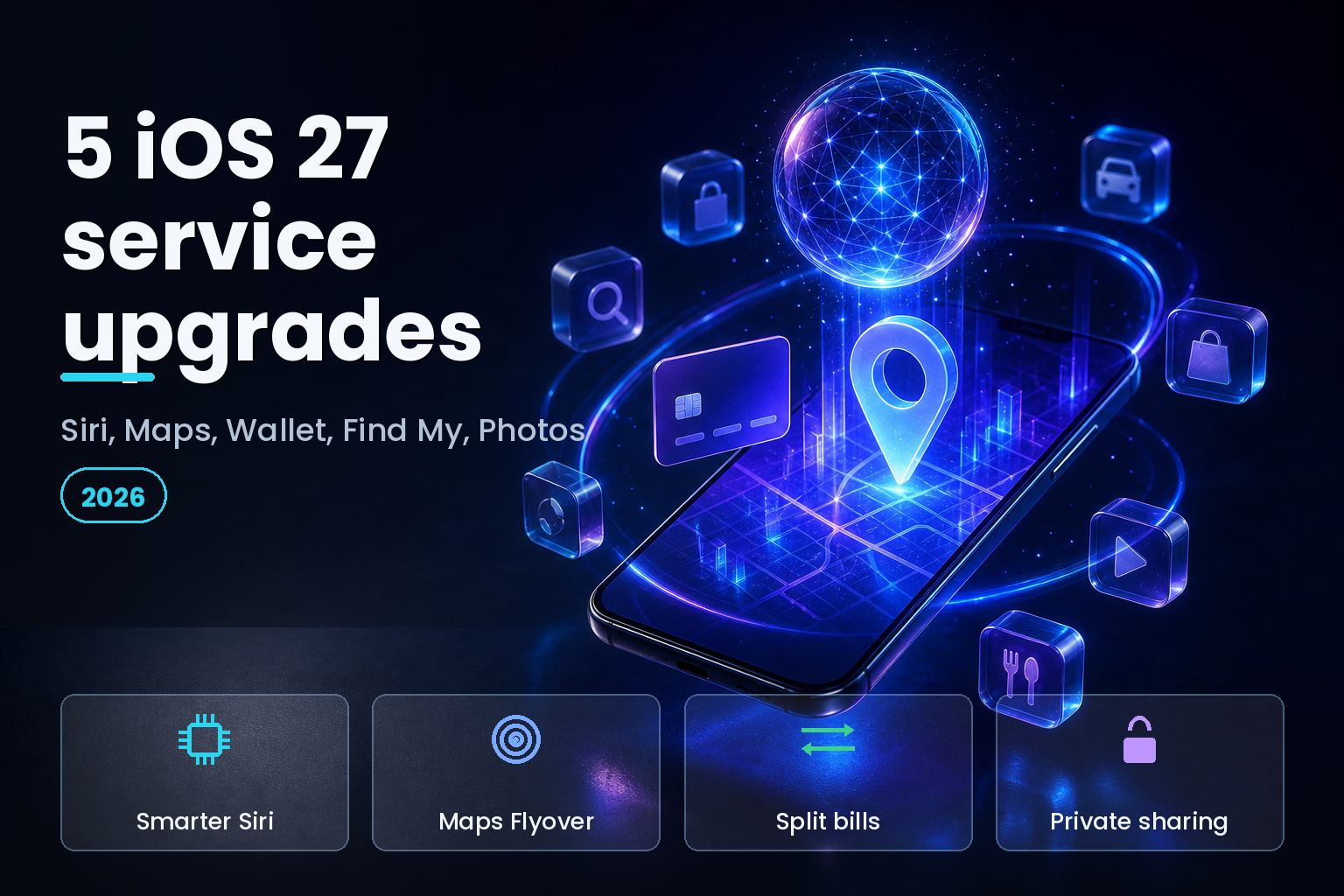
Summary. Apple introduced iOS 27 at WWDC 2026 on June 8, and five of its most useful changes land inside Apple's services rather than on the home screen. Siri, Apple Maps, Apple Wallet, Find My, and Photos each gain Apple Intelligence features that ship as a free update this fall, after a public beta due in July 2026. The biggest shift sits under Siri: Apple rebuilt the assistant with help from Google's Gemini models under a reported $1-billion-a-year arrangement first detailed on January 12, 2026, while insisting the shipping system is its own. "The amount of the Google Assistant we use is none," said Craig Federighi, Apple's senior vice president of Software Engineering, as reported by AppleInsider. iOS 27 runs on iPhone 11 and later, but the Apple Intelligence features below need an iPhone 15 Pro or newer. Apple also quotes up to 30% faster app launches, 70% quicker Photos loading, and 80% faster AirDrop transfers, figures Engadget tied to the WWDC 2026 reveal.
This piece breaks down all five service upgrades, which iPhones and regions get them, and what they mean for product teams building on Apple's platform. Each feature here is drawn from Apple's own WWDC 2026 services announcement on June 9, 2026, and from coverage by TechCrunch, MacRumors, and 9to5Mac. Where a date is a prediction rather than an Apple commitment, this article says so.
What Apple announced at WWDC 2026
Apple opened WWDC 2026 with the keynote on June 8 and put the first iOS 27 developer beta out the same day, with the public beta set for July 2026 through the Apple Beta Software Program. The stable release is a free update "this fall," in Apple's words. Apple has not pinned a public date; Macworld predicts Monday, September 14, 2026 based on Apple's habit of shipping in the second week of September, so treat that date as an estimate, not a promise.
Compatibility splits into two tiers. iOS 27 itself installs on iPhone 11 and later. The Apple Intelligence features in this article need an iPhone 15 Pro or newer, and the most demanding on-device work targets the A19 Pro chip, per Macworld's compatibility breakdown. That two-tier split matters for any team planning support: a feature can be "in iOS 27" yet reach only the subset of users on Apple Intelligence hardware.
Eddy Cue, Apple's senior vice president of Services, framed the release around the services layer. "We're excited to bring powerful new features and intelligence to hundreds of millions of users across Apple services, making their experiences even more useful and fun," he said in Apple's services announcement. The table below maps the five upgrades this article covers.
| Service | What is new in iOS 27 | Availability at launch |
|---|---|---|
| Siri | Rebuilt assistant, on-screen and in-app actions, dedicated Siri app | Apple Intelligence iPhones (15 Pro and later) |
| Apple Maps | Enhanced AI Flyover, Local Lists, trending places | Flyover worldwide cities; Local Lists U.S. only |
| Apple Wallet | Split bills with Apple Cash, create passes, Insights, hotel keys | Bill split U.S. only; passes broader |
| Find My | Custom-duration sharing, pause until end of day, unified watchOS app | Worldwide, device-dependent |
| Photos and Image Playground | Extend, Cleanup model choice, Spatial Reframing, photoreal generation | Apple Intelligence iPhones |
Siri AI: the rebuilt assistant behind the upgrades
The thread running through every other upgrade is Siri. Apple introduced what it calls Siri AI as "a profoundly more capable and personal assistant" in a press release dated June 8, 2026. The assistant now works at the operating-system level, so it can read on-screen content and act inside Messages, Mail, and Photos without the user switching apps. A new Siri app keeps a history of conversations, lets users pin important threads, and syncs across Apple devices through iCloud.
The engine change is the headline. Apple built its new foundation models with help from Google's Gemini technology under a multi-year deal that CNBC first reported on January 12, 2026 and valued at roughly $1 billion a year. Reporting from AppleInsider described a custom 1.2-trillion-parameter Gemini model built for Siri and Apple Intelligence. Apple's position is that distillation and training, not wholesale adoption, produced the shipping system. Federighi put it bluntly: "The amount of the Google Assistant we use is none."
For founders, the distinction is practical, not philosophical. The model behind Siri is more capable, but the surface your app plugs into is still App Intents and the system frameworks. A smarter Siri that can act on-screen raises the value of exposing your app's actions to the assistant, and it raises the bar on how clearly those actions are defined. If you are mapping a longer AI roadmap around this, our guide to generative AI enterprise strategy for 2026 covers how to choose where an assistant adds value and where it adds risk.
Apple Maps: enhanced Flyover and Local Lists
Apple Maps gets two changes worth a product team's attention. The first is an enhanced Flyover that combines aerial imagery with AI to render select world cities in sharper detail, down to the shapes of individual trees and the way light reflects off glass. The second, and more commercially relevant, is Local Lists.
Local Lists is a United States feature at launch. It uses what Apple calls intelligent insights from trending activity to surface collections of places, from trending restaurants to good spots to take children, as detailed by MacRumors. Apple states that all insights are derived with privacy in mind and never tied to individual users. For a local business or a discovery app, that is the key design constraint: placement is driven by aggregate trends, not by per-user profiles, so there is no individual targeting hook to build against. Maps also adds more suggested places and a trending restaurants section in search.
The privacy posture here is the same one Apple has used to differentiate Maps for years, and it shapes what a marketing or growth team can realistically do with the surface. You can earn a place in a trending list through real local demand; you cannot buy your way into a specific user's recommendation.
Apple Wallet: split bills with Apple Cash and Visual Intelligence
Apple Wallet carries the clearest Apple Intelligence payments story in iOS 27, and it is also the most region-locked. The marquee feature, bill splitting with Apple Cash, is United States only at launch and needs an Apple Intelligence iPhone. A user scans a receipt with the iPhone camera, or points the camera using the new Siri mode, and the system identifies the line items. As the user taps their items, Wallet calculates their share including tax and tip, then settles up over Apple Cash. The capability also lives in Messages. Apple notes that Apple Cash services are provided by Green Dot Bank, and the feature is limited to eligible iPhone and iPad devices in the U.S.
Wallet's second change is Create a Pass through Visual Intelligence. Point an iPhone at a physical loyalty or membership card with a barcode, or screenshot a digital one, and Wallet prompts you to save it; passes then present as a barcode or QR code from iPhone or Apple Watch, where they can be pinned to the Smart Stack. 9to5Mac and MacRumors document the full Wallet list, which also includes an Insights view for tracking spending across linked financial accounts, an enhanced key experience for participating hotels, and Tap to Share for faster in-store checkout. Tap to Share needs iPhone 12 or later and is not available in the European Economic Area at launch.
For a fintech or commerce product, the lesson is that Apple is pushing more of the receipt-to-payment loop into Wallet and Visual Intelligence. The opportunity is real, but the U.S.-first rollout means an Indian or European launch plan cannot assume parity on day one.
Find My: flexible location sharing and a unified Apple Watch app
Find My is the upgrade most users will feel first, because it changes a daily-consent decision. iOS 27 lets you share your location for a custom duration, set in minutes, hours, or days, or until a specific date and time, after which sharing stops on its own. You can also pause sharing with a specific person until the end of the day, and there is a clearer way to stop sharing without notifying the other party. Apple frames these around real moments in its services announcement: sharing for a weekend trip, or going quiet while buying an anniversary gift.
On Apple Watch, a single Find My app now replaces the separate Find Devices, Find Items, and Find People apps, with a map-centric interface and access to Precision Finding for a paired iPhone, AirTag (2nd generation), and AirPods Pro 3. Precision Finding has its own hardware requirements, which Apple lists as Apple Watch Ultra 2 or later and Apple Watch Series 9 or later with a compatible iPhone.
Time-boxed, self-expiring location sharing is a privacy primitive other apps should study. The default is no longer "share until I remember to turn it off." For any product that handles location consent, matching that mental model, sharing with a built-in expiry, is now the user expectation Apple is setting.
Photos and Image Playground: generative editing in iOS 27
The fifth upgrade puts generative editing inside Photos. Three tools anchor it, as AppleInsider details. Extend expands the borders of a photo using generative fill so you can change the crop or zoom out, adjustable with pinch gestures. Cleanup removes unwanted people and objects, and now lets you pick which Apple foundation model runs the edit: Fast for quick touch-ups, High Quality for detailed reconstruction, or Auto to let the system choose. Spatial Reframing repositions the virtual camera angle of a shot after it was taken.
Image Playground adds photorealistic generation for the first time, so a user can select an area of an image and make edits in natural language, or combine images. Apple's broader Apple Intelligence note adds that most iCloud+ plans now carry higher daily limits for image generation, which is the cost lever Apple uses to manage server-side generative work.
For product teams, the signal is that on-device and Apple-hosted generative editing is becoming a baseline iPhone capability rather than a third-party differentiator. If your app's value rested on basic object removal or background fill, iOS 27 narrows that gap, and the planning question becomes what you do that the system camera and Photos still cannot.
How the five upgrades compare on devices and regions
The single most common mistake in reading a WWDC list is assuming every feature reaches every user. It does not. The table below sets out the minimum hardware and the launch regions for the headline features, drawn from Apple's announcement footnotes and Macworld's compatibility guide.
| Feature | Minimum iPhone | Regions at launch |
|---|---|---|
| iOS 27 (base install) | iPhone 11 | Worldwide |
| Apple Intelligence features | iPhone 15 Pro or iPhone 16 and later | Many, including India in English |
| Split bills with Apple Cash | iPhone 15 Pro and later, Apple Intelligence | United States only |
| Tap to Share checkout | iPhone 12 and later | Outside the European Economic Area |
| Local Lists in Maps | Any iOS 27 iPhone | United States only |
A second view helps product teams decide where to act. The build-implications table pairs each upgrade with the opportunity it opens and the constraint to plan around.
| Upgrade | Opportunity for product teams | Constraint to plan for |
|---|---|---|
| Siri AI and App Intents | Deeper assistant actions inside your app | OS-level data access needs a privacy review |
| Visual Intelligence in Wallet | Receipt and pass capture flows | U.S.-only bill splitting at launch |
| Local Lists in Maps | Local discovery and placement | No per-user targeting; U.S. only |
| Find My sharing | Time-boxed location and consent UX | Expiry and notification design |
| Photos and Image Playground | In-app generative editing parity | Limited to Apple Intelligence devices |
India-specific considerations
For an Indian audience, the headline is timing, not absence. Apple Intelligence has worked in India since the iOS 18.4 release on March 31, 2025, through the English (India) language setting, as Apple confirmed when the features arrived in the country. Apple Intelligence support in India centers on the English (India) setting, and the suite is not yet offered in regional Indian languages on their own.
The catch is regional gating on the new payments features. Bill splitting with Apple Cash is United States only, because Apple Cash itself runs through a U.S. bank, so Indian users will not see it at iOS 27 launch. Local Lists in Maps is also U.S. first. What Indian users do get on an iPhone 15 Pro or later is the rebuilt Siri, the Find My sharing controls, the Photos editing tools, and Image Playground.
Location-sharing changes also intersect with India's privacy law. The Digital Personal Data Protection Act, 2023 raises the bar for consent and purpose limitation, and Find My's custom-duration, self-expiring sharing fits that direction well. Any Indian product that handles user location should treat expiry-by-default and clear stop controls as the standard iOS 27 sets, not an optional extra. For teams weighing how AI features change discovery and search visibility in this market, our explainer on AEO, GEO and SEO is a useful companion.
What this means for founders and product leads
Read together, the five upgrades point one way: Apple is moving intelligence into the services people already use, rather than asking them to open a separate AI app. That favors products that integrate cleanly with system surfaces. The real integration work for most teams is not the model. It is App Intents, Visual Intelligence entry points, and the privacy review that on-screen access now demands.
Three planning takeaways follow. Support tiers are split, so a feature being "in iOS 27" does not mean your whole user base can run it; the Apple Intelligence line sits at iPhone 15 Pro. Regions are uneven, so U.S.-first features such as Apple Cash bill splitting and Local Lists need a separate India and Europe plan. And consent is changing, because self-expiring location sharing in Find My resets what users expect from any app that asks for their location. If you want a structured review of where these shifts touch your roadmap, eCorpIT can help; details are in the closing section. For the full release calendar, our timeline on when iOS 27 is dropping tracks the beta and launch dates as Apple confirms them.
FAQ
How eCorpIT can help
eCorpIT is a senior-led technology organisation in Gurugram that builds iOS and cross-platform products for global and Indian businesses. We help teams plan for platform shifts like iOS 27, from wiring App Intents into a smarter Siri to designing location-consent flows that match Find My's self-expiring model and India's DPDP Act. We design applications aligned with the privacy and platform requirements these features introduce. To scope what iOS 27 means for your roadmap, contact our team.
References
- Apple Newsroom, "Apple unveils innovative features and intelligence experiences across services," June 9, 2026.
- Apple Newsroom, "Apple unveils next generation of Apple Intelligence, Siri AI, and more," June 2026.
- Apple Newsroom, "Apple introduces Siri AI, a profoundly more capable and personal assistant," June 8, 2026.
- TechCrunch, "WWDC 2026: Everything announced on Siri AI, iOS 27, Apple Intelligence, and more," June 9, 2026.
- Macworld, "iOS 27 Guide: New features, release date and compatibility," June 2026.
- CNBC, "Apple picks Google's Gemini to run AI-powered Siri," January 12, 2026.
- AppleInsider, "Google Gemini tech will be used in the all-new Siri after major Apple AI deal," January 12, 2026.
- AppleInsider, "Apple's new foundation models don't contain a drop of Gemini," June 8, 2026.
- MacRumors, "Apple Maps to Get These 10 New Features in iOS 27," June 11, 2026.
- 9to5Mac, "Here's everything new for Apple Wallet in iOS 27," June 8, 2026.
- MacRumors, "iOS 27 Wallet App Gets 7 New Features," June 2026.
- AppleInsider, "Apple Intelligence gives Photos in iOS 27 its biggest editing upgrade in years," June 9, 2026.
- Apple Newsroom India, "Apple Intelligence features are now available in India," March 2025.
- MacRumors, "Apple Says iOS 27 Adds These 12 New Features to Your iPhone," June 9, 2026.
- Engadget, "Apple's new OSes are getting a massive speed boost," June 2026.
_Last updated: June 24, 2026._