On this page · 9 sections
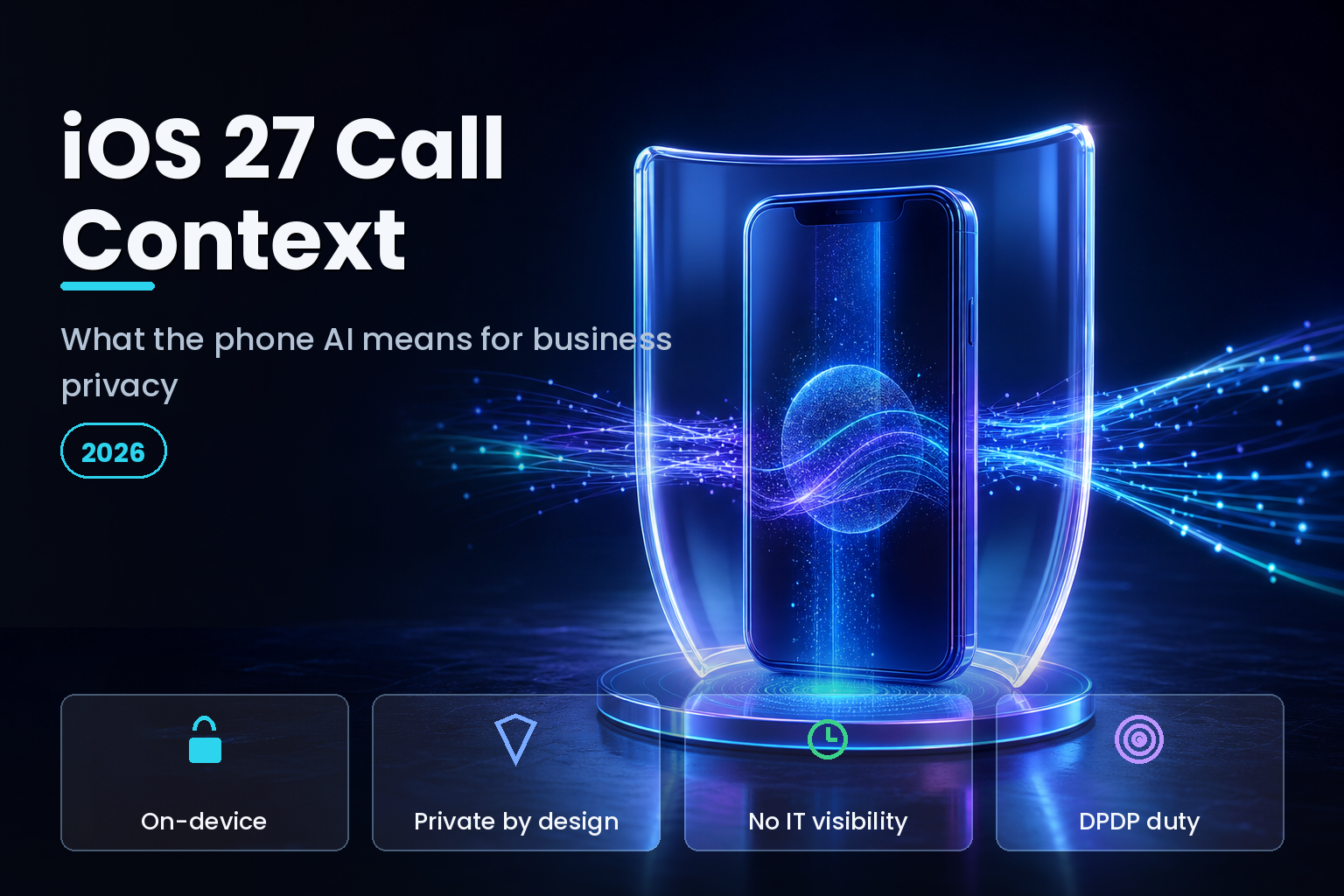
Summary. Apple unveiled iOS 27 at WWDC on June 8, 2026, and one of its most useful features is Call Context: when you call a business, the Phone app surfaces relevant details, such as a flight confirmation code pulled from Mail, without you searching for them. It runs entirely on device, does not analyze your conversation, and shares nothing with Apple or third parties. It needs Apple Intelligence, so iPhone 15 Pro, iPhone 15 Pro Max, and iPhone 16 or later. The design is privacy-forward, built on Apple's on-device models — AFM 3 Core at roughly 3 billion parameters, with a 20-billion-parameter sparse variant, AFM 3 Core Advanced, on the most capable Apple silicon — and Private Cloud Compute for heavier tasks. For a business, two facts sit in tension: the feature reads corporate data in Mail to work, and IT gets no observability into what it touched. In India, a data breach can cost up to ₹250 crore under the Digital Personal Data Protection Act 2023, with a further ₹200 crore for failing to report it, so "the AI is private" is the start of the conversation, not the end.
Call Context is a clean case study in where on-device AI helps privacy and where it still leaves a governance gap for CTOs. Here is what it does, how the architecture protects data, and what your team still has to control.
What Call Context actually does
When you place a call to a business, Call Context looks only at who you are calling and then finds information that may help, such as a reservation number, an order confirmation, or a booking code sitting in Mail or another app. Call an airline to change a flight, and the confirmation code appears in the Phone app. It does not listen to or analyze the call itself. Apple processes it on device, and the suggestions are generated without sending your data to Apple or a third party. The feature rolls out with Apple Intelligence rather than on day one of the iOS 27 release, so treat it as a near-term capability.
The privacy design is genuinely good: the AI is conversation-blind, on-device, and scoped to the call. But note what it reads to be useful. It reaches into Mail, where corporate booking confirmations, vendor communications, and account details often live. That is the crux for a business.
The architecture: on-device first, then Private Cloud Compute
Apple Intelligence runs on device by default, powered by on-device models — AFM 3 Core at roughly 3 billion parameters, and on the most capable Apple silicon a 20-billion-parameter sparse model, AFM 3 Core Advanced — and offloads heavier tasks to Private Cloud Compute (PCC). The third generation of Apple Foundation Models is a family of five models built in collaboration with Google, spanning on-device to server-based. Apple's guarantee for PCC is strong: personal data sent to it is not accessible to anyone other than the user, not even Apple, and it is not stored.
At WWDC 2026 Apple went further, working with Google and NVIDIA to run some Apple Intelligence workloads on Google Cloud while extending PCC's privacy commitments to third-party data centers for the first time. The design stacks three hardware trust layers: NVIDIA Confidential Computing on Blackwell GPUs, Intel TDX on the CPUs, and Google's Titan chip anchoring the root of trust. We break down that stack in the Apple Intelligence and Private Cloud Compute architecture.
| Dimension | Apple on-device | Apple Private Cloud Compute | Typical third-party cloud AI |
|---|---|---|---|
| Where data is processed | On the iPhone | Apple-controlled secure servers | Vendor servers |
| Who can access the data | Only the user | No one but the user, not even Apple | Vendor, per its policy |
| Data retention | None beyond the task | Not stored | Often retained/logged |
| Enterprise observability | None | None | Sometimes, via admin APIs |
| Example feature | Call Context | Larger Siri requests | External chatbots |
The governance gap: privacy for the user, not visibility for IT
Here is the part CTOs miss. Private Cloud Compute is built for individual privacy, not enterprise observability. There are no enterprise APIs to track, customize, or report on Apple Intelligence usage, no SIEM integration, and no conditional logic; Apple offers basic MDM toggles, not behavioral controls. So an on-device feature can read a corporate email to help on a call, and your IT team cannot see that it happened.
Security leaders are blunt about the requirement. In Six Colors' 2026 Apple in the Enterprise report card, a survey of IT admins, one respondent framed the ask plainly: "Enterprise needs an 'off' switch for Apple Intelligence. As in, 'disable all of it, and prove that it's disabled.' Again, this isn't a preference, it's a requirement imposed by C-levels, regulators, and auditors." Another respondent in the same survey named the core fear: corporate data being scanned and extracted "without the user, or IT, understanding what is happening."
What CTOs should do before rollout
The controls exist, but they moved. Apple deprecated the old MDM restriction keys for Apple Intelligence and Siri in iOS 26.4, pushing management to declarative device management, which becomes the standard across Apple's 2026 releases. Practically:
Set enrollment correctly. Corporate-owned devices should be supervised through Automated Device Enrollment; BYOD should use User Enrollment, which lets you manage work accounts and apps without touching personal data. On BYOD, remember Call Context can read a work email inside a personal Mail account unless work data is separated.
Decide the Apple Intelligence posture per user group. Regulated teams may need it disabled and proven disabled; general staff may keep it on. Use declarative controls, not the deprecated keys. Federated authentication with Microsoft Entra or Okta and Managed Apple IDs through Apple Business Manager keeps corporate identity and data inside a boundary you control. Our checklist is in the iOS 27 enterprise readiness guide.
India-specific considerations
Under the DPDP Act 2023, an organization that fails to protect personal data faces penalties up to ₹250 crore per breach, with a separate penalty of up to ₹200 crore for failing to notify the Data Protection Board and affected individuals. On-device processing like Call Context supports DPDP's data-minimisation direction, because the data never leaves the phone, which is a point in Apple's favour. But the duty to protect and account for personal data stays with the business, not the device maker. If employees handle customer data in Mail on managed iPhones, document that Call Context and other Apple Intelligence features run on device, define who may use them, and align consent and retention with DPDP. The consent groundwork is covered in the DPDP consent manager readiness guide.
The bottom line for CTOs
Call Context is not the risk; the pattern it represents is what to plan for. On-device AI that quietly reads corporate data to be helpful is now the default across the platform, and it is spreading feature by feature, not arriving as one switch you can flip. The user-facing privacy is real and, in Apple's case, better than most cloud AI. The enterprise blind spot is equally real: you cannot audit what you cannot see, and Apple's model deliberately gives IT no window into on-device inference. The workable stance is neither blanket fear nor blanket trust. Decide the posture per user group, enforce it with declarative management, keep corporate identity and data inside a managed boundary, and document the decision so an auditor or the Data Protection Board sees a deliberate control, not an accident. Do that once, as a policy, and every future on-device feature inherits the guardrail instead of reopening the debate.
How eCorpIT can help
eCorpIT is a CMMI Level 5, MSME-certified technology organization in Gurugram, with senior teams that help businesses adopt on-device AI safely. We assess features like Call Context against your risk profile, set declarative MDM policies and enrollment models for corporate and BYOD fleets, and design data handling aligned with DPDP and GDPR requirements. If you are planning an iOS 27 rollout and need the privacy and IT-control questions answered first, talk to our team.
FAQ
References
_Last updated: July 3, 2026._