On this page · 10 sections
- The verdict, upfront
- The single biggest reason this happened: Canonical
- What actually matured on each platform
- The plugin ecosystem, concretely
- The honest gaps that are still there
- Why old opinions about frameworks are dangerous
- When Flutter Desktop is the right call — and when it isn't
- A short re-evaluation checklist
- Frequently asked questions
- Closing note & references
A few years ago, plenty of experienced Flutter developers tried desktop support, ran into missing native APIs and half-finished plugins, and quietly went back to mobile-only projects. That impression didn't come from nowhere — it was accurate at the time. What's changed is that most of those developers never went back to check if it was still true. Revisit Flutter Desktop today and the honest answer is: it's a genuinely different framework than the one people wrote off two or three years ago — though not, as we'll get into, a finished one.
The verdict, upfront
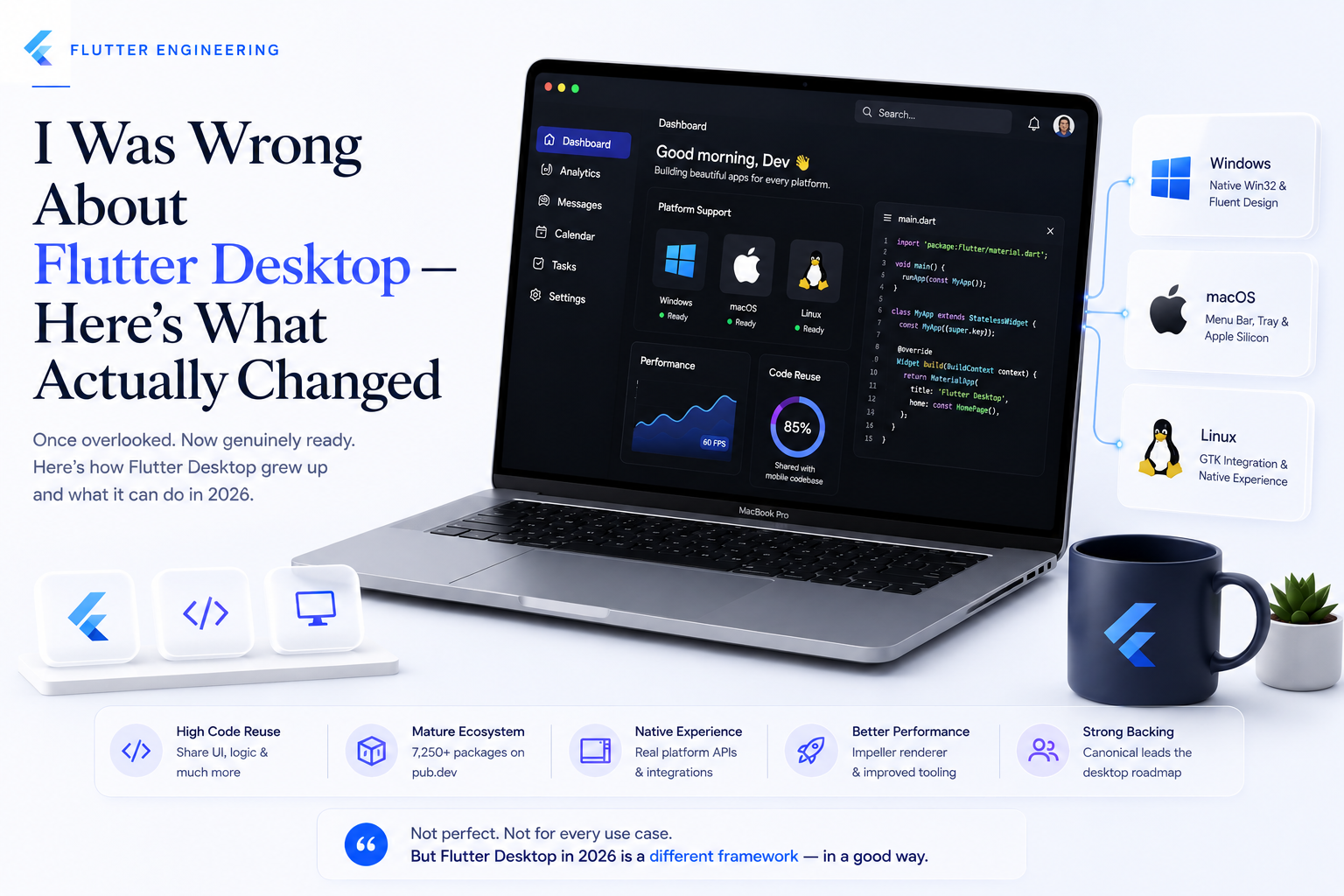
Flutter Desktop in 2026 is production-ready for a specific, well-defined case: teams that already have a Flutter mobile codebase and want to extend it to Windows, macOS, and Linux with high code reuse. It is not, honestly, the strongest choice for a desktop-first, greenfield project with no existing Flutter investment — native or other desktop-first frameworks still have an edge there. That distinction matters more than a blanket "yes" or "no," and it's the nuance that gets lost when someone's two-year-old opinion gets applied to today's framework without re-checking it.
The single biggest reason this happened: Canonical
The most concrete evidence that Flutter Desktop's maturity isn't just a vibe is a governance change, not a feature list. At Google I/O 2026, Google confirmed that Canonical — the company behind Ubuntu — is now the lead maintainer and strategic steward of Flutter desktop across Windows, macOS, and Linux. Kate Lovett, an engineering manager on the Flutter Framework team at Google, described the desktop experience as having "reached a new level of maturity this year," attributing it directly to the engineering partnership with Canonical.
This isn't Canonical's first involvement — the company made Flutter its default choice for building new Ubuntu desktop apps back in 2021, and has since shipped several of its own Flutter-based tools, including Ubuntu's App Center, Firmware Updater, and Security Center. What changed in 2026 is that this working relationship formally took charge of Flutter desktop's roadmap, rather than remaining one contributor among many. A dedicated, resourced maintainer taking formal ownership of a platform is a structurally different signal than incremental community package updates — it's the kind of change that explains a genuine before/after gap in maturity, rather than one release cycle's worth of polish.
What actually matured on each platform
The improvement isn't evenly distributed, and being specific about where each platform stands is more useful than a generic "it's all better now."
macOS is the most mature of the three targets. Flutter apps ship directly on the Mac App Store, with native menu bar integration, menu bar extras (macOS's equivalent of a status bar item, distinct from Windows' system tray), and Apple Silicon optimization no longer requiring workarounds.
Windows now benefits from genuine native API access via Win32 — Flutter's Windows target builds standard Win32 desktop applications (not UWP apps), and the package ecosystem includes Fluent UI-pattern libraries so apps can adopt Microsoft's Fluent Design System (acrylic blur effects, platform-correct hover states) instead of defaulting to Material Design in a context where it looks out of place.
Linux support includes GTK framework compatibility and native desktop environment integration, which — combined with Canonical's direct stake in the outcome — is arguably the platform benefiting most from the new maintenance arrangement, since Ubuntu is Canonical's own product.
Beyond platform-specific APIs, 2026 also brought experimental cross-platform primitives — popup windows, tooltip windows, and dialog support that work consistently across Linux, macOS, and Windows rather than needing three separate implementations, directly attributed to the continuing Canonical partnership.
The plugin ecosystem, concretely
"The plugin ecosystem matured" is a vague claim unless it's backed by something concrete, so here's the specific version: Flutter Gems, the community's curated package directory, now lists more than 7,250 Dart and Flutter packages categorized by functionality — and critically, packages that used to be mobile-only have added real desktop support rather than staying mobile-exclusive. sqflite (SQLite database access) and image_picker (image and video selection) are two commonly cited examples of packages that now carry documented desktop support rather than throwing unsupported-platform errors — with file_picker and file_selector filling the equivalent role for general-purpose file selection.
For the desktop-specific needs that don't exist on mobile at all — window management, system tray icons, native notifications, registry access — a mature set of purpose-built community packages has emerged: window_manager for resizing, positioning, and restoring window state; tray_manager and system_tray for tray icons and context menus across all three desktop platforms; and platform-specific utilities like win32 (direct Windows API access via FFI) and macos_window_utils for native window behavior on macOS.
The honest gaps that are still there
A fair re-evaluation has to include what hasn't changed, and the most important nuance is this: nearly every desktop-specific capability mentioned above — window management, system tray, file dialogs, notifications — is still delivered through third-party community packages, not built into Flutter's core SDK the way basic widgets and rendering are. One widely shared 2026 write-up from the team behind Spotube, a production Flutter desktop music app, put it bluntly: "There's no debate that Flutter's desktop support is very limited," immediately followed by crediting the community for filling those gaps with battle-tested packages. Both halves of that sentence are true, and a fair assessment needs both.
There are also cases where Flutter genuinely isn't the right tool. Teams building extremely lightweight utilities — a tray-only background app with no real UI — may find Flutter's roughly 10–15MB engine overhead hard to justify against a native alternative built for exactly that footprint. Projects that need tight integration with legacy Windows UI frameworks (MFC, WPF) or rely on DLLs and COM objects without existing Flutter plugin wrappers face real friction. And while Flutter supports .msix packaging for Windows distribution, highly customized enterprise installers, Group Policy (GPO) integration, or legacy corporate deployment pipelines may still need native tooling layered on top.
Why old opinions about frameworks are dangerous
None of the above is really a story about Flutter specifically — it's a broader pattern in how developers evaluate technology. An opinion formed from a real, honest experience two or three years ago doesn't automatically expire, but it also doesn't automatically stay accurate, and there's rarely a clear signal telling you which one has happened. Frameworks with active governance and real investment — and a formal maintainer handoff to a company with its own product riding on the outcome is about as strong a signal of active investment as exists — can move further in two years than intuition expects. The practical habit worth building isn't "trust every framework's roadmap promises," it's "periodically re-run the evaluation instead of citing the last one indefinitely," especially before ruling a tool out for a new project on the strength of an old trial.
When Flutter Desktop is the right call — and when it isn't
The clearest way to make this decision is by starting point, not by feature checklist. If you already have a Flutter mobile app and want to extend to desktop, the calculus is strongly in Flutter's favor — teams commonly report 70–85% code reuse between mobile and desktop targets, meaning the incremental cost of adding Windows, macOS, and Linux support is genuinely low compared to a separate native build for each. Internal tools and cross-platform utilities for teams that already write Dart also fit well here, for the same reason.
If you're starting a brand-new, desktop-first project with no existing Flutter codebase, the case is weaker — you'd be adopting Flutter primarily for its desktop story rather than benefiting from mobile code reuse, and that's the scenario where the remaining gaps (third-party dependency for core desktop UX, engine overhead for tiny utilities, enterprise deployment friction) weigh the most relative to the benefit.
A short re-evaluation checklist
Before writing off — or committing to — Flutter Desktop based on an old impression, it's worth running through a short, current checklist: confirm whether your target packages (database, file access, platform-specific UI) have documented desktop support today, not two years ago; check whether window_manager, tray_manager/system_tray, and file_selector cover the native-feel behaviors your app actually needs; be honest about whether your app is a genuinely lightweight utility where engine overhead matters; and if enterprise deployment (GPO, MSIX customization, code signing at scale) is a requirement, validate that path specifically rather than assuming it's solved.
Frequently asked questions
Closing note & references
The uncomfortable part of re-evaluating a technology is admitting the earlier opinion wasn't wrong when it was formed — it just stopped being current, silently, while attention was elsewhere. Flutter Desktop in 2026 isn't a finished product with every gap closed, and this piece hasn't tried to claim that. But a formal maintainer handoff to a company with its own OS riding on the outcome, combined with a plugin ecosystem that's visibly caught up on the basics, is a real, checkable reason to run the evaluation again — not just take someone's word, old or new, for it.